Connexion requise
Connectez-vous avec votre compte iOSGods pour continuer.
Connectez-vous avec votre compte iOSGods pour continuer.
Lock Launcher est un Mod IPA gratuit qui déverrouille les fonctionnalités premium pour ce widget d'écran de verrouillage iOS 18/26, vous permettant de lancer instantanément des apps, des raccourcis, des sites web et des schémas URL personnalisés directement depuis votre écran de verrouillage sans redirection supplémentaire. Ajoutez ce que vous voulez à votre écran de verrouillage et ouvrez-le d'un simple tap, maintenant avec un accès premium complet inclus.
- Premium → toutes les fonctionnalités premium déverrouillées
Téléchargez Lock Launcher - Launch Apps iOS Mod IPA depuis les liens ci-dessus. Appuyez sur le bouton d'installation et suivez les instructions pour installer ce hack iOS sur votre iPhone, iPad ou Apple Silicon.
Besoin de plus d'aide ? Consultez notre FAQ de l'app iOSGods pour des réponses détaillées et des conseils de dépannage.
No extra redirects—open apps instantly! Lock Launcher is a iOS 26/27 lock screen widget. You can add anything on the lock screen and launch it instantly with just one touch.
It perfectly supports various Apps, Websites, Shortcuts and custom URL Scheme.
▶ Featured on the App Store Homepage ◀
▶ Featured in App Store Trending Searches ◀
▶ Chosen by over 4 million users ◀
【iOS 27 Liquid Glass & Control Center & Camera Control & Action Button】
- Quickly launch any Apps, Shortcut, URL Scheme, Webpage, Music, etc., from the Control Center, Lock Screen Button and Action Button, you can also customize the tinted icon beautification, making it both efficient and practical.
- Supports quick Camera Control for iPhone 16, allowing for fast one-tap access to any launch actions, such as: scan, payment code, etc.
▶ Featured on App Store Today ◀
【Features】
- iOS 27 Extra-large Home screen Widget
- Minimalist Dumb Phone Launcher Theme & Classic Grid Theme
- Control Center Widget
- Quick Search to Result Page
- Quick Scan QR Code
- iOS 17 interactive small widgets 2×2 / 3×3 / 4×4
- Home screen widget with transparent background
- Favorites support group management
- Auto-refresh Start Live Activity and Dynamic Island with Shortcut Automation
- Lock screen Text Widget supports custom Launcher and text
- Dynamic Island supports Date and Week
- Island CPU, Memory, Refresh Rate, FPS, Download/Upload Speed
- Dynamic Island Launcher
- Live Activities Launcher
- Lock Screen Memo & Clock
- Dynamic Island Clock
- Dynamic Island Pure Mode for taking screenshot
- Health Data: Step / Fitness / Heart Rate
- Current weather data
- Picture-in-Picture Mode
- Music Actions
- Dock Transparent Blur Style
- NFC action read and write
【Features】
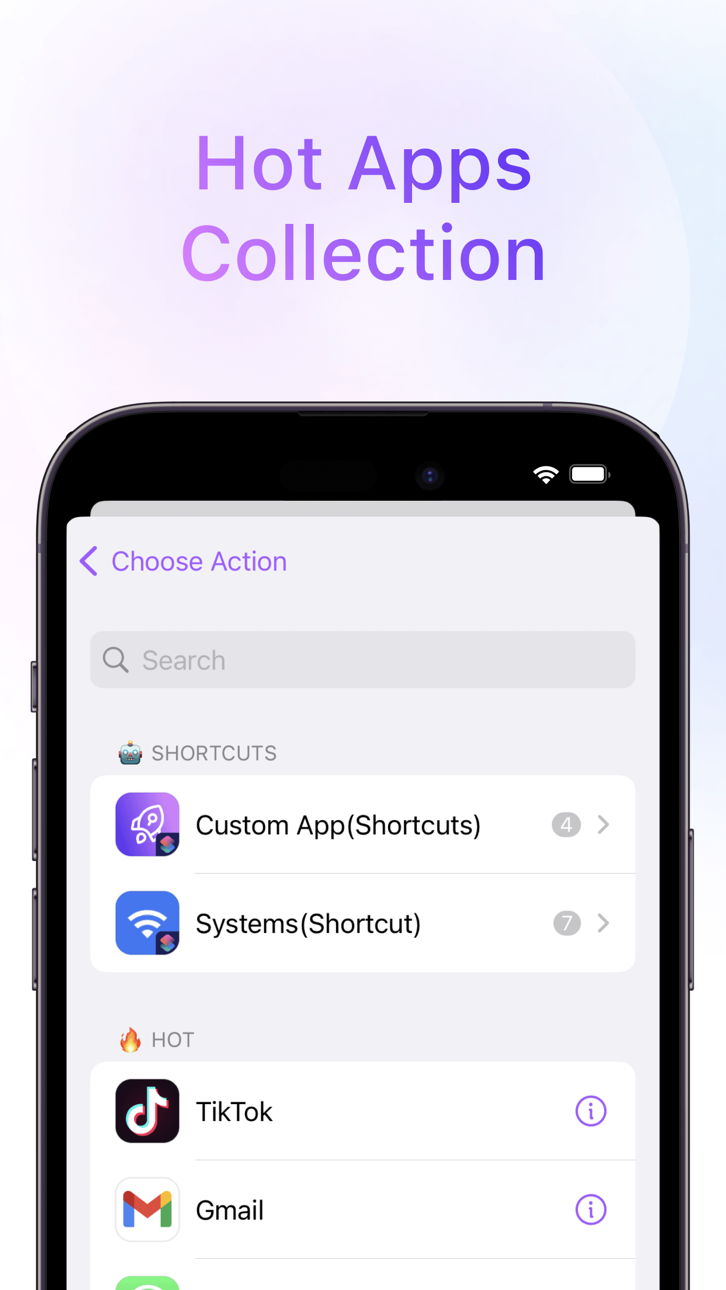
- Hot Apps Collection
- Lightning Payment
- Dynamic Island Launcher
- Home Screen Launchpad Widget
- Dynamic Battery Widget
- Custom Icons
- Custom URL Scheme
- Favorite Launchers
- Efficient Shortcuts
- Powerful Web Apps
- Save to Home Screen
- Add Home Screen Widgets
- One-Click Image
- Dynamic Clock Widget
- Auto iCloud Backup & Restore
- Quick access web page
- 15 Pro Action Button 18
- App Clip
Encourage us with five stars, More powerful features will be developed.
Also, feedback are welcome to tell me on Twitter:@LockLauncherApp / [email protected]
* Subscription payments will be charged to your iTunes account at confirmation of your purchase.
* Subscriptions will automatically renew and payment will be charged to your iTunes account unless auto-renew is turned off at least 24 hours prior to the end of the current
Captures © leurs propriétaires respectifs · App Store
Aucune app iOS similaire pour le moment. Revenez bientôt !
iOSGods n'est ni affilié à Apple Inc., Google LLC ou aux développeurs des applications listées ici, ni approuvé ou sponsorisé par eux. Apple, iOS et App Store sont des marques d'Apple Inc. Android et Google Play sont des marques de Google LLC. Tous les autres noms d'applications, icônes, visuels et marques appartiennent à leurs propriétaires respectifs.

- iPhone ou iPad avec ou sans Jailbreak.
- Sideloadly ou alternatives.
- Ordinateur sous Windows/macOS/Linux avec iTunes installé.
ÉTAPE 1: Téléchargez le fichier .IPA pré-modifié depuis le lien ci-dessus sur votre ordinateur. Pour le télécharger depuis l'iOSGods App, consultez notre Tutoriel de téléchargement de l'IPA depuis l'iOSGods App qui comprend un exemple en vidéo.
ÉTAPE 2: Téléchargez Sideloadly et installez-le sur votre Windows ou Mac.
ÉTAPE 3: Ouvrez Sideloadly sur votre ordinateur, connectez votre appareil iOS et attendez que le nom de votre appareil apparaisse dans Sideloadly.
ÉTAPE 4: Une fois votre iDevice reconnu, glissez le fichier .IPA modifié que vous avez téléchargé et déposez-le dans l'application Sideloadly.
ÉTAPE 5: Saisissez l'adresse e-mail de votre Apple Account, puis appuyez sur « Start ». Il vous sera ensuite demandé d'entrer votre mot de passe. Fournissez les informations requises.
ÉTAPE 6: Attendez que Sideloadly termine le sideloading/l'installation de l'IPA modifié. En cas de problème durant l'installation, veuillez lire la remarque ci-dessous.
ÉTAPE 7: Une fois l'installation terminée et l'app visible sur votre écran d'accueil, vous devez aller dans Réglages → Général → Profils / VPN et gestion de l'appareil. Là, appuyez sur l'adresse e-mail saisie à l'étape 6, puis appuyez sur « Faire confiance à [email protected] ».
ÉTAPE 8: Allez maintenant sur votre écran d'accueil et ouvrez l'app nouvellement installée ; tout devrait fonctionner correctement. Vous devrez peut-être suivre des instructions supplémentaires propres à chaque app, dans la fenêtre du hack en jeu.
REMARQUE : À partir d'iOS/iPadOS 16, vous devez activer le mode Développeur. Pour les comptes Apple Developer gratuits, vous devrez répéter ce processus tous les 7 jours. Pour toute question ou problème, lisez notre section FAQ Sideloadly du sujet.
Game Name iOS Mod IPA is an action adventure game enhanced with powerful gameplay boosts and quality-of-life improvements. Win battles faster, earn rewards quicker, and enjoy uninterrupted play without ads.
- Unlimited Gold - spend freely to unlock premium content
- Damage Multiplier - deal significantly more damage in combat
- Defense Multiplier - take less damage and survive longer
- Reward Multiplier - earn more loot from every battle
- Max Level - instantly reach the highest player rank
- No Ads - play without interruptions or advertisements
This app also comes with iGameGod, giving you access to Auto Touch to automate repetitive tasks, App Speed Manager for adjustable gameplay speed, Memory Engine value editing, and more powerful iOS game tools.
Téléchargez Game Name Mod IPA depuis les liens ci-dessus. Appuyez sur le bouton d'installation et suivez les instructions pour installer ce hack iOS sur votre iPhone, iPad ou Apple Silicon.
Besoin de plus d'aide Consultez notre FAQ de l'app iOSGods pour des réponses détaillées et des conseils de dépannage.
----------------------------------------------------------
--------------------------------------------------