Accesso richiesto
Accedi con il tuo account iOSGods per continuare.
Accedi con il tuo account iOSGods per continuare.
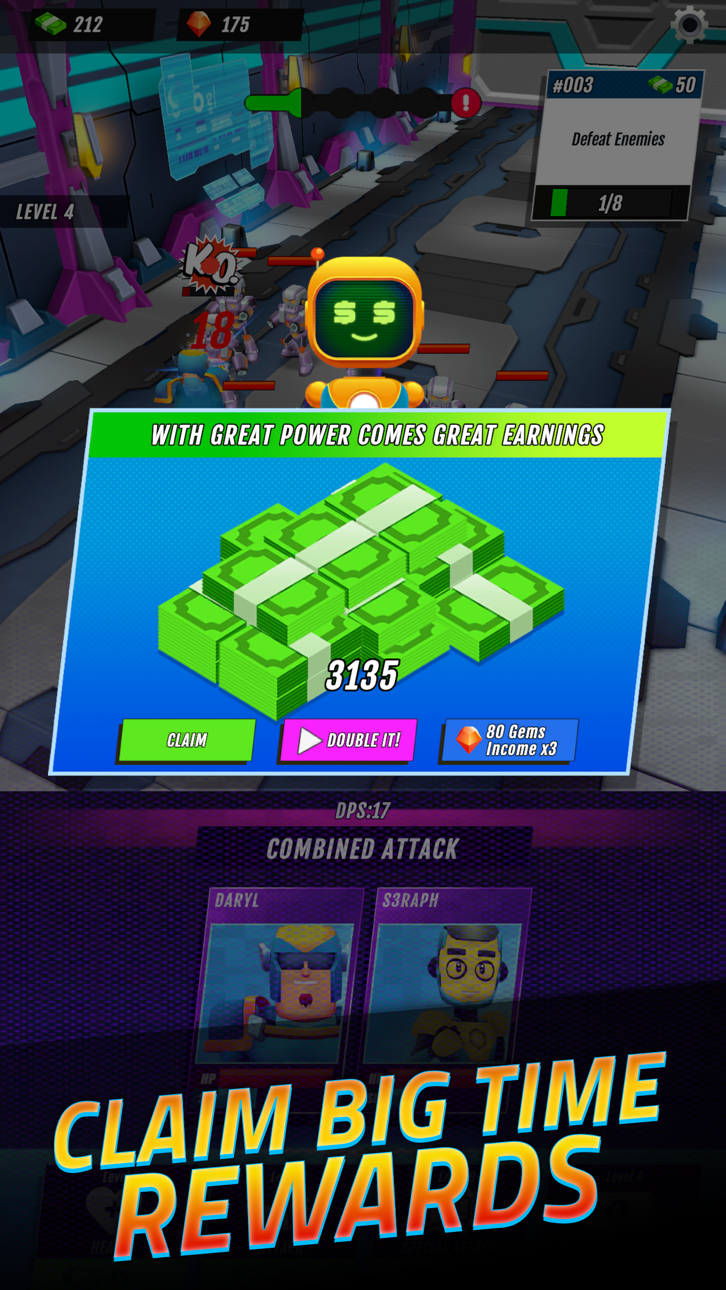
Questo hack per l'idle RPG Superhero Idle: Strike League trasforma il tuo roster di eroi in una forza inarrestabile, permettendoti di superare le battaglie senza paura della sconfitta mentre guardi la tua valuta aumentare senza sforzo.
Che tu stia cercando la composizione di squadra perfetta o semplicemente voglia goderti il sistema gacha e combo senza il solito grinding e interruzioni, questo IPA modificato elimina gli ostacoli, niente pubblicità da saltare, niente morti da cui ricominciare, e risorse che fluiscono liberamente così puoi concentrarti sull'assemblare la tua squadra dei sogni.
- Non Morire Mai → rimani in battaglia indefinitamente
- Un Colpo Istantaneo → sconfiggi i nemici all'istante
- Congela Valuta (Aumenterai Sempre Denaro, Gemme) → le risorse si accumulano senza spendere
- Salta Pubblicità Illimitati → aggira i timer degli annunci liberamente
- Attiva ViP → sblocca le funzioni dell'account premium
- Nessuna Pubblicità → gioca senza interruzioni
Questa app include anche iGameGod, che ti offre accesso ad Auto Touch per automatizzare attività ripetitive, App Speed Manager per regolare la velocità di gioco, modifica dei valori con Memory Engine e altri potenti strumenti per giochi iOS.
Scarica Superhero Idle: Strike League Hack modded IPA dai link sopra. Tocca il pulsante di installazione e segui le istruzioni per installare questo hack iOS sul tuo iPhone, iPad o Mac con Apple Silicon.
Hai bisogno di altro aiuto? Consulta le nostre Domande frequenti sull'app iOSGods per risposte dettagliate e consigli per la risoluzione dei problemi.
Embark on an epic journey in "Superheroes: Idle RPG," the ultimate incremental RPG where superheroes unite effortlessly to battle the forces of evil! Dive into a world of endless possibilities as you unlock new heroes through a thrilling gacha system, strategically assemble your dream team, and discover awe-inspiring combo attacks to defeat increasingly formidable foes.
Assemble Your Dream Team: Choose from a diverse roster of superheroes, each with unique powers and abilities, all acquired through exciting gacha draws. Create the perfect squad to take on every challenge.
Powerful Upgrades: Constantly empower your heroes with the resources collected during your idle adventures, unlocking new skills and unleashing devastating enhancements to crush your enemies.
Epic Boss Battles: Face off against legendary supervillains in thrilling showdowns that will test your team's mettle, all while enjoying the hands-off, idle combat experience.
Are you ready to become a legend in "Superheroes: Idle RPG"? Join the ranks of the mightiest heroes and vanquish the darkest of foes without breaking a sweat. Download now and embark on an adventure like no other! The world needs your heroics!
Screenshot © rispettivi proprietari · App Store


iOSGods non è affiliata, approvata né sponsorizzata da Apple Inc., Google LLC o dagli sviluppatori delle app elencate qui. Apple, iOS e App Store sono marchi di Apple Inc. Android e Google Play sono marchi di Google LLC. Tutti gli altri nomi delle app, icone, immagini e marchi appartengono ai rispettivi proprietari.

- iPhone o iPad non jailbroken/jailed oppure jailbroken.
- Sideloadly o alternative.
- Computer con Windows/macOS/Linux con iTunes installato.
PASSO 1: Scarica il file .IPA pre-modificato dal link sopra sul tuo computer. Per scaricarlo dall'iOSGods App, consulta il nostro Tutorial download IPA dell'iOSGods App, che include un esempio video.
PASSO 2: Scarica Sideloadly e installalo sul tuo Windows o Mac.
PASSO 3: Apri Sideloadly sul tuo computer, collega il tuo dispositivo iOS e attendi finché il nome del dispositivo non appare in Sideloadly.
PASSO 4: Una volta riconosciuto il tuo iDevice, trascina il file .IPA moddato che hai scaricato e rilascialo nell'applicazione Sideloadly.
PASSO 5: Inserisci l'email del tuo Apple Account, poi premi “Start”. Ti verrà quindi chiesto di inserire la password. Procedi e fornisci le informazioni richieste.
PASSO 6: Attendi che Sideloadly completi il sideload/installazione dell'IPA modificata. Se ci sono problemi durante l'installazione, leggi la nota qui sotto.
PASSO 7: Una volta completata l'installazione e vista l'app sulla schermata Home, dovrai andare in Impostazioni → Generali → Profili / Gestione VPN e dispositivi. Una volta lì, tocca l'email inserita al passo 6 e poi tocca “Autorizza [email protected]”.
PASSO 8: Ora vai sulla schermata Home e apri l'app appena installata: tutto dovrebbe funzionare correttamente. Potrebbe essere necessario seguire ulteriori istruzioni specifiche all'interno del popup dell'hack nel gioco.
NOTA: Per iOS/iPadOS 16 e versioni successive, devi attivare la Modalità sviluppatore. Per gli account Apple Developer gratuiti, dovrai ripetere questa procedura ogni 7 giorni. Se hai domande o problemi, leggi la nostra sezione FAQ Sideloadly del topic.
Game Name iOS Mod IPA is an action adventure game enhanced with powerful gameplay boosts and quality-of-life improvements. Win battles faster, earn rewards quicker, and enjoy uninterrupted play without ads.
- Unlimited Gold - spend freely to unlock premium content
- Damage Multiplier - deal significantly more damage in combat
- Defense Multiplier - take less damage and survive longer
- Reward Multiplier - earn more loot from every battle
- Max Level - instantly reach the highest player rank
- No Ads - play without interruptions or advertisements
This app also comes with iGameGod, giving you access to Auto Touch to automate repetitive tasks, App Speed Manager for adjustable gameplay speed, Memory Engine value editing, and more powerful iOS game tools.
Scarica Game Name Mod IPA dai link sopra. Tocca il pulsante di installazione e segui le istruzioni per installare questo hack iOS sul tuo iPhone, iPad o Mac con Apple Silicon.
Hai bisogno di altro aiuto Consulta le nostre Domande frequenti sull'app iOSGods per risposte dettagliate e consigli per la risoluzione dei problemi.
----------------------------------------------------------
--------------------------------------------------