Cần đăng nhập
Đăng nhập bằng tài khoản iOSGods để tiếp tục.
Đăng nhập bằng tài khoản iOSGods để tiếp tục.
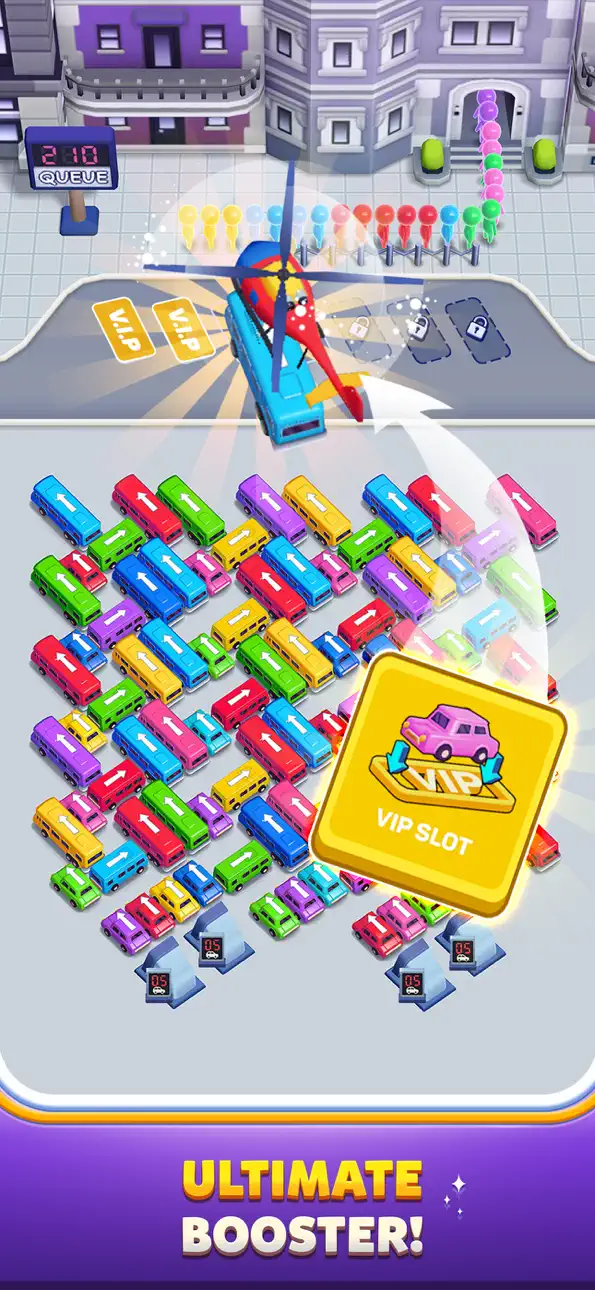
Nâng cấp miễn phí, Luôn có Booster, Không có quảng cáo và Mở khóa IAP miễn phí để phát huy toàn bộ tiềm năng giải đố trong Bus Out Hack, một phiên bản iOS được sửa đổi loại bỏ các rào cản kiếm tiền từ trò chơi xếp hình tắc đường gây nghiện này.
Dừng việc kiếm booster hoặc xem quảng cáo giữa các lượt chơi, hack này cho phép bạn tập trung hoàn toàn vào việc tháo gỡ tắc đường giao thông và làm chủ từng câu đố. Cho dù bạn là người chơi bình thường tìm kiếm trải nghiệm mượt mà hơn hay một người đam mê giải đố muốn kiểm tra kỹ năng của mình mà không có tường lửa thanh toán, mod này biến Bus Out thành một cuộc phiêu lưu giải đố hoàn toàn không bị hạn chế.
- Nâng cấp miễn phí → mở khóa các tính năng cao cấp miễn phí
- Luôn có Booster → giữ booster có sẵn cho mọi câu đố
- Không có quảng cáo → chơi không bị gián đoạn mà không có quảng cáo video hoặc banner
- IAP miễn phí → truy cập tất cả các lần mua trong ứng dụng mà không cần thanh toán
Ứng dụng này cũng đi kèm với iGameGod, cho phép bạn truy cập Auto Touch để tự động hóa các thao tác lặp lại, App Speed Manager để điều chỉnh tốc độ chơi game, chỉnh sửa giá trị bằng Memory Engine, và nhiều công cụ mạnh mẽ khác cho game iOS.
Tải Bus Out Hack modded IPA từ các liên kết ở trên. Nhấn nút cài đặt và làm theo hướng dẫn để cài bản hack iOS lên iPhone, iPad hoặc Apple Silicon.
Cần thêm trợ giúp? Hãy xem Câu hỏi thường gặp ứng dụng iOSGods để có câu trả lời chi tiết và mẹo khắc phục sự cố.
Bus Out - Ultimate Bus Out Jam Puzzle & Sort Game Adventure!
Get ready for an exciting new challenge with Bus Out, the ultimate jam puzzle experience!
If you’re a fan of bus driving games, tricky parking jams, sort games, and car puzzles, then Bus Out is the game for you.
In Bus Out, your mission is simple but addictive: guide the buses out of the traffic jam puzzle chaos.
The buses are stuck in a gridlock, and every move matters - one wrong step and the whole bus out jam becomes even harder.
Can you master the puzzle, untangle the chaos, and prove you’re the best at this ultimate bus out jam puzzle adventure?
This isn’t just another bus driving game - Bus Out is a thrilling mix of jam puzzle strategy, sort game mechanics, and car parking challenges that will test your logic, precision, and problem-solving skills.
Features:
Bus Out Jam Puzzle Fun - Solve creative jam puzzles, bus jams, and car puzzles at every level.
Addictive Gameplay - Strategically move vehicles in this ultimate bus out puzzle jam and sort game challenge.
Bus Out Around the World - Experience global traffic jams with buses from different cities and countries.
Compete with Friends - See who can clear the toughest bus out jam puzzles faster.
Fun & Relaxing - Enjoy a mix of satisfying jam puzzle solving, relaxing gameplay, and bus driving fun.
Whether you enjoy parking jam puzzles, car puzzle challenges, or addictive sort games, Bus Out brings them all together in one exciting package.
Every bus out level is carefully designed to push your limits - unblock the buses, sort them out of traffic, and prove your skills in the most intricate bus out jam puzzle stages.
Bus Out is more than just a jam puzzle game - it’s a unique bus out adventure that combines traffic strategy, sorting logic, and puzzle fun.
Dive into the world of Bus Out, challenge yourself with endless jam puzzles, and see if you can become the ultimate master of bus out jam puzzle solving!
Download Bus Out now and experience the next level of jam puzzle and sort game fun!
Ảnh chụp © chủ sở hữu tương ứng · App Store


iOSGods không liên kết, không được chứng thực hay tài trợ bởi Apple Inc., Google LLC hoặc các nhà phát triển của những ứng dụng được liệt kê ở đây. Apple, iOS và App Store là thương hiệu của Apple Inc. Android và Google Play là thương hiệu của Google LLC. Mọi tên ứng dụng, biểu tượng, hình ảnh và thương hiệu khác đều thuộc về chủ sở hữu tương ứng.

- iPhone hoặc iPad chưa jailbreak/đã đóng hoặc đã jailbreak.
- Sideloadly hoặc các lựa chọn thay thế.
- Máy tính chạy Windows/macOS/Linux đã cài iTunes.
BƯỚC 1: Tải tệp .IPA đã được hack sẵn từ liên kết phía trên về máy tính của bạn. Để tải từ iOSGods App, hãy xem Hướng dẫn tải IPA bằng iOSGods App của chúng tôi, có kèm ví dụ bằng video.
BƯỚC 2: Tải Sideloadly và cài đặt trên Windows hoặc Mac của bạn.
BƯỚC 3: Mở Sideloadly trên máy tính, kết nối thiết bị iOS của bạn và chờ cho đến khi tên thiết bị hiển thị trong Sideloadly.
BƯỚC 4: Khi thiết bị iOS của bạn đã được nhận diện, hãy kéo tệp .IPA đã chỉnh sửa mà bạn tải về và thả vào ứng dụng Sideloadly.
BƯỚC 5: Nhập email Apple Account của bạn, sau đó nhấn "Start." Bạn sẽ được yêu cầu nhập mật khẩu. Hãy cung cấp các thông tin cần thiết.
BƯỚC 6: Chờ Sideloadly hoàn tất quá trình sideload/cài đặt tệp IPA đã hack. Nếu gặp sự cố trong quá trình cài đặt, vui lòng đọc lưu ý bên dưới.
BƯỚC 7: Khi cài đặt hoàn tất và bạn thấy ứng dụng trên Màn hình chính, bạn cần truy cập Cài đặt → Cài đặt chung → Hồ sơ / VPN & Quản lý thiết bị. Tại đó, nhấn vào email bạn đã nhập ở bước 6, rồi nhấn "Tin cậy [email protected]".
BƯỚC 8: Bây giờ hãy về Màn hình chính và mở ứng dụng vừa cài đặt, mọi thứ sẽ hoạt động bình thường. Bạn có thể cần làm theo hướng dẫn riêng của từng ứng dụng trong cửa sổ popup của bản hack trong game.
LƯU Ý: Trên iOS/iPadOS 16 trở lên, bạn phải bật Chế độ nhà phát triển. Với tài khoản Apple Developer miễn phí, bạn sẽ cần lặp lại quy trình này mỗi 7 ngày. Nếu bạn có thắc mắc hoặc gặp sự cố, hãy đọc mục FAQ về Sideloadly trong chủ đề của chúng tôi.
Game Name iOS Mod IPA is an action adventure game enhanced with powerful gameplay boosts and quality-of-life improvements. Win battles faster, earn rewards quicker, and enjoy uninterrupted play without ads.
- Unlimited Gold - spend freely to unlock premium content
- Damage Multiplier - deal significantly more damage in combat
- Defense Multiplier - take less damage and survive longer
- Reward Multiplier - earn more loot from every battle
- Max Level - instantly reach the highest player rank
- No Ads - play without interruptions or advertisements
This app also comes with iGameGod, giving you access to Auto Touch to automate repetitive tasks, App Speed Manager for adjustable gameplay speed, Memory Engine value editing, and more powerful iOS game tools.
Tải Game Name Mod IPA từ các liên kết ở trên. Nhấn nút cài đặt và làm theo hướng dẫn để cài bản hack iOS lên iPhone, iPad hoặc Apple Silicon.
Cần thêm trợ giúp Hãy xem Câu hỏi thường gặp ứng dụng iOSGods để có câu trả lời chi tiết và mẹo khắc phục sự cố.
----------------------------------------------------------
--------------------------------------------------