Cần đăng nhập
Đăng nhập bằng tài khoản iOSGods để tiếp tục.
Đăng nhập bằng tài khoản iOSGods để tiếp tục.
Hack Features:
- Unlimited Studs - Earn a stud to reach maximum studs.
- Godmode - Take no damage from enemies.
- Free IAP - Tap on an In-App Purchase to receive the item for free.
Ứng dụng này cũng đi kèm với iGameGod, cho phép bạn truy cập Auto Touch để tự động hóa các thao tác lặp lại, App Speed Manager để điều chỉnh tốc độ chơi game, chỉnh sửa giá trị bằng Memory Engine, và nhiều công cụ mạnh mẽ khác cho game iOS.
Tải LEGO® Star Wars™: TCS - Free Hack modded IPA từ các liên kết ở trên. Nhấn nút cài đặt và làm theo hướng dẫn để cài bản hack iOS lên iPhone, iPad hoặc Apple Silicon.
Cần thêm trợ giúp? Hãy xem Câu hỏi thường gặp ứng dụng iOSGods để có câu trả lời chi tiết và mẹo khắc phục sự cố.
LEGO® Star Wars™: The Complete Saga is available on iOS for the first time!
***Episode I Story Mode is FREE for a limited time.***
**Episodes II – VI and other content available via in-app purchases.**
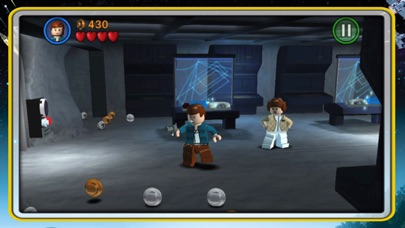
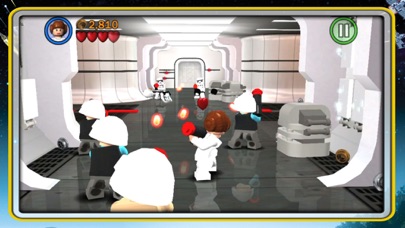
Experience the entire collection that combines the original LEGO Star Wars: The Video Game and the sequel LEGO Star Wars II: The Original Trilogy for hours of epic Star Wars content and fun gameplay all from your iOS device! Begin your adventure in Star Wars: Episode I The Phantom Menace and journey through all six episodes in the whimsical style and humor of LEGO. May the bricks be with you!
This game is filled with content! You’ll need 1.44gb of available space on your device if you install over wifi, but only 735mb of space if you download on your computer and then sync.
As with many large app installations, we advise that you restart your device after installing as this will resolve some stability issues. Also make sure you have installed the most recent firmware.
When re-installing the App, please select ‘Restore All Purchases’ from the main menu and allow a few moments to ensure your purchases have become active.
This is a high memory usage app. If you have performance issues, try closing down background apps or restarting the device.
FEATURES:
36 STORY MODE LEVELS + BONUS CONTENT
From the Trade Federation’s “negotiations” with Obi-Wan Kenobi and Qui-Gon Jinn in The Phantom Menace to the space battle above Endor in Return of the Jedi, play the most memorable and exhilarating scenes from your favorite episodes. Also unlock special bonus content featuring Bounty Hunter missions, a special Challenge Mode, Arcade Levels, and more!
OVER 120 CHARACTERS
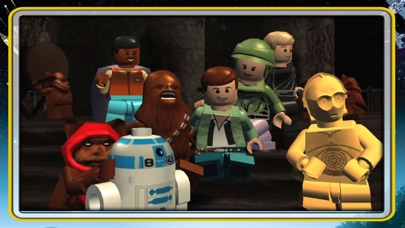
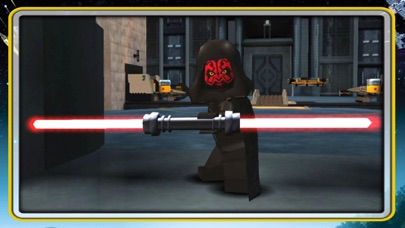
Play as your favorite Jedi Knight or Sith Lord! There are over 120 playable characters to unlock, including Luke Skywalker, Darth Vader, Han Solo, and Boba Fett.
FORCE POWERS
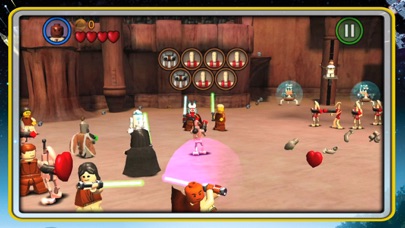
Which side of the Force will you use? Both dark and light side characters have their own unique Force abilities. Will you use a Force Throw to defeat the Jedi or choose your Lightsaber and Force Push to take down the evil Empire?
LEGO STYLE GAMEPLAY
Smash objects into LEGO bricks and switch characters on the fly as you play through different story levels. Create your own Star Wars character mash-ups like Han Windu and Lando Amidala!
DYNAMIC CONTROL STYLES
Switch between “Classic” and “Touch Screen” controls to find the play-style that suits you best.
If you enjoy LEGO games, be sure to check out LEGO Batman: DC Super Heroes, LEGO The Lord of the Rings, LEGO Harry Potter: Years 1-4 and Years 5-7, and LEGO Friends.
- iPhone hoặc iPad chưa jailbreak/đã đóng hoặc đã jailbreak.
- Sideloadly hoặc các lựa chọn thay thế.
- Máy tính chạy Windows/macOS/Linux đã cài iTunes.
BƯỚC 1: Tải tệp .IPA đã được hack sẵn từ liên kết phía trên về máy tính của bạn. Để tải từ iOSGods App, hãy xem Hướng dẫn tải IPA bằng iOSGods App của chúng tôi, có kèm ví dụ bằng video.
BƯỚC 2: Tải Sideloadly và cài đặt trên Windows hoặc Mac của bạn.
BƯỚC 3: Mở Sideloadly trên máy tính, kết nối thiết bị iOS của bạn và chờ cho đến khi tên thiết bị hiển thị trong Sideloadly.
BƯỚC 4: Khi thiết bị iOS của bạn đã được nhận diện, hãy kéo tệp .IPA đã chỉnh sửa mà bạn tải về và thả vào ứng dụng Sideloadly.
BƯỚC 5: Nhập email Apple Account của bạn, sau đó nhấn "Start." Bạn sẽ được yêu cầu nhập mật khẩu. Hãy cung cấp các thông tin cần thiết.
BƯỚC 6: Chờ Sideloadly hoàn tất quá trình sideload/cài đặt tệp IPA đã hack. Nếu gặp sự cố trong quá trình cài đặt, vui lòng đọc lưu ý bên dưới.
BƯỚC 7: Khi cài đặt hoàn tất và bạn thấy ứng dụng trên Màn hình chính, bạn cần truy cập Cài đặt → Cài đặt chung → Hồ sơ / VPN & Quản lý thiết bị. Tại đó, nhấn vào email bạn đã nhập ở bước 6, rồi nhấn "Tin cậy [email protected]".
BƯỚC 8: Bây giờ hãy về Màn hình chính và mở ứng dụng vừa cài đặt, mọi thứ sẽ hoạt động bình thường. Bạn có thể cần làm theo hướng dẫn riêng của từng ứng dụng trong cửa sổ popup của bản hack trong game.
LƯU Ý: Trên iOS/iPadOS 16 trở lên, bạn phải bật Chế độ nhà phát triển. Với tài khoản Apple Developer miễn phí, bạn sẽ cần lặp lại quy trình này mỗi 7 ngày. Nếu bạn có thắc mắc hoặc gặp sự cố, hãy đọc mục FAQ về Sideloadly trong chủ đề của chúng tôi.