로그인 필요
계속하려면 iOSGods 계정으로 로그인하세요.
계속하려면 iOSGods 계정으로 로그인하세요.
이 Fun Race 3D Mod IPA 해킹으로 광고를 건너뛰고 골드를 부스트하여 수백 개의 장애물로 가득한 레벨을 방해 없이 달리고 파쿠르할 수 있습니다. 캐릭터를 커스터마이징하고 손끝에서 프리미엄 화폐로 각 독특한 챌린지를 마스터하세요.
- 광고 없음 (항상 활성화) → 중단 없는 게임플레이
- 골드 추가 (99999) → 커스터마이징 및 업그레이드를 위한 프리미엄 화폐
이 앱에는 iGameGod도 포함되어 있어 반복 작업을 자동화하는 Auto Touch, 게임 속도를 조절할 수 있는 App Speed Manager, Memory Engine 값 편집 등 강력한 iOS 게임 도구를 사용할 수 있습니다.
위의 링크에서 Fun Race 3D: Running & Parkour Hack modded IPA을 다운로드합니다. 설치 버튼을 누르고 화면 안내에 따라 iPhone, iPad 또는 Apple Silicon에 이 iOS 앱 해킹을 설치합니다.
더 많은 도움이 필요하신가요? 자세한 답변과 문제 해결 팁은 iOSGods 앱 자주 묻는 질문을 확인하세요.
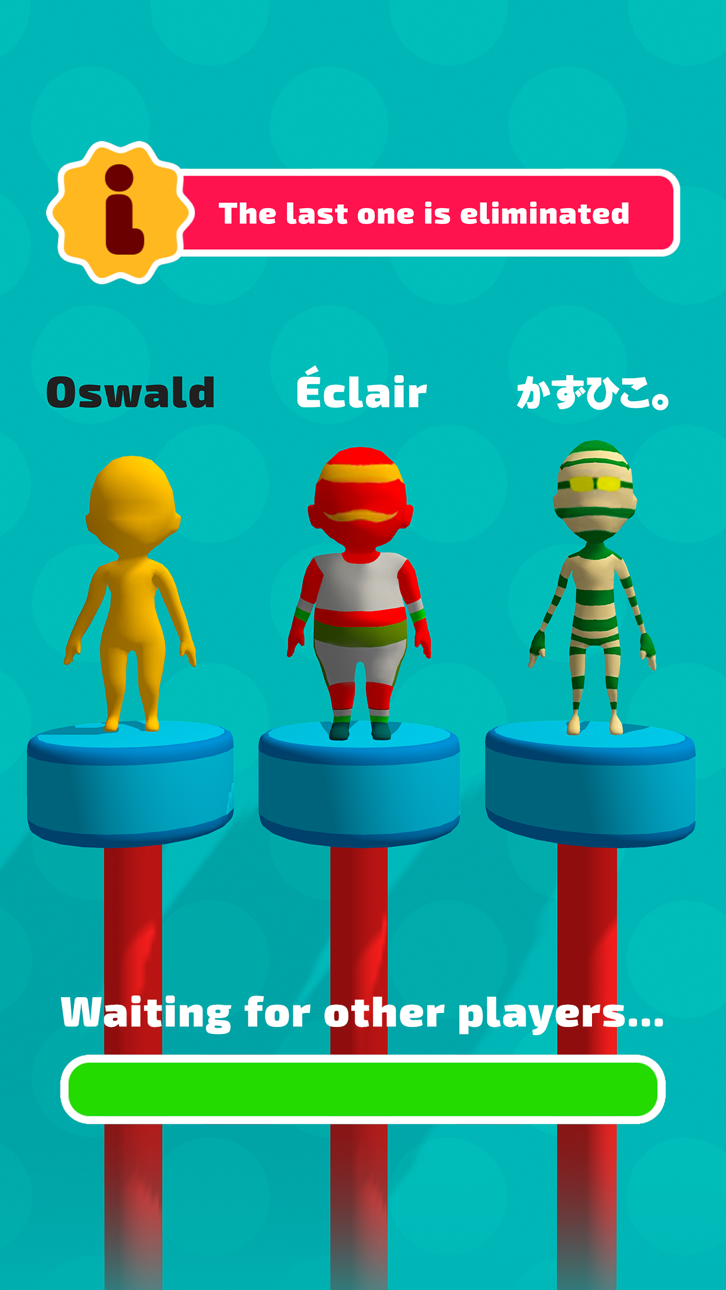
有趣的 3D 競賽 是一款讓你體驗跑酷和奔跑的刺激的遊戲。你將在數百個充滿驚人和挑戰性障礙和陷阱的關卡中與對手競爭。這些障礙包括擺動的錘子、旋轉的鋸子、巨型球等等為了贏得比賽並到達終點線,你需要運用你的速度、技巧和策略。
但這個遊戲不僅僅是跑步。 這也是為了表達你的個性和風格。 您可以選擇許多不同的角色,從瘦到胖,從人類到超級英雄。 您還可以使用各種衣服和配飾來定制您的角色。 您可以用炫酷的舞蹈和手勢來慶祝您的勝利。
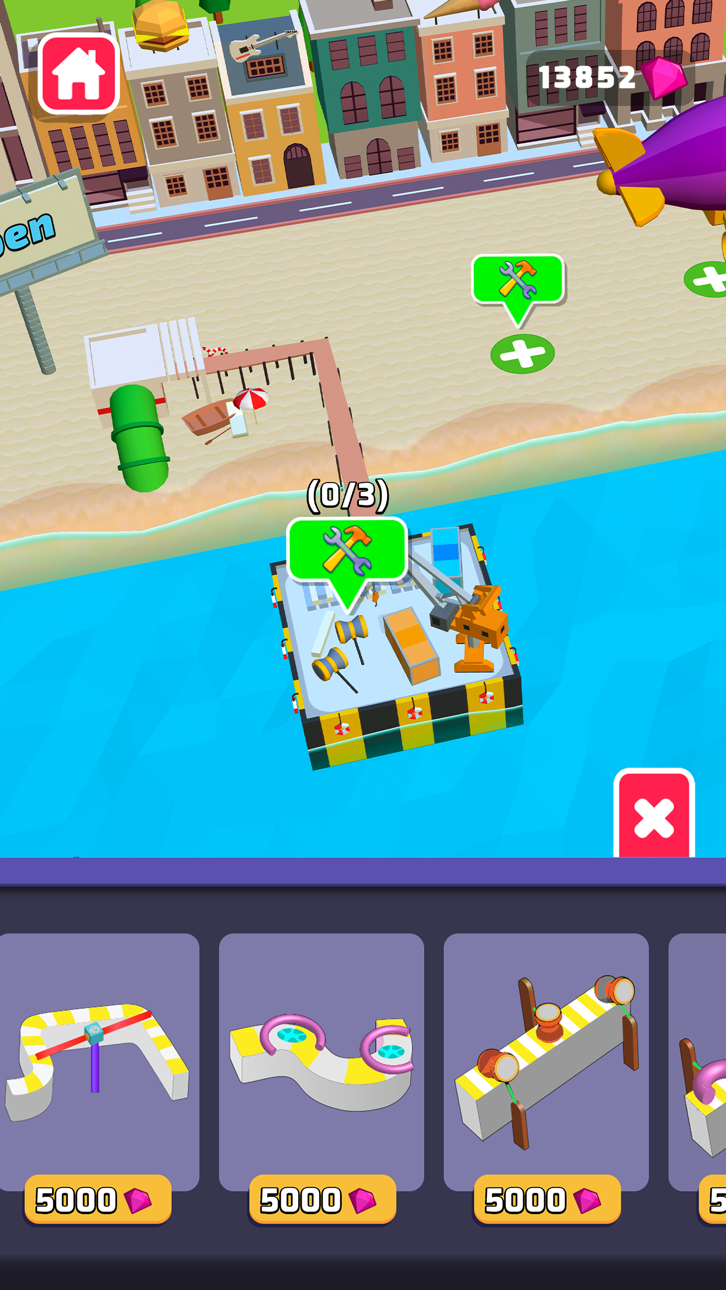
這還不是全部! 有趣的 3D 競賽 還具有 有趣的城市 模式,您可以在其中創建帶有各種障礙和陷阱的自己的賽道。 用迷人的海灘裝飾您的城市,海灘上配有舒適的躺椅、色彩繽紛的遮陽傘、美味的冰淇淋和飲料店等等。 通過出售課程門票來賺取寶石,並用它們來升級您的歡樂城。 打造有史以來最令人興奮和最具創意的地方!
有趣的 3D 競賽 是一款讓您微笑、開懷大笑並享受樂趣的遊戲。 在數小時的娛樂和刺激中測試您的反應能力、策略和想像力。
該遊戲具有直觀的控制:按住即可運行,鬆開即可停止。 隨著你在關卡中不斷進步,它們會變得更具挑戰性,將你的技能測試到極限。
你準備好加入這刺激的行列了嗎?
스크린샷 © 각 소유자 · App Store


iOSGods는 Apple Inc., Google LLC 및 여기에 등록된 앱의 개발사와 제휴 관계가 없으며, 승인이나 후원을 받지 않았습니다. Apple, iOS, App Store는 Apple Inc.의 상표입니다. Android와 Google Play는 Google LLC의 상표입니다. 그 외 모든 앱 이름, 아이콘, 이미지 및 상표는 각 소유자의 재산입니다.

- 탈옥/제일 또는 탈옥된 iPhone 또는 iPad가 필요합니다.
- Sideloadly 또는 대체 도구가 필요합니다.
- iTunes가 설치된 Windows/macOS/Linux 컴퓨터가 필요합니다.
1단계: 위 링크에서 미리 해킹된 .IPA 파일을 컴퓨터에 다운로드합니다. iOSGods App에서 다운로드하려면 동영상 예시가 포함된 iOSGods App IPA 다운로드 튜토리얼를 참고하십시오.
2단계: Sideloadly를 다운로드하여 Windows 또는 Mac에 설치합니다.
3단계: 컴퓨터에서 Sideloadly를 실행하고 iOS 기기를 연결한 후, Sideloadly에 기기 이름이 표시될 때까지 기다립니다.
4단계: iDevice가 인식되면, 다운로드한 모드된 .IPA 파일을 Sideloadly 애플리케이션에 끌어다 놓습니다.
5단계: Apple Account 이메일을 입력한 후 “Start”를 누릅니다. 그러면 비밀번호를 입력하라는 메시지가 표시됩니다. 요청된 정보를 제공해 주십시오.
6단계: Sideloadly가 해킹된 IPA의 사이드로드/설치를 완료할 때까지 기다리십시오. 설치 중 문제가 발생하면 아래 참고 사항을 읽어 주십시오.
7단계: 설치가 완료되어 홈 화면에서 앱이 보이면 설정 → 일반 → 프로파일 / VPN 및 기기 관리 경로로 이동해야 합니다. 그곳에서 6단계에서 입력한 이메일을 탭한 다음 “[email protected] 신뢰”를 탭하십시오.
8단계: 이제 홈 화면으로 돌아가 새로 설치된 앱을 열면 모든 것이 정상적으로 작동할 것입니다. 게임 내 해킹 팝업에서 앱별 추가 안내를 따라야 할 수도 있습니다.
참고: iOS/iPadOS 16 이상에서는 개발자 모드를 활성화해야 합니다. 무료 Apple Developer 계정의 경우 이 과정을 7일마다 반복해야 합니다. 질문이나 문제가 있는 경우 해당 토픽의 Sideloadly FAQ 섹션를 읽어보십시오.
Game Name iOS Mod IPA is an action adventure game enhanced with powerful gameplay boosts and quality-of-life improvements. Win battles faster, earn rewards quicker, and enjoy uninterrupted play without ads.
- Unlimited Gold - spend freely to unlock premium content
- Damage Multiplier - deal significantly more damage in combat
- Defense Multiplier - take less damage and survive longer
- Reward Multiplier - earn more loot from every battle
- Max Level - instantly reach the highest player rank
- No Ads - play without interruptions or advertisements
This app also comes with iGameGod, giving you access to Auto Touch to automate repetitive tasks, App Speed Manager for adjustable gameplay speed, Memory Engine value editing, and more powerful iOS game tools.
위의 링크에서 Game Name Mod IPA을 다운로드합니다. 설치 버튼을 누르고 화면 안내에 따라 iPhone, iPad 또는 Apple Silicon에 이 iOS 앱 해킹을 설치합니다.
더 많은 도움이 필요하신가요 자세한 답변과 문제 해결 팁은 iOSGods 앱 자주 묻는 질문을 확인하세요.
----------------------------------------------------------
--------------------------------------------------