需要登入
請使用您的 iOSGods 帳戶登入以繼續。
請使用您的 iOSGods 帳戶登入以繼續。
無限提示和無廣告體驗為這個 Under a Spell Mod IPA 提供動力,消除 iOS 上文字謎題解答的阻礙。在數千個精心設計的關卡中尋找隱藏的單詞,隨時獲得幫助,享受不間斷的遊戲體驗,沒有橫幅或影片廣告打擾您的腦力激盪遊戲。
- 無限提示 → 隨時揭示字母位置
- 無廣告 → 無中斷或廣告地遊玩
此應用程式也內建 iGameGod,讓你可以使用 Auto Touch 自動執行重複操作、透過 App Speed Manager 調整遊戲速度、使用 Memory Engine 修改記憶體數值,以及更多強大的 iOS 遊戲工具。
從上方連結下載 Under a Spell Hack modded IPA。點選安裝按鈕並依照畫面指示在 iPhone、iPad 或 Apple Silicon 上安裝此 iOS 應用程式修改版。
需要更多協助?請查看我們的 iOSGods 應用程式常見問題 以獲得詳細解答與疑難排解。
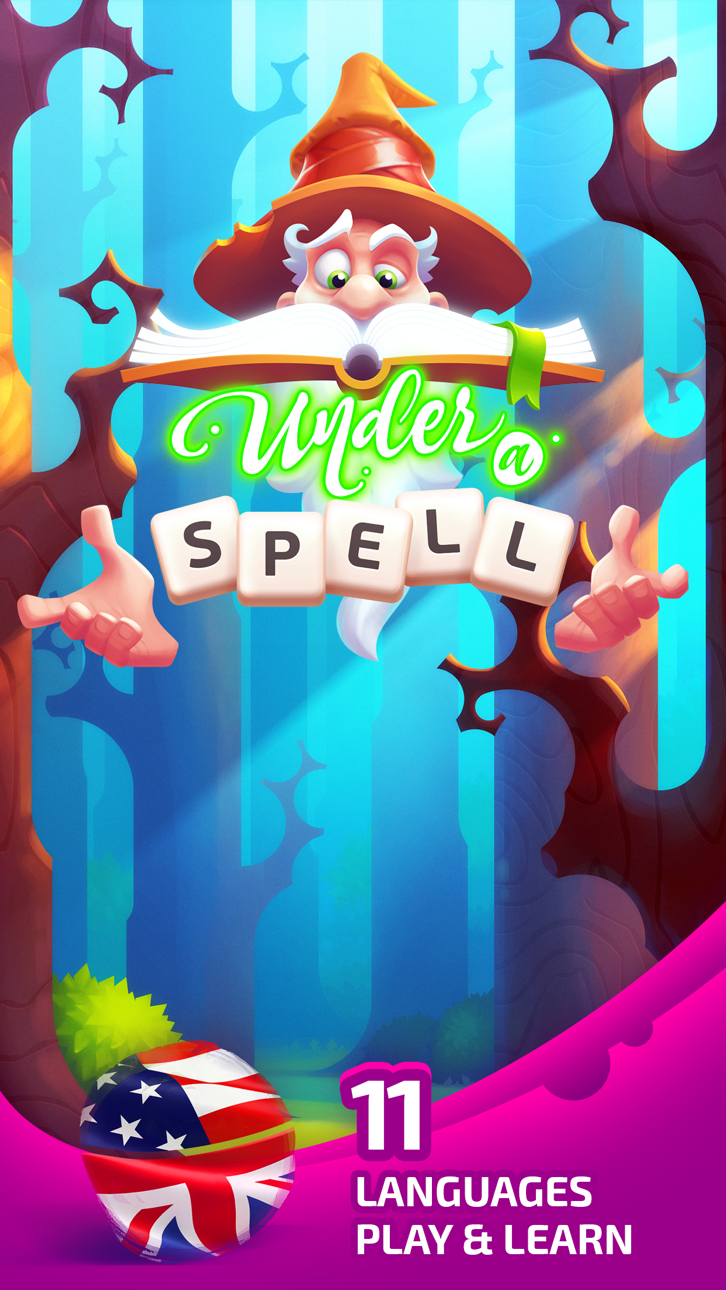
Step into the word magic with fun educational brain teaser Under a Spell.
Solve a vast range of unique and challenging handcrafted levels backed by the help of Artificial Intelligence that learned from zillions of words from books, movies, articles humanity ever created through all its history.
FEATURES
● Find hidden words in a mixture of letters
● Improve your vocabulary and spelling skills
● 2000 levels × 11 languages
● The more languages you play, the higher score you get
● Unique daily puzzles with progressive rewards
● Get the highest score and conquer the leaderboard
● Connect to Facebook and compete with your friends
Subscription options
1. Weekly Diamond Membership offers 3,99$ weekly subscription after 3-day free trial.
The subscription will provide 15 hints every day; daily Wheel of Fortune Spins x2 and 50% more hints for all in-app purchases.
2. Monthly VIP Membership offers 9,99$ monthly subscription.
The subscription will provide 15 hints every day; daily Wheel of Fortune Spins x2 and 50% more hints for all in-app purchases.
3. Yearly VIP Membership offers 49,99$ yearly subscription.
The subscription will provide 15 hints every day; daily Wheel of Fortune Spins x2 and 50% more hints for all in-app purchases.
End of trial and subscription renewal
This price is for United States customers. Pricing in other countries may vary and actual charges may be converted to your local currency depending on the country of residence.
Payment will be charged to iTunes Account at confirmation of purchase.
Subscription automatically renews unless auto-renew is turned off at least 24-hours before the end of the current period.
The account will be charged for renewal within 24-hours prior to the end of the current period, and identify the cost of the renewal.
Subscriptions may be managed by the user and auto-renewal may be turned off by going to the user’s Account Settings after purchase.
Any unused portion of a free trial period, if offered, will be forfeited when the user purchases a subscription to that publication, where applicable.
Canceling trial or subscription
You can turn off the auto-renew for the subscription whenever you want to through iTunes account. Check https://support.apple.com/HT202039. When your current trial/subscription period expires, you will be unsubscribed. The current active subscription period cannot be canceled. After your subscription expires, you will no longer be able to use elements offered in your chosen Subscription Option.
If you have any questions or comments, feel free to contact us at [email protected]
螢幕截圖 © 各自所有者 · App Store


iOSGods 與 Apple Inc.、Google LLC 及此處列出應用程式的開發者並無關聯,亦未獲其認可或贊助。Apple、iOS 與 App Store 為 Apple Inc. 的商標。Android 與 Google Play 為 Google LLC 的商標。其他所有應用程式名稱、圖示、圖片與商標均屬其各自所有者。

- 未越獄/受限或已越獄的 iPhone 或 iPad。
- Sideloadly 或替代方案。
- 執行 Windows/macOS/Linux 且已安裝 iTunes 的電腦。
步驟 1: 透過上方連結將已破解的 .IPA 檔案下載到您的電腦。若要從 iOSGods App 下載,請參閱我們的 iOSGods App IPA 下載教學,其中包含影片範例。
步驟 2: 下載 Sideloadly 並將其安裝在您的 Windows 或 Mac 上。
步驟 3: 在電腦上開啟 Sideloadly,連接您的 iOS 裝置,並等待裝置名稱出現在 Sideloadly 中。
步驟 4: 當 Sideloadly 辨識到您的 iOS 裝置後,將下載好的修改版 .IPA 檔案拖曳並放到 Sideloadly 應用程式中。
步驟 5: 輸入您的 Apple Account 電子郵件,然後按下「Start」。系統會要求您輸入密碼,請依指示提供所需資訊。
步驟 6: 等待 Sideloadly 完成已破解 IPA 的旁載/安裝。如果安裝過程中發生問題,請閱讀下方的注意事項。
步驟 7: 安裝完成並在主畫面上看到該應用程式後,您需要前往 設定 → 一般 → 描述檔 / VPN 與裝置管理。進入後,點選您在步驟 6 中輸入的電子郵件,然後點選「信任 [email protected]」。
步驟 8: 現在回到主畫面並開啟新安裝的應用程式,一切應該都能正常運作。您可能需要依照遊戲內破解彈出視窗中的進一步指示操作。
注意: 在 iOS/iPadOS 16 及更新版本上,您必須 啟用開發者模式。若使用免費的 Apple Developer 帳號,您將需要每 7 天重複此程序。如有任何疑問或問題,請閱讀我們的 主題中的 Sideloadly 常見問題區段。
Game Name iOS Mod IPA is an action adventure game enhanced with powerful gameplay boosts and quality-of-life improvements. Win battles faster, earn rewards quicker, and enjoy uninterrupted play without ads.
- Unlimited Gold - spend freely to unlock premium content
- Damage Multiplier - deal significantly more damage in combat
- Defense Multiplier - take less damage and survive longer
- Reward Multiplier - earn more loot from every battle
- Max Level - instantly reach the highest player rank
- No Ads - play without interruptions or advertisements
This app also comes with iGameGod, giving you access to Auto Touch to automate repetitive tasks, App Speed Manager for adjustable gameplay speed, Memory Engine value editing, and more powerful iOS game tools.
從上方連結下載 Game Name Mod IPA。點選安裝按鈕並依照畫面指示在 iPhone、iPad 或 Apple Silicon 上安裝此 iOS 應用程式修改版。
需要更多協助請查看我們的 iOSGods 應用程式常見問題 以獲得詳細解答與疑難排解。
----------------------------------------------------------
--------------------------------------------------