需要登录
请使用您的 iOSGods 账户登录以继续。
Hack Features:
- Currencies Increase
- VIP Purchased
此应用内置 iGameGod,让你能够使用 Auto Touch 自动执行重复操作、通过 App Speed Manager 调节游戏速度、使用 Memory Engine 修改内存数值,以及更多强大的 iOS 游戏工具。
从上方链接下载 Undead City: Zombie Survivor Hack modded IPA。点击安装按钮并按照屏幕提示在 iPhone、iPad 或 Apple Silicon 上安装此 iOS 应用修改版。
需要更多帮助?请查看我们的 iOSGods 应用常见问题解答 获取详细解答和故障排除技巧。
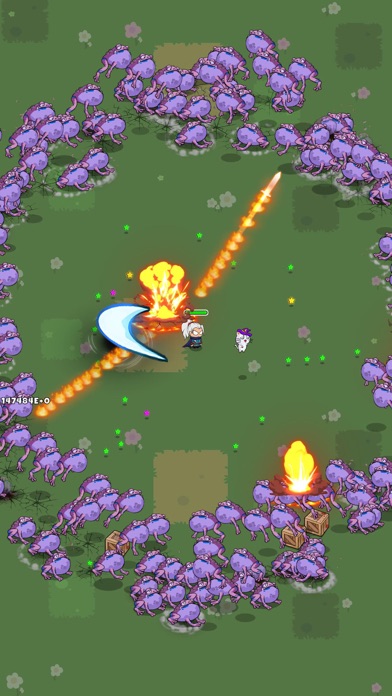
Lots of zombies are attacking and their target is you! Your city is in danger!
In the role of a brave hero with many special skills, your mission is to destroy all your enemies to take back the city and its inhabitants!
As a warrior with limitless potential, you and the other survivors will have to take up arms or use skills and fight a whole bunch of zombies!
HERO SYSTEM
There are many characters to choose from with different skills and powers. Choose your favorite character to accompany you in many upcoming survival battles.
HOT BATTLE
The number of enemies is enormous. Fight while collecting mana to unlock and upgrade your skills. Destroy them by fighting thousands of monsters at once! With just one hand, clear the map!
ZOMBIE AND BOSS MONSTER
You have to go through 5 battles in each level, the boss will appear in the final battle. Many types of zombies and bosses are waiting for you.
DIVERSE SKILL SYSTEM
There are 50+ skills that vary in number and strength. Make the right choice of survival skills to kill as many zombies as possible.
SPECIAL PVP MODE
Compete against other players in a 1-1 PVP mode with other players and register on the leaderboard to receive attractive rewards.
Fight alone and live. Enjoy a brand new survivor game experience with hero system and PVP mode that other games don't have. Why do you hold out? Download Undead City today to join the brave hero in his adventures!
You need help? Contact us by email: [email protected]
Visit our Facebook fanpage: https://www.facebook.com/undead.city.zombie.survival
- 未越狱/受限或已越狱的 iPhone 或 iPad。
- Sideloadly 或替代方案。
- 运行 Windows/macOS/Linux 且已安装 iTunes 的电脑。
步骤 1: 通过上方链接将已破解的 .IPA 文件下载到您的电脑。如需从 iOSGods App 下载,请参阅我们的 iOSGods App IPA 下载教程,其中包含视频示例。
步骤 2: 下载 Sideloadly 并将其安装到您的 Windows 或 Mac 上。
步骤 3: 在电脑上打开 Sideloadly,连接您的 iOS 设备,等待设备名称在 Sideloadly 中显示。
步骤 4: 当 Sideloadly 识别到您的 iOS 设备后,将下载好的修改版 .IPA 文件拖放到 Sideloadly 应用中。
步骤 5: 输入您的 Apple Account 邮箱,然后点击 "Start"。系统会提示您输入密码,请按要求填写信息。
步骤 6: 等待 Sideloadly 完成已破解 IPA 的旁加载/安装。如果安装过程中出现问题,请阅读下方的注意事项。
步骤 7: 安装完成并在主屏幕上看到该应用后,您需要前往 设置 → 通用 → 描述文件 / VPN 与设备管理。进入后,点击您在第 6 步中输入的邮箱,然后点击 "信任 [email protected]"。
步骤 8: 现在返回主屏幕并打开新安装的应用,一切应可正常运行。您可能需要按照游戏内修改弹窗中的具体说明执行进一步操作。
注意: 在 iOS/iPadOS 16 及更高版本上,您必须 启用开发者模式。对于免费的 Apple Developer 账户,您需要每 7 天重复一次此操作。如有任何疑问或问题,请阅读我们的 主题中的 Sideloadly 常见问题部分。