Giriş Gerekli
Devam etmek için iOSGods hesabınızla giriş yapın.
Devam etmek için iOSGods hesabınızla giriş yapın.
Günlük yürüyüş ve koşularınızı imparatorluk kurma macerasına dönüştürün Run An Empire Mod IPA ile, her adımınızı gerçek dünyada ödüllendiren konum tabanlı strateji hilesi. Çevrenizde bulunan yerleri ele geçirin, komşularınızla yarışın ve aktif kalırken tarih boyunca ilerleyin.
Bu modlanmış sürüm, muazzam kaynak artışları ve sınırsız depolama alanı ile oyun deneyiminizi güçlendirir, böylece keşif ve fetih üzerine odaklanabilirsiniz. Casual bir yürüyüşçü olsanız ya da liderlik tablosunda hızlı hakim olmak isteyen ciddi bir koşucu olsanız, bu hile ilerleme engelleri kaldırır ve kendi hızınıza uygun özel saldırı ayarlarını denemenize olanak tanır.
- Muazzam Miktarda Kaynak Kazanın → imparatorluk inşası ve yükseltmeleri hızlandırır
- Sınırsız Depo Kapasitesi → envanter sınırı yok
- Muazzam Miktarda XP (Deneyim) Kazanın → tarih boyunca daha hızlı seviye atla
- Dünya Her Zaman Saldırır → sürekli saldırı fırsatları
- [BETA] Hile Karşıtı BYPASS (Bazen çalışır) → uyumlu sürümlerde algılamayı atla
- [BETA] STRAVA'dan Saldırı Verileri (Çoğu zaman çalışır) → fitness izleyicinizden aktivite verilerini içe aktar
- [BETA] Özel Saldırı Mesafesi (Çoğu zaman çalışır) → kendi mesafe parametrelerinizi belirleyin
- [BETA] Özel Hız (Koşunun ne kadar sürdüğünü belirleyin... | Çoğu zaman çalışır) → saldırılar için hız hesaplamalarını ayarlayın
Bu uygulama ayrıca, tekrar eden görevleri otomatikleştirmek için Auto Touch, ayarlanabilir oyun hızı için App Speed Manager, Memory Engine ile değer düzenleme ve daha pek çok güçlü iOS oyun aracına erişim sağlayan iGameGod ile birlikte gelir.
Yukarıdaki bağlantılardan Run An Empire Hack modded IPA indirin. Yükle düğmesine dokunup ekrandaki yönergeleri izleyerek bu iOS uygulama hack'ini iPhone, iPad veya Apple Silicon'a yükleyin.
Daha fazla yardıma mı ihtiyacınız var? Ayrıntılı yanıtlar ve sorun giderme ipuçları için iOSGods Uygulaması Sık Sorulan Sorular sayfamıza bakın.
NEW! A fun, free motivation to move further! Capture real world places and compete against neighbors with every step you take. Whether walking to your workplace or running a marathon, capture the places you move through to build a formidable empire. Explore further to collect resources and earn great fortunes. Lead your people from the dawn of time to the Space Age.
“Don a pair of sneakers and run (jog, or walk) to victory” - Engadget
“If you’re getting bored of your run-commute, try this” - Runner’s World
“Run An Empire fits into existing exercise routines, whilst giving new runners an incentive to get started” - Variety
_______________
◆ CAPTURE and own your street, your neighborhood or your city as you travel on foot or now by BIKE!
◆ TRACK and map your activity from your pocket, using your phone’s GPS.
◆ COMPETE in the Arena. Win leagues for extra valuable chests.
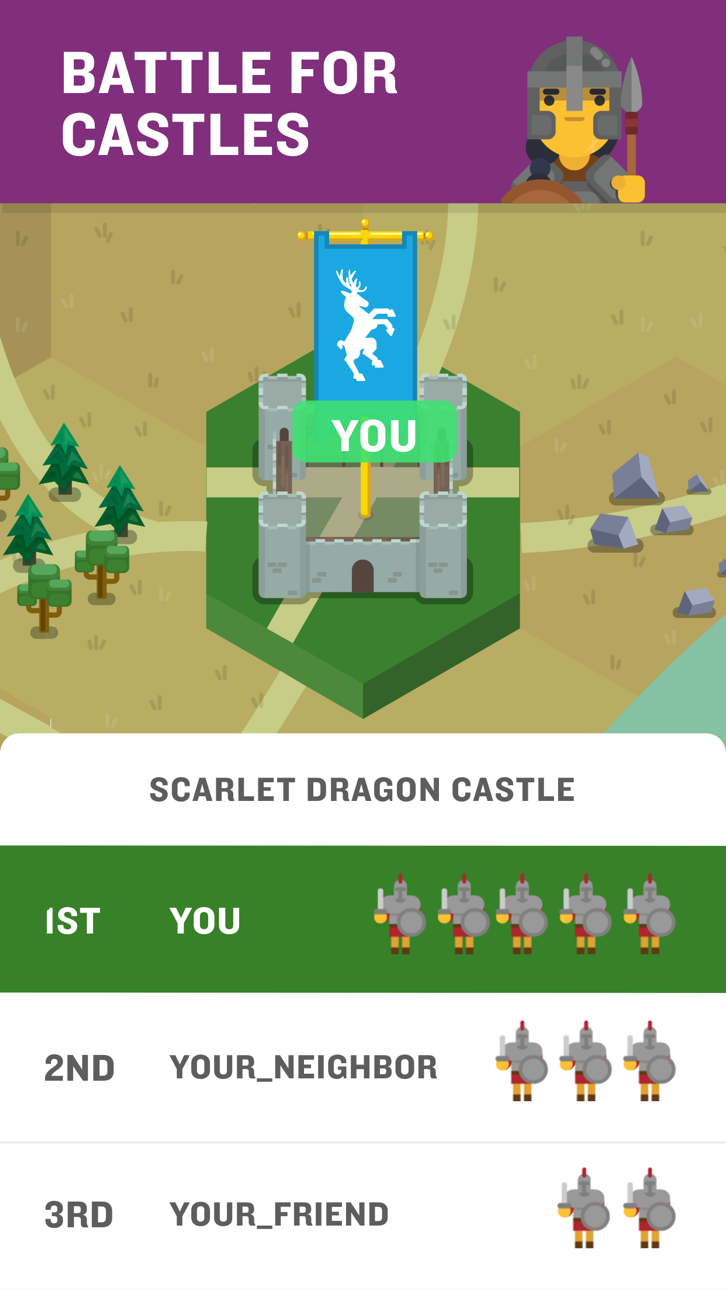
◆ BATTLE neighbors and friends to capture nearby castles.
◆ Get STATS like distance, calories, speed and see your performance improve.
◆ CUSTOMIZE your banner to fly over your mighty empire.
◆ Connect with STRAVA and leave your phone at home.
Run An Empire uses HealthKit to export your Run An Empire activities into the Apple Health app and to import your activities, route, heart rate and calorie data from the Health app into Run An Empire.
It's time to turn your activity into an adventure. Play NOW!
_______________
***** If you like this app, please give us 5*****
Having problems? Contact us at [email protected] and we will try our best to help.
Subscription Notes:
- Run An Empire offers monthly and annually auto renewing subscriptions.
- Subscriptions will automatically renew unless cancelled within 24-hours before the end of the current period.
- Account will be charged for renewal within 24-hours prior to the end of the current period.
- Subscriptions may be managed by you and auto-renewal may be turned off at any time by going to your iPhone Settings after purchase.
- Any unused portion of a free trial period, if offered, will be forfeited if you purchase a subscription.
_______________
End User License Agreement: http://www.runanempire.com/legal/eula/
User Content Guidelines: http://www.runanempire.com/legal/user-content-guidelines/
Ekran görüntüleri © ilgili sahipleri · App Store


iOSGods; Apple Inc., Google LLC veya burada listelenen uygulamaların geliştiricileriyle bağlantılı değildir, onlar tarafından onaylanmamış ve desteklenmemiştir. Apple, iOS ve App Store, Apple Inc. şirketinin ticari markalarıdır. Android ve Google Play, Google LLC şirketinin ticari markalarıdır. Diğer tüm uygulama adları, simgeler, görseller ve ticari markalar ilgili sahiplerine aittir.

- Jailbreak'siz/normal ya da jailbreak'li iPhone veya iPad.
- Sideloadly veya alternatifleri.
- iTunes yüklü Windows/macOS/Linux çalıştıran bir bilgisayar.
ADIM 1: Yukarıdaki bağlantıdan önceden hacklenmiş .IPA dosyasını bilgisayarınıza indirin. iOSGods App üzerinden indirmek için video örneği de içeren iOSGods App IPA İndirme Kılavuzu bölümümüze göz atın.
ADIM 2: Sideloadly indirin ve Windows veya Mac'inize kurun.
ADIM 3: Bilgisayarınızda Sideloadly'yi açın, iOS cihazınızı bağlayın ve cihaz adınız Sideloadly'de görünene kadar bekleyin.
ADIM 4: iCihazınız tanındıktan sonra, indirdiğiniz modlu .IPA dosyasını sürükleyip Sideloadly uygulamasına bırakın.
ADIM 5: Apple Account e-posta adresinizi girin ve ardından "Start" düğmesine basın. Sonrasında sizden şifreniz istenecektir. Gerekli bilgileri girin.
ADIM 6: Sideloadly'nin hacklenmiş IPA'yı sideload edip yüklemesini bekleyin. Yükleme sırasında bir sorun olursa lütfen aşağıdaki notu okuyun.
ADIM 7: Yükleme tamamlandıktan ve uygulamayı Ana Ekranınızda gördükten sonra Ayarlar → Genel → Profiller / VPN ve Cihaz Yönetimi bölümüne gitmelisiniz. Burada 6. adımda girdiğiniz e-postaya dokunun ve ardından "[email protected]'a Güven" seçeneğine dokunun.
ADIM 8: Şimdi Ana Ekranınıza gidin ve yeni yüklediğiniz uygulamayı açın; her şey sorunsuz çalışmalıdır. Oyun içindeki hack açılır penceresinde uygulamaya özel ek talimatları takip etmeniz gerekebilir.
NOT: iOS/iPadOS 16 ve sonrasında Geliştirici Modu'nu etkinleştirmeniz gerekir. Ücretsiz Apple Developer hesapları için bu işlemi her 7 günde bir tekrarlamanız gerekir. Sorularınız veya sorunlarınız varsa konunun Sideloadly SSS bölümünü okuyun.
Game Name iOS Mod IPA is an action adventure game enhanced with powerful gameplay boosts and quality-of-life improvements. Win battles faster, earn rewards quicker, and enjoy uninterrupted play without ads.
- Unlimited Gold - spend freely to unlock premium content
- Damage Multiplier - deal significantly more damage in combat
- Defense Multiplier - take less damage and survive longer
- Reward Multiplier - earn more loot from every battle
- Max Level - instantly reach the highest player rank
- No Ads - play without interruptions or advertisements
This app also comes with iGameGod, giving you access to Auto Touch to automate repetitive tasks, App Speed Manager for adjustable gameplay speed, Memory Engine value editing, and more powerful iOS game tools.
Yukarıdaki bağlantılardan Game Name Mod IPA indirin. Yükle düğmesine dokunup ekrandaki yönergeleri izleyerek bu iOS uygulama hack'ini iPhone, iPad veya Apple Silicon'a yükleyin.
Daha fazla yardıma mı ihtiyacınız var Ayrıntılı yanıtlar ve sorun giderme ipuçları için iOSGods Uygulaması Sık Sorulan Sorular sayfamıza bakın.
----------------------------------------------------------
--------------------------------------------------