Giriş Gerekli
Devam etmek için iOSGods hesabınızla giriş yapın.
Devam etmek için iOSGods hesabınızla giriş yapın.
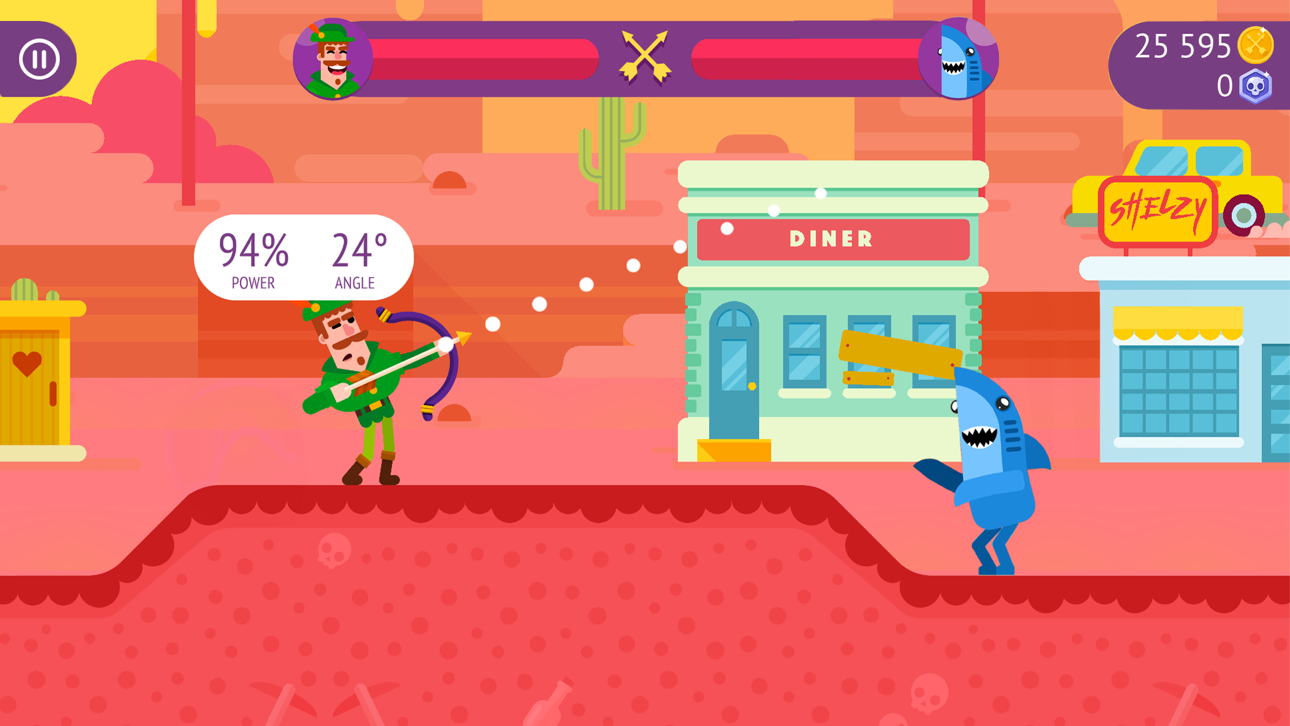
Bowmasters'ta okçuluk sanatında ustalaş, hızlı tempolu çok oyunculu bir düello oyununda rakiplerinle yıkıcı silahlar ve ragdoll fiziğiyle karşı karşıya gel. Bu ücretsiz Mod IPA hilesi sayesinde her atış garantili bir zafere dönüşüyor.
İster çevrimiçi çok oyunculu maçlarda yarışıyor ister arkadaşlarını destansı düellolarda yeniyor olun, bu modlanmış sürüm oyun mekaniklerini ortadan kaldırarak saf olarak hedefleme ve atış becerisi ile stratejiye odaklanmanı sağlıyor. 60+ karakter ve silahın tüm arsenalini anında açın ve herhangi bir para beklenmeden her oyun modunda hakim olun.
- Tek Atışta Öldürme → rakipleri anında yok et
- Asla Ölme → her saldırıdan sağ kal
- Anında Öldürme (Sıran Olduğunda Etkinleştir) → sıran olduğunda etkinleştir ve garantili eliminasyonlar sağla
- Sınırsız Para (Harca/Kazan) → yükseltmeler ve satın almalar için sonsuz para
- Sınırsız Mücevher (Harca/Kazan) → sonsuz premium para
Bu uygulama ayrıca, tekrar eden görevleri otomatikleştirmek için Auto Touch, ayarlanabilir oyun hızı için App Speed Manager, Memory Engine ile değer düzenleme ve daha pek çok güçlü iOS oyun aracına erişim sağlayan iGameGod ile birlikte gelir.
Yukarıdaki bağlantılardan Bowmasters - Multiplayer Game Hack modded IPA indirin. Yükle düğmesine dokunup ekrandaki yönergeleri izleyerek bu iOS uygulama hack'ini iPhone, iPad veya Apple Silicon'a yükleyin.
Daha fazla yardıma mı ihtiyacınız var? Ayrıntılı yanıtlar ve sorun giderme ipuçları için iOSGods Uygulaması Sık Sorulan Sorular sayfamıza bakın.
A brand new version of the world-famous multiplayer game with bowmen — a hotsy-totsy aim and shoot game Bowmasters has in store for you:
• 60+ INSANE CHARACTERS from all dimensions absolutely for free!
• ONLINE MULTIPLAYER!
• 60+ DIFFERENT WEAPONS for total mayhem, awesome fatalities with rag-doll physics!
• EPIC DUELS WITH YOUR FRIENDS. Grab your mates and show them what you’re worth!
• MULTIPLE GAME MODES. Shoоt birds or fruits down, defeat the enemies in duels and get money for that!
• ENDLESS REWARDS FOR YOUR SKILLS!
Don’t miss out on the fun! Be the first to grab it!
We Love You! Enjoy!
SUBSCRIPTION PRICING AND TERMS
Subscription options
In our game we have the following subscription options:
1. Weekly Premium offers weekly subscription for $7.99 after 3-day free trial. It unlocks 16 characters and removes all ads. Also the subscription provides 1,000 Coins and 100 Gems on a daily basis.
2. Monthly Premium offers monthly subscription for $19.99. It unlocks 16 characters and removes all ads. Also the subscription provides 1,000 Coins and 100 Gems on a daily basis.
3. Yearly Premium offers yearly subscription for $99.99. It unlocks 16 characters and removes all ads. Also the subscription provides 1,000 Coins and 100 Gems on a daily basis.
End of trial and subscription renewal
This price is for United States customers. Pricing in other countries may vary and actual charges may be converted to your local currency depending on the country of residence.
Payment will be charged to iTunes Account at confirmation of purchase.
Subscription automatically renews unless auto-renew is turned off at least 24-hours before the end of the current period.
Account will be charged for renewal within 24-hours prior to the end of the current period, and identify the cost of the renewal.
Subscriptions may be managed by the user and auto-renewal may be turned off by going to the user’s Account Settings after purchase.
Any unused portion of a free trial period, if offered, will be forfeited when the user purchases a subscription to that publication, where applicable.
Canceling trial or subscription
You can turn off the auto-renew for the subscription whenever you want to through iTunes. Check https://support.apple.com/HT202039. When your current trial/subscription period expires, you will be unsubscribed. The current active subscription period can not be canceled. After your subscription expires, you will no longer be able to use sticker packs marked as Premium.
If you have any questions or comments, feel free to contact us at [email protected]
Ekran görüntüleri © ilgili sahipleri · App Store


iOSGods; Apple Inc., Google LLC veya burada listelenen uygulamaların geliştiricileriyle bağlantılı değildir, onlar tarafından onaylanmamış ve desteklenmemiştir. Apple, iOS ve App Store, Apple Inc. şirketinin ticari markalarıdır. Android ve Google Play, Google LLC şirketinin ticari markalarıdır. Diğer tüm uygulama adları, simgeler, görseller ve ticari markalar ilgili sahiplerine aittir.

- Jailbreak'siz/normal ya da jailbreak'li iPhone veya iPad.
- Sideloadly veya alternatifleri.
- iTunes yüklü Windows/macOS/Linux çalıştıran bir bilgisayar.
ADIM 1: Yukarıdaki bağlantıdan önceden hacklenmiş .IPA dosyasını bilgisayarınıza indirin. iOSGods App üzerinden indirmek için video örneği de içeren iOSGods App IPA İndirme Kılavuzu bölümümüze göz atın.
ADIM 2: Sideloadly indirin ve Windows veya Mac'inize kurun.
ADIM 3: Bilgisayarınızda Sideloadly'yi açın, iOS cihazınızı bağlayın ve cihaz adınız Sideloadly'de görünene kadar bekleyin.
ADIM 4: iCihazınız tanındıktan sonra, indirdiğiniz modlu .IPA dosyasını sürükleyip Sideloadly uygulamasına bırakın.
ADIM 5: Apple Account e-posta adresinizi girin ve ardından "Start" düğmesine basın. Sonrasında sizden şifreniz istenecektir. Gerekli bilgileri girin.
ADIM 6: Sideloadly'nin hacklenmiş IPA'yı sideload edip yüklemesini bekleyin. Yükleme sırasında bir sorun olursa lütfen aşağıdaki notu okuyun.
ADIM 7: Yükleme tamamlandıktan ve uygulamayı Ana Ekranınızda gördükten sonra Ayarlar → Genel → Profiller / VPN ve Cihaz Yönetimi bölümüne gitmelisiniz. Burada 6. adımda girdiğiniz e-postaya dokunun ve ardından "[email protected]'a Güven" seçeneğine dokunun.
ADIM 8: Şimdi Ana Ekranınıza gidin ve yeni yüklediğiniz uygulamayı açın; her şey sorunsuz çalışmalıdır. Oyun içindeki hack açılır penceresinde uygulamaya özel ek talimatları takip etmeniz gerekebilir.
NOT: iOS/iPadOS 16 ve sonrasında Geliştirici Modu'nu etkinleştirmeniz gerekir. Ücretsiz Apple Developer hesapları için bu işlemi her 7 günde bir tekrarlamanız gerekir. Sorularınız veya sorunlarınız varsa konunun Sideloadly SSS bölümünü okuyun.
Game Name iOS Mod IPA is an action adventure game enhanced with powerful gameplay boosts and quality-of-life improvements. Win battles faster, earn rewards quicker, and enjoy uninterrupted play without ads.
- Unlimited Gold - spend freely to unlock premium content
- Damage Multiplier - deal significantly more damage in combat
- Defense Multiplier - take less damage and survive longer
- Reward Multiplier - earn more loot from every battle
- Max Level - instantly reach the highest player rank
- No Ads - play without interruptions or advertisements
This app also comes with iGameGod, giving you access to Auto Touch to automate repetitive tasks, App Speed Manager for adjustable gameplay speed, Memory Engine value editing, and more powerful iOS game tools.
Yukarıdaki bağlantılardan Game Name Mod IPA indirin. Yükle düğmesine dokunup ekrandaki yönergeleri izleyerek bu iOS uygulama hack'ini iPhone, iPad veya Apple Silicon'a yükleyin.
Daha fazla yardıma mı ihtiyacınız var Ayrıntılı yanıtlar ve sorun giderme ipuçları için iOSGods Uygulaması Sık Sorulan Sorular sayfamıza bakın.
----------------------------------------------------------
--------------------------------------------------