Потрібен вхід
Увійдіть у свій обліковий запис iOSGods, щоб продовжити.
Увійдіть у свій обліковий запис iOSGods, щоб продовжити.
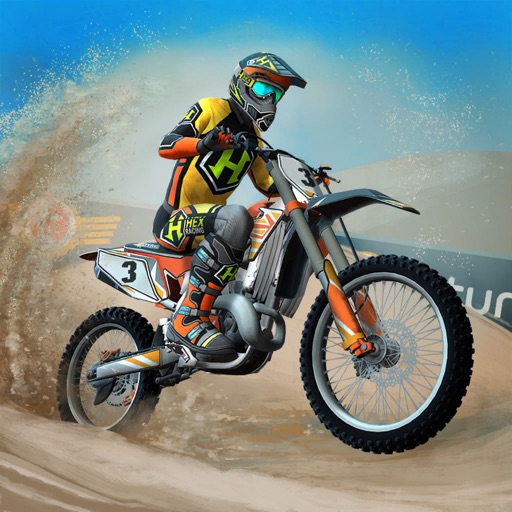
Розблокуйте кожен мотоцикл та скін миттєво в цьому Mod IPA для Mad Skills Motocross 3, легендарної мобільної гри про мотокрос, яку рекомендують професійні чемпіони. Гайте з повною кастомізацією та безплатними покращеннями, без необхідності гринду.
- Усі мотоцикли розблоковані → отримайте доступ до кожного мотоцикла з самого початку
- Безплатні покращення → вдосконалюйте свої мотоцикли без витрати валюти
- Усі скіни розблоковані → повністю налаштуйте зовнішність свого райдера
Цей застосунок також постачається з iGameGod, який надає доступ до Auto Touch для автоматизації повторюваних дій, App Speed Manager для регулювання швидкості гри, редагування значень за допомогою Memory Engine та інших потужних інструментів для iOS-ігор.
Завантажте Mad Skills Motocross 3 Hack modded IPA за посиланнями вище. Натисніть кнопку встановлення та дотримуйтесь інструкцій, щоб встановити цей хак iOS на iPhone, iPad або Apple Silicon.
Потрібна додаткова допомога? Перегляньте наш Поширені запитання про застосунок iOSGods для детальних відповідей та порад з усунення несправностей.
“If you’re looking for the best mobile motocross game there is, just get Mad Skills Motocross 3.” - Justin Cooper, 2021 West Supercross Champion
“I’ve never met a motocross racer who hasn’t played Mad Skills Motocross. It’s legendary in the sport.” - David Pingree, former pro racer and current host of the Whiskey Throttle Show
“I will destroy David Pingree at Mad Skills Motocross 3.” -- Grant Langston, former world champion and AMA motocross champion
The wait is over. Mad Skills Motocross 3 has finally arrived.
With mind-blowing physics, endless customization, hundreds of tracks and exciting online multiplayer events, Mad Skills Motocross 3 sets the standard for side-scrolling racing games. Its amazing 3D art, realistic bike sounds and energetic original soundtrack help to capture the spirit and aggression of real motocross racing, but its simple controls make it easy to learn for even the most casual players. But understand: It’s called Mad Skills for a reason. This game will challenge you like no other racing game can. After all, motocross is not supposed to be easy.
Mad Skills Motocross 3 includes:
THE BEST MOTORCYCLE PHYSICS OF ANY MOBILE GAME
The bikes in Mad Skills Motocross 3 are a dream to race. This is why real motocross racers across the globe gravitate to this game above all others. You’ll feel the acceleration, the weight of the bike, the torque and the suspension. And for the first time ever in Mad Skills Motocross, you can whip your bike.
ENDLESS CUSTOMIZATION
Equip your rider with an incredible selection of real-life and fantasy gear brands, creating millions of possible combinations. Collect new bikes and upgrade their parts to fit your riding style. Show off your own personal look in online competitions and against friends.
EXTREMELY DEEP GAMEPLAY
Mad Skills Motocross 3 features hundreds of expertly designed tracks, and new tracks will be added to the game every week, indefinitely. There’s always something new and challenging to conquer, including exciting online multiplayer events.
Universal application. Connect to Facebook, GameCenter, or Sign in with Apple, and your game progress and purchases will sync between devices.
Requires iOS 10 or later.
ADDITIONAL DISCLOSURES
While this app is free to download and play, there are some items in the game that cost real money. You have the option to subscribe to a Mad Skills Pro Pass for $11.99 / month (or local equivalent price). The payment will be charged to your iTunes Account at confirmation of purchase. Your subscription will automatically renew unless auto-renew is turned off at least 24 hours before the period ends. Your iTunes Account will be charged for renewal within 24-hours prior to the end of the current period at the amount of $11.99. Auto-renewal can be turned off in your device's settings after purchase. You get all Mad Skills Pro Pass benefits as soon as you subscribe.
Subscription periods are not tied to calendar weeks. They end exactly 1 week after their day of purchase. If you cancel your subscription during your 3 day free trial you will not be charged anything. Any unused portion of a free trial period will be forfeited when you purchase a subscription.
Terms of use can be found at www.turborilla.com/termsofuse. If you do not agree to those terms please do not access and/or play our games or use our services.
You will be given the opportunity to participate in special offers, events, and programs from Turborilla AB and its partners.
Use of this application is governed by Turborilla’s Terms of Use, which can be read here: http://www.turborilla.com/termsofuse
Collection and use of personal data are subject to Turborilla’s Privacy Policy, which can be read here: http://www.turborilla.com/privacy
Знімки екрана © їхніх власників · App Store



iOSGods не пов’язана з Apple Inc., Google LLC або розробниками перелічених тут застосунків, не схвалена та не спонсорується ними. Apple, iOS і App Store — торгові марки Apple Inc. Android і Google Play — торгові марки Google LLC. Усі інші назви застосунків, іконки, зображення й торгові марки належать їхнім власникам.
- iPhone або iPad без джейлбрейку/у заводському стані або з джейлбрейком.
- Sideloadly або альтернативи.
- Комп'ютер під керуванням Windows/macOS/Linux із встановленим iTunes.
КРОК 1: Завантажте попередньо зламаний .IPA-файл за посиланням вище на свій комп'ютер. Щоб завантажити з iOSGods App, перегляньте наш Посібник із завантаження IPA в iOSGods App, який містить відеоприклад.
КРОК 2: Завантажте Sideloadly і встановіть його на своєму Windows або Mac.
КРОК 3: Відкрийте Sideloadly на комп'ютері, підключіть свій iOS-пристрій і зачекайте, поки назва пристрою з'явиться у Sideloadly.
КРОК 4: Коли ваш iDevice буде розпізнано, перетягніть завантажений модифікований .IPA-файл і відпустіть його в застосунок Sideloadly.
КРОК 5: Введіть електронну пошту вашого Apple Account, потім натисніть «Start». Після цього вас попросять ввести пароль. Введіть необхідні дані.
КРОК 6: Зачекайте, доки Sideloadly завершить sideload/встановлення зламаного IPA. Якщо під час встановлення виникнуть проблеми, прочитайте примітку нижче.
КРОК 7: Коли встановлення завершено й ви побачите застосунок на головному екрані, перейдіть до Налаштування → Загальні → Профілі / VPN і керування пристроєм. Там натисніть на електронну пошту, яку ви ввели на кроці 6, а потім натисніть «Довіряти [email protected]».
КРОК 8: Тепер перейдіть на головний екран і відкрийте щойно встановлений застосунок — усе має працювати належним чином. Можливо, доведеться виконати додаткові інструкції для конкретного застосунку в спливаючому вікні хака в грі.
ПРИМІТКА: У iOS/iPadOS 16 і пізніших версіях потрібно увімкнути режим розробника. Для безкоштовних облікових записів Apple Developer цей процес доведеться повторювати кожні 7 днів. Якщо у вас є запитання або проблеми, прочитайте наш розділ FAQ зі Sideloadly у темі.
Game Name iOS Mod IPA is an action adventure game enhanced with powerful gameplay boosts and quality-of-life improvements. Win battles faster, earn rewards quicker, and enjoy uninterrupted play without ads.
- Unlimited Gold - spend freely to unlock premium content
- Damage Multiplier - deal significantly more damage in combat
- Defense Multiplier - take less damage and survive longer
- Reward Multiplier - earn more loot from every battle
- Max Level - instantly reach the highest player rank
- No Ads - play without interruptions or advertisements
This app also comes with iGameGod, giving you access to Auto Touch to automate repetitive tasks, App Speed Manager for adjustable gameplay speed, Memory Engine value editing, and more powerful iOS game tools.
Завантажте Game Name Mod IPA за посиланнями вище. Натисніть кнопку встановлення та дотримуйтесь інструкцій, щоб встановити цей хак iOS на iPhone, iPad або Apple Silicon.
Потрібна додаткова допомога Перегляньте наш Поширені запитання про застосунок iOSGods для детальних відповідей та порад з усунення несправностей.
----------------------------------------------------------
--------------------------------------------------