ต้องเข้าสู่ระบบ
เข้าสู่ระบบด้วยบัญชี iOSGods เพื่อดำเนินการต่อ
เข้าสู่ระบบด้วยบัญชี iOSGods เพื่อดำเนินการต่อ
แอปพลิเคชันเกมจับคู่ไทล์นี้มีเมนูดีบัก ให้คุณควบคุมประสบการณ์ Goodwill Tiles: Match & Rescue iOS Mod IPA ได้อย่างขั้นสูง เข้าถึงเครื่องมือนักพัฒนาที่ซ่อนอยู่เพื่อปรับแต่งการเล่นเกมของคุณและสำรวจฟีเจอร์ที่เกินกว่าการปล่อยตัวมาตรฐาน
- เมนูดีบัก (ไปที่การตั้งค่าและสลับปุ่ม Contact Us จากนั้นรีสตาร์ทเกมเพื่อปิดเมนู) → ปลดล็อกเครื่องมือนักพัฒนาสำหรับการควบคุมการเล่นเกมขั้นสูง
แอปนี้ยังมาพร้อมกับ iGameGod ซึ่งช่วยให้คุณเข้าถึง Auto Touch สำหรับการทำงานซ้ำ ๆ โดยอัตโนมัติ, App Speed Manager สำหรับปรับความเร็วของเกม, การแก้ไขค่าด้วย Memory Engine และเครื่องมือสำหรับเกม iOS ที่ทรงพลังอื่น ๆ อีกมากมาย
ดาวน์โหลด Goodwill Tiles: Match & Rescue iOS Mod IPA จากลิงก์ด้านบน แตะปุ่มติดตั้งและทำตามคำแนะนำบนหน้าจอเพื่อติดตั้งแฮ็กแอป iOS นี้บน iPhone, iPad หรือ Apple Silicon
ต้องการความช่วยเหลือเพิ่มเติม? ดู คำถามที่พบบ่อยของแอป iOSGods สำหรับคำตอบโดยละเอียดและเคล็ดลับการแก้ไขปัญหา
Playing Goodwill Tiles for just 10 minutes a day sharpens your mind, boosts your focus, and brings a sense of relaxation while making a difference!
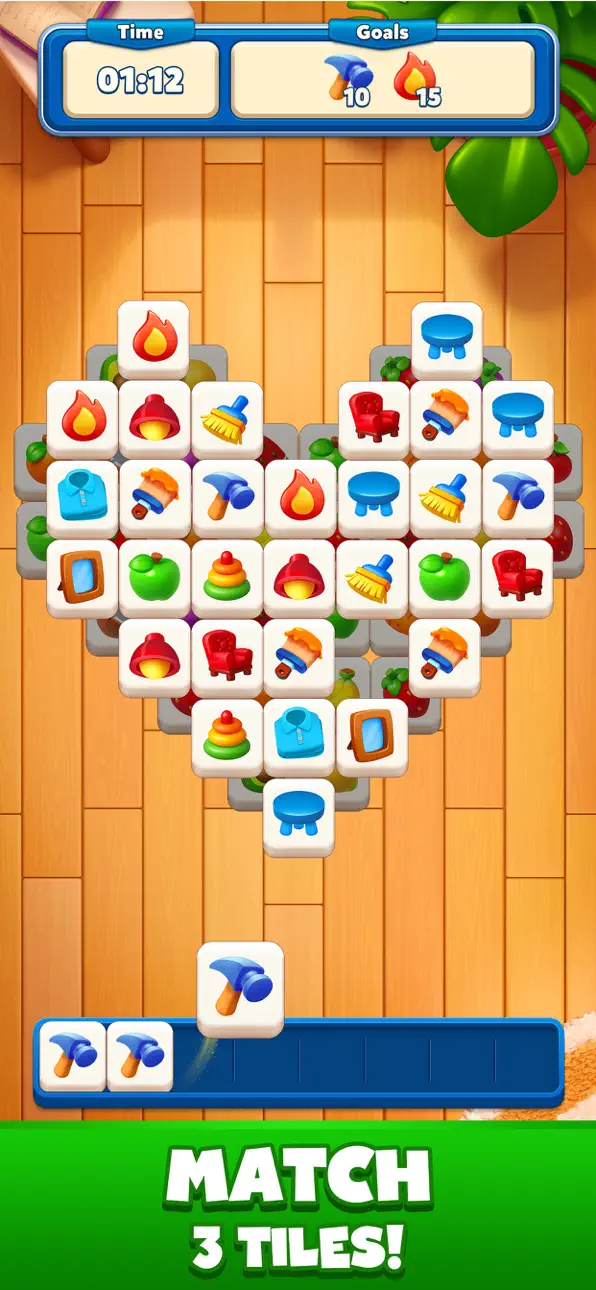
Take a break and dive into Goodwill Tiles, where you can blast colorful tiles, connect patterns, and sort the same color blocks and goods. This exciting tile-matching puzzle game combines the fun of matching games with the zen relaxation of strategic puzzles and a heartwarming mission. Challenge your brain, solve engaging puzzles, and help people in need as you match 3D tiles. With hundreds of levels, relaxing gameplay, and a unique rescue theme, this game is perfect for unwinding and having fun.
How to Play?
• Simply tap to match 3 identical tiles and clear the board.
• Be strategic! If the board fills up, you'll have to restart.
• Complete challenging levels and unlock hidden surprises while helping people and solving puzzles.
• Use helpful boosters when you need an extra hand.
Features You'll Love:
• Match 3D Tiles & Color Blocks – A fresh and fun take on classic tile-matching puzzles.
• Rescue People in Need – Every match brings hope and progress.
• Relax & Unwind – Beautiful visuals and soothing music for a stress-free experience.
• Hundreds of Levels – Unique tile sets, challenges, and fun obstacles.
• Power-Ups & Colorful Boosters – Use hints, shuffles, and more to help you win.
• Daily Rewards & Events – Keep coming back for new puzzles and surprises.
Why Play Goodwill Tiles?
If you love tile matching games, mahjong games, match 3 games, relaxing puzzles, and games with purpose, Goodwill Tiles is perfect for you! Whether you're a fan of family friendly matching puzzle games or the zen relaxation of tile matching, this game has something for everyone. It’s easy to play but challenging to become a tile match master, offering a mindful escape with meaningful gameplay.
Are you ready to match, help, and solve puzzles? Download Goodwill Tiles now and start your adventure!
ภาพหน้าจอ © เจ้าของแต่ละราย · App Store


iOSGods ไม่มีความเกี่ยวข้อง ไม่ได้รับการรับรอง และไม่ได้รับการสนับสนุนจาก Apple Inc., Google LLC หรือผู้พัฒนาแอปที่แสดงไว้ที่นี่ Apple, iOS และ App Store เป็นเครื่องหมายการค้าของ Apple Inc. Android และ Google Play เป็นเครื่องหมายการค้าของ Google LLC ชื่อแอป ไอคอน ภาพ และเครื่องหมายการค้าอื่นทั้งหมดเป็นทรัพย์สินของเจ้าของแต่ละราย

- iPhone หรือ iPad ที่ไม่ได้เจลเบรก/ไม่ได้เจลเบรก หรือเจลเบรกแล้ว
- Sideloadly หรือทางเลือกอื่น
- คอมพิวเตอร์ที่ใช้ Windows/macOS/Linux และติดตั้ง iTunes ไว้
ขั้นตอนที่ 1: ดาวน์โหลดไฟล์ .IPA ที่แฮกไว้ล่วงหน้าจากลิงก์ด้านบนลงในคอมพิวเตอร์ของคุณ หากต้องการดาวน์โหลดจากแอป iOSGods โปรดดู วิธีดาวน์โหลด IPA ในแอป iOSGods ซึ่งมีตัวอย่างวิดีโอประกอบ
ขั้นตอนที่ 2: ดาวน์โหลด Sideloadly แล้วติดตั้งบน Windows หรือ Mac ของคุณ
ขั้นตอนที่ 3: เปิด Sideloadly บนคอมพิวเตอร์ เชื่อมต่ออุปกรณ์ iOS แล้วรอจนกว่าชื่ออุปกรณ์ของคุณจะปรากฏใน Sideloadly
ขั้นตอนที่ 4: เมื่อ iDevice ของคุณถูกตรวจพบแล้ว ให้ลากไฟล์ .IPA ที่ม็อดมาวางลงในโปรแกรม Sideloadly
ขั้นตอนที่ 5: กรอกอีเมล Apple Account ของคุณ จากนั้นกด "Start" ระบบจะถามรหัสผ่าน กรอกข้อมูลที่จำเป็นให้เรียบร้อย
ขั้นตอนที่ 6: รอจนกว่า Sideloadly จะ sideload/ติดตั้งไฟล์ IPA ที่แฮกเสร็จ หากเกิดปัญหาระหว่างติดตั้ง โปรดอ่านหมายเหตุด้านล่าง
ขั้นตอนที่ 7: เมื่อการติดตั้งเสร็จสิ้นและเห็นแอปบนหน้าจอหลักแล้ว ให้ไปที่ การตั้งค่า → ทั่วไป → โปรไฟล์ / VPN และการจัดการอุปกรณ์ จากนั้นแตะที่อีเมลที่คุณกรอกในขั้นตอนที่ 6 แล้วแตะ "เชื่อถือ [email protected]"
ขั้นตอนที่ 8: จากนั้นไปที่หน้าจอหลักและเปิดแอปที่ติดตั้งใหม่ ทุกอย่างควรทำงานได้ปกติ คุณอาจต้องทำตามคำแนะนำเพิ่มเติมเฉพาะแอปในป๊อปอัปของม็อดในเกม
หมายเหตุ: สำหรับ iOS/iPadOS 16 ขึ้นไป คุณต้อง เปิดโหมดนักพัฒนา (Developer Mode) สำหรับบัญชี Apple Developer แบบฟรี คุณต้องทำขั้นตอนนี้ซ้ำทุก 7 วัน หากมีคำถามหรือพบปัญหา โปรดอ่าน หัวข้อ FAQ ของ Sideloadly ในกระทู้
Game Name iOS Mod IPA is an action adventure game enhanced with powerful gameplay boosts and quality-of-life improvements. Win battles faster, earn rewards quicker, and enjoy uninterrupted play without ads.
- Unlimited Gold - spend freely to unlock premium content
- Damage Multiplier - deal significantly more damage in combat
- Defense Multiplier - take less damage and survive longer
- Reward Multiplier - earn more loot from every battle
- Max Level - instantly reach the highest player rank
- No Ads - play without interruptions or advertisements
This app also comes with iGameGod, giving you access to Auto Touch to automate repetitive tasks, App Speed Manager for adjustable gameplay speed, Memory Engine value editing, and more powerful iOS game tools.
ดาวน์โหลด Game Name Mod IPA จากลิงก์ด้านบน แตะปุ่มติดตั้งและทำตามคำแนะนำบนหน้าจอเพื่อติดตั้งแฮ็กแอป iOS นี้บน iPhone, iPad หรือ Apple Silicon
ต้องการความช่วยเหลือเพิ่มเติม ดู คำถามที่พบบ่อยของแอป iOSGods สำหรับคำตอบโดยละเอียดและเคล็ดลับการแก้ไขปัญหา
----------------------------------------------------------
--------------------------------------------------






![Screw Jam iOS Mod IPA [ Debug Menu ]](https://is1-ssl.mzstatic.com/image/thumb/Purple211/v4/06/cc/68/06cc6810-b66f-83a7-27a8-2ff3ad668c90/AppIcon-0-0-1x_U007emarketing-0-8-0-85-220.png/100x100bb.jpg)


