ログインが必要
iOSGodsアカウントでサインインして続けてください。
iOSGodsアカウントでサインインして続けてください。
このアクション満載のローグライクRPGチート対応版Combat Quest: Idle Dungeon RPG Mod IPAは、ダメージと防御力を強化し、ダンジョン攻略を楽々クリアして完璧なヒーローを素早く育成できます。射撃、略奪、そして強化されたステータスで全ての部屋を支配し、グラインドではなく戦略と豪華な戦利品に集中できます。
- ダメージ倍率 → 攻撃力を増加させます
- 防御倍率 → 防御耐性を強化します
このアプリにはiGameGodも搭載されており、繰り返し作業を自動化するAuto Touch、ゲーム速度を調整できるApp Speed Manager、Memory Engineによる値の編集など、強力なiOSゲーム用ツールをご利用いただけます。
Combat Quest: Idle Dungeon RPG iOS Mod IPAを上のリンクからダウンロードします。インストールボタンをタップし、画面の指示に従ってiPhone、iPad、Apple SiliconにこのiOSアプリハックをインストールします。
さらにヘルプが必要ですか? 詳しい回答とトラブルシューティングはiOSGodsアプリ よくある質問をご覧ください。
Hordes of terrifying monsters have overrun the world, and now it needs saving! (Who's the lucky hero who gets this quest? Yep, it's you.)
Create your own unique playstyle in this archer roleplaying dungeon runner. Level up and choose new skills. Explore dungeons full of dangerous monsters and tons of loot. Run, shoot, and increase your strength. Carefully curate your skill set so you'll be equipped to battle and defeat enemy minions—and maybe even their bosses. Find their weaknesses and use them to your advantage.
Done shooting your bow and filling your inventory with loot? Time to put all the treasure you found on your dungeon run to good use. Strengthen and improve your equipment to get the stats that will take your game to the next level. Choose and equip talents that fit your playstyle. Be the quickest archer around with combat tricks: run, dodge, and shoot! Or just unleash your fury on enemy creatures in a hail of fiery arrows!
What you can expect in this RPG:
● Quick dungeon runs—the perfect dose of fun when you have 10 minutes to kill
● Unique, interesting levels that will make you think—less grind, more action!
● Tons of combat skills to choose from—think you can find the strongest combo possible?
● A massive world map to satisfy your thirst for exploration
● Endless progression, plus numerous locations, dungeons, and game modes
● Weapons and armor: loot gear, make it stronger, and customize it!
● Cutting-edge 3D graphics
● Tons of different monsters and super challenging bosses
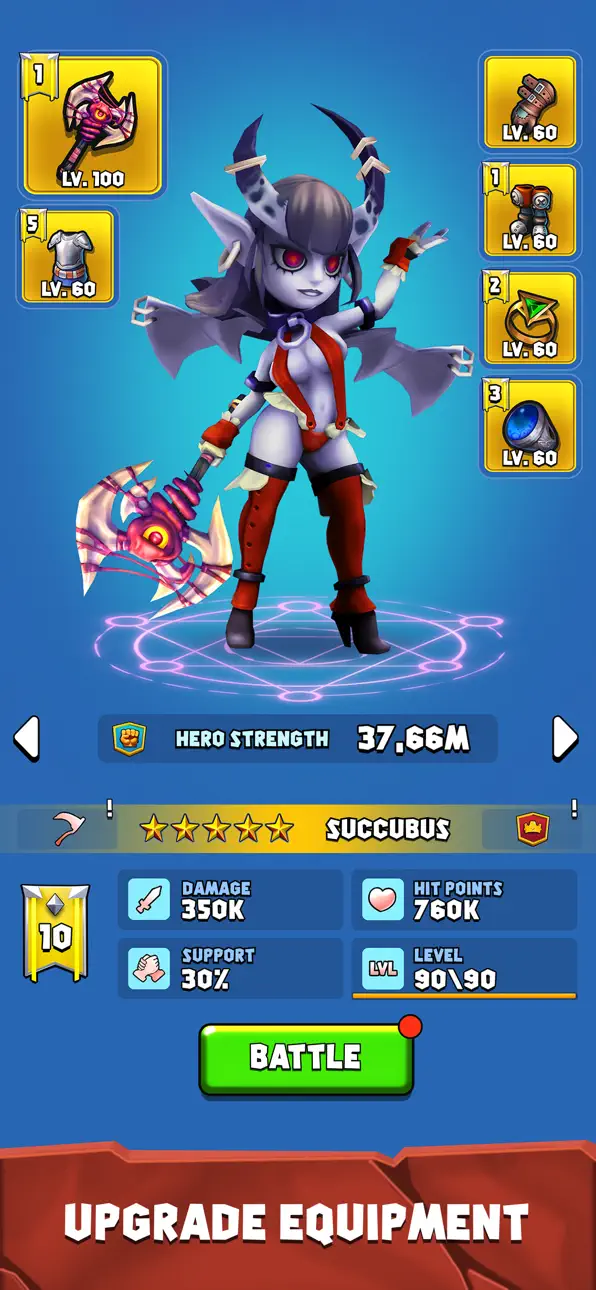
● (Spoiler alert): Somewhere along the way you'll get help from a crazy angel and a seductive demon
In-App purchases may include random items.
https://www.facebook.com/CombatQuestArcher
support mail: [email protected]
スクリーンショット © 各権利者 · App Store


iOSGods は Apple Inc.、Google LLC、および掲載アプリの開発者と提携しておらず、承認や協賛も受けていません。Apple、iOS、App Store は Apple Inc. の商標です。Android および Google Play は Google LLC の商標です。その他のアプリ名、アイコン、画像、商標はすべて各権利者に帰属します。

- 脱獄/Jailed済みまたは脱獄済みのiPhoneまたはiPad。
- Sideloadlyまたは代替手段。
- iTunesがインストールされているWindows/macOS/Linuxを実行しているコンピュータ。
ステップ1: 上のリンクから事前にハックされた.IPAファイルをコンピュータにダウンロードします。iOSGodsアプリからダウンロードする方法は、ビデオ例付きのiOSGodsアプリIPAダウンロードチュートリアルをご覧ください。
ステップ2: SideloadlyをダウンロードしてWindowsまたはMacにインストールします。
ステップ3: コンピュータでSideloadlyを開き、iOSデバイスを接続して、デバイス名がSideloadlyに表示されるまで待ちます。
ステップ4: iDeviceが認識されたら、ダウンロードしたModされた.IPAファイルをSideloadlyアプリにドラッグ&ドロップします。
ステップ5: Apple Accountのメールアドレスを入力し、「Start」を押します。次にパスワードの入力を求められます。必要な情報を入力してください。
ステップ6: Sideloadlyがハックされたipaのサイドロード/インストールを完了するのを待ちます。インストール中に問題が発生した場合は、以下の注意事項をお読みください。
ステップ7: インストールが完了し、ホーム画面にアプリが表示されたら、設定 → 一般 → プロファイル / VPNとデバイス管理に移動する必要があります。そこで、ステップ6で入力したメールをタップし、「Trust [email protected]」をタップします。
ステップ8: ホーム画面に戻り、新しくインストールされたアプリを開けば、すべて正常に動作するはずです。ゲーム内のハックのポップアップで、アプリごとの追加指示に従う必要がある場合があります。
注意: iOS/iPadOS 16以降では、デベロッパモードを有効にするが必要です。無料のApple Developerアカウントの場合、このプロセスを7日ごとに繰り返す必要があります。質問や問題がある場合は、トピックのSideloadly FAQセクションをお読みください。
Game Name iOS Mod IPA is an action adventure game enhanced with powerful gameplay boosts and quality-of-life improvements. Win battles faster, earn rewards quicker, and enjoy uninterrupted play without ads.
- Unlimited Gold - spend freely to unlock premium content
- Damage Multiplier - deal significantly more damage in combat
- Defense Multiplier - take less damage and survive longer
- Reward Multiplier - earn more loot from every battle
- Max Level - instantly reach the highest player rank
- No Ads - play without interruptions or advertisements
This app also comes with iGameGod, giving you access to Auto Touch to automate repetitive tasks, App Speed Manager for adjustable gameplay speed, Memory Engine value editing, and more powerful iOS game tools.
Game Name Mod IPAを上のリンクからダウンロードします。インストールボタンをタップし、画面の指示に従ってiPhone、iPad、Apple SiliconにこのiOSアプリハックをインストールします。
さらにヘルプが必要ですか 詳しい回答とトラブルシューティングはiOSGodsアプリ よくある質問をご覧ください。
----------------------------------------------------------
--------------------------------------------------