Cần đăng nhập
Đăng nhập bằng tài khoản iOSGods để tiếp tục.
Hack Features:
- Infinite Coins (Spend some/ Get some)
- No Ads
Tải Ball Blast Hack modded IPA từ các liên kết ở trên. Nhấn nút cài đặt và làm theo hướng dẫn để cài bản hack iOS lên iPhone, iPad hoặc Apple Silicon.
Cần thêm trợ giúp? Hãy xem Câu hỏi thường gặp ứng dụng iOSGods để có câu trả lời chi tiết và mẹo khắc phục sự cố.

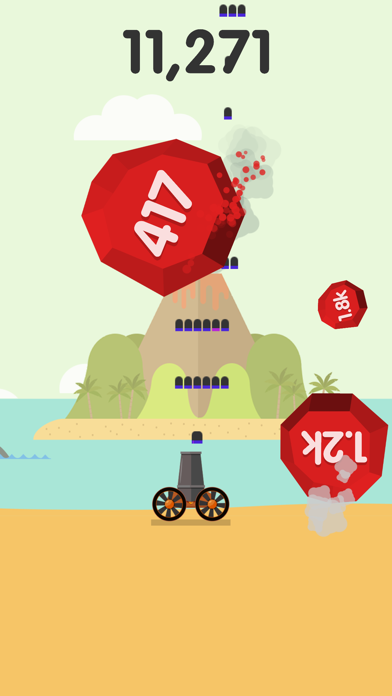
Shoot the balls and upgrade your cannon, how long can you survive?
TERMS OF SERVICE - PURCHASE
Voodoo offers to each of its account holder (the “Account Holder”) the possibility to select a weekly subscription (the “Subscription”) after a three-day (3) free trial period (the “Free Trial Period”) for a weekly price of 7.99 USD (the “Price”) for the purpose of accessing specific services expressly made available by Voodoo for use (the “Subscribed Services”).
Scope of the Subscription
Following the Free Trial Period, the Account Holder will continue to have access to the Subscribed Services upon confirmation of purchase and after payment is charged to the Account Holders’ personal iTunes Account.
The Subscribed Services will unlock certain games for the Account Holder as well as remove all ads.
The Account Holder agrees that the Price with respect to the Subscribed Services is final and will not be subject to refund.
Purchases by Account Holders outside the U.S.A
The Price is labelled in US Dollars. If the Account Holder resides outside the U.S.A, and wishes to download the Subscription, the Price will be subject to certain variation including additional charges for conversion of the currency.
In addition, Voodoo reserves the right at any time to change and update the Price and inventory of the Subscribed Services available.
Termination of the Subscription
Except as provided below regarding renewal of the Subscription, Voodoo may cancel, suspend or terminate the access by the Account Holder of the Subscribed Services if:
the Account Holder fails to comply with the terms ;
Voodoo suspects any unlawful activity associated with the Account Holder; and
Voodoo suspects certain event of fraud or misuse.
The Subscription is subject to automatic renewal unless the Account Holder withdraws from the Subscription 24-hours before the end of the current week corresponding to the subscription period. If the Account Holder does not withdraw, he will be charged for the following Subscription period.
The Account Holder may manage directly the automatic renewal by using the functionality provided for in the settings of its iTunes Account.
When the Account Holder’s Free Trial Period or the subscription period expires, and provided that he has withdrawn from the Subscription as described above, his personal account will be closed.
The Account Holder acknowledges that Voodoo is not required to provide a refund in the event that there remains any amount in his account. Voodoo will not grant any compensation for unused currency.
If you have any questions or comments, feel free to contact us at [email protected]
Terms of services : http://www.voodoo.io/terms
Privacy policy : http://www.voodoo.io/privacy
- iPhone hoặc iPad chưa jailbreak/đã đóng hoặc đã jailbreak.
- Sideloadly hoặc các lựa chọn thay thế.
- Máy tính chạy Windows/macOS/Linux đã cài iTunes.
BƯỚC 1: Tải tệp .IPA đã được hack sẵn từ liên kết phía trên về máy tính của bạn. Để tải từ iOSGods App, hãy xem Hướng dẫn tải IPA bằng iOSGods App của chúng tôi, có kèm ví dụ bằng video.
BƯỚC 2: Tải Sideloadly và cài đặt trên Windows hoặc Mac của bạn.
BƯỚC 3: Mở Sideloadly trên máy tính, kết nối thiết bị iOS của bạn và chờ cho đến khi tên thiết bị hiển thị trong Sideloadly.
BƯỚC 4: Khi thiết bị iOS của bạn đã được nhận diện, hãy kéo tệp .IPA đã chỉnh sửa mà bạn tải về và thả vào ứng dụng Sideloadly.
BƯỚC 5: Nhập email Apple Account của bạn, sau đó nhấn "Start." Bạn sẽ được yêu cầu nhập mật khẩu. Hãy cung cấp các thông tin cần thiết.
BƯỚC 6: Chờ Sideloadly hoàn tất quá trình sideload/cài đặt tệp IPA đã hack. Nếu gặp sự cố trong quá trình cài đặt, vui lòng đọc lưu ý bên dưới.
BƯỚC 7: Khi cài đặt hoàn tất và bạn thấy ứng dụng trên Màn hình chính, bạn cần truy cập Cài đặt → Cài đặt chung → Hồ sơ / VPN & Quản lý thiết bị. Tại đó, nhấn vào email bạn đã nhập ở bước 6, rồi nhấn "Tin cậy [email protected]".
BƯỚC 8: Bây giờ hãy về Màn hình chính và mở ứng dụng vừa cài đặt, mọi thứ sẽ hoạt động bình thường. Bạn có thể cần làm theo hướng dẫn riêng của từng ứng dụng trong cửa sổ popup của bản hack trong game.
LƯU Ý: Trên iOS/iPadOS 16 trở lên, bạn phải bật Chế độ nhà phát triển. Với tài khoản Apple Developer miễn phí, bạn sẽ cần lặp lại quy trình này mỗi 7 ngày. Nếu bạn có thắc mắc hoặc gặp sự cố, hãy đọc mục FAQ về Sideloadly trong chủ đề của chúng tôi.