ต้องเข้าสู่ระบบ
เข้าสู่ระบบด้วยบัญชี iOSGods เพื่อดำเนินการต่อ
เข้าสู่ระบบด้วยบัญชี iOSGods เพื่อดำเนินการต่อ
เกมสปอร์ตบีเอ็มเอ็กซ์อาร์เคดนี้ปลดล็อกประสบการณ์ Touchgrind BMX 2 เต็มรูปแบบด้วยคะแนนไม่จำกัดและทั้งหมดของแทร็กและสีพร้อมให้ขี่ได้ ทำท่าเคล็ดลับสุดขั้วทั่วทั้งสถานที่ทั่วโลกที่สวยงาม ตั้งแต่หลังคาสูง 50 เมตรใน Vertigo ไปจนถึงเนินเขา โดยมีสภาพแวดล้อมและตัวเลือกการปรับแต่งทั้งหมดอยู่ในมือของคุณตั้งแต่เริ่มต้น
- คะแนนไม่จำกัด → ไม่ทำงานในโหมด Duel
- ปลดล็อกแทร็กและสีทั้งหมด → คุณอาจต้องเล่นเกมเพื่อให้แทร็กปรากฏขึ้น
แอปนี้ยังมาพร้อมกับ iGameGod ซึ่งช่วยให้คุณเข้าถึง Auto Touch สำหรับการทำงานซ้ำ ๆ โดยอัตโนมัติ, App Speed Manager สำหรับปรับความเร็วของเกม, การแก้ไขค่าด้วย Memory Engine และเครื่องมือสำหรับเกม iOS ที่ทรงพลังอื่น ๆ อีกมากมาย
ดาวน์โหลด Touchgrind BMX 2 - Free Hack modded IPA จากลิงก์ด้านบน แตะปุ่มติดตั้งและทำตามคำแนะนำบนหน้าจอเพื่อติดตั้งแฮ็กแอป iOS นี้บน iPhone, iPad หรือ Apple Silicon
ต้องการความช่วยเหลือเพิ่มเติม? ดู คำถามที่พบบ่อยของแอป iOSGods สำหรับคำตอบโดยละเอียดและเคล็ดลับการแก้ไขปัญหา
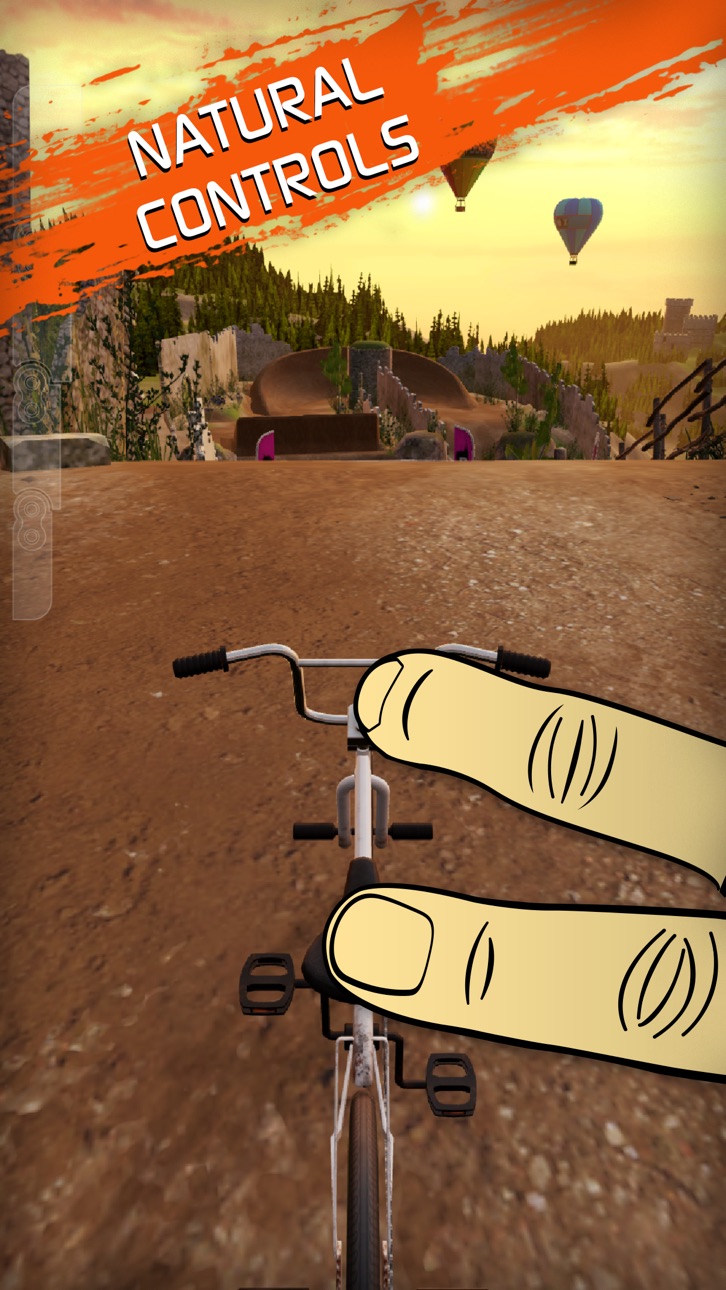
TOUCHGRIND BMX 2 is a physics-driven BMX stunt game with unique two-finger controls.
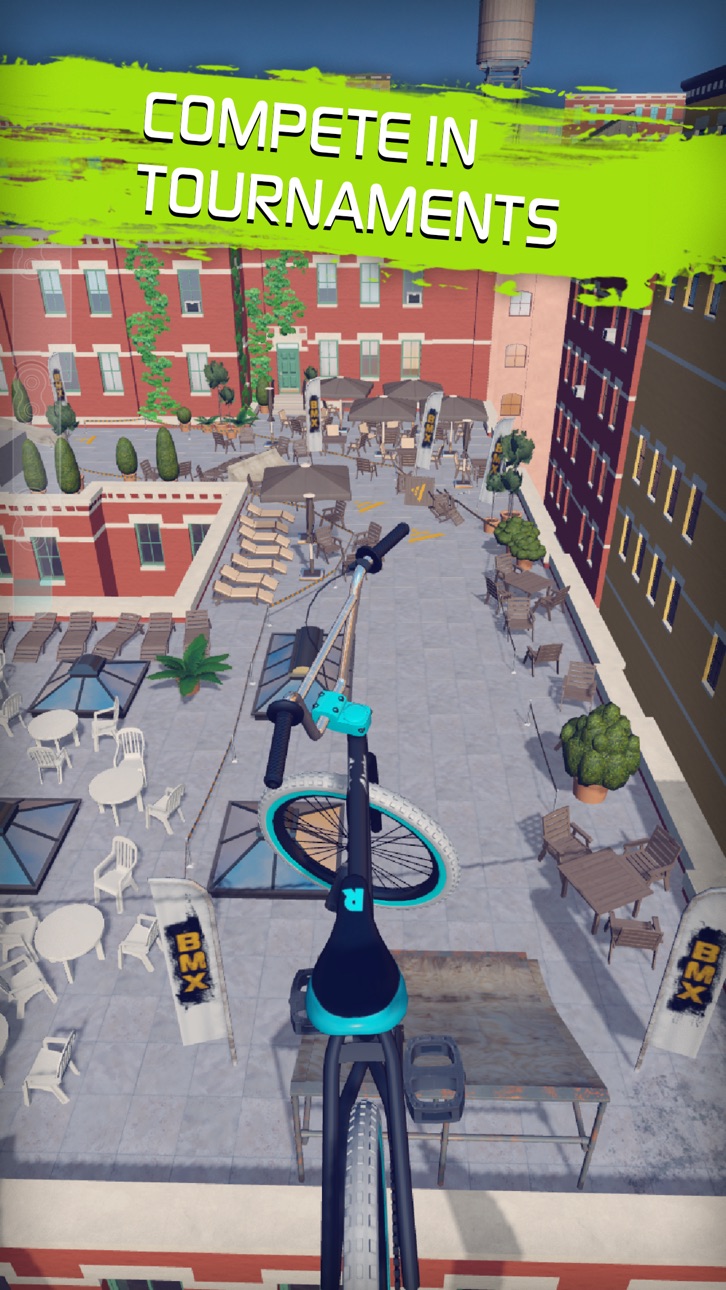
EXPERIENCE INCREDIBLE ENVIRONMENTS riding through dazzling locations around the globe. Drop off fifty meter rooftops surrounded by skyscrapers in Vertigo, launch off mini ramps and rush downhill on the shady slopes of Montaña Alta, shred the trails on Grizzly Trail or take your chances descending Viper Valley’s narrow ledges literally flying over lethal gaps.
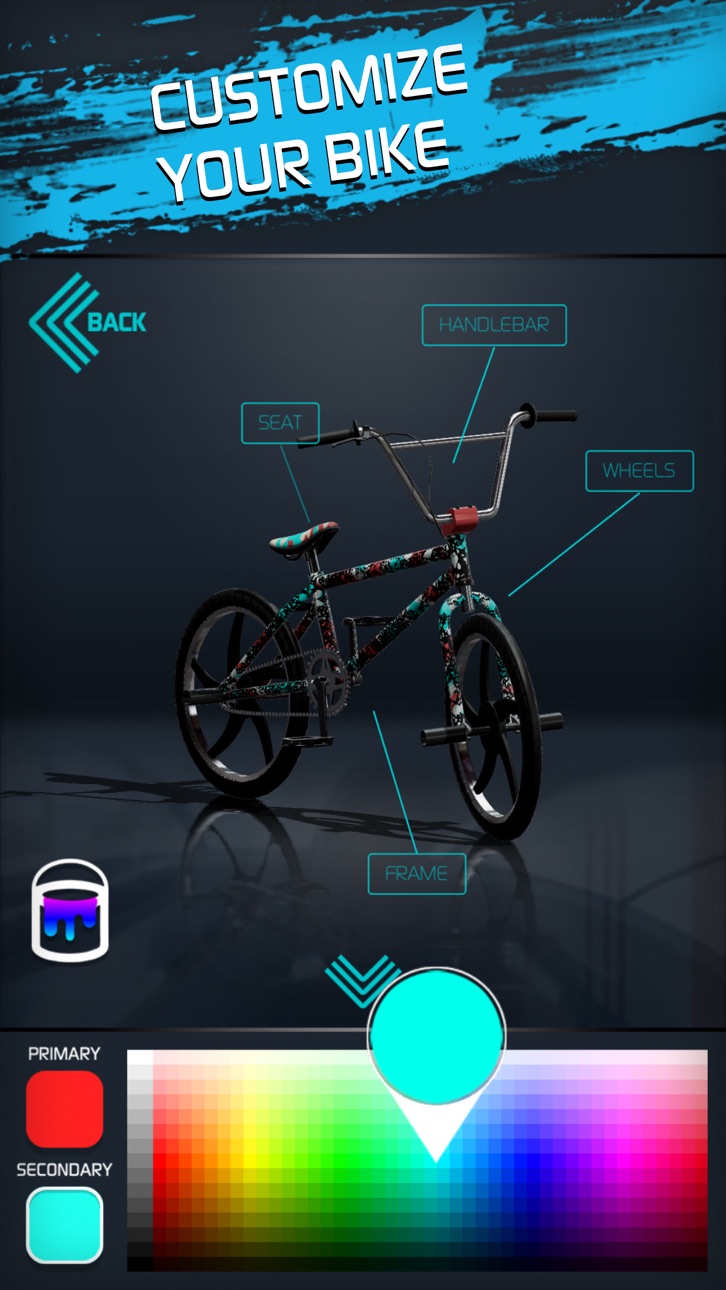
DESIGN and ASSEMBLE your fully customizable BMX. Choose between different frames, handle bars, wheels and seats and spray paint it for that final personal touch. Crack open crates to unlock additional bike parts, SPECIAL bikes and much much more.
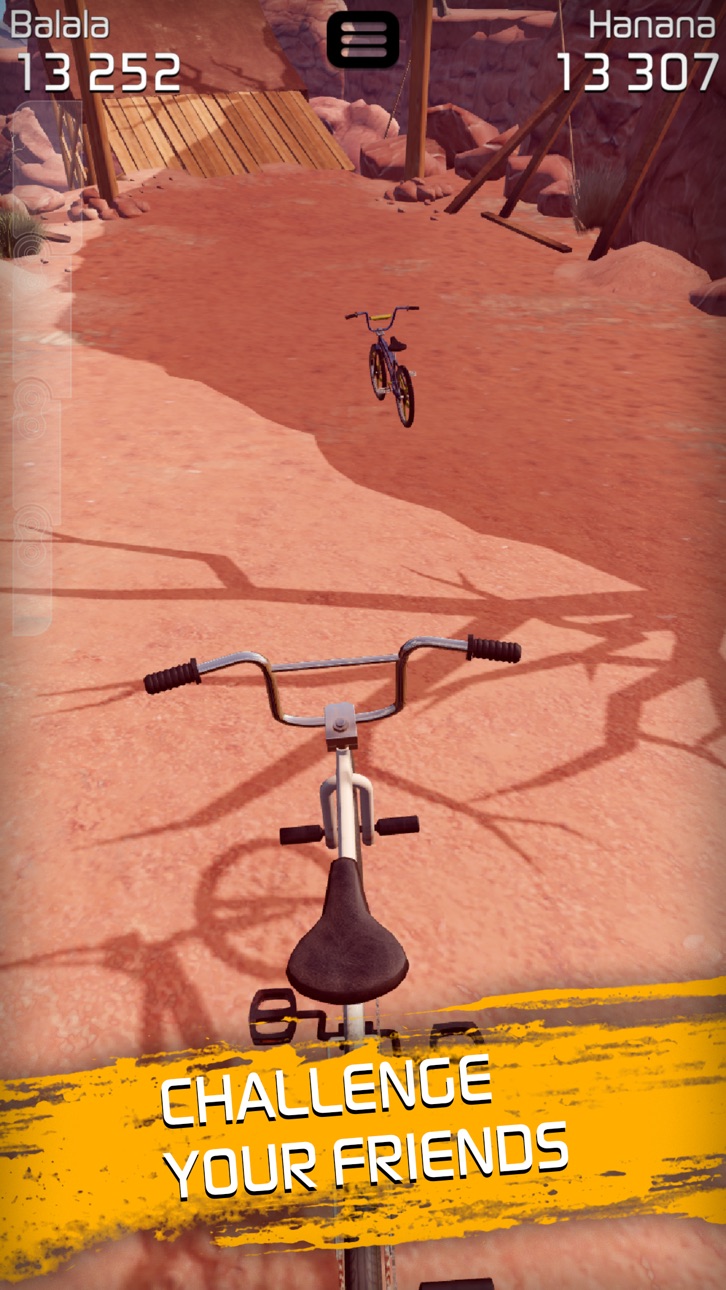
CHALLENGE YOUR FRIENDS or any other Touchgrind BMX 2 players and compete man-to-man in DUELS.
COMPLETE CHALLENGES and RANK UP, earn shiny trophies for exceptional performance and compare your best scores with other players around the globe or in your own country. Learn how to master barspins, tailwhips, bikeflips, backflips, 360’s and many other tricks, pump your adrenaline levels to the max and kill impossible trick combos that will rocket your scores sky high.
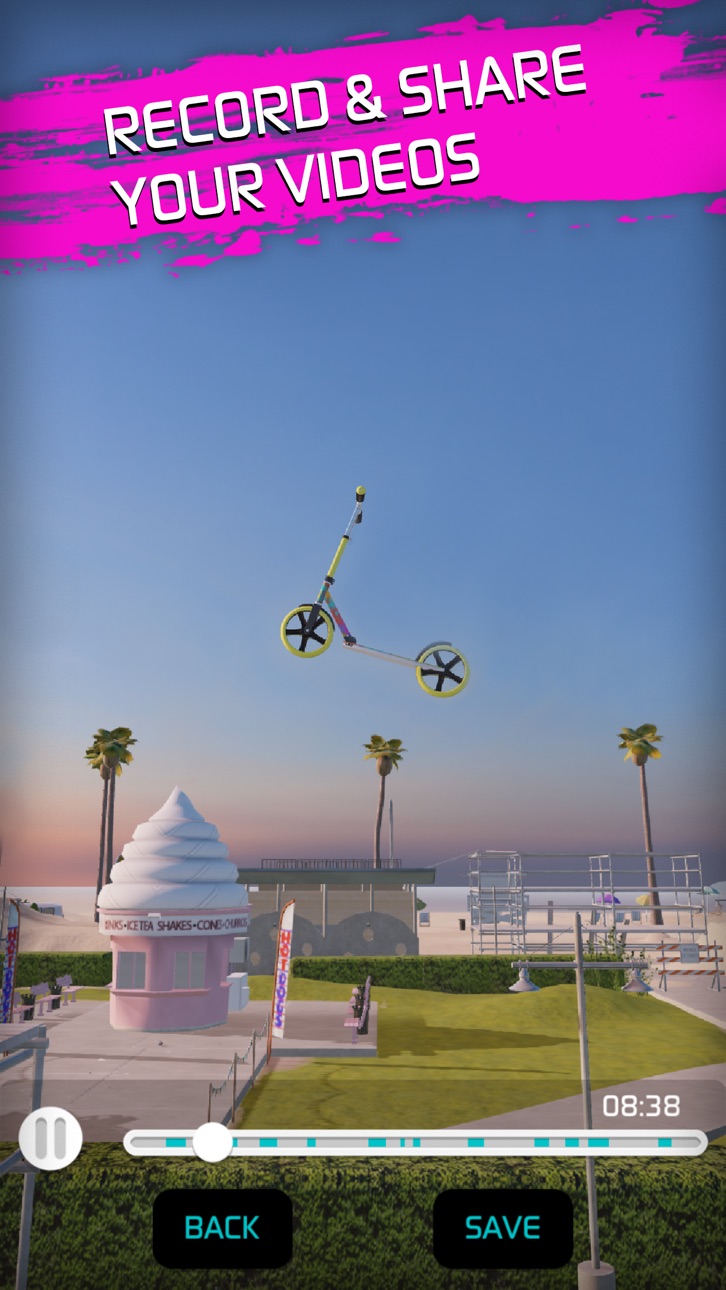
SHARE YOUR SKILLS with the world and let them enjoy your extreme runs for real. Decide on real time or slow-mo speed, choose between replay- or bike cameras and generate amazing videos to impress your friends.
STUNNING GRAPHICS AND REALISTIC AUDIO make Touchgrind BMX 2 a truly wonderful gaming experience and once you launch your bike off that ramp, only your imagination will decide what kind of BMX rider you will be... It begins NOW!
FEATURES
- Same revolutionary two finger controls as seen in Touchgrind BMX
- Fully customizable bikes and special bikes
- Many unlockable items
- Complete challenges and earn trophies on every location
- Substantial ranking system for each location – world, country, among friends
- Personal profile
- Generate replay videos and share with the world
- Multiplayer duels
- Amazing graphics and audio
- ‘How to’ section that visually demonstrates how to ride and perform tricks
- Sync progress between device
** This game is free to play but offers in-app-purchases. You may disable in-app-purchasing using your device's settings **
ภาพหน้าจอ © เจ้าของแต่ละราย · App Store



iOSGods ไม่มีความเกี่ยวข้อง ไม่ได้รับการรับรอง และไม่ได้รับการสนับสนุนจาก Apple Inc., Google LLC หรือผู้พัฒนาแอปที่แสดงไว้ที่นี่ Apple, iOS และ App Store เป็นเครื่องหมายการค้าของ Apple Inc. Android และ Google Play เป็นเครื่องหมายการค้าของ Google LLC ชื่อแอป ไอคอน ภาพ และเครื่องหมายการค้าอื่นทั้งหมดเป็นทรัพย์สินของเจ้าของแต่ละราย

- iPhone หรือ iPad ที่ไม่ได้เจลเบรก/ไม่ได้เจลเบรก หรือเจลเบรกแล้ว
- Sideloadly หรือทางเลือกอื่น
- คอมพิวเตอร์ที่ใช้ Windows/macOS/Linux และติดตั้ง iTunes ไว้
ขั้นตอนที่ 1: ดาวน์โหลดไฟล์ .IPA ที่แฮกไว้ล่วงหน้าจากลิงก์ด้านบนลงในคอมพิวเตอร์ของคุณ หากต้องการดาวน์โหลดจากแอป iOSGods โปรดดู วิธีดาวน์โหลด IPA ในแอป iOSGods ซึ่งมีตัวอย่างวิดีโอประกอบ
ขั้นตอนที่ 2: ดาวน์โหลด Sideloadly แล้วติดตั้งบน Windows หรือ Mac ของคุณ
ขั้นตอนที่ 3: เปิด Sideloadly บนคอมพิวเตอร์ เชื่อมต่ออุปกรณ์ iOS แล้วรอจนกว่าชื่ออุปกรณ์ของคุณจะปรากฏใน Sideloadly
ขั้นตอนที่ 4: เมื่อ iDevice ของคุณถูกตรวจพบแล้ว ให้ลากไฟล์ .IPA ที่ม็อดมาวางลงในโปรแกรม Sideloadly
ขั้นตอนที่ 5: กรอกอีเมล Apple Account ของคุณ จากนั้นกด "Start" ระบบจะถามรหัสผ่าน กรอกข้อมูลที่จำเป็นให้เรียบร้อย
ขั้นตอนที่ 6: รอจนกว่า Sideloadly จะ sideload/ติดตั้งไฟล์ IPA ที่แฮกเสร็จ หากเกิดปัญหาระหว่างติดตั้ง โปรดอ่านหมายเหตุด้านล่าง
ขั้นตอนที่ 7: เมื่อการติดตั้งเสร็จสิ้นและเห็นแอปบนหน้าจอหลักแล้ว ให้ไปที่ การตั้งค่า → ทั่วไป → โปรไฟล์ / VPN และการจัดการอุปกรณ์ จากนั้นแตะที่อีเมลที่คุณกรอกในขั้นตอนที่ 6 แล้วแตะ "เชื่อถือ [email protected]"
ขั้นตอนที่ 8: จากนั้นไปที่หน้าจอหลักและเปิดแอปที่ติดตั้งใหม่ ทุกอย่างควรทำงานได้ปกติ คุณอาจต้องทำตามคำแนะนำเพิ่มเติมเฉพาะแอปในป๊อปอัปของม็อดในเกม
หมายเหตุ: สำหรับ iOS/iPadOS 16 ขึ้นไป คุณต้อง เปิดโหมดนักพัฒนา (Developer Mode) สำหรับบัญชี Apple Developer แบบฟรี คุณต้องทำขั้นตอนนี้ซ้ำทุก 7 วัน หากมีคำถามหรือพบปัญหา โปรดอ่าน หัวข้อ FAQ ของ Sideloadly ในกระทู้
Game Name iOS Mod IPA is an action adventure game enhanced with powerful gameplay boosts and quality-of-life improvements. Win battles faster, earn rewards quicker, and enjoy uninterrupted play without ads.
- Unlimited Gold - spend freely to unlock premium content
- Damage Multiplier - deal significantly more damage in combat
- Defense Multiplier - take less damage and survive longer
- Reward Multiplier - earn more loot from every battle
- Max Level - instantly reach the highest player rank
- No Ads - play without interruptions or advertisements
This app also comes with iGameGod, giving you access to Auto Touch to automate repetitive tasks, App Speed Manager for adjustable gameplay speed, Memory Engine value editing, and more powerful iOS game tools.
ดาวน์โหลด Game Name Mod IPA จากลิงก์ด้านบน แตะปุ่มติดตั้งและทำตามคำแนะนำบนหน้าจอเพื่อติดตั้งแฮ็กแอป iOS นี้บน iPhone, iPad หรือ Apple Silicon
ต้องการความช่วยเหลือเพิ่มเติม ดู คำถามที่พบบ่อยของแอป iOSGods สำหรับคำตอบโดยละเอียดและเคล็ดลับการแก้ไขปัญหา
----------------------------------------------------------
--------------------------------------------------