Connexion requise
Connectez-vous avec votre compte iOSGods pour continuer.

Hack Features:
- ViP Unlocked
Téléchargez NhacCuaTui Modded modded IPA depuis les liens ci-dessus. Appuyez sur le bouton d'installation et suivez les instructions pour installer ce hack iOS sur votre iPhone, iPad ou Apple Silicon.
Besoin de plus d'aide ? Consultez notre FAQ de l'app iOSGods pour des réponses détaillées et des conseils de dépannage.
NhacCuaTui (meaning My Music) is a Vietnamese music app for international music lovers. You can listen to online & offline music with a vast collection of music genres. Chill yourself at work, at home, on weekends with our app, view lyrics and create your wonderful playlists. Download now!
Bring NhacCuaTui with you everytime and everywhere. Enrich your soul with millions of songs, music videos, editor-picked playlists from Vietnam and worldwide. Our app has every song of all genres you love, such as pop, rock, indie, edm, country, jazz, r&b, rap, hiphop, dance, instrumental, meditation, acoustic, etc.
This application has all wanted features for music lovers:
- High quality music stream including 320kps and lossless for the best sound.
- Identify songs based on melody and rhythm or search for keywords, artists, music albums.
- Create your own playlist and play anytime you want, any song you like.
- Easily watch your favorite MV.
- NCT app is also the first Vietnamese music app ever to show karaoke lyrics while playing song.
Had you not been satisfied with such features? The list is not complete yet, with NhacCuaTui app, you can even:
- Set music stop time: you can set your device to stop playing music after 5 to 90 minutes.
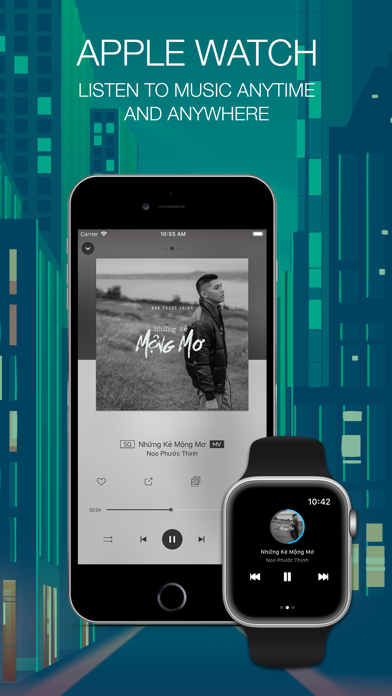
- Play, stop and next music at lock screen.
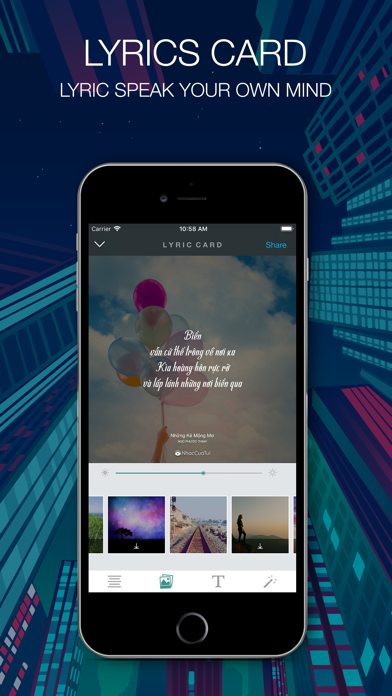
- Make creative status pictures with song lyrics
- Other special features are waiting for you to be discovered.
Get annoyed with limited capacity to listen to music due to copyright issues? Don’t worry, our latest version has made it better with SYNC function on Vietnamese, US-UK music. In particular, by adding songs to Favorite Playlists from Nhac Cua Tui internal storage, you can now listen to your personal stream wherever you are using wi-fi or cellular data.
NhacCuaTui has two options for users:
- Listening for free: you can easily listen to most songs on NCT, with provided copyright, some advertisements and limitations, according to requirements from music license providers.
- Paying for VIP package: let’s support us by buying VIP package to enjoy unlimited music and no advertisements. The more famous artists and songs are, the higher copyright fees we need to buy them. Therefore, we will provide special treatment to VIP buyers.
NhacCuaTui provide the following in app purchases:
*** Monthly premium music for US$2.19
*** Annual premium music for US$21.99
Especially, you can have a free trial of 30 days for the first time subscription.
The VIP subscription will renew automatically within 24 hours before the next cycle.
You can change to stop auto-renewal in iTunes & App Store Account Settings.
Auto-renewal cancellation will not affect you currently subscribed package.
Privacy Policy and Term of Use: http://www.nhaccuatui.com/thoa_thuan_su_dung.html
If you have any feedback, please don’t hesitate to send it to [email protected].
- iPhone ou iPad avec ou sans Jailbreak.
- Sideloadly ou alternatives.
- Ordinateur sous Windows/macOS/Linux avec iTunes installé.
ÉTAPE 1: Téléchargez le fichier .IPA pré-modifié depuis le lien ci-dessus sur votre ordinateur. Pour le télécharger depuis l'iOSGods App, consultez notre Tutoriel de téléchargement de l'IPA depuis l'iOSGods App qui comprend un exemple en vidéo.
ÉTAPE 2: Téléchargez Sideloadly et installez-le sur votre Windows ou Mac.
ÉTAPE 3: Ouvrez Sideloadly sur votre ordinateur, connectez votre appareil iOS et attendez que le nom de votre appareil apparaisse dans Sideloadly.
ÉTAPE 4: Une fois votre iDevice reconnu, glissez le fichier .IPA modifié que vous avez téléchargé et déposez-le dans l'application Sideloadly.
ÉTAPE 5: Saisissez l'adresse e-mail de votre Apple Account, puis appuyez sur « Start ». Il vous sera ensuite demandé d'entrer votre mot de passe. Fournissez les informations requises.
ÉTAPE 6: Attendez que Sideloadly termine le sideloading/l'installation de l'IPA modifié. En cas de problème durant l'installation, veuillez lire la remarque ci-dessous.
ÉTAPE 7: Une fois l'installation terminée et l'app visible sur votre écran d'accueil, vous devez aller dans Réglages → Général → Profils / VPN et gestion de l'appareil. Là, appuyez sur l'adresse e-mail saisie à l'étape 6, puis appuyez sur « Faire confiance à [email protected] ».
ÉTAPE 8: Allez maintenant sur votre écran d'accueil et ouvrez l'app nouvellement installée ; tout devrait fonctionner correctement. Vous devrez peut-être suivre des instructions supplémentaires propres à chaque app, dans la fenêtre du hack en jeu.
REMARQUE : À partir d'iOS/iPadOS 16, vous devez activer le mode Développeur. Pour les comptes Apple Developer gratuits, vous devrez répéter ce processus tous les 7 jours. Pour toute question ou problème, lisez notre section FAQ Sideloadly du sujet.