로그인 필요
계속하려면 iOSGods 계정으로 로그인하세요.
Hack Features:
- Infinite Hearts
- Infinite Gems
- Infinite Revive
- All Songs Unlocked (Play a game, exit and relaunch)
- No Ads
위의 링크에서 Dot n Beat-Test hand speed Hack modded IPA을 다운로드합니다. 설치 버튼을 누르고 화면 안내에 따라 iPhone, iPad 또는 Apple Silicon에 이 iOS 앱 해킹을 설치합니다.
더 많은 도움이 필요하신가요? 자세한 답변과 문제 해결 팁은 iOSGods 앱 자주 묻는 질문을 확인하세요.

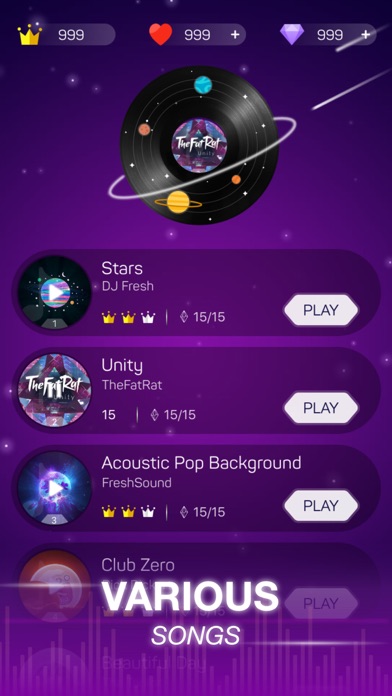
Dot n Beat is an absolutely addictive game with the most thrilling and exciting rhythm! You never wanna miss it!
2019 latest music arcade game, which tests your music rhythm and hand speed. Challenge your friends and see who has the last laugh!
A combination of various music written by the world's brilliant independent musicians, audiovisual effects and distinctive game playing-modes makes Dot n Beat enjoyable for all ages. A memorable music journey is about to start, let’s rock n roll!
How to play
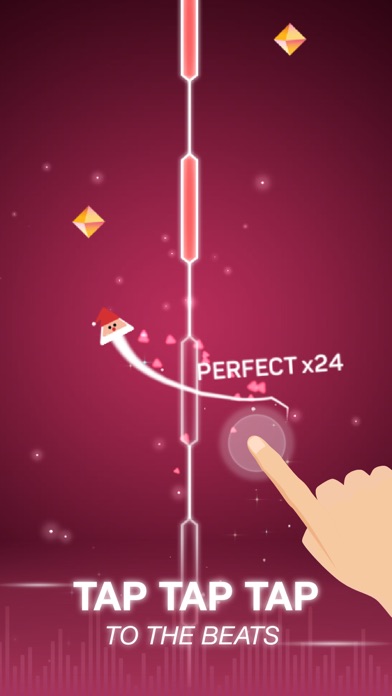
Follow the beats and control the moving direction of the light ball by tapping the screen. Listen to the rhythms and play to the music so that you can get a higher score and more diamonds. Move your fingers to experience the thrills of compact rhythms.
Key Features
Easy to play, everyone can be the rhythm master
Enormous songs by excellent independent musicians and fast-paced playing-mode make it impossible to stop playing
Addicted rhythm, challenge your friend with a higher score
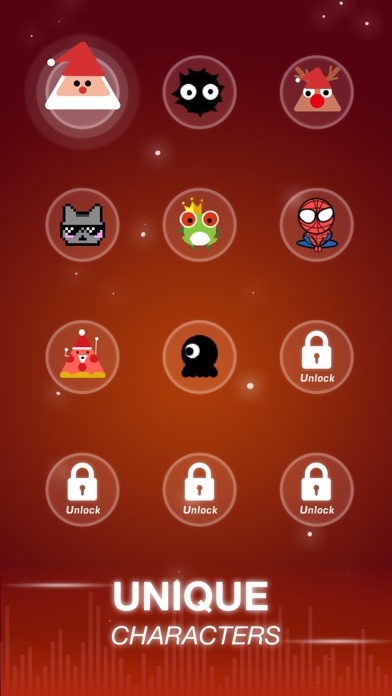
Totally free-unlock more mysterious skins
Auto Renewable Subscription:
VIP Membership:
7-day VIP Service includes following products WEEKLY:
- No Pop-Up ADs
- FREE Access to All Paid Music
- 70 Revive Coins
- One Special Skin
- Unlimited Hearts
7-day VIP Membership offers weekly VIP service subscription for $7.99 after 3-day free trial. When you start the free trial, auto-renewal will automatically be activated for an individual 7-day membership, to begin when the trial ends. Payment will be charged to iTunes Account at confirmation of purchase
This price is established for United States customers. Pricing in other countries may vary and actual charges may be converted to your local currency depending on the country of residence.
Subscription automatically renews unless auto-renew is turned off at least 24-hours before the end of the current period.
Account will be charged for renewal within 24-hours prior to the end of the current period, and identify the cost of the renewal.
Subscriptions may be managed by the user and auto-renewal may be turned off by going to the user's Account Settings after purchase.
Any unused portion of a free trial period, if offered, will be forfeited when the user purchases a subscription to that publication, where applicable.
Canceling trial or subscription
You can turn off the auto-renew for the subscription whenever you want to through iTunes. Check https://support.apple.com/HT202039 . When your current trial/subscription period expires, you will be unsubscribed. The current active subscription period can not be cancelhttps://developer.apple.com/imessage/ed. When your subscription expires, you will no longer be able to use elements included in Subscription option.
Privacy Policy: https://bit.ly/2QzMTFz
Terms of Service: https://bit.ly/2MeGaCB
Terms of Subscription : https://bit.ly/2We2KQd
What are you waiting for? Download now and test your music sense and hand speed!
- 탈옥/제일 또는 탈옥된 iPhone 또는 iPad가 필요합니다.
- Sideloadly 또는 대체 도구가 필요합니다.
- iTunes가 설치된 Windows/macOS/Linux 컴퓨터가 필요합니다.
1단계: 위 링크에서 미리 해킹된 .IPA 파일을 컴퓨터에 다운로드합니다. iOSGods App에서 다운로드하려면 동영상 예시가 포함된 iOSGods App IPA 다운로드 튜토리얼를 참고하십시오.
2단계: Sideloadly를 다운로드하여 Windows 또는 Mac에 설치합니다.
3단계: 컴퓨터에서 Sideloadly를 실행하고 iOS 기기를 연결한 후, Sideloadly에 기기 이름이 표시될 때까지 기다립니다.
4단계: iDevice가 인식되면, 다운로드한 모드된 .IPA 파일을 Sideloadly 애플리케이션에 끌어다 놓습니다.
5단계: Apple Account 이메일을 입력한 후 “Start”를 누릅니다. 그러면 비밀번호를 입력하라는 메시지가 표시됩니다. 요청된 정보를 제공해 주십시오.
6단계: Sideloadly가 해킹된 IPA의 사이드로드/설치를 완료할 때까지 기다리십시오. 설치 중 문제가 발생하면 아래 참고 사항을 읽어 주십시오.
7단계: 설치가 완료되어 홈 화면에서 앱이 보이면 설정 → 일반 → 프로파일 / VPN 및 기기 관리 경로로 이동해야 합니다. 그곳에서 6단계에서 입력한 이메일을 탭한 다음 “[email protected] 신뢰”를 탭하십시오.
8단계: 이제 홈 화면으로 돌아가 새로 설치된 앱을 열면 모든 것이 정상적으로 작동할 것입니다. 게임 내 해킹 팝업에서 앱별 추가 안내를 따라야 할 수도 있습니다.
참고: iOS/iPadOS 16 이상에서는 개발자 모드를 활성화해야 합니다. 무료 Apple Developer 계정의 경우 이 과정을 7일마다 반복해야 합니다. 질문이나 문제가 있는 경우 해당 토픽의 Sideloadly FAQ 섹션를 읽어보십시오.