Login necessário
Entre com sua conta iOSGods para continuar.
Entre com sua conta iOSGods para continuar.
Dano ilimitado e direcionamento de inimigos vinculados lhe dão a vantagem em WOF - Arena iOS Mod IPA, um mod de ação empolgante onde cada batalha conta. Ative estes truques durante seu turno para dominar a arena com facilidade, transformando combates imprevisíveis em vitórias garantidas enquanto você sobe de nível seu personagem entre 11 raças únicas.
- Dano / Inimigo Vinculado / Mas Quando Seu Turno Então Use Fácil Para Vencer → Maximize o dano e controle o direcionamento de inimigos para sucesso garantido em combate
Este app também vem com iGameGod, oferecendo acesso ao Auto Touch para automatizar tarefas repetitivas, App Speed Manager para ajustar a velocidade do jogo, edição de valores com Memory Engine e outras ferramentas avançadas para jogos iOS.
Baixe WOF - Arena iOS Mod IPA dos links acima. Toque no botão de instalação e siga as instruções para instalar este hack iOS no seu iPhone, iPad ou Apple Silicon.
Precisa de mais ajuda? Confira nossas Perguntas frequentes sobre o app iOSGods para respostas detalhadas e dicas de solução de problemas.
CREATE YOUR CHARACTER
Pick a race, slap on your favorite skin, and hope for the best. With 11 different races, each with unique specialties, your journey can range from legendary to downright pathetic.
FIGHT AND LEVEL UP
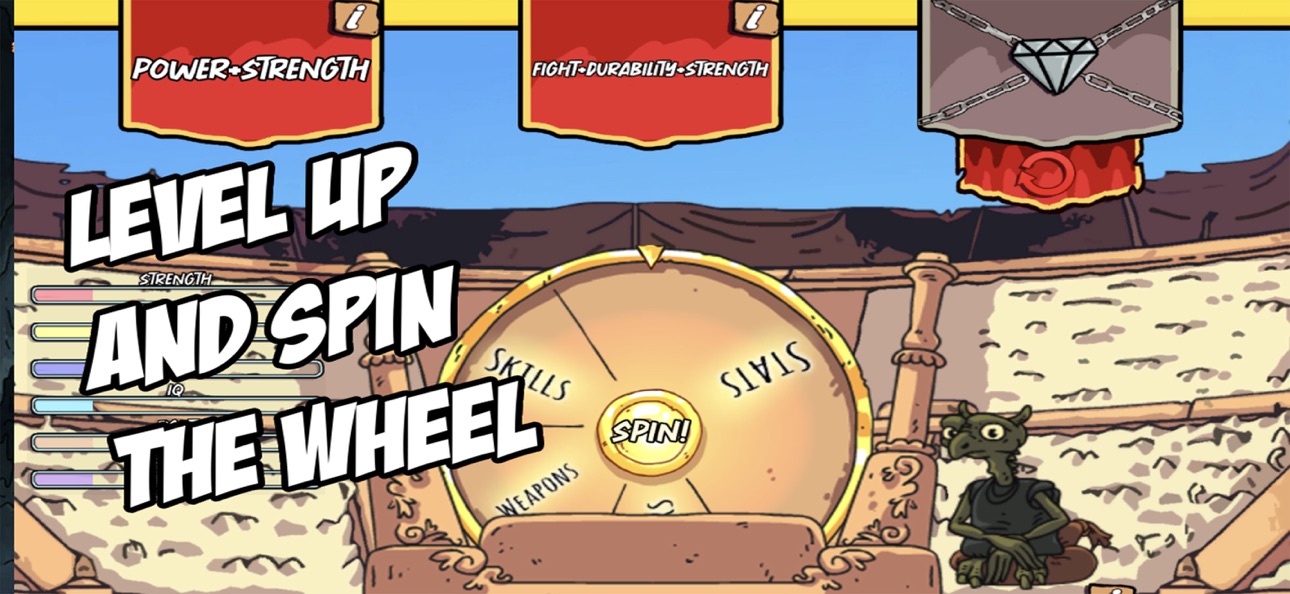
Step into the arena, where battles are fully automated according to your weapons, powers, skills and stats. The result? Unpredictable chaos. Every level-up grants you two spins (or three if you’re desperate enough to pay for it) on the almighty Wheel. Choose wisely or prepare to be a glorified punching bag.
COMBAT IN THE DUNGEONS FOR MORE REWARDS
Think competing in the arena against characters with better stats than you are unfair? Wait until you step into the dungeons. Face brutal bosses, win extra wheel spins, and maybe, just maybe, get a chance to actually stand a chance. Unless RNG decides to ruin your life again.
JOIN THE TOURNAMENT TO RANK UP
Every day, you get one shot at joining the tournament. Win, and you’ll advance to the next league! But there’s a catch, your character resets to level 1, forced to fight their way up all over again, but this time with a totally different destiny. Painful? Yes. Fair? Not really.
Capturas © respectivos proprietários · App Store


A iOSGods não é afiliada, endossada nem patrocinada pela Apple Inc., pela Google LLC ou pelos desenvolvedores dos apps listados aqui. Apple, iOS e App Store são marcas da Apple Inc. Android e Google Play são marcas da Google LLC. Todos os demais nomes de apps, ícones, imagens e marcas pertencem aos seus respectivos proprietários.

- iPhone ou iPad sem jailbreak/jailed ou com jailbreak.
- Sideloadly ou alternativas.
- Computador com Windows/macOS/Linux e iTunes instalado.
PASSO 1: Baixe o arquivo .IPA pré-hackeado do link acima para o seu computador. Para baixar pelo iOSGods App, veja nosso Tutorial de download de IPA do iOSGods App, que inclui um exemplo em vídeo.
PASSO 2: Baixe o Sideloadly e instale-o no seu Windows ou Mac.
PASSO 3: Abra o Sideloadly no seu computador, conecte seu dispositivo iOS e aguarde até que o nome do dispositivo apareça no Sideloadly.
PASSO 4: Assim que seu iDevice for reconhecido, arraste o arquivo .IPA modificado que você baixou e solte-o no aplicativo Sideloadly.
PASSO 5: Digite o e-mail da sua Apple Account e pressione “Start”. Em seguida, será solicitada a sua senha. Prossiga e forneça as informações solicitadas.
PASSO 6: Aguarde o Sideloadly finalizar o sideload/instalação do IPA hackeado. Se houver problemas durante a instalação, leia a observação abaixo.
PASSO 7: Quando a instalação estiver concluída e você vir o app na Tela de Início, será necessário acessar Ajustes → Geral → Perfis / Gerenciamento de VPN e Dispositivo. Lá, toque no e-mail que você inseriu no passo 6 e, em seguida, toque em “Confiar em [email protected]”.
PASSO 8: Agora vá para a Tela de Início e abra o app recém-instalado; tudo deve funcionar normalmente. Você pode precisar seguir instruções adicionais específicas no popup do hack dentro do jogo.
OBSERVAÇÃO: No iOS/iPadOS 16 e versões posteriores, você deve ativar o Modo de Desenvolvedor. Para contas Apple Developer gratuitas, será necessário repetir este processo a cada 7 dias. Se tiver dúvidas ou problemas, leia nossa seção de FAQ do Sideloadly no tópico.
Game Name iOS Mod IPA is an action adventure game enhanced with powerful gameplay boosts and quality-of-life improvements. Win battles faster, earn rewards quicker, and enjoy uninterrupted play without ads.
- Unlimited Gold - spend freely to unlock premium content
- Damage Multiplier - deal significantly more damage in combat
- Defense Multiplier - take less damage and survive longer
- Reward Multiplier - earn more loot from every battle
- Max Level - instantly reach the highest player rank
- No Ads - play without interruptions or advertisements
This app also comes with iGameGod, giving you access to Auto Touch to automate repetitive tasks, App Speed Manager for adjustable gameplay speed, Memory Engine value editing, and more powerful iOS game tools.
Baixe Game Name Mod IPA dos links acima. Toque no botão de instalação e siga as instruções para instalar este hack iOS no seu iPhone, iPad ou Apple Silicon.
Precisa de mais ajuda Confira nossas Perguntas frequentes sobre o app iOSGods para respostas detalhadas e dicas de solução de problemas.
----------------------------------------------------------
--------------------------------------------------