Connexion requise
Connectez-vous avec votre compte iOSGods pour continuer.
Connectez-vous avec votre compte iOSGods pour continuer.
Lancez-vous dans Bluey's Quest for The Gold Pen Hack et déverrouillez l'aventure complète instantanément, avec le mode débogage et une devise illimitée. Rejoignez Bluey dans cette expérience iOS modifiée en explorant des mondes vibrants, en résolvant des énigmes et en découvrant une toute nouvelle histoire créée par le créateur de la série, sans les murs payants ni les publicités habituels.
- Jeu complet déverrouillé → accédez à tout le contenu immédiatement
- Mode débogage → outils de développeur activés
- Devise illimitée → dépensez librement tout au long du jeu
Cette app est également livrée avec iGameGod, qui vous donne accès à Auto Touch pour automatiser les tâches répétitives, App Speed Manager pour ajuster la vitesse de jeu, à l'édition de valeurs avec Memory Engine, et à d'autres outils puissants pour les jeux iOS.
Téléchargez Bluey's Quest for The Gold Pen Hack modded IPA depuis les liens ci-dessus. Appuyez sur le bouton d'installation et suivez les instructions pour installer ce hack iOS sur votre iPhone, iPad ou Apple Silicon.
Besoin de plus d'aide ? Consultez notre FAQ de l'app iOSGods pour des réponses détaillées et des conseils de dépannage.
*TRY BEFORE YOU BUY* Play the free experience, then unlock the whole game with one payment and no ads.
Join Bluey in a new adventure game with story by the show's creator. Set off on an epic quest featuring new characters, fully animated cutscenes, and hand-drawn environments inspired by the Dragon and Escape episodes in the TV series.
Explore vibrant worlds, solve trifficult puzzles and complete fun challenges, all as you embark on Bluey’s Quest for The Gold Pen.
A NEW BLUEY STORY
Dive into an adventure game fueled by a brand-new story from the show's creator! Discover the humor and warmth Bluey brings in this fun new game for the family, with story by Joe Brumm.
EMBARK ON A HEART-WARMING ADVENTURE
Bluey is drawing at the table when Dad suddenly yoinks the Gold Pen she needs! Bluey sets off on an adventure with the whole family. Mum designs the strange and distant lands, Dad rocks up on his cool bike as self-declared King Goldie Horns, and Bingo transforms into her honk-happy alter ego — Bingooose! Away they go on an exciting quest to retrieve the Gold Pen – and have heaps of fun along the way.
GO ON FUN-FILLED CHALLENGES
Uncover hidden treasures, solve playful puzzles, and take on delightful mini-quests as you glide, fly, and skate through each level. Interact with quirky characters and help little lost critters return to their homes. Search near and far for goosefood and beads to unlock new moments in the adventure as you keep Bluey moving onwards in her quest.
EXPLORE HAND-DRAWN WORLDS
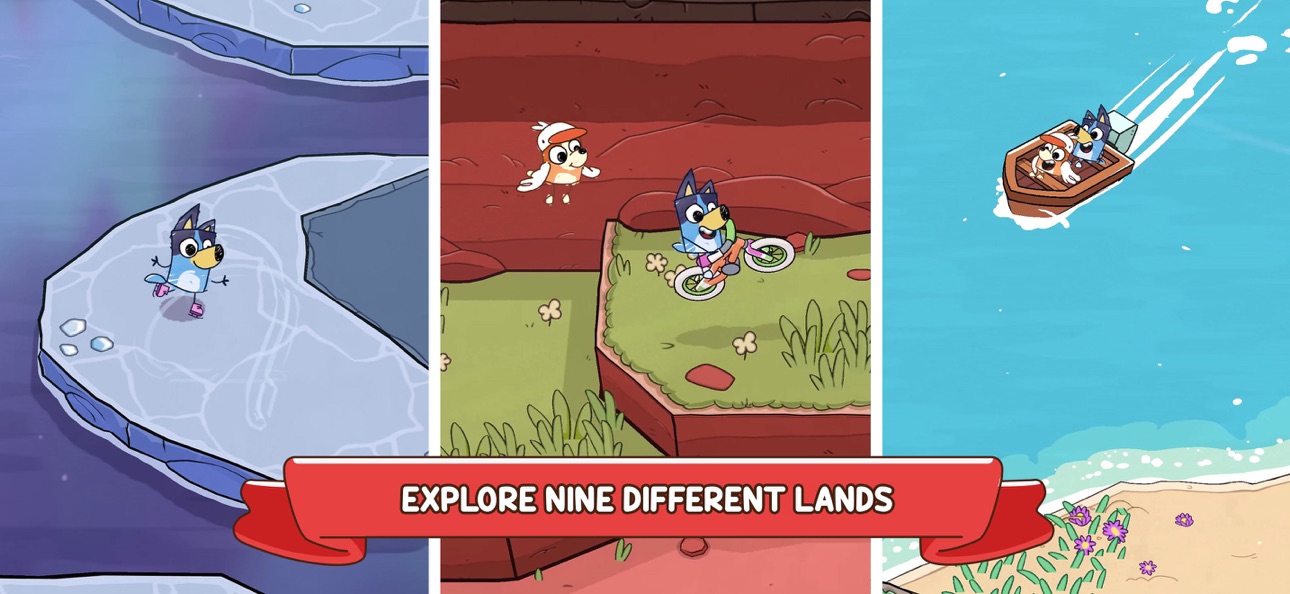
Explore lively levels brimming with snowy mountains, golden beaches, lush forests, and iconic Australian landscapes. Each environment is packed with vibrant details and opportunities for discovery.
FUN FOR EVERYONE
Just like the animated series, Bluey’s Quest for the Gold Pen sparks laughter and encourages players of all ages to discover through play. Packed full of trifficult puzzles and wholesome moments, this is an adventure for the whole household.
About Bluey
Bluey is a loveable, inexhaustible six year-old Blue Heeler, who loves to turn everyday family life into boundless, playful adventures, developing her imagination and resilience as she goes.
About Ludo Studio
Ludo Studio is a BAFTA, multi-Emmy® and Logie award-winning Australian studio that creates and produces original scripted drama, animation and digital stories that are authored by incredible local talent, distributed globally and loved by audiences everywhere. ludostudio.com.au
BLUEY TM and BLUEY character logos TM & © Ludo Studio Pty Ltd 2018. Licensed by BBC Studios. BBC logo TM & © BBC 1996
****************************************
View our privacy policy at https://www.halfbrick.com/blueys-quest-privacy-policy
View our terms of service at https://www.halfbrick.com/blueys-quest-terms-of-service
Captures © leurs propriétaires respectifs · App Store


iOSGods n'est ni affilié à Apple Inc., Google LLC ou aux développeurs des applications listées ici, ni approuvé ou sponsorisé par eux. Apple, iOS et App Store sont des marques d'Apple Inc. Android et Google Play sont des marques de Google LLC. Tous les autres noms d'applications, icônes, visuels et marques appartiennent à leurs propriétaires respectifs.

- iPhone ou iPad avec ou sans Jailbreak.
- Sideloadly ou alternatives.
- Ordinateur sous Windows/macOS/Linux avec iTunes installé.
ÉTAPE 1: Téléchargez le fichier .IPA pré-modifié depuis le lien ci-dessus sur votre ordinateur. Pour le télécharger depuis l'iOSGods App, consultez notre Tutoriel de téléchargement de l'IPA depuis l'iOSGods App qui comprend un exemple en vidéo.
ÉTAPE 2: Téléchargez Sideloadly et installez-le sur votre Windows ou Mac.
ÉTAPE 3: Ouvrez Sideloadly sur votre ordinateur, connectez votre appareil iOS et attendez que le nom de votre appareil apparaisse dans Sideloadly.
ÉTAPE 4: Une fois votre iDevice reconnu, glissez le fichier .IPA modifié que vous avez téléchargé et déposez-le dans l'application Sideloadly.
ÉTAPE 5: Saisissez l'adresse e-mail de votre Apple Account, puis appuyez sur « Start ». Il vous sera ensuite demandé d'entrer votre mot de passe. Fournissez les informations requises.
ÉTAPE 6: Attendez que Sideloadly termine le sideloading/l'installation de l'IPA modifié. En cas de problème durant l'installation, veuillez lire la remarque ci-dessous.
ÉTAPE 7: Une fois l'installation terminée et l'app visible sur votre écran d'accueil, vous devez aller dans Réglages → Général → Profils / VPN et gestion de l'appareil. Là, appuyez sur l'adresse e-mail saisie à l'étape 6, puis appuyez sur « Faire confiance à [email protected] ».
ÉTAPE 8: Allez maintenant sur votre écran d'accueil et ouvrez l'app nouvellement installée ; tout devrait fonctionner correctement. Vous devrez peut-être suivre des instructions supplémentaires propres à chaque app, dans la fenêtre du hack en jeu.
REMARQUE : À partir d'iOS/iPadOS 16, vous devez activer le mode Développeur. Pour les comptes Apple Developer gratuits, vous devrez répéter ce processus tous les 7 jours. Pour toute question ou problème, lisez notre section FAQ Sideloadly du sujet.
Game Name iOS Mod IPA is an action adventure game enhanced with powerful gameplay boosts and quality-of-life improvements. Win battles faster, earn rewards quicker, and enjoy uninterrupted play without ads.
- Unlimited Gold - spend freely to unlock premium content
- Damage Multiplier - deal significantly more damage in combat
- Defense Multiplier - take less damage and survive longer
- Reward Multiplier - earn more loot from every battle
- Max Level - instantly reach the highest player rank
- No Ads - play without interruptions or advertisements
This app also comes with iGameGod, giving you access to Auto Touch to automate repetitive tasks, App Speed Manager for adjustable gameplay speed, Memory Engine value editing, and more powerful iOS game tools.
Téléchargez Game Name Mod IPA depuis les liens ci-dessus. Appuyez sur le bouton d'installation et suivez les instructions pour installer ce hack iOS sur votre iPhone, iPad ou Apple Silicon.
Besoin de plus d'aide Consultez notre FAQ de l'app iOSGods pour des réponses détaillées et des conseils de dépannage.
----------------------------------------------------------
--------------------------------------------------