تسجيل الدخول مطلوب
سجّل الدخول بحساب iOSGods للمتابعة.
سجّل الدخول بحساب iOSGods للمتابعة.
Original Game from the AppStore
يأتي هذا التطبيق أيضًا مع iGameGod، مما يتيح لك الوصول إلى Auto Touch لأتمتة المهام المتكررة، وApp Speed Manager لضبط سرعة اللعب، وتعديل القيم عبر Memory Engine، والمزيد من أدوات ألعاب iOS القوية.
قم بتنزيل Pocket God modded IPA من الروابط أعلاه. اضغط على زر التثبيت واتبع التعليمات لتثبيت هذا التعديل لـ iOS على iPhone أو iPad أو Apple Silicon.
هل تحتاج إلى مزيد من المساعدة؟ راجع الأسئلة الشائعة لتطبيق iOSGods للحصول على إجابات مفصلة ونصائح لاستكشاف الأخطاء.
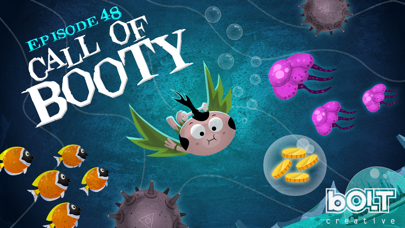
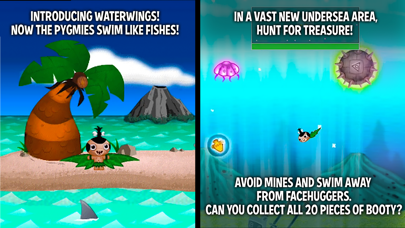
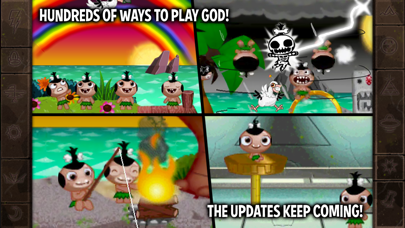
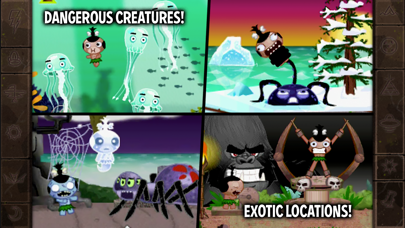
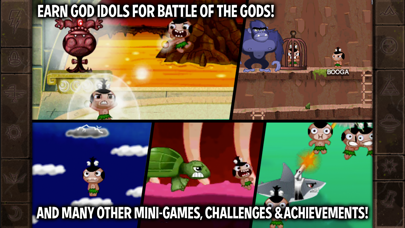
What kind of god would you be? Benevolent or vengeful? Play Pocket God and discover the answer within yourself. On a remote island, you are the all-powerful god that rules over the primitive islanders. You can bring new life, and then take it away just as quickly. Exercise your powers on the islanders. Lift them in the air, alter gravity, hit them with lightning...you're the island god! All god powers are demonstrated in Pocket God's help menu.
Pocket God is an episodic microgame for you to explore, show your friends and have fun with. We have been growing the game with the help of player suggestions! What sort of godly powers would you like to see added?
More info can be found at our blog:
http://www.boltcreative.com
On Facebook:
http://www.facebook.com/PocketGodGame
And on Twitter:
http://www.twitter.com/PocketGod
Releases:
Ep 1: Nowhere To Go, Nothin' To Do
Ep 2: Does this Megabyte Make My App Look Fat?
Ep 3: You Always Hurt the One You Lava
Ep 4: Shake That App!
Ep 5: A Storm is Coming
Ep 6: And on the 7th Day, Rest!
Ep 7: Just Give Us 5 Minutes
Ep 8: Jump the Shark
Ep 9: Idle Hands
Ep 10: Hi, Dracula!
Ep 11: A Mighty Wind
Ep 12: Something's Fishy…
Ep 13: March of the Fire Ants
Ep 14: Say My Name!
Ep 15: A New Home
Ep 16: The Tyrannosaurus Strikes Back!
Ep 17: Return of the Pygmy
Ep 18: Surf's Up
Ep 19: Fun 'n Games Until A Pygmy Gets Hurt
Ep 20: Stop! My App is On Fire!
Ep 21: Flipping the Bird
Ep 22: Ooga Jump
Ep 23: Bait Master
Ep 24: Idle Hands 2: Caught with your Pants Down
Ep 25: Sharks With Frickin' Laser Beams Attached To Their Heads
Ep 26: Dead Pygmy Walking
Ep 27: Good Will Haunting
Ep 28: Barking Spider, Crouching Pygmy
Ep 29: The Pyg Chill
Ep 30: Great Job Ice Hole
Ep 31: What's the Story Morning Gory?
Ep 31B: What's the Story Morning Gory? Part II
Ep 32: Crack is Wack
Ep 33: A Pygmy A Day Keeps the Ape Away
Ep 34: Monkey See, Monkey Chew
Ep 35: Double Rainbow All The Way Across The Sky
Ep 36: Konkey Dong
Ep 37: The Moron Pests
Ep 38: Two and a Half Pygmies
Ep 39: Challenge of the Gods
Ep 40: Battle of the Gods.
Ep 41: I Sting The Body Electric
Ep 42: Bone Soup
Ep 43: Killing Time
Ep 44: The Perfect Swarm
Ep 45: Dance Dance Execution
Ep 46: Germs of Endearment
Ep 47: Apocalypse, Ow!
- iPhone أو iPad بجيلبريك أو بدون جيلبريك.
- Sideloadly أو بدائلها.
- كمبيوتر يعمل بنظام Windows/macOS/Linux مع تثبيت iTunes.
الخطوة 1: قم بتنزيل ملف .IPA المعدّل مسبقًا من الرابط أعلاه إلى الكمبيوتر الخاص بك. للتنزيل من تطبيق iOSGods App، اطلع على دليل تنزيل IPA من تطبيق iOSGods App الذي يتضمن مثالًا بالفيديو.
الخطوة 2: قم بتنزيل Sideloadly وتثبيته على جهاز Windows أو Mac.
الخطوة 3: افتح Sideloadly على الكمبيوتر، ووصّل جهاز iOS الخاص بك، وانتظر حتى يظهر اسم جهازك داخل Sideloadly.
الخطوة 4: بمجرد التعرّف على جهاز iDevice الخاص بك، اسحب ملف .IPA المعدّل الذي قمت بتنزيله وأفلِته داخل تطبيق Sideloadly.
الخطوة 5: أدخل البريد الإلكتروني لحساب Apple Account الخاص بك، ثم اضغط على «Start». سيُطلب منك بعد ذلك إدخال كلمة المرور. تابع وأدخل المعلومات المطلوبة.
الخطوة 6: انتظر حتى ينتهي Sideloadly من تحميل/تثبيت ملف IPA المعدّل. في حال واجهت أي مشاكل أثناء التثبيت، يرجى قراءة الملاحظة أدناه.
الخطوة 7: بعد اكتمال التثبيت ورؤية التطبيق على الشاشة الرئيسية، انتقل إلى Settings → General → Profiles / VPN & Device Management. ثم اضغط على البريد الإلكتروني الذي أدخلته في الخطوة 6، ثم اضغط على «الوثوق بـ [email protected]».
الخطوة 8: الآن انتقل إلى الشاشة الرئيسية وافتح التطبيق الذي تم تثبيته للتو وسيعمل كل شيء بشكل صحيح. قد تحتاج إلى اتباع تعليمات إضافية خاصة بكل تطبيق داخل النافذة المنبثقة للتعديل أثناء اللعب.
ملاحظة: بدءًا من iOS/iPadOS 16 وما بعده، يجب تفعيل وضع المطور (Developer Mode). بالنسبة لحسابات Apple Developer المجانية، ستحتاج إلى تكرار هذه العملية كل 7 أيام. إذا كانت لديك أي أسئلة أو مشاكل، يرجى قراءة قسم الأسئلة الشائعة حول Sideloadly في الموضوع.