ログインが必要
iOSGodsアカウントでサインインして続けてください。
iOSGodsアカウントでサインインして続けてください。
傭兵部隊を指揮して、このローグライク防衛戦略ゲームで崩れ落ちる城壁をモンスターの絶え間ない波から守りましょう。Mod IPA ハックでリソースを強化できます。シンプルな操作と深い戦略的ゲームプレイで、王国を救うために戦術的な選択が重要です。
- 城にHPを追加 → 防御能力を向上させる
- シルバーを追加 → リソース備蓄を強化する
Castle Defenders Clash Hack modded IPAを上のリンクからダウンロードします。インストールボタンをタップし、画面の指示に従ってiPhone、iPad、Apple SiliconにこのiOSアプリハックをインストールします。
さらにヘルプが必要ですか? 詳しい回答とトラブルシューティングはiOSGodsアプリ よくある質問をご覧ください。
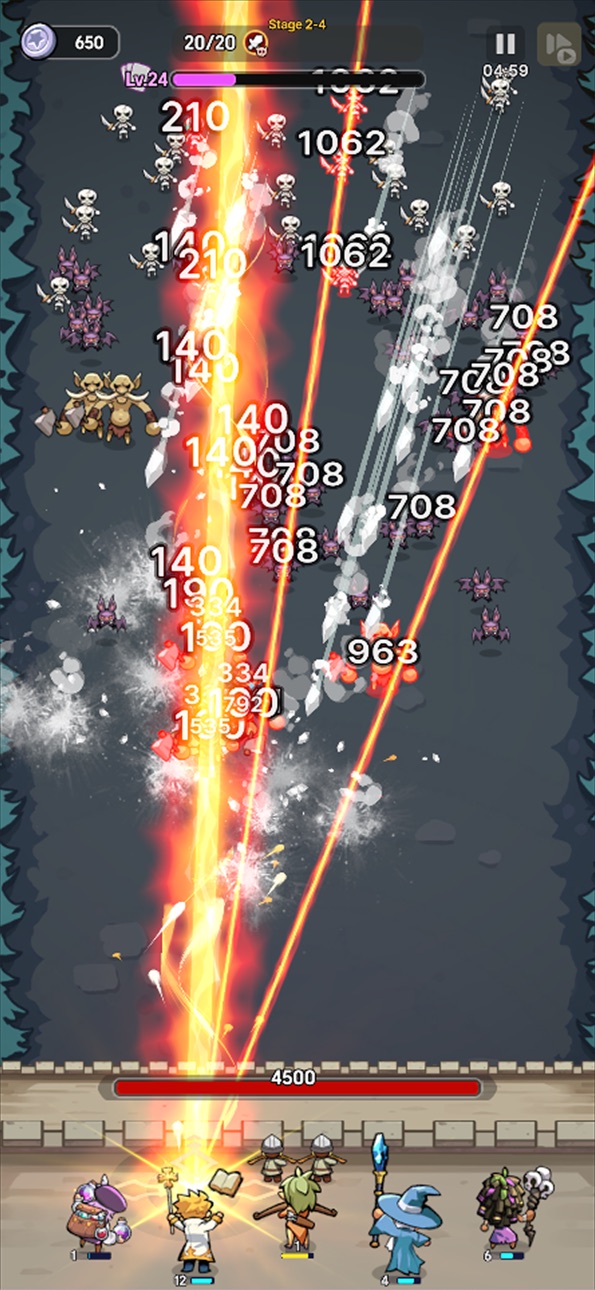
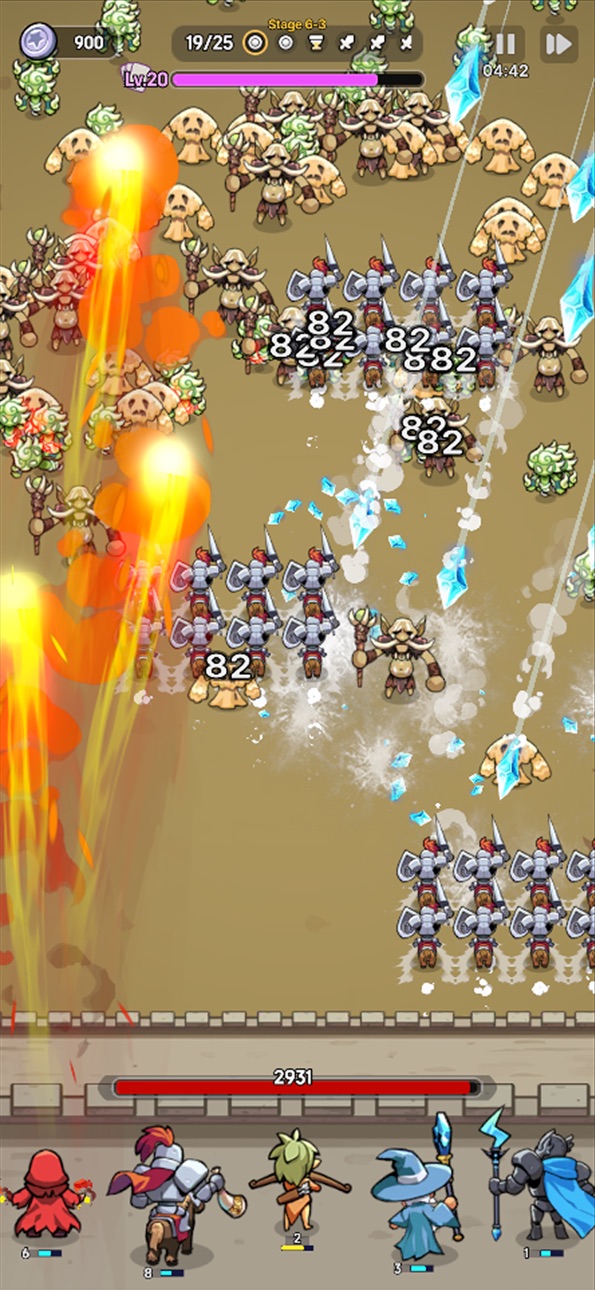
Защита в стиле рогалик с простым управлением и разнообразными стратегиями!
Монстры наступают — спасите королевства с помощью своей стратегии!
Рогалик-приключение в средневековом фэнтезийном мире!
Королевства рушатся.
Альянс монстров начинает тотальную атаку, и стены замка рушатся с каждым днем.
Командир, ваш отряд наемников — последняя надежда этого мира.
Используйте свою стратегию, чтобы защитить оставшиеся королевства!
1. Простое управление, глубокая стратегия
Монстры наступают беспощадными волнами.
Каждый простой выбор, который вы сделаете, может изменить ход битвы.
Наслаждайтесь захватывающим тактическим геймплеем с интуитивно понятным управлением.
2. Идеальная синергия с уникальными союзниками.
Соберите отряд союзников, каждый из которых обладает разными способностями.
Экспериментируйте с новыми синергиями и формированием команды в каждом раунде.
Тот, кого вы выберете, решит победу или поражение.
3. Меняющие правила игры реликвии от торговца
Тратьте заработанное в боях серебро на покупку могущественных реликвий.
Измените ситуацию, умело используя их способности и создайте свою собственную историю возвращения.
4. Расширьте свою стратегию с помощью загадочных рун.
Собирайте и комбинируйте руны с различными эффектами, чтобы открыть новые возможности.
Преодолейте свои пределы и поднимите свою тактику на новый уровень.
5. Включите командира!
Экипируйте уникальное снаряжение, чтобы улучшить способности командира и доминировать на поле боя.
Разблокируйте новый внешний вид и особые способности, чтобы полностью раскрыть свой потенциал!
Help : [email protected]
Facebook :
https://www.facebook.com/mobirixplayen
YouTube :
https://www.youtube.com/user/mobirix1
Instagram :
https://www.instagram.com/mobirix_official/
TikTok :
https://www.tiktok.com/@mobirix_official
スクリーンショット © 各権利者 · App Store


iOSGods は Apple Inc.、Google LLC、および掲載アプリの開発者と提携しておらず、承認や協賛も受けていません。Apple、iOS、App Store は Apple Inc. の商標です。Android および Google Play は Google LLC の商標です。その他のアプリ名、アイコン、画像、商標はすべて各権利者に帰属します。

- 脱獄/Jailed済みまたは脱獄済みのiPhoneまたはiPad。
- Sideloadlyまたは代替手段。
- iTunesがインストールされているWindows/macOS/Linuxを実行しているコンピュータ。
ステップ1: 上のリンクから事前にハックされた.IPAファイルをコンピュータにダウンロードします。iOSGodsアプリからダウンロードする方法は、ビデオ例付きのiOSGodsアプリIPAダウンロードチュートリアルをご覧ください。
ステップ2: SideloadlyをダウンロードしてWindowsまたはMacにインストールします。
ステップ3: コンピュータでSideloadlyを開き、iOSデバイスを接続して、デバイス名がSideloadlyに表示されるまで待ちます。
ステップ4: iDeviceが認識されたら、ダウンロードしたModされた.IPAファイルをSideloadlyアプリにドラッグ&ドロップします。
ステップ5: Apple Accountのメールアドレスを入力し、「Start」を押します。次にパスワードの入力を求められます。必要な情報を入力してください。
ステップ6: Sideloadlyがハックされたipaのサイドロード/インストールを完了するのを待ちます。インストール中に問題が発生した場合は、以下の注意事項をお読みください。
ステップ7: インストールが完了し、ホーム画面にアプリが表示されたら、設定 → 一般 → プロファイル / VPNとデバイス管理に移動する必要があります。そこで、ステップ6で入力したメールをタップし、「Trust [email protected]」をタップします。
ステップ8: ホーム画面に戻り、新しくインストールされたアプリを開けば、すべて正常に動作するはずです。ゲーム内のハックのポップアップで、アプリごとの追加指示に従う必要がある場合があります。
注意: iOS/iPadOS 16以降では、デベロッパモードを有効にするが必要です。無料のApple Developerアカウントの場合、このプロセスを7日ごとに繰り返す必要があります。質問や問題がある場合は、トピックのSideloadly FAQセクションをお読みください。
Game Name iOS Mod IPA is an action adventure game enhanced with powerful gameplay boosts and quality-of-life improvements. Win battles faster, earn rewards quicker, and enjoy uninterrupted play without ads.
- Unlimited Gold - spend freely to unlock premium content
- Damage Multiplier - deal significantly more damage in combat
- Defense Multiplier - take less damage and survive longer
- Reward Multiplier - earn more loot from every battle
- Max Level - instantly reach the highest player rank
- No Ads - play without interruptions or advertisements
This app also comes with iGameGod, giving you access to Auto Touch to automate repetitive tasks, App Speed Manager for adjustable gameplay speed, Memory Engine value editing, and more powerful iOS game tools.
Game Name Mod IPAを上のリンクからダウンロードします。インストールボタンをタップし、画面の指示に従ってiPhone、iPad、Apple SiliconにこのiOSアプリハックをインストールします。
さらにヘルプが必要ですか 詳しい回答とトラブルシューティングはiOSGodsアプリ よくある質問をご覧ください。
----------------------------------------------------------
--------------------------------------------------