Inicio de sesión requerido
Inicia sesión con tu cuenta de iOSGods para continuar.
Hack Features
- God Mode
- Buff dmg
- Auto Heal
- Invisible
- Untargettable
- Move Speed
- No Fall Damage
Descarga Where Winds Meet iOS Mod IPA desde los enlaces de arriba. Toca el botón de instalación y sigue las instrucciones para instalar este hack iOS en tu iPhone, iPad o Mac con Apple Silicon.
¿Necesitas más ayuda? Consulta nuestras Preguntas frecuentes de la app iOSGods para respuestas detalladas y consejos de solución de problemas.
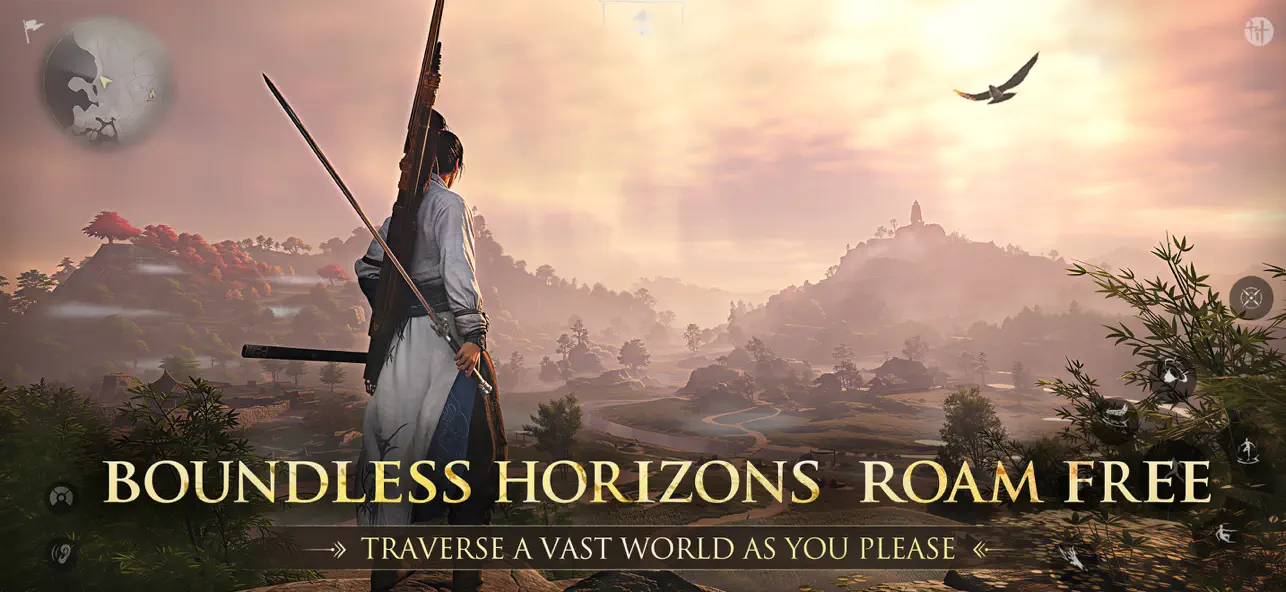
Step into an open-world action-adventure RPG set in ancient China. Uncover the secrets of your own identity as you rise from a humble village wanderer to the sword master of the imperial capital. Learn martial arts and build your reputation as a hero or a bringer of chaos in this free wuxia world.
Jianghu knows no bounds. Play free across PS5, PC, and mobile with full cross-play and cross-progression. No pay-to-win.
Gameplay content is entirely free, with monetization limited to cosmetic items.
In Where Winds Meet, Chinese martial arts meet a seamless open world. Roam vast landscapes, uncover hidden ruins, and descend into layered underground catacombs. Steal techniques from martial sects, wield an arsenal of classic wuxia weaponry, and master over 30 mystic arts – from the flowing balance of Tai Chi to the force of Lion's Roar.
Craft, architecture, astronomy, folk games and performance, medicine and healing – 16 systems come together to form an immersive ancient society.
Adventure Alone or Forge Your Community
Embark on a narrative-driven adventure filled with rich solo gameplay, or team up with up to four friends for seamless co-op experiences.
Join or create a Guild to access group activities: intense guild wars, multiplayer dungeons, and epic raids. Show your skill in competitive duels, or enter a shared, evolving world with thousands of fellow wanderers.
Master Your Way of Wuxia Combat
Tailor your combat – melee, ranged, or stealth. Build a loadout that suits your playstyle. Engage in combat with classic wuxia weapons – sword, spear, dual blades, rope dart, bow, fan, and umbrella. Switch weapons and employ martial arts and mystic skills like Tai Chi to outmaneuver enemies.
Customize Your Jianghu Identity
Customize your character, choose your role, align with factions, and explore unique professions to shape your identity.
Here, freedom is yours, but every action has its weight. Cause chaos, defy the law, and face bounties, pursuit, even time behind bars. Or walk a nobler path: befriend villagers, forge alliances, and grow your reputation as a hero of the Wuxia world. In a world torn by chaos, become the spark that ignites change and forge your legacy!
Official Website:https://www.wherewindsmeetgame.com/
Youtube :https://www.youtube.com/@WhereWindsMeet
X:https://twitter.com/WhereWindsMeet_
Discord:https://discord.gg/eQc47PbWCK
Facebook:https://www.facebook.com/WhereWindsMeet
INS:https://www.instagram.com/where_winds_meet/
Tiktok:https://www.tiktok.com/@wherewindsmeet_
- iPhone o iPad con o sin Jailbreak.
- Sideloadly u otras alternativas.
- Ordenador con Windows/macOS/Linux e iTunes instalado.
PASO 1: Descargue el archivo .IPA pre-modificado desde el enlace de arriba a su ordenador. Para descargarlo desde la iOSGods App, consulte nuestro Tutorial de descarga del IPA desde la iOSGods App, que incluye un ejemplo en vídeo.
PASO 2: Descargue Sideloadly e instálelo en su Windows o Mac.
PASO 3: Abra Sideloadly en su ordenador, conecte su dispositivo iOS y espere hasta que el nombre del dispositivo aparezca en Sideloadly.
PASO 4: Una vez que su iDevice sea reconocido, arrastre el archivo .IPA modificado que descargó y suéltelo en la aplicación Sideloadly.
PASO 5: Introduzca el correo electrónico de su Apple Account y, a continuación, pulse «Start». Le pedirá que introduzca su contraseña. Proporcione la información solicitada.
PASO 6: Espere a que Sideloadly termine de hacer sideload/instalar el IPA modificado. Si surgen problemas durante la instalación, por favor lea la nota a continuación.
PASO 7: Una vez completada la instalación y al ver la app en la pantalla de inicio, deberá ir a Ajustes → General → Perfiles / VPN y Gestión de Dispositivos. Una vez allí, toque el correo electrónico que introdujo en el paso 6 y, después, toque en «Confiar en [email protected]».
PASO 8: Ahora vaya a la pantalla de inicio y abra la app recién instalada; todo debería funcionar correctamente. Es posible que tenga que seguir instrucciones adicionales específicas de cada app dentro del popup del hack en el juego.
NOTA: En iOS/iPadOS 16 y posteriores, debe activar el Modo Desarrollador. Para cuentas gratuitas de Apple Developer, deberá repetir este proceso cada 7 días. Si tiene alguna pregunta o problema, lea nuestra sección de Preguntas Frecuentes de Sideloadly del tema.