Inloggen vereist
Log in met je iOSGods-account om door te gaan.
Log in met je iOSGods-account om door te gaan.

Maximaliseer je edelstenen direct met deze gratis Bullet Boy Mod IPA hack, waarmee je premium content en power-ups kunt ontgrendelen zonder te grinden. Vuur je weg door de uitdagingen van de zwevende wereld met onbeperkte middelen terwijl je obstakels ontwijkt, kanonnen richt en de dodelijke tornado ontvlucht in dit actie-geladen casual avontuur.
- Edelstenen maximaal → onbeperkte premium valuta
Deze app bevat ook iGameGod, waarmee je toegang krijgt tot Auto Touch om repetitieve taken te automatiseren, App Speed Manager voor een aanpasbare spelsnelheid, het bewerken van waarden met Memory Engine en andere krachtige iOS-gametools.
Download Bullet Boy iOS Mod IPA via de bovenstaande links. Tik op de installatieknop en volg de instructies om deze iOS-app-hack op je iPhone, iPad of Apple Silicon te installeren.
Meer hulp nodig? Bekijk onze Veelgestelde vragen over de iOSGods-app voor uitgebreide antwoorden en probleemoplossingstips.
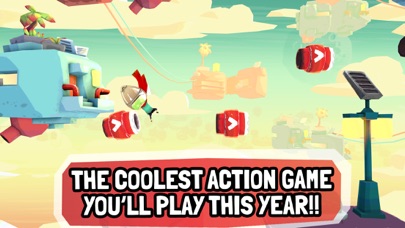
The coolest game you'll play this year!
An incredibly fun adventure across a floating world, where you fire yourself out of powerful cannons!
Meet Bullet Boy, the courageous kid who rushes to escape a deadly tornado, while he tries to collect the missing pieces of some very mysterious, and fascinating statues.
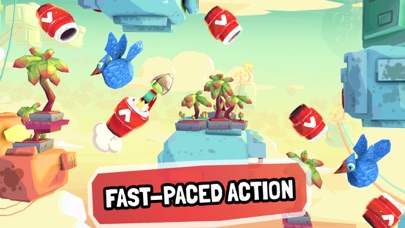
Packed with highly dynamic mechanics. Avoid birds, buildings and weird machines, tap rapidly to dodge fast-moving obstacles, aim precisely to get to the next cannon, or shoot to the sky to elude multiple obstacles altogether, and quickly get to your goal!
You'll spend hours engaged in the action and the challenge of lots of levels, with randomly generated sections, and exciting progression along the whole game.
Unlock awesome power-ups to increase the fun and the possibilities of blasting your way through this peculiar and beautiful world.
The 7 reasons why you'll love Bullet Boy:
- Incredibly FUN!
- Fast-paced action and super dynamic game mechanics.
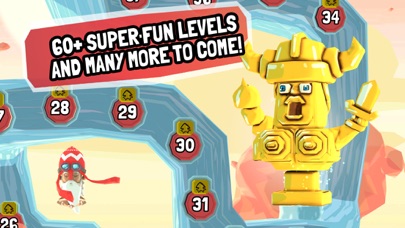
- More than 60 beautifully crafted levels.
- Charming 3D graphics and super-engaging soundtrack.
- Hours of challenging and delicious gameplay.
- Three amazing powerups to give a twist to the game mechanics.
- Upcoming updates with more levels, amazing new zones and more gameplay!
Bullet Boy is free to download. Some items in the game are available for purchase.
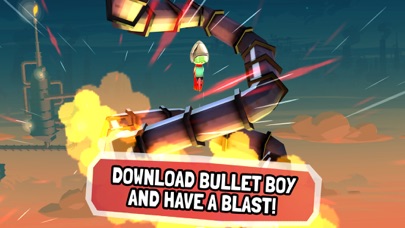
Download Bullet Boy and have a blast!
For questions and suggestions, please drop us a message to [email protected]
- Niet-jailbroken/jailed of jailbroken iPhone of iPad.
- Sideloadly of alternatieven.
- Computer met Windows/macOS/Linux en iTunes geïnstalleerd.
STAP 1: Download het vooraf gehackte .IPA-bestand via de link hierboven naar uw computer. Om het te downloaden vanuit de iOSGods App, bekijk onze iOSGods App IPA-downloadhandleiding met een videovoorbeeld.
STAP 2: Download Sideloadly en installeer het op uw Windows of Mac.
STAP 3: Open Sideloadly op uw computer, sluit uw iOS-apparaat aan en wacht tot de naam van uw apparaat in Sideloadly verschijnt.
STAP 4: Zodra uw iDevice is herkend, sleept u het gedownloade gemodde .IPA-bestand naar de Sideloadly-applicatie.
STAP 5: Voer het e-mailadres van uw Apple Account in en druk op “Start”. U wordt vervolgens gevraagd om uw wachtwoord in te voeren. Geef de gevraagde informatie op.
STAP 6: Wacht tot Sideloadly het sideloaden/installeren van de gehackte IPA heeft voltooid. Als er problemen zijn tijdens de installatie, lees dan onderstaande opmerking.
STAP 7: Zodra de installatie is voltooid en u de app op uw beginscherm ziet, gaat u naar Instellingen → Algemeen → Profielen / VPN- en apparaatbeheer. Tik daar op het e-mailadres dat u in stap 6 hebt ingevoerd en tik vervolgens op “Vertrouw [email protected]”.
STAP 8: Ga nu naar uw beginscherm en open de zojuist geïnstalleerde app; alles zou correct moeten werken. Mogelijk moet u verdere app-specifieke instructies volgen in de hack-popup in het spel.
OPMERKING: Op iOS/iPadOS 16 en later moet u Ontwikkelaarsmodus inschakelen. Voor gratis Apple Developer-accounts moet u dit proces elke 7 dagen herhalen. Als u vragen of problemen hebt, lees dan onze Sideloadly FAQ-sectie van het onderwerp.