Connexion requise
Connectez-vous avec votre compte iOSGods pour continuer.
Connectez-vous avec votre compte iOSGods pour continuer.
Construisez votre royaume fantastique et commandez des batailles en temps réel contre des joueurs du monde entier dans Mobile Royale: Kingdom Defense, maintenant avec ce hack iOS Mod IPA pour amplifier votre puissance de combat. Développez votre ville, entraînez des troupes variées, rejoignez des guildes et forgez des alliances tandis que vous conquérez les terres avec des multiplicateurs de dégâts et de défense améliorés qui vous donnent l'avantage dans une guerre mondiale exaltante.
- Multiplicateur de dégâts → augmentez votre puissance d'attaque
- Multiplicateur de défense → renforcez vos défenses
Cette app est également livrée avec iGameGod, qui vous donne accès à Auto Touch pour automatiser les tâches répétitives, App Speed Manager pour ajuster la vitesse de jeu, à l'édition de valeurs avec Memory Engine, et à d'autres outils puissants pour les jeux iOS.
Téléchargez Mobile Royale: Kingdom Defense iOS Mod IPA depuis les liens ci-dessus. Appuyez sur le bouton d'installation et suivez les instructions pour installer ce hack iOS sur votre iPhone, iPad ou Apple Silicon.
Besoin de plus d'aide ? Consultez notre FAQ de l'app iOSGods pour des réponses détaillées et des conseils de dépannage.
Exciting battles in a grand fantasy world brought to you by IGG!
Mobile Royale is a real-time global game for online strategy battle fans.
Develop your city, trade with different clans across the land, train a variety of troops to form your very own army, join a Guild, form alliances, and engage in exhilarating wars!
[Unique Game Features]
*Real-time translations allow battle with players from other countries. Conquer and rule the world with the help of your allies!
*Immerse yourself in beautifully detailed 3D graphics, grand battlefields, and a breathtaking fantasy world!
*Dreamy Airships and a floating fort are part and parcel of your battle strategies and trade affairs. Different troop types and army formations add layers of intrigue to warfare!
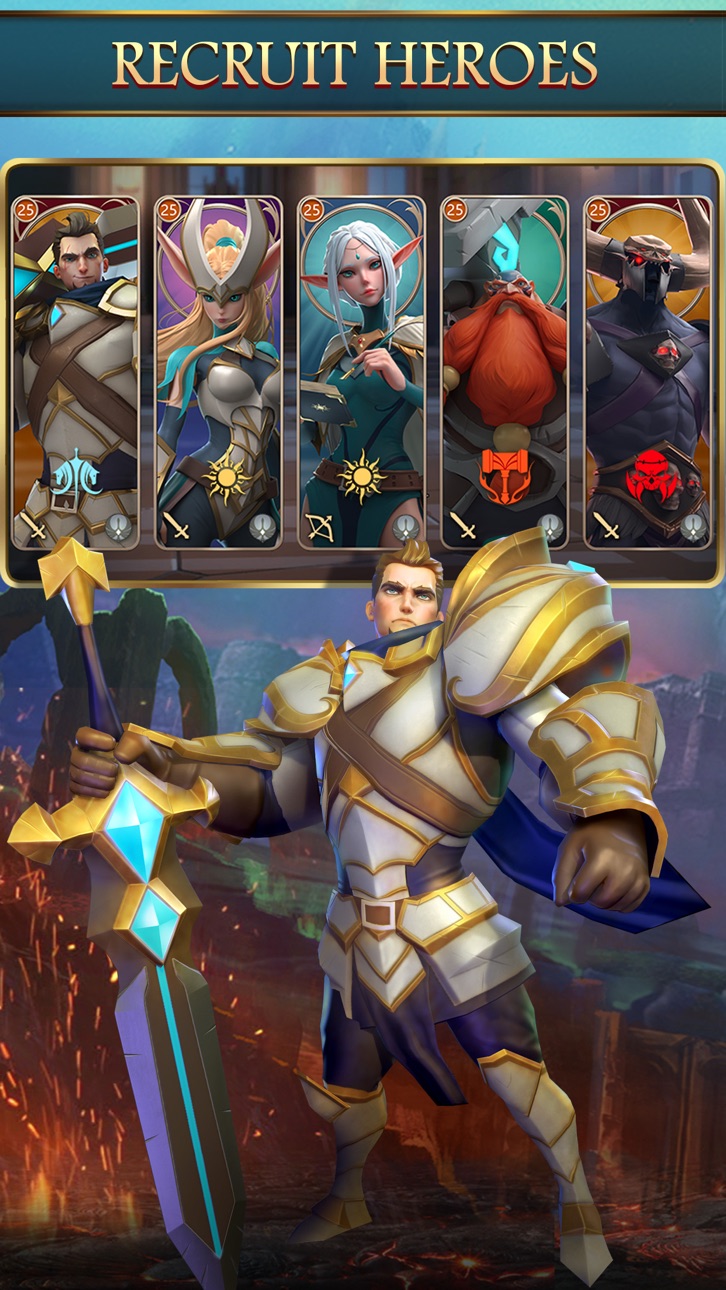
*The Heroes you command include humans, elves, dwarves, and beastkin! Be entertained by their fascinating background stories in the grand Hall of Heroes!
*A noble Guardian Dragon has chosen to believe in you, and helps you kill on the battlefield while kindly boosting your city's development.
*A complete world filled with lore, 5 races, 10 Clans, a chaotic world war, and dramatic story scenarios. Your decisions will decide your path, and who will become your friend or foe.
Facebook: https://www.facebook.com/MobileRoyaleGlobal
Subscription details and important things to note about Apple's official subscription feature:
1. Subscription Fees and Subscription Cycle
You can subscribe to the "Value Subscription" within the game for $1.99. Subscription lasts for one week (7 days). (Prices may change based on your region.)
2. Subscription Content
Players who have bought the subscription get to enjoy the perks during the subscription period.
3. Automatic Renewal
Subscriptions will be automatically renewed on the App Store, and the fee will be charged to your iTunes Account. Automatic renewal settings must be manually changed on your iTunes/Apple ID settings. Your subscription will be automatically renewed if automatic renewal is not turned off at least 24 hours before the end of the subscription period.
4. Terms of Service and Privacy Policy
5. Canceling Subscriptions
Follow these steps on your Apple device if you would like to cancel your subscription: Settings→iTunes and App Store→Tap on your Apple ID→Check Apple ID→Account Settings→Subscriptions→Manage→Select the corresponding subscription for "Mobile Royale"
Captures © leurs propriétaires respectifs · App Store



iOSGods n'est ni affilié à Apple Inc., Google LLC ou aux développeurs des applications listées ici, ni approuvé ou sponsorisé par eux. Apple, iOS et App Store sont des marques d'Apple Inc. Android et Google Play sont des marques de Google LLC. Tous les autres noms d'applications, icônes, visuels et marques appartiennent à leurs propriétaires respectifs.

- iPhone ou iPad avec ou sans Jailbreak.
- Sideloadly ou alternatives.
- Ordinateur sous Windows/macOS/Linux avec iTunes installé.
ÉTAPE 1: Téléchargez le fichier .IPA pré-modifié depuis le lien ci-dessus sur votre ordinateur. Pour le télécharger depuis l'iOSGods App, consultez notre Tutoriel de téléchargement de l'IPA depuis l'iOSGods App qui comprend un exemple en vidéo.
ÉTAPE 2: Téléchargez Sideloadly et installez-le sur votre Windows ou Mac.
ÉTAPE 3: Ouvrez Sideloadly sur votre ordinateur, connectez votre appareil iOS et attendez que le nom de votre appareil apparaisse dans Sideloadly.
ÉTAPE 4: Une fois votre iDevice reconnu, glissez le fichier .IPA modifié que vous avez téléchargé et déposez-le dans l'application Sideloadly.
ÉTAPE 5: Saisissez l'adresse e-mail de votre Apple Account, puis appuyez sur « Start ». Il vous sera ensuite demandé d'entrer votre mot de passe. Fournissez les informations requises.
ÉTAPE 6: Attendez que Sideloadly termine le sideloading/l'installation de l'IPA modifié. En cas de problème durant l'installation, veuillez lire la remarque ci-dessous.
ÉTAPE 7: Une fois l'installation terminée et l'app visible sur votre écran d'accueil, vous devez aller dans Réglages → Général → Profils / VPN et gestion de l'appareil. Là, appuyez sur l'adresse e-mail saisie à l'étape 6, puis appuyez sur « Faire confiance à [email protected] ».
ÉTAPE 8: Allez maintenant sur votre écran d'accueil et ouvrez l'app nouvellement installée ; tout devrait fonctionner correctement. Vous devrez peut-être suivre des instructions supplémentaires propres à chaque app, dans la fenêtre du hack en jeu.
REMARQUE : À partir d'iOS/iPadOS 16, vous devez activer le mode Développeur. Pour les comptes Apple Developer gratuits, vous devrez répéter ce processus tous les 7 jours. Pour toute question ou problème, lisez notre section FAQ Sideloadly du sujet.
Game Name iOS Mod IPA is an action adventure game enhanced with powerful gameplay boosts and quality-of-life improvements. Win battles faster, earn rewards quicker, and enjoy uninterrupted play without ads.
- Unlimited Gold - spend freely to unlock premium content
- Damage Multiplier - deal significantly more damage in combat
- Defense Multiplier - take less damage and survive longer
- Reward Multiplier - earn more loot from every battle
- Max Level - instantly reach the highest player rank
- No Ads - play without interruptions or advertisements
This app also comes with iGameGod, giving you access to Auto Touch to automate repetitive tasks, App Speed Manager for adjustable gameplay speed, Memory Engine value editing, and more powerful iOS game tools.
Téléchargez Game Name Mod IPA depuis les liens ci-dessus. Appuyez sur le bouton d'installation et suivez les instructions pour installer ce hack iOS sur votre iPhone, iPad ou Apple Silicon.
Besoin de plus d'aide Consultez notre FAQ de l'app iOSGods pour des réponses détaillées et des conseils de dépannage.
----------------------------------------------------------
--------------------------------------------------