需要登入
請使用您的 iOSGods 帳戶登入以繼續。
請使用您的 iOSGods 帳戶登入以繼續。
無限一切、自動勝利和凍結計時器作弊功能強化了這個 Mattel Match Mod IPA,讓你輕鬆通過每個三消 3D 謎題而不受限制。收集芭比、風火輪和 UNO 等標誌性美泰玩具,完全消除了磨練,讓你可以按照自己的節奏專注於配對和策略的樂趣。
- 無限一切 → 沒有資源限制
- 自動勝利 → 立即完成關卡
- 凍結計時器 → 暫停倒計時
此應用程式也內建 iGameGod,讓你可以使用 Auto Touch 自動執行重複操作、透過 App Speed Manager 調整遊戲速度、使用 Memory Engine 修改記憶體數值,以及更多強大的 iOS 遊戲工具。
從上方連結下載 Mattel Match iOS Mod IPA。點選安裝按鈕並依照畫面指示在 iPhone、iPad 或 Apple Silicon 上安裝此 iOS 應用程式修改版。
需要更多協助?請查看我們的 iOSGods 應用程式常見問題 以獲得詳細解答與疑難排解。
Mattel™ Match – Triple Match 3D Puzzle Game
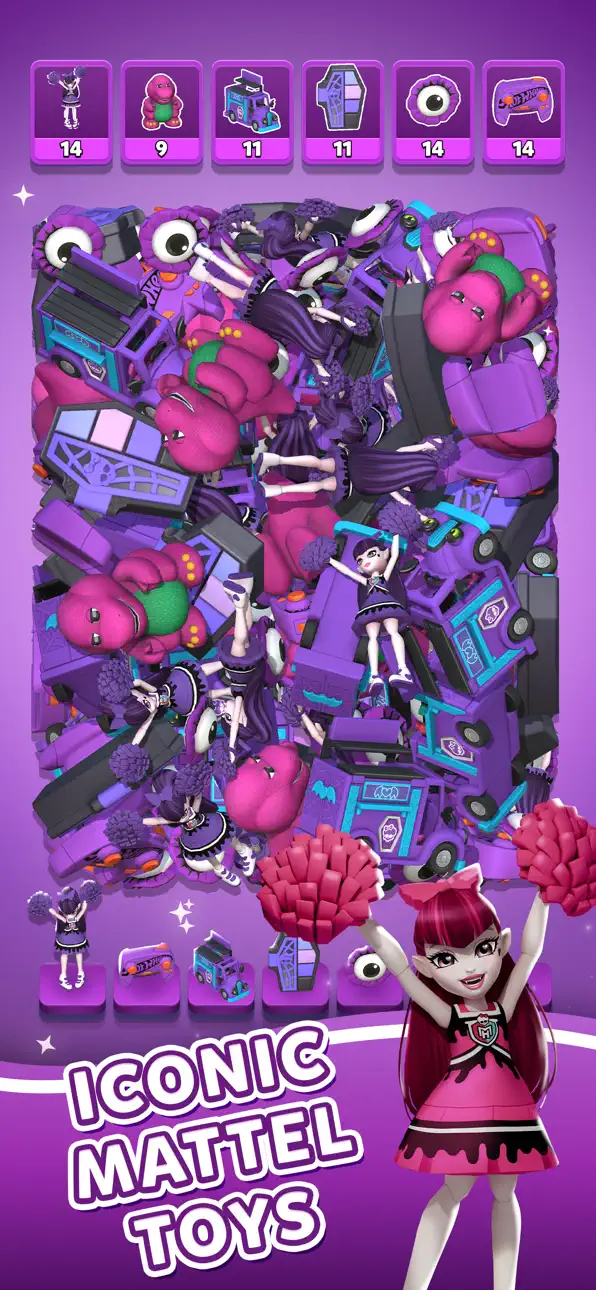
Step into Mattel’s world of play in this exciting triple match 3D puzzle game packed with nostalgia and fun. Mattel Match is a colorful 3D matching game where you sort, match, and collect iconic toys in a fast-paced puzzle adventure.
Play with Barbie, Hot Wheels, UNO, Skeletor, and more in the ultimate toy match 3D experience.
Triple Match 3D Gameplay
Match three identical items to clear the board in this satisfying triple match puzzle game. Each level challenges your focus, speed, and strategy with engaging match 3D mechanics, dynamic layouts, and a treasure trove of timeless Mattel toys.
Whether you're a puzzle master or new to matching games, you’ll enjoy relaxing yet challenging gameplay.
Iconic Mattel Collectibles
Experience stunning 3D graphics featuring the Barbie DreamHouse, Hot Wheels GT Scorcher, Skeletor action figures, UNO cards, and more. Complete levels, unlock collectibles, and build your ultimate toy collection in this immersive 3D puzzle adventure.
Challenging Match & Sort Levels
Put your brain to the test with creative puzzle levels. Match items quickly, sort objects efficiently, and sharpen your strategy as the difficulty grows. Think fast and aim high to top the leaderboard in this one-of-a-kind match 3D experience.
Boosters & Power-Ups
Use fun toy-themed power-ups like the UNO Reverse Card and Barbie Hair Dryer to clear tricky boards and beat tough levels. Every move matters in this strategic triple matching game.
Relax & Enjoy
Enjoy cozy, satisfying sorting gameplay anytime. Whether you’re taking a quick break or diving into extended sessions, this calming and relaxing puzzle game is for you.
Play Online or Offline
No internet? No problem. Play online or enjoy seamless offline match 3D gameplay anywhere.
Download Mattel Match today and rediscover your favorite childhood toys in the ultimate triple match 3D puzzle adventure!
螢幕截圖 © 各自所有者 · App Store


iOSGods 與 Apple Inc.、Google LLC 及此處列出應用程式的開發者並無關聯,亦未獲其認可或贊助。Apple、iOS 與 App Store 為 Apple Inc. 的商標。Android 與 Google Play 為 Google LLC 的商標。其他所有應用程式名稱、圖示、圖片與商標均屬其各自所有者。

- 未越獄/受限或已越獄的 iPhone 或 iPad。
- Sideloadly 或替代方案。
- 執行 Windows/macOS/Linux 且已安裝 iTunes 的電腦。
步驟 1: 透過上方連結將已破解的 .IPA 檔案下載到您的電腦。若要從 iOSGods App 下載,請參閱我們的 iOSGods App IPA 下載教學,其中包含影片範例。
步驟 2: 下載 Sideloadly 並將其安裝在您的 Windows 或 Mac 上。
步驟 3: 在電腦上開啟 Sideloadly,連接您的 iOS 裝置,並等待裝置名稱出現在 Sideloadly 中。
步驟 4: 當 Sideloadly 辨識到您的 iOS 裝置後,將下載好的修改版 .IPA 檔案拖曳並放到 Sideloadly 應用程式中。
步驟 5: 輸入您的 Apple Account 電子郵件,然後按下「Start」。系統會要求您輸入密碼,請依指示提供所需資訊。
步驟 6: 等待 Sideloadly 完成已破解 IPA 的旁載/安裝。如果安裝過程中發生問題,請閱讀下方的注意事項。
步驟 7: 安裝完成並在主畫面上看到該應用程式後,您需要前往 設定 → 一般 → 描述檔 / VPN 與裝置管理。進入後,點選您在步驟 6 中輸入的電子郵件,然後點選「信任 [email protected]」。
步驟 8: 現在回到主畫面並開啟新安裝的應用程式,一切應該都能正常運作。您可能需要依照遊戲內破解彈出視窗中的進一步指示操作。
注意: 在 iOS/iPadOS 16 及更新版本上,您必須 啟用開發者模式。若使用免費的 Apple Developer 帳號,您將需要每 7 天重複此程序。如有任何疑問或問題,請閱讀我們的 主題中的 Sideloadly 常見問題區段。
Hack Features:
- Inf Coins (Spend)
App Installation Instructions:
---------------------------------------------------------
----------------------------------------------------------
If you require more information or help, please read our Frequently Asked Questions topic on iOSGods.com.
----------------------------------------------------------
--------------------------------------------------




![Screw Jam iOS Mod IPA [ Debug Menu ]](https://is1-ssl.mzstatic.com/image/thumb/Purple211/v4/84/9d/38/849d38b1-c6d7-1cae-5275-6b663939a713/AppIcon-0-0-1x_U007emarketing-0-8-0-85-220.png/100x100bb.jpg)


![Family Tree! - Logic Puzzles iOS Mod IPA [ Debug Menu ]](https://is1-ssl.mzstatic.com/image/thumb/Purple221/v4/be/3e/a9/be3ea9e9-d65e-aafe-f860-5493279a54c7/AppIcon-0-0-1x_U007emarketing-0-8-0-85-220.png/100x100bb.jpg)


