Inloggen vereist
Log in met je iOSGods-account om door te gaan.
Log in met je iOSGods-account om door te gaan.

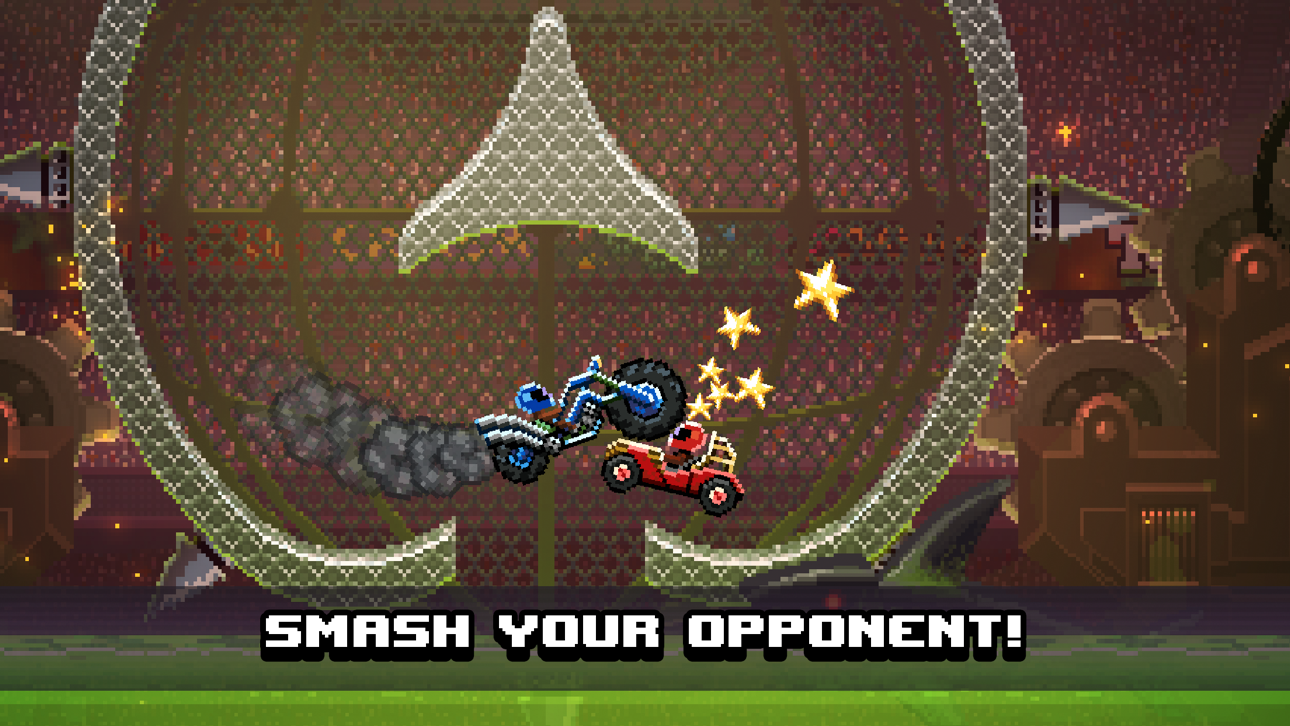
Verpletter je tegenstanders met bewapende voertuigen in Drive Ahead! Hack, een chaotisch auto-gevechtenspel waarin je tegen vrienden en AI vecht in verschillende arena's en stadions. Deze gemodificeerde iOS-versie ontgrendelt premium valuta en in-app aankopen, zodat je je vloot kunt aanpassen en elk speelmodus domineert zonder grinden of echt geld uit te geven.
- Oneindige valuta's (Krijg wat) → geef vrijelijk uit aan upgrades en aanpassingen
- Gratis IAP (Zet aan in het iOSGods Mod Menu) → ontgrendel alle premium-inhoud zonder betaling
Deze app bevat ook iGameGod, waarmee je toegang krijgt tot Auto Touch om repetitieve taken te automatiseren, App Speed Manager voor een aanpasbare spelsnelheid, het bewerken van waarden met Memory Engine en andere krachtige iOS-gametools.
Download Drive Ahead! Hack modded IPA via de bovenstaande links. Tik op de installatieknop en volg de instructies om deze iOS-app-hack op je iPhone, iPad of Apple Silicon te installeren.
Meer hulp nodig? Bekijk onze Veelgestelde vragen over de iOSGods-app voor uitgebreide antwoorden en probleemoplossingstips.
Welcome to Drive Ahead!, you win by hitting your friends on the head with cars! Drive Ahead! is the ultimate multiplayer battling retro game with cars, unpredictable chaos and driving. Battle with fun cars, like a monster truck, a tank or a 4x4 off-roader. There's tons of content to unlock and game modes to master.
FUN, FAST, ACTION PACKED BATTLES WITH CARS
Grab the wheel while driving into lightning fast party games! In Drive Ahead!, you'll reign supreme by winning matches in easy to start yet hard to master multiplayer fights. Drive ahead into crazy 2 player games, have fun driving alone or with friends!
MASTER ALL 250+ CARS
To improve driving these over the top cars, be it a monster truck or even motorbikes, you need practice, and a garage full of options. Perhaps driving tanks, a battle ship on wheels or a racing bike is more your thing, collect all the cars to impress your friends or rivals in multiplayer!
KING OF THE HILL & MISSION STADIUMS
How long can you reign in King of the Hill against an endless flow of opponents before you go kaboom? Explore exotic stylized Mission Stadiums for amazing rewards, while avoiding hazards like robots, aliens and penguins. Seriously, the penguins are the most dangerous.
PLAY IN 2 PLAYER OFFLINE PARTY GAMES
A fighter must train at all times, we support offline 2 player games to party with your friends in Drive Ahead! to help you ascend as a master of your favorite cars and retro big rigs!
Hundreds of pixel cars, helmets, levels, missions, and game modes bring endless hours of helmet-crashing two-player racing action with freak accidents! Just be careful not to wreck yourself!
Screenshots © respectieve eigenaren · App Store


iOSGods is niet verbonden aan, onderschreven door of gesponsord door Apple Inc., Google LLC of de ontwikkelaars van de hier vermelde apps. Apple, iOS en App Store zijn handelsmerken van Apple Inc. Android en Google Play zijn handelsmerken van Google LLC. Alle overige app-namen, iconen, afbeeldingen en handelsmerken behoren toe aan hun respectieve eigenaren.
- Niet-jailbroken/jailed of jailbroken iPhone of iPad.
- Sideloadly of alternatieven.
- Computer met Windows/macOS/Linux en iTunes geïnstalleerd.
STAP 1: Download het vooraf gehackte .IPA-bestand via de link hierboven naar uw computer. Om het te downloaden vanuit de iOSGods App, bekijk onze iOSGods App IPA-downloadhandleiding met een videovoorbeeld.
STAP 2: Download Sideloadly en installeer het op uw Windows of Mac.
STAP 3: Open Sideloadly op uw computer, sluit uw iOS-apparaat aan en wacht tot de naam van uw apparaat in Sideloadly verschijnt.
STAP 4: Zodra uw iDevice is herkend, sleept u het gedownloade gemodde .IPA-bestand naar de Sideloadly-applicatie.
STAP 5: Voer het e-mailadres van uw Apple Account in en druk op “Start”. U wordt vervolgens gevraagd om uw wachtwoord in te voeren. Geef de gevraagde informatie op.
STAP 6: Wacht tot Sideloadly het sideloaden/installeren van de gehackte IPA heeft voltooid. Als er problemen zijn tijdens de installatie, lees dan onderstaande opmerking.
STAP 7: Zodra de installatie is voltooid en u de app op uw beginscherm ziet, gaat u naar Instellingen → Algemeen → Profielen / VPN- en apparaatbeheer. Tik daar op het e-mailadres dat u in stap 6 hebt ingevoerd en tik vervolgens op “Vertrouw [email protected]”.
STAP 8: Ga nu naar uw beginscherm en open de zojuist geïnstalleerde app; alles zou correct moeten werken. Mogelijk moet u verdere app-specifieke instructies volgen in de hack-popup in het spel.
OPMERKING: Op iOS/iPadOS 16 en later moet u Ontwikkelaarsmodus inschakelen. Voor gratis Apple Developer-accounts moet u dit proces elke 7 dagen herhalen. Als u vragen of problemen hebt, lees dan onze Sideloadly FAQ-sectie van het onderwerp.
Game Name iOS Mod IPA is an action adventure game enhanced with powerful gameplay boosts and quality-of-life improvements. Win battles faster, earn rewards quicker, and enjoy uninterrupted play without ads.
- Unlimited Gold - spend freely to unlock premium content
- Damage Multiplier - deal significantly more damage in combat
- Defense Multiplier - take less damage and survive longer
- Reward Multiplier - earn more loot from every battle
- Max Level - instantly reach the highest player rank
- No Ads - play without interruptions or advertisements
This app also comes with iGameGod, giving you access to Auto Touch to automate repetitive tasks, App Speed Manager for adjustable gameplay speed, Memory Engine value editing, and more powerful iOS game tools.
Download Game Name Mod IPA via de bovenstaande links. Tik op de installatieknop en volg de instructies om deze iOS-app-hack op je iPhone, iPad of Apple Silicon te installeren.
Meer hulp nodig Bekijk onze Veelgestelde vragen over de iOSGods-app voor uitgebreide antwoorden en probleemoplossingstips.
----------------------------------------------------------
--------------------------------------------------