تسجيل الدخول مطلوب
سجّل الدخول بحساب iOSGods للمتابعة.
سجّل الدخول بحساب iOSGods للمتابعة.
افتح العملة المميزة وتجاوز عمليات الشراء داخل التطبيق في هذا تهكير الحركة الزومبي لـ Final Survivor: Zombie Warfare Mod IPA. احصل على قائمة تصحيح مليئة بالغش والميزات المميزة من خلال الانتقال إلى الإعدادات، ثم سياسة الخصوصية، ثم أيقونة التعويم لكشف الترسانة الكاملة من خيارات اللعب المعدلة.
- قائمة التصحيح (الإعدادات → سياسة الخصوصية → أيقونة التعويم → قائمة الغش) → فتح الغش والخيارات المتقدمة
- المميز (الإعدادات → سياسة الخصوصية → أيقونة التعويم → الشراء داخل التطبيق) → تجاوز جدران الدفع وفتح المحتوى المميز
يأتي هذا التطبيق أيضًا مع iGameGod، مما يتيح لك الوصول إلى Auto Touch لأتمتة المهام المتكررة، وApp Speed Manager لضبط سرعة اللعب، وتعديل القيم عبر Memory Engine، والمزيد من أدوات ألعاب iOS القوية.
قم بتنزيل Final Survivor: Zombie Warfare Hack modded IPA من الروابط أعلاه. اضغط على زر التثبيت واتبع التعليمات لتثبيت هذا التعديل لـ iOS على iPhone أو iPad أو Apple Silicon.
هل تحتاج إلى مزيد من المساعدة؟ راجع الأسئلة الشائعة لتطبيق iOSGods للحصول على إجابات مفصلة ونصائح لاستكشاف الأخطاء.
SOLDIERS!
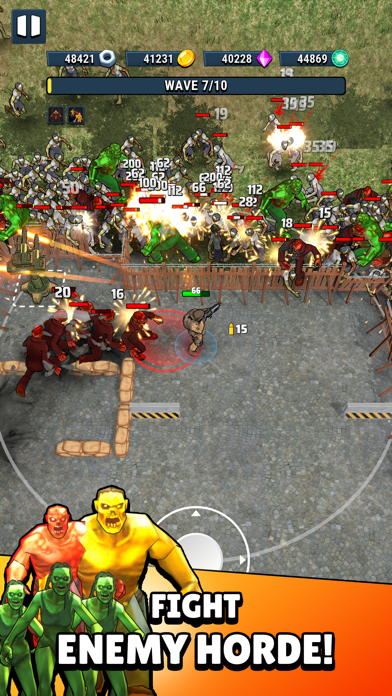
Enter a world where existence itself is out to eliminate you! You are the last man standing, the only force able to resist and defeat the oncoming waves of enemies.
Step up, stack up awesome skills and fight like your life depends on it.
Enjoy creating countless combinations of unique skills all designed to help you survive.
Key Features:
• DUAL WEAPONS & DRONES!
• Random and unique skills to help you fight with enemies.
• Epic boss fights!
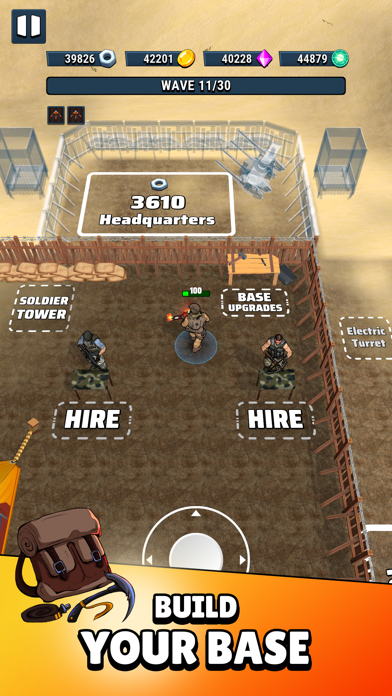
• Explore beautiful chapters and build your base.
• Enjoy the thrilling zombie fights.
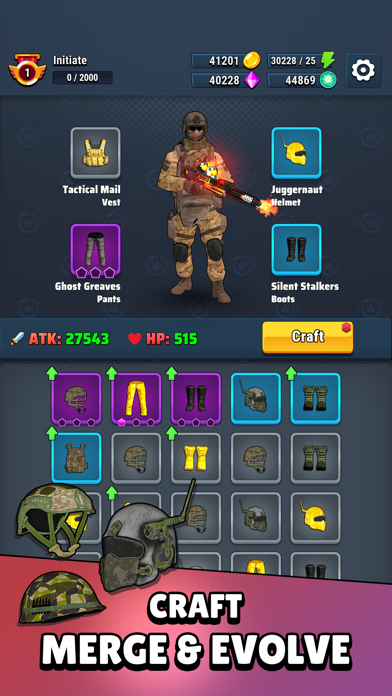
• Level-up and equip yourself with powerful equipment to increase your stats.
IAP & Subscription Technical Integration
PART I - IAPs
3 Basic rules for IAPs before starting their integrations:
“Remember that IAPs take time to pass the AppStore review”
“They always need to be submitted for review with a new build”
” The IAP bundle id should be the same on both platform”
To have a smooth integration we recommend you to carefully follow this article: https://voodoo.zendesk.com/hc/en-us/articles/360007590839-In-App-Purchases
The documentation is ALL you should follow. It us up to date and fairly simple to follow.
HOWEVER: Remember IAPs are NOT subscriptions. It has to be a ONE TIME PURCHASE otherwise your account can be banned permanently.
PART II - SUBSCRIPTIONS
Subscriptions are harder to implement.
Regarding the integration with VoodooSauce the best first step is to follow as much as possible:
This Voodoo documentation:
https://voodoo.zendesk.com/hc/en-us/articles/360007590899-Subscriptions
You will also need a specific Apple Set Up:
“App-Specific Shared secret” on AppstoreConnect game page.
In order to find it, you can navigate to App information -> App-Specific Shared secret -> Manage.
If you don’t have permission to retrieve it, please ping the Publishing Ops team. They will be able to retrieve it for you.
For iOS, make sure to link https://www.apple.com/legal/internet-services/itunes/dev/stdeula/
For iOS, the AppStore requires to have information about subscriptions on the app’s description so do not forget about this. If you don’t know what to use, feel free to copy and paste the one below:
SUBSCRIPTION PRICING AND TERMS
Your subscription will be charged to your Account at confirmation of purchase.
Subscription automatically renews unless auto-renew is turned off at least 24-hours before the end of the current period.
Account will be charged for renewal within 24-hours prior to the end of the current period, and identify the cost of the renewal.
Subscriptions may be managed by the user and auto-renewal may be turned off by going to the user’s Account Settings after purchase.
Any unused portion of a free trial period, if offered, will be forfeited when the user purchases a subscription to that publication, where applicable.
You can turn off the auto-renew for the subscription whenever you want to through iTunes. Check https://support.apple.com/HT202039. When your current trial/subscription period expires, you will be unsubscribed. The current active subscription period can not be canceled. After your subscription expires, you will lose VIP membership benefits.
If you have any questions or comments, feel free to contact us at https://www.voodoo.io/
Privacy Policy: https://www.voodoo.io/privacy/
Term of use: https://www.voodoo.io/purchase/
For any other questions, please contact: mailto:[email protected]

- iPhone أو iPad بجيلبريك أو بدون جيلبريك.
- Sideloadly أو بدائلها.
- كمبيوتر يعمل بنظام Windows/macOS/Linux مع تثبيت iTunes.
الخطوة 1: قم بتنزيل ملف .IPA المعدّل مسبقًا من الرابط أعلاه إلى الكمبيوتر الخاص بك. للتنزيل من تطبيق iOSGods App، اطلع على دليل تنزيل IPA من تطبيق iOSGods App الذي يتضمن مثالًا بالفيديو.
الخطوة 2: قم بتنزيل Sideloadly وتثبيته على جهاز Windows أو Mac.
الخطوة 3: افتح Sideloadly على الكمبيوتر، ووصّل جهاز iOS الخاص بك، وانتظر حتى يظهر اسم جهازك داخل Sideloadly.
الخطوة 4: بمجرد التعرّف على جهاز iDevice الخاص بك، اسحب ملف .IPA المعدّل الذي قمت بتنزيله وأفلِته داخل تطبيق Sideloadly.
الخطوة 5: أدخل البريد الإلكتروني لحساب Apple Account الخاص بك، ثم اضغط على «Start». سيُطلب منك بعد ذلك إدخال كلمة المرور. تابع وأدخل المعلومات المطلوبة.
الخطوة 6: انتظر حتى ينتهي Sideloadly من تحميل/تثبيت ملف IPA المعدّل. في حال واجهت أي مشاكل أثناء التثبيت، يرجى قراءة الملاحظة أدناه.
الخطوة 7: بعد اكتمال التثبيت ورؤية التطبيق على الشاشة الرئيسية، انتقل إلى Settings → General → Profiles / VPN & Device Management. ثم اضغط على البريد الإلكتروني الذي أدخلته في الخطوة 6، ثم اضغط على «الوثوق بـ [email protected]».
الخطوة 8: الآن انتقل إلى الشاشة الرئيسية وافتح التطبيق الذي تم تثبيته للتو وسيعمل كل شيء بشكل صحيح. قد تحتاج إلى اتباع تعليمات إضافية خاصة بكل تطبيق داخل النافذة المنبثقة للتعديل أثناء اللعب.
ملاحظة: بدءًا من iOS/iPadOS 16 وما بعده، يجب تفعيل وضع المطور (Developer Mode). بالنسبة لحسابات Apple Developer المجانية، ستحتاج إلى تكرار هذه العملية كل 7 أيام. إذا كانت لديك أي أسئلة أو مشاكل، يرجى قراءة قسم الأسئلة الشائعة حول Sideloadly في الموضوع.