تسجيل الدخول مطلوب
سجّل الدخول بحساب iOSGods للمتابعة.
سجّل الدخول بحساب iOSGods للمتابعة.
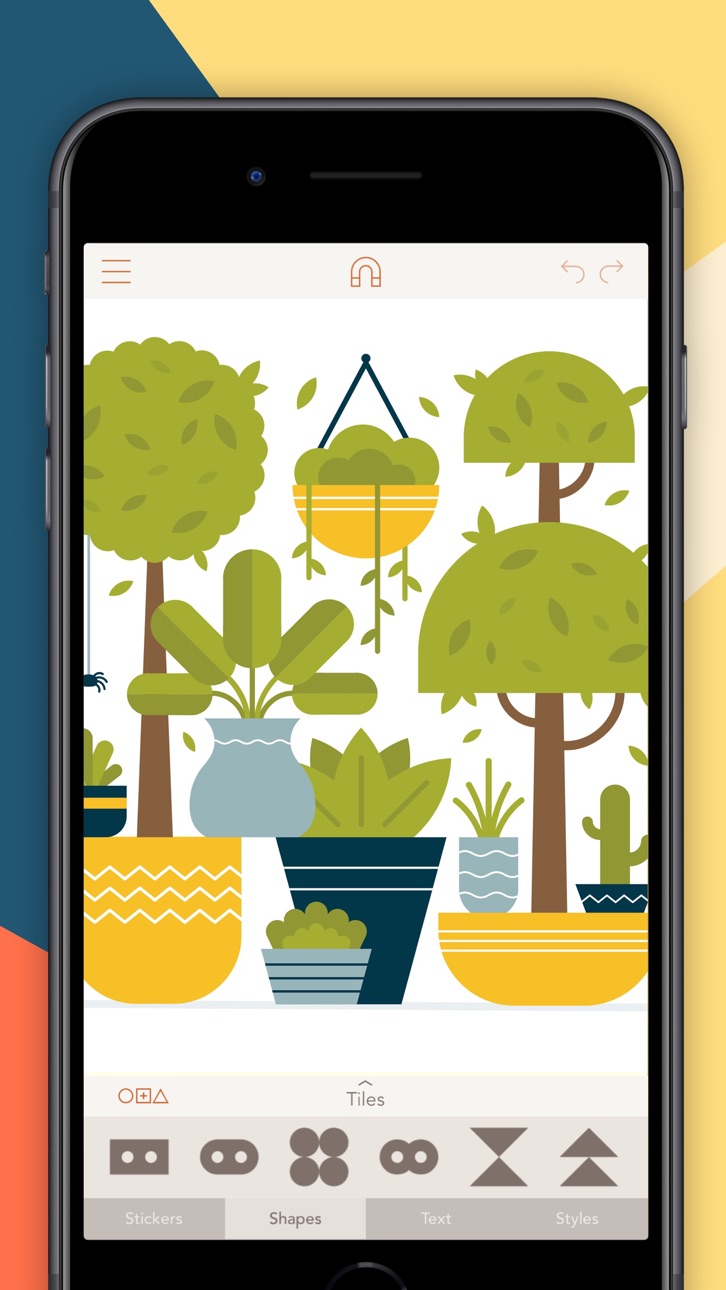
افتح أدوات التصميم المتقدمة في Assembly من خلال هذا التطبيق المعدل لـ iOS، مما يمنحك الوصول إلى ميزات إنشاء المتجهات الاحترافية بدون قيود الاشتراك. Assembly هي أداة تصميم رسومات قوية تتيح لك إنشاء الشعارات والأيقونات والرسوم التوضيحية باستخدام ميزات معايير الصناعة المحفوظة عادة للبرامج سطح المكتب، وهي متاحة بالكامل في هذا Mod IPA.
- الإصدار المتقدم مفتوح → الوصول إلى جميع أدوات التصميم الاحترافية
يأتي هذا التطبيق أيضًا مع iGameGod، مما يتيح لك الوصول إلى Auto Touch لأتمتة المهام المتكررة، وApp Speed Manager لضبط سرعة اللعب، وتعديل القيم عبر Memory Engine، والمزيد من أدوات ألعاب iOS القوية.
قم بتنزيل Assembly: Graphic Design & Art Modded modded IPA من الروابط أعلاه. اضغط على زر التثبيت واتبع التعليمات لتثبيت هذا التعديل لـ iOS على iPhone أو iPad أو Apple Silicon.
هل تحتاج إلى مزيد من المساعدة؟ راجع الأسئلة الشائعة لتطبيق iOSGods للحصول على إجابات مفصلة ونصائح لاستكشاف الأخطاء.
Create logos, icons, illustrations, and more using powerful, easy to use features usually only found in professional desktop software. Assembly is the revolutionary vector design tool that lets you imagine and produce quality work in half the time.
Skip the sketch book and rough out designs by quickly combining predesigned elements. From basic primitives to ornate illustrations, cut, combine and intersect shapes creating complex groups of graphics. Dive a layer deeper to manipulate your designs further with the powerful point editing system using industry standard bezier curves.
Get professional results using powerful tools found in high-end graphic design suites. Design quickly and easily using a simple interface that provides only the features you need as you need them. Output in high resolution JPG and PNG as well as popular vector formats SVG and PDF.
Powerful yet intuitive, Assembly is the perfect creative tool. Simple professional vector design for artists of any background or skill level. Just the tools you need without all the bloat you don’t. Design anything, anywhere.
= = = = =
FEATURES:
- Point editing with bezier curves
- Combine, cut-out and intersect shapes
- Import SVG / PNG / JPG and export SVG / PNG / PDF / JPG up to 8192 x 8192
- Complete text engine with 25 versatile, hand-selected fonts or import your own
- Multi-select and nested grouping
- Copy, flip and rotate shapes and groups
- Save groups and projects to the custom shape pack
- Fill, stroke, and shadow options
- Convert strokes to fills
- Intelligent snapping system for easy shape placement
- 21 themed shape packs with over 1,000 shapes
- Over 250 fully finished stickers that can be customized, reused and remixed
- Create and save your own custom stickers
- Share stickers in iMessage
- 35 pre-made color palettes
- Create and save your own custom color palettes
- Eyedropper color sampling tool
- Optional use of color or photo backgrounds
- Save as transparent PNG
- Assembly project file output
- Sync projects across devices with iCloud
= = = = =
ASSEMBLY PRO
Assembly Pro is an auto-renewing subscription service that provides professional features to elevate your work to the next level.
You can get Assembly Pro for free for 7-days with a free trial. After the free trial you will be automatically renewed to the weekly subscription which you can cancel at any time. The paid subscription costs $2.99 USD per week for the weekly plan, $4.99 USD per month for the monthly plan, and $29.99 USD per year (50% discount off the monthly plan) for the yearly plan. Prices are subject to change. Assembly Pro automatically renews unless auto-renew is turned off at least 24-hours before the end of the current period. Your account will be charged for renewal within 24-hours prior to the end of the current period.
Payment will be charged to your iTunes account at confirmation of purchase. You may manage Assembly Pro subscriptions and turn off auto-renewal by going to your Account Settings after purchase. Any unused portion of a free trial period will be forfeited when you purchase a Assembly Pro subscription.
لقطات الشاشة © لأصحابها · App Store


iOSGods ليست تابعة لشركة Apple Inc. أو Google LLC أو مطوّري التطبيقات المدرجة هنا، وليست معتمدة أو مدعومة منهم. Apple وiOS وApp Store علامات تجارية لشركة Apple Inc. وAndroid وGoogle Play علامتان تجاريتان لشركة Google LLC. أما بقية أسماء التطبيقات والأيقونات والصور والعلامات التجارية فهي ملك لأصحابها.

- iPhone أو iPad بجيلبريك أو بدون جيلبريك.
- Sideloadly أو بدائلها.
- كمبيوتر يعمل بنظام Windows/macOS/Linux مع تثبيت iTunes.
الخطوة 1: قم بتنزيل ملف .IPA المعدّل مسبقًا من الرابط أعلاه إلى الكمبيوتر الخاص بك. للتنزيل من تطبيق iOSGods App، اطلع على دليل تنزيل IPA من تطبيق iOSGods App الذي يتضمن مثالًا بالفيديو.
الخطوة 2: قم بتنزيل Sideloadly وتثبيته على جهاز Windows أو Mac.
الخطوة 3: افتح Sideloadly على الكمبيوتر، ووصّل جهاز iOS الخاص بك، وانتظر حتى يظهر اسم جهازك داخل Sideloadly.
الخطوة 4: بمجرد التعرّف على جهاز iDevice الخاص بك، اسحب ملف .IPA المعدّل الذي قمت بتنزيله وأفلِته داخل تطبيق Sideloadly.
الخطوة 5: أدخل البريد الإلكتروني لحساب Apple Account الخاص بك، ثم اضغط على «Start». سيُطلب منك بعد ذلك إدخال كلمة المرور. تابع وأدخل المعلومات المطلوبة.
الخطوة 6: انتظر حتى ينتهي Sideloadly من تحميل/تثبيت ملف IPA المعدّل. في حال واجهت أي مشاكل أثناء التثبيت، يرجى قراءة الملاحظة أدناه.
الخطوة 7: بعد اكتمال التثبيت ورؤية التطبيق على الشاشة الرئيسية، انتقل إلى Settings → General → Profiles / VPN & Device Management. ثم اضغط على البريد الإلكتروني الذي أدخلته في الخطوة 6، ثم اضغط على «الوثوق بـ [email protected]».
الخطوة 8: الآن انتقل إلى الشاشة الرئيسية وافتح التطبيق الذي تم تثبيته للتو وسيعمل كل شيء بشكل صحيح. قد تحتاج إلى اتباع تعليمات إضافية خاصة بكل تطبيق داخل النافذة المنبثقة للتعديل أثناء اللعب.
ملاحظة: بدءًا من iOS/iPadOS 16 وما بعده، يجب تفعيل وضع المطور (Developer Mode). بالنسبة لحسابات Apple Developer المجانية، ستحتاج إلى تكرار هذه العملية كل 7 أيام. إذا كانت لديك أي أسئلة أو مشاكل، يرجى قراءة قسم الأسئلة الشائعة حول Sideloadly في الموضوع.
Game Name iOS Mod IPA is an action adventure game enhanced with powerful gameplay boosts and quality-of-life improvements. Win battles faster, earn rewards quicker, and enjoy uninterrupted play without ads.
- Unlimited Gold - spend freely to unlock premium content
- Damage Multiplier - deal significantly more damage in combat
- Defense Multiplier - take less damage and survive longer
- Reward Multiplier - earn more loot from every battle
- Max Level - instantly reach the highest player rank
- No Ads - play without interruptions or advertisements
This app also comes with iGameGod, giving you access to Auto Touch to automate repetitive tasks, App Speed Manager for adjustable gameplay speed, Memory Engine value editing, and more powerful iOS game tools.
قم بتنزيل Game Name Mod IPA من الروابط أعلاه. اضغط على زر التثبيت واتبع التعليمات لتثبيت هذا التعديل لـ iOS على iPhone أو iPad أو Apple Silicon.
هل تحتاج إلى مزيد من المساعدة؟ راجع الأسئلة الشائعة لتطبيق iOSGods للحصول على إجابات مفصلة ونصائح لاستكشاف الأخطاء.
----------------------------------------------------------
--------------------------------------------------