Inloggen vereist
Log in met je iOSGods-account om door te gaan.
Mod Features
- Unlimited Currency
- Unlimited Resources
- ATK
Download Taco: Hamster Hero Mod APK via de bovenstaande knop. Volg na het tikken op downloaden de instructies om de gemodde APK op je Android-apparaat of emulator te installeren.
Hulp nodig? Bekijk onze Veelgestelde vragen over Android voor uitgebreide antwoorden en probleemoplossingstips.
Taco the Hamster's once peaceful home is under attack! Creatures threaten every corner!
Drawn by destiny and the whispers of the wind, Taco the Hamster rises as the beacon of hope!
As a brave warrior and survivor with immense courage, join Taco on an epic journey to defeat the menacing foes and restore peace!
The adversaries are cunning and vast in number - one false move and it might be Taco's last stand!
But, against all odds and with the will to survive, Taco's determination and your skills will pave the path to victory!
Features:
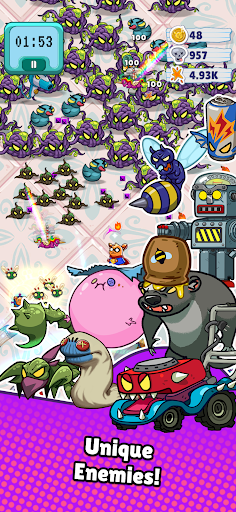
- Engage in fierce battles against 100+ enemies simultaneously and conquer them with Taco's might and ingenuity!
- Navigate the world with easy one-hand controls and guide Taco to glory!
- Dive into the unique roguelike gameplay and explore endless skill combinations to tailor Taco's strengths!
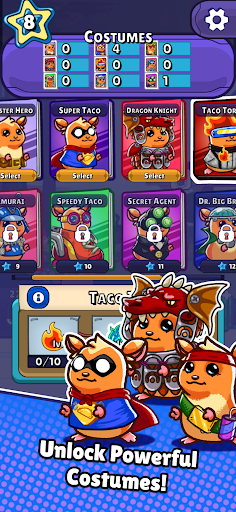
- Adorn Taco with various costumes, each offering unique abilities and styles, enhancing the gameplay experience!
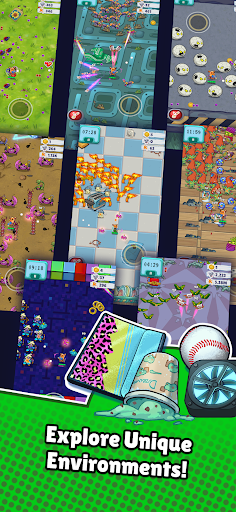
- Challenge yourself in intense stages each with its own flavor of danger and reward!

- Niet-jailbroken/jailed of jailbroken iPhone of iPad.
- Sideloadly of alternatieven.
- Computer met Windows/macOS/Linux en iTunes geïnstalleerd.
STAP 1: Download het vooraf gehackte .IPA-bestand via de link hierboven naar uw computer. Om het te downloaden vanuit de iOSGods App, bekijk onze iOSGods App IPA-downloadhandleiding met een videovoorbeeld.
STAP 2: Download Sideloadly en installeer het op uw Windows of Mac.
STAP 3: Open Sideloadly op uw computer, sluit uw iOS-apparaat aan en wacht tot de naam van uw apparaat in Sideloadly verschijnt.
STAP 4: Zodra uw iDevice is herkend, sleept u het gedownloade gemodde .IPA-bestand naar de Sideloadly-applicatie.
STAP 5: Voer het e-mailadres van uw Apple Account in en druk op “Start”. U wordt vervolgens gevraagd om uw wachtwoord in te voeren. Geef de gevraagde informatie op.
STAP 6: Wacht tot Sideloadly het sideloaden/installeren van de gehackte IPA heeft voltooid. Als er problemen zijn tijdens de installatie, lees dan onderstaande opmerking.
STAP 7: Zodra de installatie is voltooid en u de app op uw beginscherm ziet, gaat u naar Instellingen → Algemeen → Profielen / VPN- en apparaatbeheer. Tik daar op het e-mailadres dat u in stap 6 hebt ingevoerd en tik vervolgens op “Vertrouw [email protected]”.
STAP 8: Ga nu naar uw beginscherm en open de zojuist geïnstalleerde app; alles zou correct moeten werken. Mogelijk moet u verdere app-specifieke instructies volgen in de hack-popup in het spel.
OPMERKING: Op iOS/iPadOS 16 en later moet u Ontwikkelaarsmodus inschakelen. Voor gratis Apple Developer-accounts moet u dit proces elke 7 dagen herhalen. Als u vragen of problemen hebt, lees dan onze Sideloadly FAQ-sectie van het onderwerp.