Inicio de sesión requerido
Inicia sesión con tu cuenta de iOSGods para continuar.
Inicia sesión con tu cuenta de iOSGods para continuar.

Todo Ilimitado, gana o gasta libremente en monedas, potenciadores, salud, daño y resistencia en este Mod IPA de Glory Ages - VIKINGS, el juego de acción táctica hardcore donde el combate basado en habilidad y el timing perfecto determinan la victoria contra los brutales Nórdicos.
- Todo Ilimitado → Gana o gasta libremente en monedas, potenciadores, salud, daño y resistencia
Esta app también incluye iGameGod, que te ofrece acceso a Auto Touch para automatizar tareas repetitivas, App Speed Manager para ajustar la velocidad del juego, edición de valores con Memory Engine y más potentes herramientas para juegos de iOS.
Descarga Glory Ages - VIKINGS iOS Mod IPA desde los enlaces de arriba. Toca el botón de instalación y sigue las instrucciones para instalar este hack iOS en tu iPhone, iPad o Mac con Apple Silicon.
¿Necesitas más ayuda? Consulta nuestras Preguntas frecuentes de la app iOSGods para respuestas detalladas y consejos de solución de problemas.
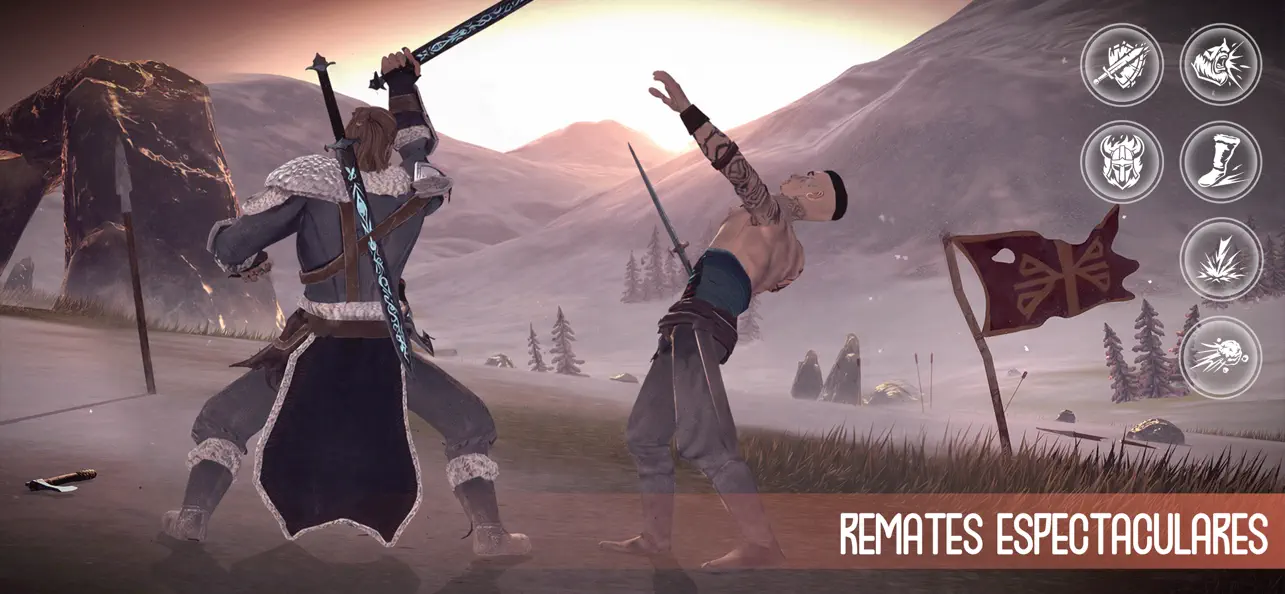
GLORY AGES Vikings es un juego de acción táctica hardcore que te transporta a la brutal era de los hombres del norte. Experimenta un sistema de combate profundo basado en la habilidad, de los creadores del éxito Glory Ages Samurais.
COMBATE BASADO EN LA HABILIDAD
Olvídate de machacar botones sin sentido. Aquí, la victoria depende de tu precisión y de tu capacidad para ser más astuto que el enemigo. Domina el arte de la guerra:
Parada y Esquiva: Espera el momento perfecto para lanzar un contraataque devastador.
Habilidades Activas: Encadena golpes y usa habilidades especiales para romper la defensa de tu oponente.
IA Avanzada: Cada enemigo tiene un estilo de lucha único. Algunos son agresivos, otros cautelosos; aprende a leerlos a todos.
FORJA TU LEGENDA
Progresión Profunda: Desbloquea nuevas técnicas de combate y mejora los atributos de tu héroe.
Arsenal Auténtico: Una amplia selección de armaduras y espadas afiladas inspiradas en la historia.
Visuales Cinemáticos: Lucha en escenarios detallados con clima dinámico y bandas sonoras atmosféricas.
EXPERIENCIA OFFLINE REAL
No requiere Internet: Completamente jugable sin conexión.
Juega en cualquier lugar: El juego de acción de alta calidad perfecto para viajes o trayectos diarios.
Conviértete en una leyenda del Norte. ¡Tu saga comienza en GLORY AGES Vikings!
- iPhone o iPad con o sin Jailbreak.
- Sideloadly u otras alternativas.
- Ordenador con Windows/macOS/Linux e iTunes instalado.
PASO 1: Descargue el archivo .IPA pre-modificado desde el enlace de arriba a su ordenador. Para descargarlo desde la iOSGods App, consulte nuestro Tutorial de descarga del IPA desde la iOSGods App, que incluye un ejemplo en vídeo.
PASO 2: Descargue Sideloadly e instálelo en su Windows o Mac.
PASO 3: Abra Sideloadly en su ordenador, conecte su dispositivo iOS y espere hasta que el nombre del dispositivo aparezca en Sideloadly.
PASO 4: Una vez que su iDevice sea reconocido, arrastre el archivo .IPA modificado que descargó y suéltelo en la aplicación Sideloadly.
PASO 5: Introduzca el correo electrónico de su Apple Account y, a continuación, pulse «Start». Le pedirá que introduzca su contraseña. Proporcione la información solicitada.
PASO 6: Espere a que Sideloadly termine de hacer sideload/instalar el IPA modificado. Si surgen problemas durante la instalación, por favor lea la nota a continuación.
PASO 7: Una vez completada la instalación y al ver la app en la pantalla de inicio, deberá ir a Ajustes → General → Perfiles / VPN y Gestión de Dispositivos. Una vez allí, toque el correo electrónico que introdujo en el paso 6 y, después, toque en «Confiar en [email protected]».
PASO 8: Ahora vaya a la pantalla de inicio y abra la app recién instalada; todo debería funcionar correctamente. Es posible que tenga que seguir instrucciones adicionales específicas de cada app dentro del popup del hack en el juego.
NOTA: En iOS/iPadOS 16 y posteriores, debe activar el Modo Desarrollador. Para cuentas gratuitas de Apple Developer, deberá repetir este proceso cada 7 días. Si tiene alguna pregunta o problema, lea nuestra sección de Preguntas Frecuentes de Sideloadly del tema.