Inloggen vereist
Log in met je iOSGods-account om door te gaan.
Log in met je iOSGods-account om door te gaan.

Bouw je fantasy-heldeteam op en domineer strategische gevechten in Hero Wars: Alliance Mod APK, waar deze gratis hack je schade en verdediging vermenigvuldigt om vijanden in PvE- en PvP-gevechten te verslaan. Verzamel meer dan 80 helden uit zes facties, upgrade hun vaardigheden en counteren vijandelijke opstelling met overweldigende kracht aan jouw zijde.
- Schadeverveelvoudiger → boost je heldenaanvallen
- Verdedigingsverveelvoudiger → versterk de bescherming van je team
Download Hero Wars: Alliance Mod APK via de bovenstaande knop. Volg na het tikken op downloaden de instructies om de gemodde APK op je Android-apparaat of emulator te installeren.
Hulp nodig? Bekijk onze Veelgestelde vragen over Android voor uitgebreide antwoorden en probleemoplossingstips.
¡Conviértete en el líder y devuelve a Dominion su antigua gloria!
El Archidemonio ha ganado. Los Guardianes han caído, y muchos de ellos se han convertido en guerreros de la oscuridad. Pero la esperanza aún vive: Aurora se ha liberado de su poder. ¡Te toca a ti traer de vuelta a los demás!
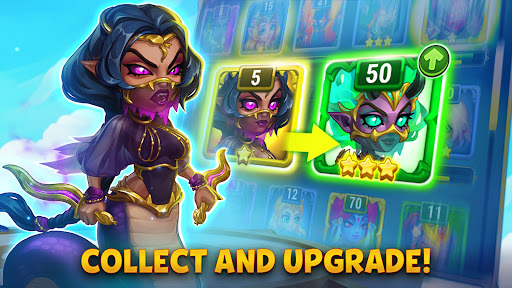
Hero Wars: Alliance no es un RPG como los demás. Es una prueba de estrategia, táctica y determinación. Reúne un equipo de héroes aliados, mejora sus habilidades, predice los movimientos del enemigo y lleva a tu ejército a la victoria.
• ENCUENTRA LAS COMBINACIONES DE HÉROES MÁS FUERTES
En Hero Wars: Alliance hay más de 80 héroes únicos, cada uno de ellos perteneciente a una de las seis facciones: Caos, Eternidad, Honor, Misterio, Naturaleza y Progreso. Cada facción tiene sus propias características y estilo de juego. Aprende habilidades de héroe, encuentra combinaciones inesperadas y aprovecha los puntos débiles del enemigo para cambiar las tornas de la batalla.
Reúne un equipo equilibrado, piensa bien tus tácticas y libera el potencial de tus guerreros para ganar en desafíos JcE y batallas JcJ. ¡Juega como un astuto ingeniero, un poderoso mago o cualquier otro personaje de las seis facciones!
• Domina en JcJ
Lucha en duelos JcJ en la Arena, ¡domina sobre tus rivales y llega a lo más alto de la clasificación de la Arena! Desafía a héroes de todo el mundo y demuestra que es tu equipo el que merece la gloria.
• Compite en el Draft de leyendas
Elige un equipo de héroes aleatorios pero completamente nivelados para ganar en este modo JcJ. Gana el jugador cuyo equipo consiga imponerse primero. ¡En el Draft de leyendas, todo gira en torno a la táctica!
• Completa todos los niveles de los desafíos JcE
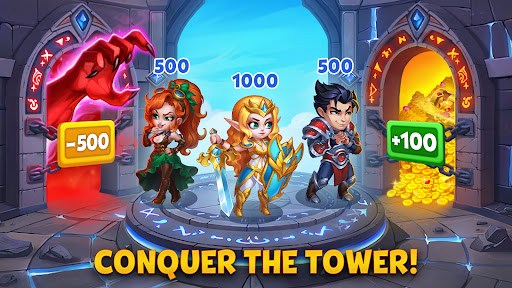
Enfréntate a poderosos jefes en la Torre, que tiene numerosos niveles. ¡Después de cada combate, tienes que elegir una mejora que te ayude a ganar el siguiente! ¡Llega a la cima de la Torre y consigue un valioso botín!
• Únete a un gremio
¡Crea tu propio gremio o únete a uno ya existente! Participa en las Guerras de gremios para llegar a la liga superior y luchar en el Choque de mundos.
• Explora el mundo de Dominion en las Aventuras de Hero Wars
Las Aventuras son eventos de duración limitada con una historia apasionante y batallas épicas. ¡Embárcate en las Aventuras en Dominion, completa misiones, mata jefes y consigue recompensas únicas!
• Participa en las batallas de titanes de Hero Wars
Los titanes son criaturas formidables que ejercen el poder de los elementos. ¡Reúne titanes de fuego, agua, tierra, luz y oscuridad, combate en las batallas de titanes y gana las Guerras de gremios!
¿Estás listo para la batalla? ¡Elige guerreros, predice los movimientos del enemigo y lleva a tu equipo a la victoria!