Inicio de sesión requerido
Inicia sesión con tu cuenta de iOSGods para continuar.
Inicia sesión con tu cuenta de iOSGods para continuar.
Hack Features
- Currency Multiplier
- Can upgrade items with any item
- Can copy items with another item
- Can Split an item with another item
- Refresh store to get Gems.
Esta app también incluye iGameGod, que te ofrece acceso a Auto Touch para automatizar tareas repetitivas, App Speed Manager para ajustar la velocidad del juego, edición de valores con Memory Engine y más potentes herramientas para juegos de iOS.
Descarga Happy Merge Home Hack modded IPA desde los enlaces de arriba. Toca el botón de instalación y sigue las instrucciones para instalar este hack iOS en tu iPhone, iPad o Mac con Apple Silicon.
¿Necesitas más ayuda? Consulta nuestras Preguntas frecuentes de la app iOSGods para respuestas detalladas y consejos de solución de problemas.
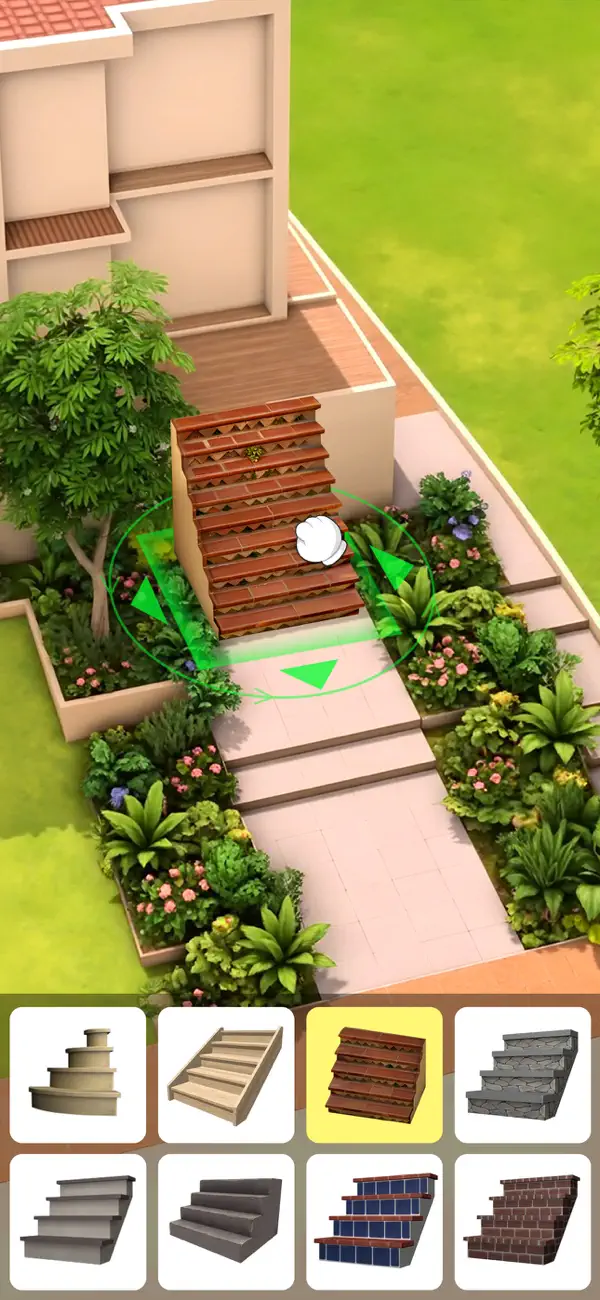
EspañolHappy Merge Home, un juego que combina integración y decoración. Al completar misiones, puedes encontrar una variedad de elementos nuevos, combinarlos en herramientas útiles, crear un diseño único para cada habitación y construir la casa de tus sueños según la visión de tu propio diseñador y tu imaginación salvaje.
Características del juego:
- Materiales de decoración exquisitos: tan pequeños como un clavo, un ladrillo, una baldosa, tan grandes como una silla, un armario, una aspiradora.
- Cultiva tus habilidades únicas de diseño de interiores: comienza a diseñar y decorar desde una casa sucia y ruinosa, selecciona el estilo del piso, diseña la distribución de los muebles, selecciona accesorios, ordena e integra colores y transforma una habitación desierta en una casa acogedora en tu sueño.
- Una forma fácil y divertida de fusionarse: en este fascinante juego, completa las tareas de cada nivel una por una, encuentra cientos de elementos únicos y combina materiales y herramientas para realizar trabajos de reparación y crear un nuevo diseño de hogar.
- Experiencia de juego relajante: con gráficos 3D detallados, calidad de imagen de alta calidad y música tranquila, ¡te brindan efectos visuales y auditivos únicos! No hay mecánicas de juego que te castiguen, juega a tu propio ritmo con una experiencia de juego relajante, satisfactoria y que alivia el estrés.
Más detalles
- Hay personajes encantadores a lo largo del juego y conversaciones interesantes entre ellos.
- Actualizaciones y correcciones periódicas para que la experiencia del jugador sea mejor y más agradable.
No importa cuál sea el estilo, siempre hay más elementos para sintetizar, más recompensas para recolectar y más áreas para explorar. ¡Eres el mejor diseñador y hay una mansión vacía esperando que demuestres tus habilidades!
Es hora de comenzar tu viaje de diseño. Una vez que pruebes Happy Merge Home, te olvidarás de otros juegos de fusión. ¡Disfruta de este colorido juego de fusión en el que puedes diseñar la casa de tus sueños!
- iPhone o iPad con o sin Jailbreak.
- Sideloadly u otras alternativas.
- Ordenador con Windows/macOS/Linux e iTunes instalado.
PASO 1: Descargue el archivo .IPA pre-modificado desde el enlace de arriba a su ordenador. Para descargarlo desde la iOSGods App, consulte nuestro Tutorial de descarga del IPA desde la iOSGods App, que incluye un ejemplo en vídeo.
PASO 2: Descargue Sideloadly e instálelo en su Windows o Mac.
PASO 3: Abra Sideloadly en su ordenador, conecte su dispositivo iOS y espere hasta que el nombre del dispositivo aparezca en Sideloadly.
PASO 4: Una vez que su iDevice sea reconocido, arrastre el archivo .IPA modificado que descargó y suéltelo en la aplicación Sideloadly.
PASO 5: Introduzca el correo electrónico de su Apple Account y, a continuación, pulse «Start». Le pedirá que introduzca su contraseña. Proporcione la información solicitada.
PASO 6: Espere a que Sideloadly termine de hacer sideload/instalar el IPA modificado. Si surgen problemas durante la instalación, por favor lea la nota a continuación.
PASO 7: Una vez completada la instalación y al ver la app en la pantalla de inicio, deberá ir a Ajustes → General → Perfiles / VPN y Gestión de Dispositivos. Una vez allí, toque el correo electrónico que introdujo en el paso 6 y, después, toque en «Confiar en [email protected]».
PASO 8: Ahora vaya a la pantalla de inicio y abra la app recién instalada; todo debería funcionar correctamente. Es posible que tenga que seguir instrucciones adicionales específicas de cada app dentro del popup del hack en el juego.
NOTA: En iOS/iPadOS 16 y posteriores, debe activar el Modo Desarrollador. Para cuentas gratuitas de Apple Developer, deberá repetir este proceso cada 7 días. Si tiene alguna pregunta o problema, lea nuestra sección de Preguntas Frecuentes de Sideloadly del tema.