Play FREE with ads or unlock more in the gamehouse+ app! Get GH+ Free to access 100+ games with ads, or go GH+ VIP for ad-free play, offline access, in-game perks & more!
Join Emily on a tasty Time Management adventure! Step back in time to discover the restaurants that helped shape Emily into the talented chef and restaurateur she is today.
Whether you're a longtime fan or new to her world, you can now explore the origins of Emily's cooking journey across 8 unique restaurants.
Guide Emily as she masters a variety of cuisines—from comforting American classics to vibrant Mexican dishes and bold Indian flavors. With your help, Emily will hone her cooking skills and whip up delicious dishes to serve to hungry customers.
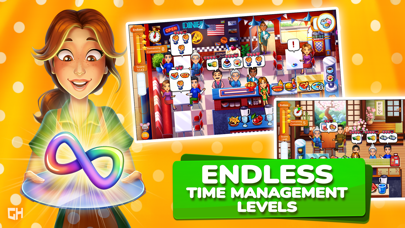
Tackle 80 Time Management cooking levels and unlock Endless mode for infinite culinary fun. Challenge yourself with a variety of engaging mini-games, hire handy waitstaff, upgrade menu items, decorate each restaurant, and much more!
FEATURES:
- Play 80 Time Management levels!
- Discover 8 unique restaurants.
- Unlock Endless levels!
- Enjoy engaging mini-games.
- Cook a variety of global cuisines.
- Serve hungry customers.
- Employ a trusty waiter, entertainer, and cleaner.
- Upgrade menu items.
- Unlock interior upgrades.
- Decorate each restaurant!
NEW! Find your perfect way to play with the gamehouse+ app! Enjoy 100+ games for free with ads as a GH+ Free member or upgrade to GH+ VIP for ad-free play, offline access, exclusive in-game perks, and more. gamehouse+ isn't just another gaming app—it's your playtime destination for every mood and every 'me-time' moment. Subscribe today!
More about GH+ Free Subscriptions:
- Subscribe to play this game and other games for free with ads
- Enjoy no in-app purchases in tons of games
- Play select Instant Play Games directly in the app
- No subscription payment required—just sign up and start playing!
More about GH+ VIP Subscriptions:
- Subscribe to unlock ad-free access to this and all other gamehouse+ games
- gamehouse+ offers a choice of two subscriptions: monthly and yearly
- Monthly subscriptions will be charged at $9.99/month*
- Yearly subscriptions will be charged at $89.99/year*
- You will be able to access all gamehouse+ games and GH+ VIP perks for the duration of your subscription
- Payment will be charged to your iTunes Account at purchase confirmation
- Subscriptions automatically renew unless auto-renew is turned off at least 24 hours before the end of the current period
- Account will be charged for renewal up to 24 hours prior to the end of the current period
- Subscriptions may be managed by the user, and auto-renewal may be turned off by going to the user's Account Settings after purchase
- Any unused portion of a free trial period, if offered, will be forfeited when the user purchases a subscription to that publication, where applicable
* Prices are equal to the value that 'Apple's App Store Matrix' determines is the equivalent subscription price in $USD
By using gamehouse+, you agree to our Terms of Service and Privacy Policy.
Terms of Service: https://www.gamehouseoriginalstories.com/static/terms-of-service.html
Privacy Policy: https://www.gamehouseoriginalstories.com/static/privacy-policy.html
在 iOS App Store 中查看







![Arrow Rush: Archer Roguelike [ Debug Menu ]](https://is1-ssl.mzstatic.com/image/thumb/Purple221/v4/3d/94/19/3d9419d5-db6e-9bf1-fb8c-a3a48d74b629/AppIcon-0-0-1x_U007emarketing-0-8-0-85-220.png/100x100bb.jpg)


