Inicio de sesión requerido
Inicia sesión con tu cuenta de iOSGods para continuar.
Inicia sesión con tu cuenta de iOSGods para continuar.
Sube al plato y golpea jonrones ilimitados en Homerun Clash Mod IPA, donde cada swing conecta con poder crítico. Entrena bateadores únicos, compite en partidas en tiempo real contra jugadores de todo el mundo y domina la competencia con este hack modificado que transforma tu juego de bateo.
- Swing Siempre Crítico → cada golpe aterriza con poder máximo
- Punto de Adición Personalizado → ajusta la puntuación a tu favor
Esta app también incluye iGameGod, que te ofrece acceso a Auto Touch para automatizar tareas repetitivas, App Speed Manager para ajustar la velocidad del juego, edición de valores con Memory Engine y más potentes herramientas para juegos de iOS.
Descarga Homerun Clash Hack modded IPA desde los enlaces de arriba. Toca el botón de instalación y sigue las instrucciones para instalar este hack iOS en tu iPhone, iPad o Mac con Apple Silicon.
¿Necesitas más ayuda? Consulta nuestras Preguntas frecuentes de la app iOSGods para respuestas detalladas y consejos de solución de problemas.
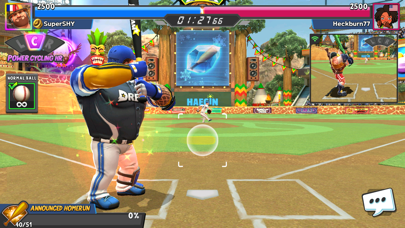
# ¡Jonrón fácil y sencillo para todos!
¡Un super jonrón con solo presionar y soltar!
¡Supera a tu oponente con un jonrón más poderoso!
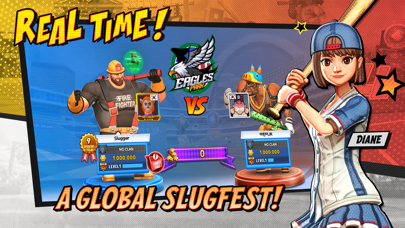
# Partidos en vivo con bateadores de todo el mundo
¡Duelo contra los super bateadores del mundo donde y cuando sea!
¡Disfruta de un increíble partido breve pero con impacto!
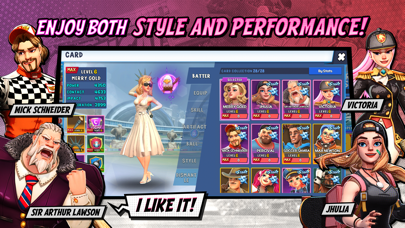
# Entrenar a mi super bateador
¿Espía, animador, luchador...?
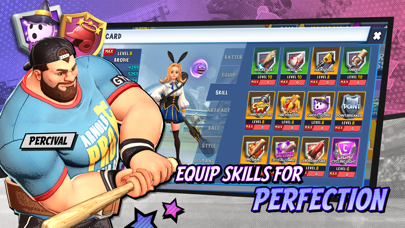
¡Entrena a bateadores con habilidades únicas y utiliza poderosos equipamientos!
# Contenido de diversos partidos
- Modo 1vs1: ¡La esencia del juego! Modo de partido en vivo 1vs1
- Battle Royale: ¡Más intenso! Modo de supervivencia en línea para 4 jugadores
- Modo Desafío: ¡Un partido para precalentar solo! Modo de competencia de puntaje individual
- Modo Aventura: ¿Cuáles son tus límites? Modo individual de niveles
- Modo Historia: ¿Quieres conocer las historias de los jugadores? Modo Historia
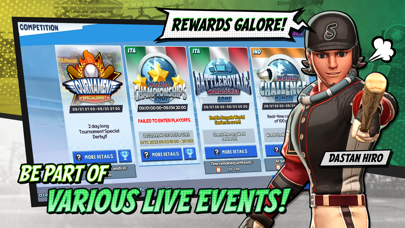
# Contenido de torneo más intenso
- Torneo: ¡Las recompensas se vuelven épicas! Festival periódico de bateadores
- Campeonato Mundial: Torneo especial 1vs1 que se realiza en todo el mundo
- Battle Royale World Series: Torneo especial Battle Royale que se realiza en todo el mundo
- Desafío Mundial: Torneo de supervivencia donde participan 100 super bateadores a la vez
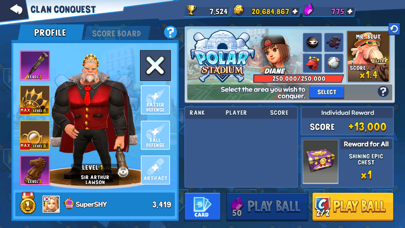
- Batalla de Clanes: ¡Únete a un clan y disfrutemos juntos! Modo de competencia entre clanes
※ El uso de programas ilegales, aplicaciones modificadas y otros métodos no autorizados para acceder al juego puede dar lugar a restricciones de servicio, eliminación de cuentas y datos del juego, reclamos de indemnización por daños y otros remedios que se consideren necesarios según la política de Términos de Servicio.
[Contáctanos y síguenos en nuestras redes sociales]
- Correo electrónico: [email protected]
- Página de Facebook oficial: https://www.facebook.com/HomerunClash/
- Cuenta de Instagram oficial: https://www.instagram.com/homerunclash/
- Cuenta de Twitter oficial: https://twitter.com/HomerunClash
--------------------
¡IMPORTANTE!
--------------------
Jugar a Homerun Clash es gratis, pero se pueden comprar algunos elementos del juego con dinero real.
Si no quieres contar con esta característica, desactiva las compras en la aplicación en los ajustes de tu dispositivo.
Se necesita conexión a internet para descargar el juego y para jugar.
- iPhone o iPad con o sin Jailbreak.
- Sideloadly u otras alternativas.
- Ordenador con Windows/macOS/Linux e iTunes instalado.
PASO 1: Descargue el archivo .IPA pre-modificado desde el enlace de arriba a su ordenador. Para descargarlo desde la iOSGods App, consulte nuestro Tutorial de descarga del IPA desde la iOSGods App, que incluye un ejemplo en vídeo.
PASO 2: Descargue Sideloadly e instálelo en su Windows o Mac.
PASO 3: Abra Sideloadly en su ordenador, conecte su dispositivo iOS y espere hasta que el nombre del dispositivo aparezca en Sideloadly.
PASO 4: Una vez que su iDevice sea reconocido, arrastre el archivo .IPA modificado que descargó y suéltelo en la aplicación Sideloadly.
PASO 5: Introduzca el correo electrónico de su Apple Account y, a continuación, pulse «Start». Le pedirá que introduzca su contraseña. Proporcione la información solicitada.
PASO 6: Espere a que Sideloadly termine de hacer sideload/instalar el IPA modificado. Si surgen problemas durante la instalación, por favor lea la nota a continuación.
PASO 7: Una vez completada la instalación y al ver la app en la pantalla de inicio, deberá ir a Ajustes → General → Perfiles / VPN y Gestión de Dispositivos. Una vez allí, toque el correo electrónico que introdujo en el paso 6 y, después, toque en «Confiar en [email protected]».
PASO 8: Ahora vaya a la pantalla de inicio y abra la app recién instalada; todo debería funcionar correctamente. Es posible que tenga que seguir instrucciones adicionales específicas de cada app dentro del popup del hack en el juego.
NOTA: En iOS/iPadOS 16 y posteriores, debe activar el Modo Desarrollador. Para cuentas gratuitas de Apple Developer, deberá repetir este proceso cada 7 días. Si tiene alguna pregunta o problema, lea nuestra sección de Preguntas Frecuentes de Sideloadly del tema.