Inicio de sesión requerido
Inicia sesión con tu cuenta de iOSGods para continuar.
Inicia sesión con tu cuenta de iOSGods para continuar.

- ADS NO [ Rewards Free ]
- Speed 5X Active
- Currency Unlimited +10 [ Earn & Spend Some ] ViP
- Hero Unlocked
- Enemy ATK 0
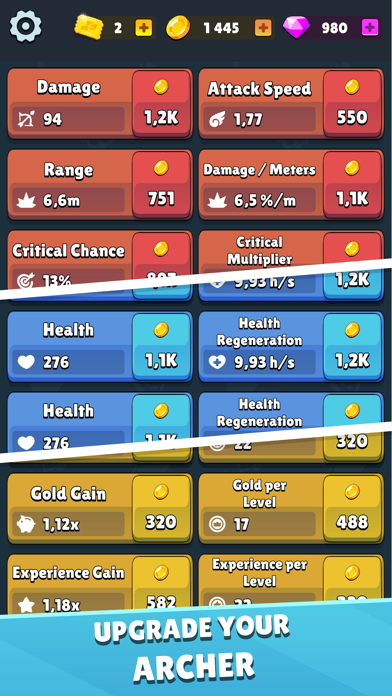
- Talents Status [ HP DMG Mana Etc. ] Just One Upgrade [ DMG ] Only After GoTo Battle And Use
Esta app también incluye iGameGod, que te ofrece acceso a Auto Touch para automatizar tareas repetitivas, App Speed Manager para ajustar la velocidad del juego, edición de valores con Memory Engine y más potentes herramientas para juegos de iOS.
Descarga Idle Archer Tower Defense RPG Hack modded IPA desde los enlaces de arriba. Toca el botón de instalación y sigue las instrucciones para instalar este hack iOS en tu iPhone, iPad o Mac con Apple Silicon.
¿Necesitas más ayuda? Consulta nuestras Preguntas frecuentes de la app iOSGods para respuestas detalladas y consejos de solución de problemas.
Funciones del juego:
Modo de juego de defensa de torre sencillo y adictivo
Idle Archer es un juego de defensa de torre incremental en el que tomas el papel de un arquero que defiende su torre contra loleadas de monstruos. La derrota es una parte crucial del juego, ¡recoge botines y cartas, mejora tu torre y tu arquero y vuelve a intentarlo!
Juego idle con elementos de estrategia y RPG
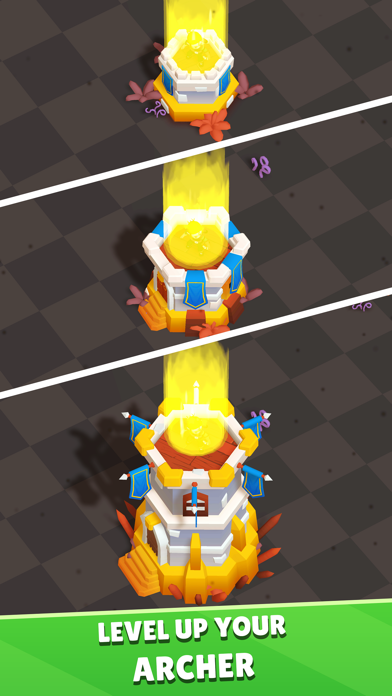
Invierte el valioso oro para mejorar permanentemente a tu arquero
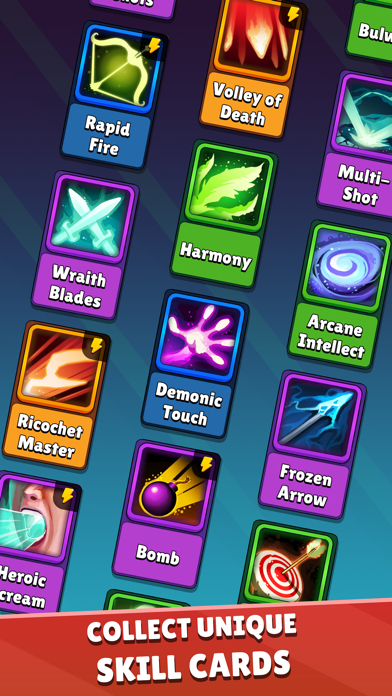
Colecciona potentes cartas de habilidad únicas que te ofrecen distintos estilos de juego
Como en todos los juegos de estrategia, pon a prueba tu destreza en batalla
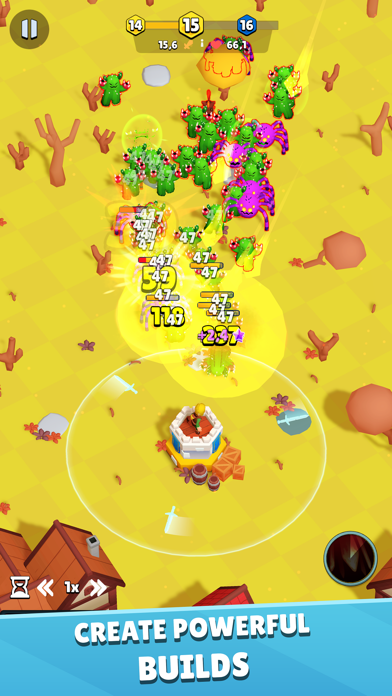
Lucha contra oleadas de monstruos malvados y derrota a los jefes
Defiende tu torre y recuerda: ¡cuando mueras, usa lo que has aprendido y vuelve a luchar! ¿Serás el arquero elegido en este nuevo juego idle?
Este es el juego de torre que quieres descargar y el mejor RPG de torre para jugar en el móvil. ¡Los juegos de defensa de torre y los juegos de torres nunca han sido más divertidos y llenos de acción!
Conviértete en héroe arquera luchando contra los monstruos malvados de tu torre mientras te persiguen en un battle royal del bien contra el mal. Es DT en su mejor combinación con los RPG: ¿podrás convertirte en el rey o la reina de este juego? Pero no tengas prisa, aprende de tus derrotas y recoge botín y dinero para mejorar tu defensa de la torre y prepararte para más acción de batalla RPG.
Puedes pasar de éxito a fracaso en un momento, pero vuelve a intentarlo y no abandones tu torre. La torre es tuya para mejorarla y defenderla en la acción de batalla RPG. Intentarán cazarte en un battle royale, pero no dejes que te derroten. Tampoco estés ausente, en este juego de acción de batalla battle royale RPG tienes prisa, así que sigue luchando y mejorando tu arquero.
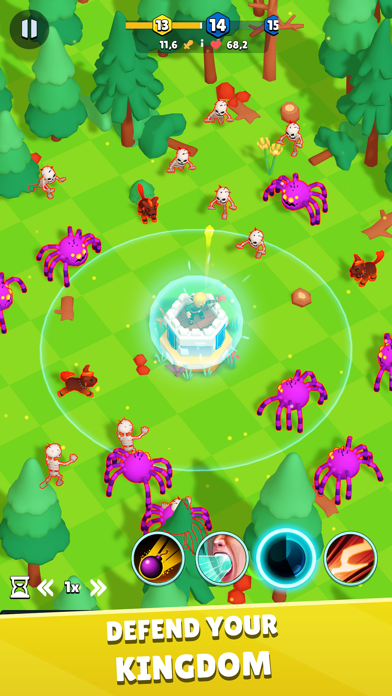
Este es tu reino, defiéndelo con todo tu poder contra los monstruos malvados. Mejora tus cartas cuando puedas usar botín y dinero y tu torre estará lista para la acción de batalla RPG. Es un juego de defensa de torre (¿o era defender la torre...? ¡Nunca se sabe!), y es este juego de arquero idle incremental, con su acción de RPG y de acción de batalla interminables, vas a cazar y tienes prisa por salvar tu torre. No seas un arquero inactivo, sé un arquero de acción para que los monstruos malvados no ganen la batalla. ¡Puedes conseguirlo!
- iPhone o iPad con o sin Jailbreak.
- Sideloadly u otras alternativas.
- Ordenador con Windows/macOS/Linux e iTunes instalado.
PASO 1: Descargue el archivo .IPA pre-modificado desde el enlace de arriba a su ordenador. Para descargarlo desde la iOSGods App, consulte nuestro Tutorial de descarga del IPA desde la iOSGods App, que incluye un ejemplo en vídeo.
PASO 2: Descargue Sideloadly e instálelo en su Windows o Mac.
PASO 3: Abra Sideloadly en su ordenador, conecte su dispositivo iOS y espere hasta que el nombre del dispositivo aparezca en Sideloadly.
PASO 4: Una vez que su iDevice sea reconocido, arrastre el archivo .IPA modificado que descargó y suéltelo en la aplicación Sideloadly.
PASO 5: Introduzca el correo electrónico de su Apple Account y, a continuación, pulse «Start». Le pedirá que introduzca su contraseña. Proporcione la información solicitada.
PASO 6: Espere a que Sideloadly termine de hacer sideload/instalar el IPA modificado. Si surgen problemas durante la instalación, por favor lea la nota a continuación.
PASO 7: Una vez completada la instalación y al ver la app en la pantalla de inicio, deberá ir a Ajustes → General → Perfiles / VPN y Gestión de Dispositivos. Una vez allí, toque el correo electrónico que introdujo en el paso 6 y, después, toque en «Confiar en [email protected]».
PASO 8: Ahora vaya a la pantalla de inicio y abra la app recién instalada; todo debería funcionar correctamente. Es posible que tenga que seguir instrucciones adicionales específicas de cada app dentro del popup del hack en el juego.
NOTA: En iOS/iPadOS 16 y posteriores, debe activar el Modo Desarrollador. Para cuentas gratuitas de Apple Developer, deberá repetir este proceso cada 7 días. Si tiene alguna pregunta o problema, lea nuestra sección de Preguntas Frecuentes de Sideloadly del tema.