تسجيل الدخول مطلوب
سجّل الدخول بحساب iOSGods للمتابعة.
سجّل الدخول بحساب iOSGods للمتابعة.
- Freeze Coins
- Freeze Gems
- Freeze Hearts
يأتي هذا التطبيق أيضًا مع iGameGod، مما يتيح لك الوصول إلى Auto Touch لأتمتة المهام المتكررة، وApp Speed Manager لضبط سرعة اللعب، وتعديل القيم عبر Memory Engine، والمزيد من أدوات ألعاب iOS القوية.
قم بتنزيل MY LITTLE PONY: MAGIC PRINCESS iOS Mod IPA من الروابط أعلاه. اضغط على زر التثبيت واتبع التعليمات لتثبيت هذا التعديل لـ iOS على iPhone أو iPad أو Apple Silicon.
هل تحتاج إلى مزيد من المساعدة؟ راجع الأسئلة الشائعة لتطبيق iOSGods للحصول على إجابات مفصلة ونصائح لاستكشاف الأخطاء.
¡Prepárate para la aventura con Twilight Sparkle y sus amigos!
Tras haber estado encerrada en la luna durante siglos, ¡Nightmare Moon ha sido liberada y está expandiendo la noche en Ponyville! Solo Twilight Sparkle y sus amigos pueden liberar Ponyville de su control y devolver la luz y la amistad a su tierra. ¡Ayúdalos a reconstruir la ciudad y a cumplir sus sueños con misiones emocionantes!
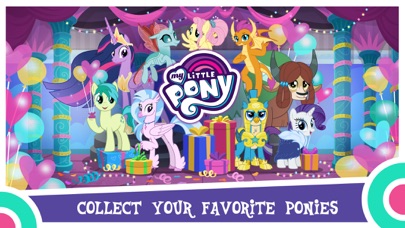
* Tus ponis favoritos están aquí: Rainbow Dash, Fluttershy, Applejack ¡y más!
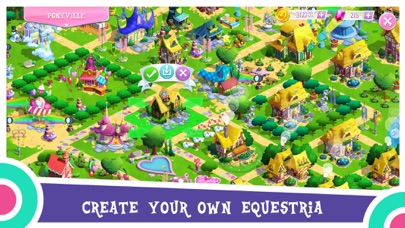
* Haz que tu Ponyville sea el lugar más mágico de Equestria y explora Sweet Apple Acres, Crystal Empire, Klugetown, Changeling Kingdom, Everfree Forest y Canterlot.
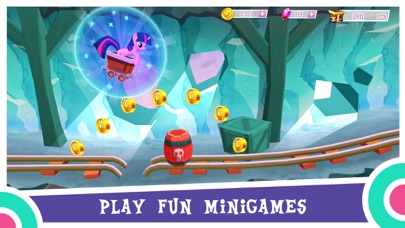
* Juega a divertidos minijuegos con tus ponis: Botar la pelota, Recoger manzanas, Alas mágicas, Telescopio, Mina de cristal y el juego de baile Chicas de Equestria.
* ¡Disfruta en el juego de las voces oficiales de la serie de televisión!
_____________________________________________
Este juego está disponible para descargar y jugar de forma gratuita. También permite jugar utilizando divisas virtuales, que pueden adquirirse avanzando en el juego, viendo anuncios o comprándolas con dinero real. Las compras divisas usando dinero real se realizan con una tarjeta de crédito, u otra forma de pago asociada a su cuenta, al introducir la contraseña de iTunes. No se les pedirá que vuelvan a introducir los datos de su tarjeta de crédito o el PIN. Una vez introducida la contraseña de iTunes, su cuenta permitirá realizar compras dentro de la aplicación durante 15 minutos. Para restringir o desactivar las compras dentro de la aplicación, cambien los ajustes en su dispositivo.
Este juego contiene anuncios de productos de Gameloft o de terceros que le redirigirán a sitios de terceros. Puede desactivar la función que permite que el identificador de publicidad de su dispositivo sea utilizado para mostrar anuncios basados en intereses en el menú de ajustes de su dispositivo. Puede encontrar esta opción en Ajustes -> Privacidad -> Publicidad.
Algunas características de este juego necesitarán una conexión a Internet.
_____________________________________________
No olvides seguirnos en las redes sociales:
Instagram: https://gmlft.co/MLP-Instagram-Official
YouTube: https://gmlft.co/MLP-YouTube
Twitter: http://gmlft.co/SNS_TW_ES
Esta aplicación permite comprar objetos virtuales dentro de ella y puede contener anuncios de terceros que pueden redirigirle a un sitio de terceros.
Términos de uso: http://www.gameloft.com/es/conditions-of-use
Política de privacidad: http://www.gameloft.com/es/privacy-notice
Acuerdo de licencia de usuario final: http://www.gameloft.com/es/eula

- iPhone أو iPad بجيلبريك أو بدون جيلبريك.
- Sideloadly أو بدائلها.
- كمبيوتر يعمل بنظام Windows/macOS/Linux مع تثبيت iTunes.
الخطوة 1: قم بتنزيل ملف .IPA المعدّل مسبقًا من الرابط أعلاه إلى الكمبيوتر الخاص بك. للتنزيل من تطبيق iOSGods App، اطلع على دليل تنزيل IPA من تطبيق iOSGods App الذي يتضمن مثالًا بالفيديو.
الخطوة 2: قم بتنزيل Sideloadly وتثبيته على جهاز Windows أو Mac.
الخطوة 3: افتح Sideloadly على الكمبيوتر، ووصّل جهاز iOS الخاص بك، وانتظر حتى يظهر اسم جهازك داخل Sideloadly.
الخطوة 4: بمجرد التعرّف على جهاز iDevice الخاص بك، اسحب ملف .IPA المعدّل الذي قمت بتنزيله وأفلِته داخل تطبيق Sideloadly.
الخطوة 5: أدخل البريد الإلكتروني لحساب Apple Account الخاص بك، ثم اضغط على «Start». سيُطلب منك بعد ذلك إدخال كلمة المرور. تابع وأدخل المعلومات المطلوبة.
الخطوة 6: انتظر حتى ينتهي Sideloadly من تحميل/تثبيت ملف IPA المعدّل. في حال واجهت أي مشاكل أثناء التثبيت، يرجى قراءة الملاحظة أدناه.
الخطوة 7: بعد اكتمال التثبيت ورؤية التطبيق على الشاشة الرئيسية، انتقل إلى Settings → General → Profiles / VPN & Device Management. ثم اضغط على البريد الإلكتروني الذي أدخلته في الخطوة 6، ثم اضغط على «الوثوق بـ [email protected]».
الخطوة 8: الآن انتقل إلى الشاشة الرئيسية وافتح التطبيق الذي تم تثبيته للتو وسيعمل كل شيء بشكل صحيح. قد تحتاج إلى اتباع تعليمات إضافية خاصة بكل تطبيق داخل النافذة المنبثقة للتعديل أثناء اللعب.
ملاحظة: بدءًا من iOS/iPadOS 16 وما بعده، يجب تفعيل وضع المطور (Developer Mode). بالنسبة لحسابات Apple Developer المجانية، ستحتاج إلى تكرار هذه العملية كل 7 أيام. إذا كانت لديك أي أسئلة أو مشاكل، يرجى قراءة قسم الأسئلة الشائعة حول Sideloadly في الموضوع.
![Virtual Villagers 7 iOS Mod IPA [ Cheats Menu ]](https://is1-ssl.mzstatic.com/image/thumb/Purple221/v4/f1/73/db/f173db9a-cf5b-bedb-7f93-33f7469f8157/AppIcon-0-0-1x_U007emarketing-0-8-0-85-220.png/100x100bb.jpg)


