Inicio de sesión requerido
Inicia sesión con tu cuenta de iOSGods para continuar.
Inicia sesión con tu cuenta de iOSGods para continuar.

- No Ads
- Add Tokens
- Make Me VIP
- Spawn Bomb
- Spawn Coin Block
- Spawn Bomb
- Spawn Coin Block
- Spawn Special Blocks
- Unlock All Puzzles
- Infinite Moves
- Freeze Challenge Moves
- Disable Timer for Challenge
Esta app también incluye iGameGod, que te ofrece acceso a Auto Touch para automatizar tareas repetitivas, App Speed Manager para ajustar la velocidad del juego, edición de valores con Memory Engine y más potentes herramientas para juegos de iOS.
Descarga Tap Away 3D Hack modded IPA desde los enlaces de arriba. Toca el botón de instalación y sigue las instrucciones para instalar este hack iOS en tu iPhone, iPad o Mac con Apple Silicon.
¿Necesitas más ayuda? Consulta nuestras Preguntas frecuentes de la app iOSGods para respuestas detalladas y consejos de solución de problemas.
Tap Away 3D is brought to you by Popcore, makers of hit puzzle games with more than 250 million combined installs!
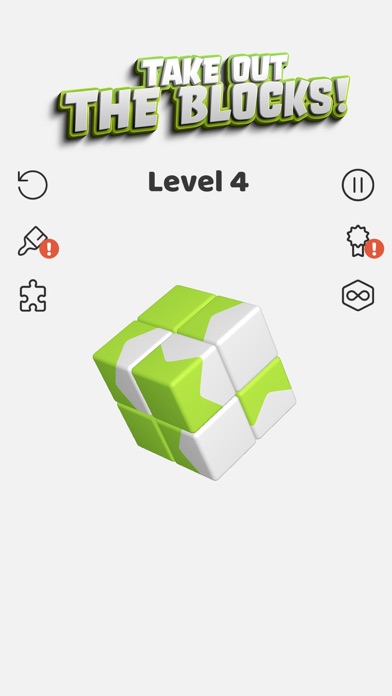
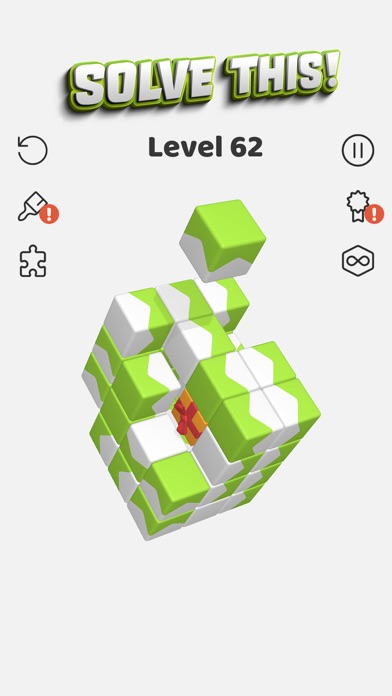
Tap Away 3D is a fun and addictive 3D puzzle game, but it’s more than just that - it’s a brain teaser that will take you to the next level!
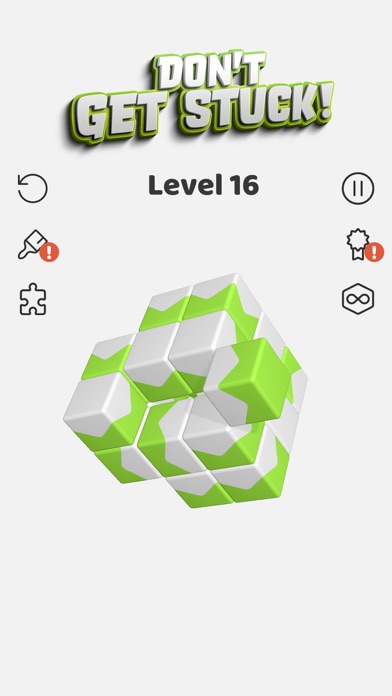
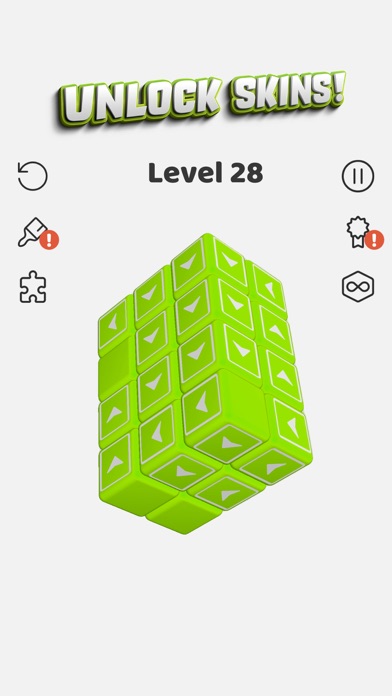
Tap the blocks to make them fly away and clear the screen. But the blocks will only fly in one direction, so you’ve got to approach this brain teaser carefully! Slide your finger around the screen to rotate the shape and attack the blocks from every angle! As you progress, the blocks form bigger and bigger shapes, and the blocks themselves change form, so you’ll need to get your thinking hat on to solve the puzzles in this 3D puzzle game. And that’s not it! There are skins and themes you can unlock as you get further, as well as challenges to keep you on your toes. In this fun and colorful game, you challenge your logic, critical thinking, and precision. Do you have what it takes?
WITH TAP AWAY 3D YOU CAN
▶ PLAY the full 3D puzzle game experience offline and on the go.
▶ SWIPE to rotate the shape and choose your next move.
▶ TAP the blocks to clear the level.
▶ CUSTOMIZE your blocks with different skins and themes.
▶ REACH the top!
WHY PLAY TAP AWAY 3D?
▶ RELIEVE your stress.
▶ TEASE your brain with the satisfying taps.
▶ PRACTICE your critical thinking!
▶ LEARN the tricks to ensure Tap Away glory!
▶ ENJOY cool skins and themes to customize your journey!
What are you waiting for? Challenge your brain with this tricky game right now!
TALK TO US
Join your TAP AWAY 3D crew on
▶ Web: https://popcore.com/
▶ Instagram: https://www.instagram.com/popcore
▶ TikTok: https://www.tiktok.com/@popcore
▶ Twitter: https://twitter.com/PopcoreOfficial
▶ Youtube: https://www.youtube.com/channel/UCq1BDUD72Rv7dXov7WtR9Og
DOWNLOAD AND PLAY NOW - Join this fun and satisfying puzzle game and tap away the blocks!
- iPhone o iPad con o sin Jailbreak.
- Sideloadly u otras alternativas.
- Ordenador con Windows/macOS/Linux e iTunes instalado.
PASO 1: Descargue el archivo .IPA pre-modificado desde el enlace de arriba a su ordenador. Para descargarlo desde la iOSGods App, consulte nuestro Tutorial de descarga del IPA desde la iOSGods App, que incluye un ejemplo en vídeo.
PASO 2: Descargue Sideloadly e instálelo en su Windows o Mac.
PASO 3: Abra Sideloadly en su ordenador, conecte su dispositivo iOS y espere hasta que el nombre del dispositivo aparezca en Sideloadly.
PASO 4: Una vez que su iDevice sea reconocido, arrastre el archivo .IPA modificado que descargó y suéltelo en la aplicación Sideloadly.
PASO 5: Introduzca el correo electrónico de su Apple Account y, a continuación, pulse «Start». Le pedirá que introduzca su contraseña. Proporcione la información solicitada.
PASO 6: Espere a que Sideloadly termine de hacer sideload/instalar el IPA modificado. Si surgen problemas durante la instalación, por favor lea la nota a continuación.
PASO 7: Una vez completada la instalación y al ver la app en la pantalla de inicio, deberá ir a Ajustes → General → Perfiles / VPN y Gestión de Dispositivos. Una vez allí, toque el correo electrónico que introdujo en el paso 6 y, después, toque en «Confiar en [email protected]».
PASO 8: Ahora vaya a la pantalla de inicio y abra la app recién instalada; todo debería funcionar correctamente. Es posible que tenga que seguir instrucciones adicionales específicas de cada app dentro del popup del hack en el juego.
NOTA: En iOS/iPadOS 16 y posteriores, debe activar el Modo Desarrollador. Para cuentas gratuitas de Apple Developer, deberá repetir este proceso cada 7 días. Si tiene alguna pregunta o problema, lea nuestra sección de Preguntas Frecuentes de Sideloadly del tema.




![[VIP] Andy Volcano: Tile Match Story Hack](https://is1-ssl.mzstatic.com/image/thumb/Purple211/v4/50/c5/d0/50c5d0f8-a137-ade7-9074-f3fb9544d525/AppIcon-0-0-1x_U007emarketing-0-8-0-85-220.png/100x100bb.jpg)


![[VIP] Brave Merge - Battle & Defense Hack](https://is1-ssl.mzstatic.com/image/thumb/Purple211/v4/81/8d/ce/818dcea0-a5a9-1bd5-f04a-068336537336/AppIcon-0-0-1x_U007emarketing-0-8-0-85-220.png/100x100bb.jpg)