Inicio de sesión requerido
Inicia sesión con tu cuenta de iOSGods para continuar.
Inicia sesión con tu cuenta de iOSGods para continuar.

Multiplica tu daño y domina las hordas de no-muertos de Bestia con este hack Tailed Demon Slayer Mod IPA, que acumula aumentos de daño, defensa y velocidad de ataque para convertirte en una fuerza imparable.
Una vez activado, avanzarás sin problemas a través de las fases de grinding del RPG inactivo con monedas ilimitadas, habilidades y reliquias al máximo, y la capacidad de saltar 100 etapas de una vez, permitiéndote enfocarte en la estrategia y las batallas contra jefes en lugar de esperar tiempos de espera o cultivar recursos.
- Multiplicador de Daño → amplifica el poder de ataque de tu héroe
- Multiplicador de Defensa → reduce significativamente el daño recibido
- Sin Tiempo de Espera de Habilidades → lanza habilidades instantáneamente sin esperar
- Multiplicador de Velocidad de Ataque → golpea a los enemigos más rápido
- Multiplicador de Velocidad de Movimiento → navega el campo de batalla más rápidamente
- Agregar ViP (Ve a Configuración → Haz Clic en Guardar Datos) → desbloquea beneficios de cuenta premium
- Agregar Mascota (Ve a Configuración → Haz Clic en Guardar Datos) → invoca un compañero para ayudarte
- Agregar Punto de Carta (Ve a Configuración → Haz Clic en Guardar Datos) → potencia tu colección de cartas
- Agregar Caja (Ve a Configuración → Haz Clic en Guardar Datos) → obtén contenedores de botín adicionales
- Agregar Todos los Objetos (Ve a Configuración → Haz Clic en Guardar Datos) → adquiere instantáneamente todos los objetos del juego
- Todos los Objetos al Nivel Máximo (Ve a Configuración → Haz Clic en Guardar Datos) → maximiza el poder de todos los equipos
- Nivel Máximo (Ve a Configuración → Haz Clic en Guardar Datos) → alcanza instantáneamente el límite de nivel
- Monedas Ilimitadas (Ve a Configuración → Haz Clic en Guardar Datos) → gasta sin límites
- Nivel de Habilidad Máximo (Ve a Configuración → Haz Clic en Guardar Datos) → desbloquea todas las mejoras de habilidades
- Reliquias al Nivel Máximo (Ve a Configuración → Haz Clic en Guardar Datos) → maximiza el poder de las reliquias
- Saltar 100 Etapas (Ve a Configuración → Haz Clic en Guardar Datos) → avanza en la progresión
Esta app también incluye iGameGod, que te ofrece acceso a Auto Touch para automatizar tareas repetitivas, App Speed Manager para ajustar la velocidad del juego, edición de valores con Memory Engine y más potentes herramientas para juegos de iOS.
Descarga Tailed Demon Slayer Hack modded IPA desde los enlaces de arriba. Toca el botón de instalación y sigue las instrucciones para instalar este hack iOS en tu iPhone, iPad o Mac con Apple Silicon.
¿Necesitas más ayuda? Consulta nuestras Preguntas frecuentes de la app iOSGods para respuestas detalladas y consejos de solución de problemas.
Bienvenido a Tailed Demon Slayer. Únete a la aventura de nuestro héroe en Bestia, una pequeña ciudad que alguna vez fue feliz y pacífica y se volvió oscura. Los jefes no muertos ahora están llenando las calles bajo el puño de hierro del rey Richie. ¡Pero esto terminará ahora! ¡Abastécete de poderes de héroe épicos para comenzar la batalla del siglo hoy!
¡Desbloquea tu potencial y aprende nuevas habilidades para luchar contra los zombies mientras exploras todas las posibilidades de este nuevo y emocionante juego de acción de héroes inactivos!
¡Toma tus armas y amigos para unirte a esta emocionante aventura de rol de fantasía inactiva ahora! ¡Lo encontrarás lleno de oportunidades para luchar contra enemigos feroces, desbloquear habilidades y potenciar a tu héroe al máximo! ¡Hazte más fuerte cada día y lucha contra los jefes no muertos de Bestia en esta Idle Hero Battle!
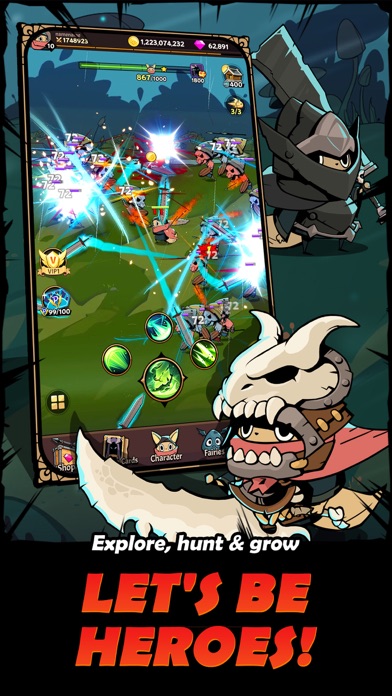
Explora, caza y crece
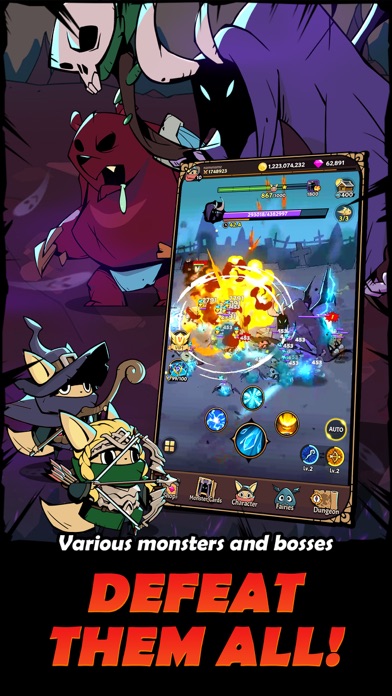
¡Toneladas de diferentes monstruos y jefes te esperan en las mazmorras! ¡Entra en entrenamiento para prepararte, desafíalos a una batalla y demuestra tus habilidades de lucha!
Armas únicas
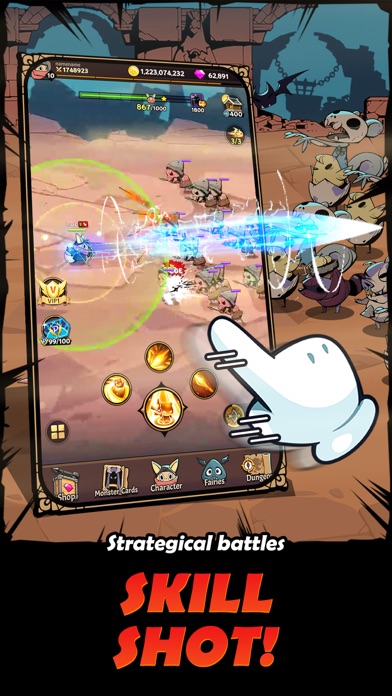
¡Colecciona, prueba y domina los cuatro tipos de armas para hacer que tu héroe sea invencible! ¡Conviértete en el héroe de tu tiempo!
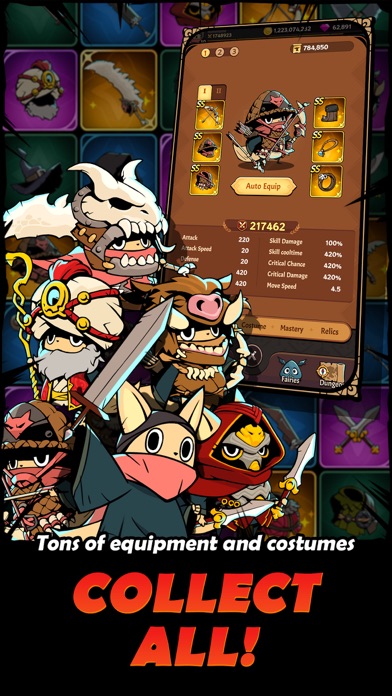
Recogida de equipos
With tons of amazing equipment and costumes, there is something for everyone! Use runes, gems, relics, and skins to create your unique character!
- iPhone o iPad con o sin Jailbreak.
- Sideloadly u otras alternativas.
- Ordenador con Windows/macOS/Linux e iTunes instalado.
PASO 1: Descargue el archivo .IPA pre-modificado desde el enlace de arriba a su ordenador. Para descargarlo desde la iOSGods App, consulte nuestro Tutorial de descarga del IPA desde la iOSGods App, que incluye un ejemplo en vídeo.
PASO 2: Descargue Sideloadly e instálelo en su Windows o Mac.
PASO 3: Abra Sideloadly en su ordenador, conecte su dispositivo iOS y espere hasta que el nombre del dispositivo aparezca en Sideloadly.
PASO 4: Una vez que su iDevice sea reconocido, arrastre el archivo .IPA modificado que descargó y suéltelo en la aplicación Sideloadly.
PASO 5: Introduzca el correo electrónico de su Apple Account y, a continuación, pulse «Start». Le pedirá que introduzca su contraseña. Proporcione la información solicitada.
PASO 6: Espere a que Sideloadly termine de hacer sideload/instalar el IPA modificado. Si surgen problemas durante la instalación, por favor lea la nota a continuación.
PASO 7: Una vez completada la instalación y al ver la app en la pantalla de inicio, deberá ir a Ajustes → General → Perfiles / VPN y Gestión de Dispositivos. Una vez allí, toque el correo electrónico que introdujo en el paso 6 y, después, toque en «Confiar en [email protected]».
PASO 8: Ahora vaya a la pantalla de inicio y abra la app recién instalada; todo debería funcionar correctamente. Es posible que tenga que seguir instrucciones adicionales específicas de cada app dentro del popup del hack en el juego.
NOTA: En iOS/iPadOS 16 y posteriores, debe activar el Modo Desarrollador. Para cuentas gratuitas de Apple Developer, deberá repetir este proceso cada 7 días. Si tiene alguna pregunta o problema, lea nuestra sección de Preguntas Frecuentes de Sideloadly del tema.