Inicio de sesión requerido
Inicia sesión con tu cuenta de iOSGods para continuar.
Inicia sesión con tu cuenta de iOSGods para continuar.

Hack Features:
- Free iAP (Press cancel when buy) -- Turn on feature inside iOSGods Mod Menu first
Esta app también incluye iGameGod, que te ofrece acceso a Auto Touch para automatizar tareas repetitivas, App Speed Manager para ajustar la velocidad del juego, edición de valores con Memory Engine y más potentes herramientas para juegos de iOS.
Descarga Offroad Outlaws iOS Mod IPA desde los enlaces de arriba. Toca el botón de instalación y sigue las instrucciones para instalar este hack iOS en tu iPhone, iPad o Mac con Apple Silicon.
¿Necesitas más ayuda? Consulta nuestras Preguntas frecuentes de la app iOSGods para respuestas detalladas y consejos de solución de problemas.
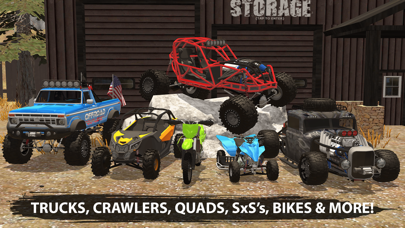
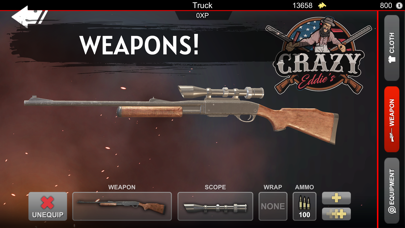
Live the offroad life. Build your truck, trailer your jetski, drive ATVs, monster trucks & dirt bikes across open-world trails or even design your own maps with the Map Maker. The mobile offroad sandbox where you choose your adventure.
DRIVE EVERYTHING
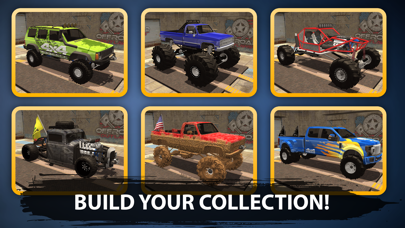
Trucks. Jeeps. Semi trucks. ATVs. SxS. Monster trucks. Rock crawlers. Dirt bikes. Snowmobiles. Jet skis. Boats. Drones. Every vehicle has its own physics. Pickup truck for the mud bog. SxS for the dunes. Dirt bike for the hill climb. Jeep for the rock trail. Big-rig semi for the long haul. Snowbikes for the snow. Boat for the lake. This isn't just an offroad driving game it's an offroad sandbox in your palms.
BUILD YOUR RIG
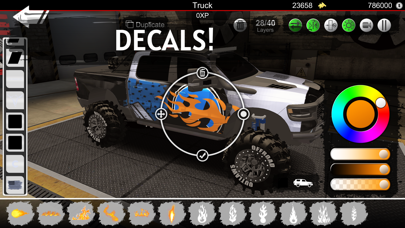
Complete control over how you build, set up, and drive your truck. Tune the suspension from stiffness, damping, travel, to axle type. Swap to an independent front suspension and a solid rear if you want a modern truck with a custom setup. Diesel swaps. Engine upgrades. Liveries, decals, wraps. The deepest truck customization in any mobile offroad game.
JOBS & ROLEPLAY
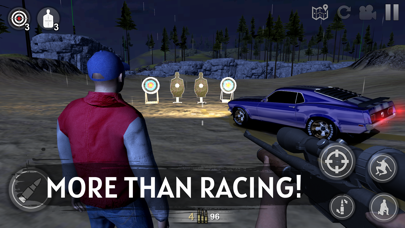
Hook a trailer full of boulders and run a delivery. Hitch up a jet ski and back it down to the water. Drop in and complete different jobs. Chase crates across the map to earn money, or hand the keys to your imagination. YOU make your own trail rules.
MAP MAKER
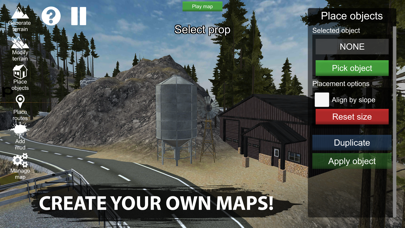
Want to build your own trail? Offroad Outlaws comes with a full Map Maker suite. Design your own maps, share them with the community, and play maps other players have built. From mud bogs to rock crawls to drag strips. If you can imagine it, you can build it.
MULTIPLAYER
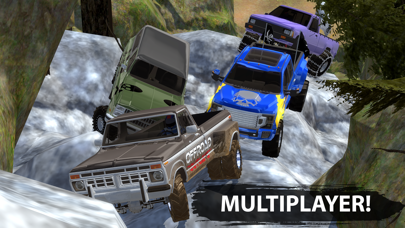
Explore the trails with your friends or other players, or battle it out in different modes. Race up mountains, rock trails, or through rivers with friends. Offroad is more fun together.
CONTROLS
Tilt, arrow, or on-screen steering wheel you choose your control scheme.
Note: By joining as an Offroad Outlaws Member, you are agreeing to an auto-renewing yearly or monthly subscription plan (unless auto-renew is turned off) that will automatically be charged every month or year through your Apple account at $9.99 a month or $29.99 a year within 24 hours prior to the end of the current subscription period. You will be charged $9.99 for the first month, or $29.99 for the first year, immediately after your purchase is confirmed. To manage this subscription, or turn auto-renewal off, go to Account Settings after purchase.
- iPhone o iPad con o sin Jailbreak.
- Sideloadly u otras alternativas.
- Ordenador con Windows/macOS/Linux e iTunes instalado.
PASO 1: Descargue el archivo .IPA pre-modificado desde el enlace de arriba a su ordenador. Para descargarlo desde la iOSGods App, consulte nuestro Tutorial de descarga del IPA desde la iOSGods App, que incluye un ejemplo en vídeo.
PASO 2: Descargue Sideloadly e instálelo en su Windows o Mac.
PASO 3: Abra Sideloadly en su ordenador, conecte su dispositivo iOS y espere hasta que el nombre del dispositivo aparezca en Sideloadly.
PASO 4: Una vez que su iDevice sea reconocido, arrastre el archivo .IPA modificado que descargó y suéltelo en la aplicación Sideloadly.
PASO 5: Introduzca el correo electrónico de su Apple Account y, a continuación, pulse «Start». Le pedirá que introduzca su contraseña. Proporcione la información solicitada.
PASO 6: Espere a que Sideloadly termine de hacer sideload/instalar el IPA modificado. Si surgen problemas durante la instalación, por favor lea la nota a continuación.
PASO 7: Una vez completada la instalación y al ver la app en la pantalla de inicio, deberá ir a Ajustes → General → Perfiles / VPN y Gestión de Dispositivos. Una vez allí, toque el correo electrónico que introdujo en el paso 6 y, después, toque en «Confiar en [email protected]».
PASO 8: Ahora vaya a la pantalla de inicio y abra la app recién instalada; todo debería funcionar correctamente. Es posible que tenga que seguir instrucciones adicionales específicas de cada app dentro del popup del hack en el juego.
NOTA: En iOS/iPadOS 16 y posteriores, debe activar el Modo Desarrollador. Para cuentas gratuitas de Apple Developer, deberá repetir este proceso cada 7 días. Si tiene alguna pregunta o problema, lea nuestra sección de Preguntas Frecuentes de Sideloadly del tema.




![[The Battle Cats JP] にゃんこ大戦争 iOS Mod IPA](https://is1-ssl.mzstatic.com/image/thumb/Purple221/v4/d5/5d/5e/d55d5ecc-9bbd-3446-2092-56eef81db097/AppIcon-0-0-1x_U007epad-0-1-85-220.png/100x100bb.jpg)

![[ GrandChase KR ] 그랜드체이스 iOS Mod IPA](https://is1-ssl.mzstatic.com/image/thumb/Purple221/v4/cc/9d/50/cc9d503d-795a-fd62-ca7d-e0bf6e9015d1/AppIcon-1x_U007emarketing-0-8-0-85-220-0.png/100x100bb.jpg)


