تسجيل الدخول مطلوب
سجّل الدخول بحساب iOSGods للمتابعة.
Hack Features:
- Free iAP to buy DLCs (Turn on iAP from iOSGods Menu first)
- iGameGod Added
قم بتنزيل Sid Meier's Civilization® VI Hack modded IPA من الروابط أعلاه. اضغط على زر التثبيت واتبع التعليمات لتثبيت هذا التعديل لـ iOS على iPhone أو iPad أو Apple Silicon.
هل تحتاج إلى مزيد من المساعدة؟ راجع الأسئلة الشائعة لتطبيق iOSGods للحصول على إجابات مفصلة ونصائح لاستكشاف الأخطاء.
Play 60 turns of Civilization VI for FREE!
————————————————————
U P G R A D E · TO · K E E P · P L A Y I N G
————————————————————
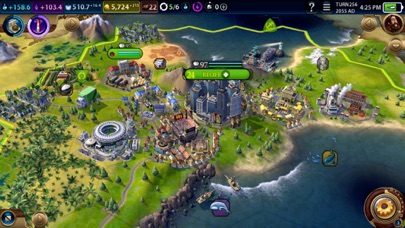
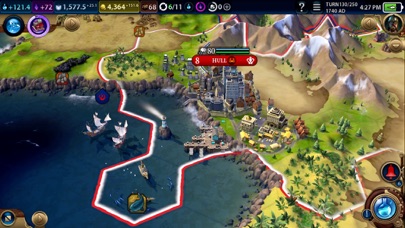
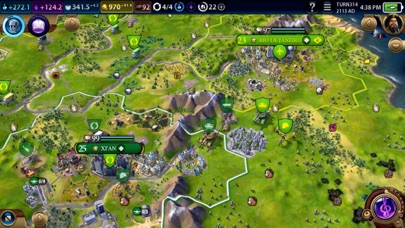
Originally created by legendary game designer Sid Meier, Civilization is a turn-based strategy game in which you attempt to build an empire to stand the test of time. Become Ruler of the World by establishing and leading a civilization from the Stone Age to the Information Age. Wage war, conduct diplomacy, advance your culture, and go head-to-head with history’s greatest leaders as you attempt to build the greatest civilization the world has ever known.
————————————————————————
C R O S S -P L A T F O R M · C L O U D · S A V E S
————————————————————————
Civilization VI supports cross-platform cloud saves between all your favorite devices. When you own Civilization VI on multiple platforms, you can continue playing on compatible save files between your favorite devices. Link your 2K Account, tick the multi-platform cloud save box in options, and you're good to go!
Get your 2K Account: accounts.2k.com/signup
————————————————————————
A D D I T I O N A L · C O N T E N T · A V A I L A B L E
————————————————————————
Expand your Civilization VI experience throughout world history with additional leaders, civilizations and features!
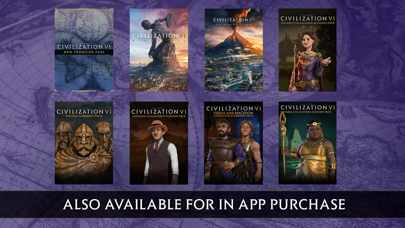
The Rise and Fall expansion introduces new Great Ages, Loyalty, and Governors systems, expands existing Diplomacy and Government systems, and adds a variety of new units, districts, wonders, buildings, and more.
The Gathering Storm expansion adds new Environmental Effects, Engineering Projects, Power and Consumable Resources, as well as the World Congress and a new Diplomatic Victory.
New Frontier Pass introduces 6 new game modes that allow you to play with recruitable heroes from history and myth, dial-up natural disasters in Apocalypse Mode, or join secret societies that can enhance or undermine your empire.
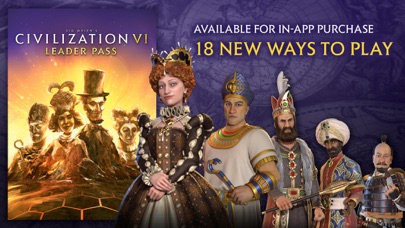
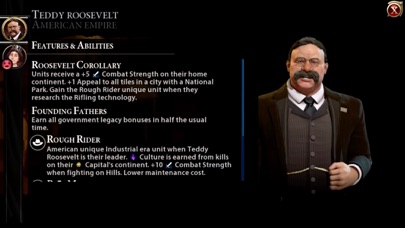
With Leader Pass, explore 18 new ways to play with a new roster of 12 leaders and 6 new personas for your Civilization VI experience. Break out of your comfort zone with new approaches to diplomacy, war & expansion. Each leader has a suite of new or updated abilities.
Complete your Civilization VI experience with these expansions plus additional scenario packs, available now as In-App Purchases.
—————————
Supported Devices
—————————
Please make sure that your device is listed below. If your device is not listed below, the game will not work on your device!
- iPhone 7, 7 Plus
- iPhone 8, 8 Plus
- iPhone X, XS, XS Max, XR
- iPhone 11, 11 Pro, 11 Pro Max
- iPhone 12, 12 Pro, 12 Pro Max
- iPhone 13, 13 Pro, 13 Pro Max
- iPhone 14, 14 Pro, 14 Pro Max, 14 Plus
- iPad Air 2
- iPad Air (3rd Gen, 4th Gen)
- iPad Mini (5th Gen)
- iPad (5th, 6th, 7th, 8th Gen)
- iPad Pro 9.7"
- iPad Pro 10.5"
- iPad Pro 11” (1st, 2nd, 3rd Gen)
- iPad Pro 12.9" (1st, 2nd, 3rd, 4th, 5th Gen)
————————————
Technical Support Notes
————————————
We’re here to help! You can contact Aspyr’s Support Team via support.aspyr.com
————
Refunds
————
To request a refund, please visit reportaproblem.apple.com
©1991-2022 Take-Two Interactive Software, Inc. Developed by Firaxis Games. 2K, Sid Meier's Civilization, Civilization, Civ, Firaxis Games, Take-Two Interactive Software and their respective logos are all trademarks of Take-Two Interactive Software, Inc. All rights reserved. Published and distributed by Aspyr Media, Inc. Aspyr is a registered trademark of Aspyr Media, Inc., and the Aspyr star logo is a trademark of Aspyr Media. All rights reserved. Apple, iPad and iPhone are trademarks of Apple Inc., registered in the U.S. and other countries. All other trademarks and trade names are the properties of their respective owners. All rights reserved.
- iPhone أو iPad بجيلبريك أو بدون جيلبريك.
- Sideloadly أو بدائلها.
- كمبيوتر يعمل بنظام Windows/macOS/Linux مع تثبيت iTunes.
الخطوة 1: قم بتنزيل ملف .IPA المعدّل مسبقًا من الرابط أعلاه إلى الكمبيوتر الخاص بك. للتنزيل من تطبيق iOSGods App، اطلع على دليل تنزيل IPA من تطبيق iOSGods App الذي يتضمن مثالًا بالفيديو.
الخطوة 2: قم بتنزيل Sideloadly وتثبيته على جهاز Windows أو Mac.
الخطوة 3: افتح Sideloadly على الكمبيوتر، ووصّل جهاز iOS الخاص بك، وانتظر حتى يظهر اسم جهازك داخل Sideloadly.
الخطوة 4: بمجرد التعرّف على جهاز iDevice الخاص بك، اسحب ملف .IPA المعدّل الذي قمت بتنزيله وأفلِته داخل تطبيق Sideloadly.
الخطوة 5: أدخل البريد الإلكتروني لحساب Apple Account الخاص بك، ثم اضغط على «Start». سيُطلب منك بعد ذلك إدخال كلمة المرور. تابع وأدخل المعلومات المطلوبة.
الخطوة 6: انتظر حتى ينتهي Sideloadly من تحميل/تثبيت ملف IPA المعدّل. في حال واجهت أي مشاكل أثناء التثبيت، يرجى قراءة الملاحظة أدناه.
الخطوة 7: بعد اكتمال التثبيت ورؤية التطبيق على الشاشة الرئيسية، انتقل إلى Settings → General → Profiles / VPN & Device Management. ثم اضغط على البريد الإلكتروني الذي أدخلته في الخطوة 6، ثم اضغط على «الوثوق بـ [email protected]».
الخطوة 8: الآن انتقل إلى الشاشة الرئيسية وافتح التطبيق الذي تم تثبيته للتو وسيعمل كل شيء بشكل صحيح. قد تحتاج إلى اتباع تعليمات إضافية خاصة بكل تطبيق داخل النافذة المنبثقة للتعديل أثناء اللعب.
ملاحظة: بدءًا من iOS/iPadOS 16 وما بعده، يجب تفعيل وضع المطور (Developer Mode). بالنسبة لحسابات Apple Developer المجانية، ستحتاج إلى تكرار هذه العملية كل 7 أيام. إذا كانت لديك أي أسئلة أو مشاكل، يرجى قراءة قسم الأسئلة الشائعة حول Sideloadly في الموضوع.