Inicio de sesión requerido
Inicia sesión con tu cuenta de iOSGods para continuar.
Inicia sesión con tu cuenta de iOSGods para continuar.

Acumula monedas ilimitadas y domina los marcadores con este hack modificado de GETCHA GHOST-The Haunted House Hack para iOS. Captura fantasmas, resuelve acertijos y salva a la gente de la Casa Embrujada con recursos potenciados al alcance de tu mano. Este Mod IPA gratuito mejora tu aventura de caza de fantasmas con trucos que te permiten progresar más rápido y desbloquear más historias increíbles del juego.
- Puntuación Alta → sube en los marcadores al instante
- Monedas Infinitas (Obtener) → moneda ilimitada para todas las compras
Esta app también incluye iGameGod, que te ofrece acceso a Auto Touch para automatizar tareas repetitivas, App Speed Manager para ajustar la velocidad del juego, edición de valores con Memory Engine y más potentes herramientas para juegos de iOS.
Descarga GETCHA GHOST-The Haunted House Hack modded IPA desde los enlaces de arriba. Toca el botón de instalación y sigue las instrucciones para instalar este hack iOS en tu iPhone, iPad o Mac con Apple Silicon.
¿Necesitas más ayuda? Consulta nuestras Preguntas frecuentes de la app iOSGods para respuestas detalladas y consejos de solución de problemas.
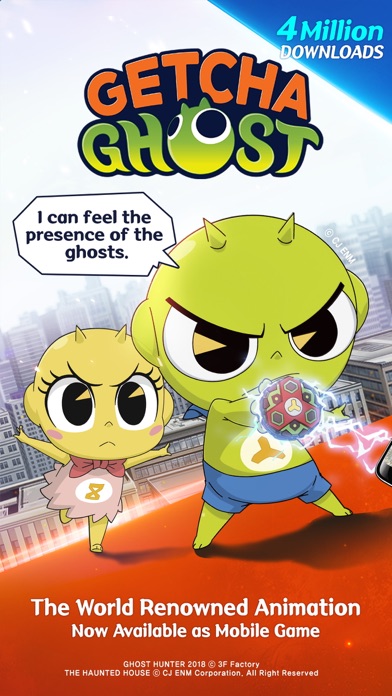
Ghosts are gathering all over the world?!
Capture Ghosts with your camera and solve puzzles with them!
The people are in danger!
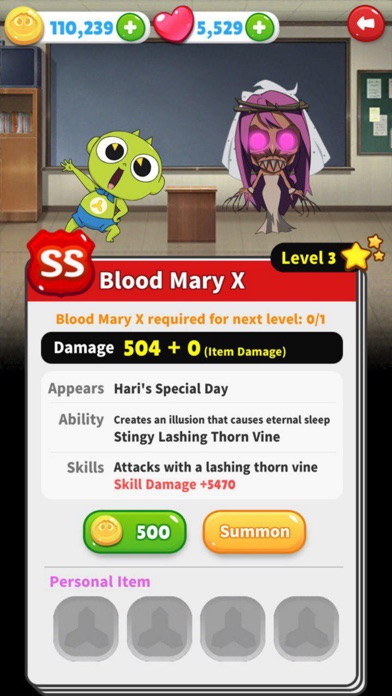
Now it's time to save them together by Summoning ghosts you've captured!
■Finally, Getcha Ghost is released!
■Enjoy ghost-hunting with splendid characters from the 'Shinbi's House'!
■Real-time 1v1 Duel Mode added! Now you can have fun with your friends!
Just 10 minutes!
Don’t miss out on all of the gifts and prizes from the GMs!
■■■■■Game Feature■■■■■
Try inviting your friends and enjoy the 1v1 Duel Mode together.
This game is based on the 'Shinbi's House'.
It’s even more fun if you’re familiar with the original.
Enjoy the spooky but entertaining stories and adventures of 'Shinbi's House'!
You can watch it on Netflix or YouTube.
https://www.youtube.com/user/cjenmtooniverse
https://www.youtube.com/playlist?list=PLObURnEFJ80VHOJwY0Zl0F1IrvyRPqk-p
Capture ghosts around you, just like the TV show!
Upgrade your characters,
earn more rewards and save the people!
HOME PAGE
https://www.facebook.com/daerisoft
https://twitter.com/daerisoft
■■■■■How to Play■■■■■
There are ghosts around me?
Capture the ghosts with your camera in Capture mode!
Play along with simple puzzles and fight against evil ghosts.
■[Capture Mode: Capture Ghosts that will fight at your side!]
- Slowly turn your phone around and... AHHH! Ghost!
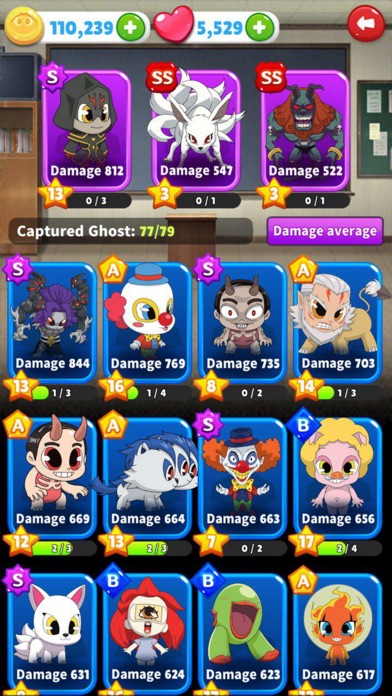
- Capture Ghosts wandering around you and create your own collection!
■[Combat Mode: Fight against evil ghosts and earn rewards!]
- Enjoy a variety of fun with Single Mode, 1v1 Duel Mode and Giant Ghost Mode!
- Call upon the good ghosts you’ve captured and defeat the evil ghost!
- How many rewards you will get after defeating them?
'GETCHA GHOST-The Haunted House' always welcomes feedback from you.
Your precious reviews will be appreciated!
- iPhone o iPad con o sin Jailbreak.
- Sideloadly u otras alternativas.
- Ordenador con Windows/macOS/Linux e iTunes instalado.
PASO 1: Descargue el archivo .IPA pre-modificado desde el enlace de arriba a su ordenador. Para descargarlo desde la iOSGods App, consulte nuestro Tutorial de descarga del IPA desde la iOSGods App, que incluye un ejemplo en vídeo.
PASO 2: Descargue Sideloadly e instálelo en su Windows o Mac.
PASO 3: Abra Sideloadly en su ordenador, conecte su dispositivo iOS y espere hasta que el nombre del dispositivo aparezca en Sideloadly.
PASO 4: Una vez que su iDevice sea reconocido, arrastre el archivo .IPA modificado que descargó y suéltelo en la aplicación Sideloadly.
PASO 5: Introduzca el correo electrónico de su Apple Account y, a continuación, pulse «Start». Le pedirá que introduzca su contraseña. Proporcione la información solicitada.
PASO 6: Espere a que Sideloadly termine de hacer sideload/instalar el IPA modificado. Si surgen problemas durante la instalación, por favor lea la nota a continuación.
PASO 7: Una vez completada la instalación y al ver la app en la pantalla de inicio, deberá ir a Ajustes → General → Perfiles / VPN y Gestión de Dispositivos. Una vez allí, toque el correo electrónico que introdujo en el paso 6 y, después, toque en «Confiar en [email protected]».
PASO 8: Ahora vaya a la pantalla de inicio y abra la app recién instalada; todo debería funcionar correctamente. Es posible que tenga que seguir instrucciones adicionales específicas de cada app dentro del popup del hack en el juego.
NOTA: En iOS/iPadOS 16 y posteriores, debe activar el Modo Desarrollador. Para cuentas gratuitas de Apple Developer, deberá repetir este proceso cada 7 días. Si tiene alguna pregunta o problema, lea nuestra sección de Preguntas Frecuentes de Sideloadly del tema.