로그인 필요
계속하려면 iOSGods 계정으로 로그인하세요.
계속하려면 iOSGods 계정으로 로그인하세요.
무제한 부스터와 라이프로 Pixel Flow! Hack의 모든 퍼즐에 도전할 수 있으며, 리소스가 부족해질 걱정이 없습니다. 이 수정된 iOS 게임은 반복적인 플레이를 제거하고 만족스러운 탭-플로우 루프를 원하는 만큼 계속 즐길 수 있게 해줍니다.
- 무제한 부스터 → 필요한 만큼 사용 가능
- 무제한 라이프 (감소 대신 증가) → 게임 중 라이프 부족 걱정 없음
이 앱에는 iGameGod도 포함되어 있어 반복 작업을 자동화하는 Auto Touch, 게임 속도를 조절할 수 있는 App Speed Manager, Memory Engine 값 편집 등 강력한 iOS 게임 도구를 사용할 수 있습니다.
위의 링크에서 Pixel Flow! Hack modded IPA을 다운로드합니다. 설치 버튼을 누르고 화면 안내에 따라 iPhone, iPad 또는 Apple Silicon에 이 iOS 앱 해킹을 설치합니다.
더 많은 도움이 필요하신가요? 자세한 답변과 문제 해결 팁은 iOSGods 앱 자주 묻는 질문을 확인하세요.
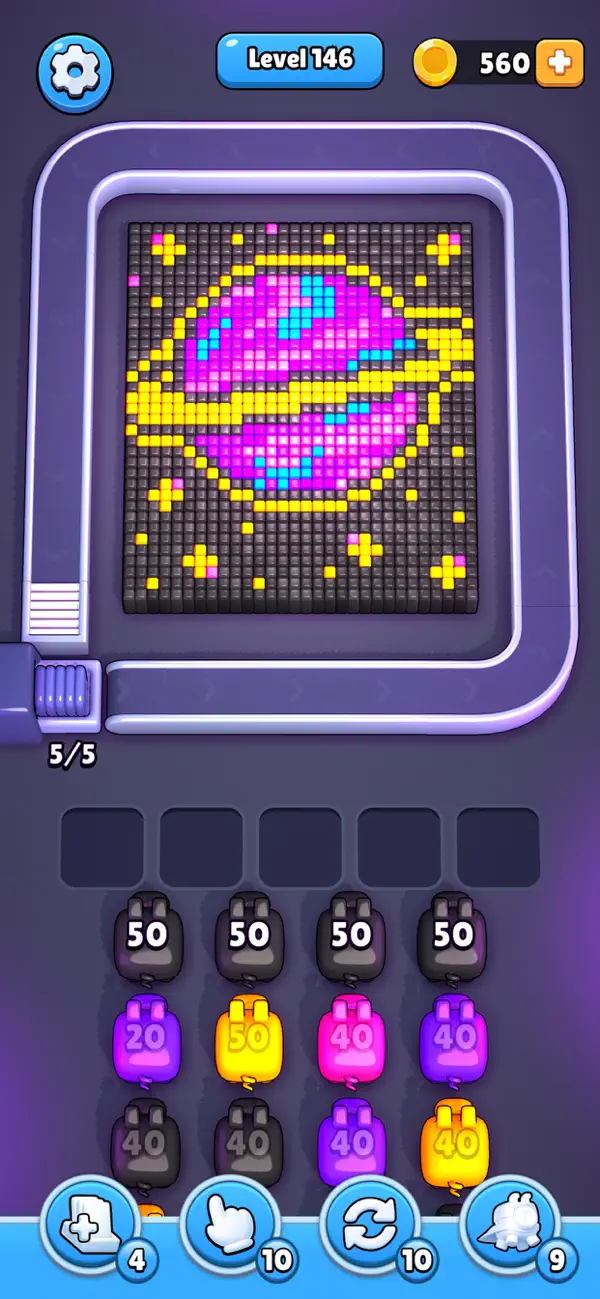
컨베이어 준비 완료! 돼지들도 대기 중.
탭하면 돼지가 컨베이어로 올라가 자기 색깔의 픽셀 큐브에 공을 쏟아냅니다.
머리 위 숫자는 탄약 수, 공격 횟수예요.
탄약이 없으면 퇴장!
남아 있으면 5개의 대기 슬롯 중 하나로 이동합니다.
다시 탭하면 컨베이어로 돌아와 한 판 더!
컨베이어에는 용량 제한이 있어요. 초과하면 대기.
순서를 잘 정하고 흐름을 관리해 큐브를 하나씩 정리하세요.
단순하지만 중독적: 탭 → 흐름 → 반복.
하이라이트
• 원터치 조작: 짧고 빠른 플레이.
• 컬러 매칭: 각 돼지는 자기 색만 공격.
• 용량 시스템: 타이밍 전략 추가.
• 5 슬롯: 쌓고, 정렬하고, 완벽한 순간에 발사.
• “한 판만 더!” 느낌.
• 시원한 픽셀 정리감.
빠른 액션 퍼즐을 좋아한다면 딱.
돼지는 준비 끝. 큐브는… 아직.

- 탈옥/제일 또는 탈옥된 iPhone 또는 iPad가 필요합니다.
- Sideloadly 또는 대체 도구가 필요합니다.
- iTunes가 설치된 Windows/macOS/Linux 컴퓨터가 필요합니다.
1단계: 위 링크에서 미리 해킹된 .IPA 파일을 컴퓨터에 다운로드합니다. iOSGods App에서 다운로드하려면 동영상 예시가 포함된 iOSGods App IPA 다운로드 튜토리얼를 참고하십시오.
2단계: Sideloadly를 다운로드하여 Windows 또는 Mac에 설치합니다.
3단계: 컴퓨터에서 Sideloadly를 실행하고 iOS 기기를 연결한 후, Sideloadly에 기기 이름이 표시될 때까지 기다립니다.
4단계: iDevice가 인식되면, 다운로드한 모드된 .IPA 파일을 Sideloadly 애플리케이션에 끌어다 놓습니다.
5단계: Apple Account 이메일을 입력한 후 “Start”를 누릅니다. 그러면 비밀번호를 입력하라는 메시지가 표시됩니다. 요청된 정보를 제공해 주십시오.
6단계: Sideloadly가 해킹된 IPA의 사이드로드/설치를 완료할 때까지 기다리십시오. 설치 중 문제가 발생하면 아래 참고 사항을 읽어 주십시오.
7단계: 설치가 완료되어 홈 화면에서 앱이 보이면 설정 → 일반 → 프로파일 / VPN 및 기기 관리 경로로 이동해야 합니다. 그곳에서 6단계에서 입력한 이메일을 탭한 다음 “[email protected] 신뢰”를 탭하십시오.
8단계: 이제 홈 화면으로 돌아가 새로 설치된 앱을 열면 모든 것이 정상적으로 작동할 것입니다. 게임 내 해킹 팝업에서 앱별 추가 안내를 따라야 할 수도 있습니다.
참고: iOS/iPadOS 16 이상에서는 개발자 모드를 활성화해야 합니다. 무료 Apple Developer 계정의 경우 이 과정을 7일마다 반복해야 합니다. 질문이나 문제가 있는 경우 해당 토픽의 Sideloadly FAQ 섹션를 읽어보십시오.