Требуется вход
Войдите в учётную запись iOSGods, чтобы продолжить.
Войдите в учётную запись iOSGods, чтобы продолжить.
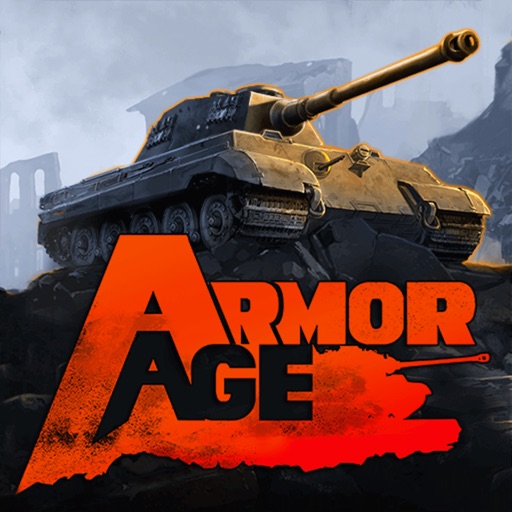
Armor Age: Tank Wars Original - тактическая RTS игра, которая ставит вас в командование реальными боевыми машинами в боевых операциях XX века. Этот Mod IPA позволяет вам быстро пройти обучение и сразу же перейти в режимы кампании, выживания и PvP, где вы будете улучшать свои танки, открывать новые технологии и собирать отряд в соответствии с вашим тактическим стилем.
Это приложение также поставляется с iGameGod, который открывает доступ к Auto Touch для автоматизации повторяющихся действий, App Speed Manager для регулируемой скорости игры, редактированию значений Memory Engine и другим мощным инструментам для iOS-игр.
Скачайте Armor Age: Tank Wars Original modded IPA по ссылкам выше. Нажмите кнопку установки и следуйте инструкциям, чтобы установить этот хак iOS на iPhone, iPad или Mac с Apple Silicon.
Нужна помощь? Посмотрите наши Часто задаваемые вопросы по приложению iOSGods, чтобы получить подробные ответы и советы по устранению неполадок.
Armor Age는 20세기에 등장한 탱크 전투를 배경으로 벌어지는 실시간 전략 게임입니다. 전투 기계 부대에 명령을 내려 전투 작전을 지휘하세요!
캠페인 밒 생존 모드에서 전투를 벌이세요. 탱크와 탑승병의 레벨을 올리고 새로운 기술이 그려진 청사진을 획득하세요.
각 전장에서 자신의 역할을 수행하는 무수한 실제 전투 차량 중에서 5대를 골라 부대를 구성하세요!
개인 격납고에서 전술 및 플레이 스타일에 맞게 부대를 구성할 수 있습니다. PvP 전투에서 다른 플레이어와 맞서 구상한 전략을 테스트하며 가장 위대한 지휘관으로 거듭나세요.
특징:
현실적이며 직관적인 조작
전술 일시 정지 모드가 도입된 실시간 전투
다양한 나라에서 만든 역사적인 실제 전투 차량이 등장
다양한 전술 상황 및 임무
_________________________
Subscription terms
Officers Club offers a subscription for a week month ($19,99).
No free trial period provided.
The prices are set for US customers.
Pricing in other countries may vary and actual charges may be converted to your local currency.
Upon purchase of the subscription, you will get:
- 50% more silver in all Supply Crates;
- Access to Career rewards;
- Tanks repair time reduced by 50%;
- Access to unique Officers Club portraits.
All subcriptions are auto-renewable.
We charge your iTunes account right after a purchase confirmation.
Subscription automatically renews unless auto-renew is turned off at least 24 hours before the end of the current period.
Your account will be charged for renewal within 24-hours prior to the end of current period.
Subscriptions may be managed by the user and auto-renewal may be turned off by going to the user's Account Settings on the device.
An unused part of a free trial period will be forfeited when you purchase a subscription.
See the links below for more details.
Cancelling the subscription
https://support.apple.com/en-us/HT202039
Our Privacy Policy
http://www.herocraft.com/privacy/
Our Terms of Service
http://www.herocraft.com/terms/
Support email: [email protected]
Скриншоты © их владельцев · App Store


iOSGods не связана с Apple Inc., Google LLC или разработчиками перечисленных здесь приложений, не одобрена и не спонсируется ими. Apple, iOS и App Store — товарные знаки Apple Inc. Android и Google Play — товарные знаки Google LLC. Все остальные названия приложений, значки, изображения и товарные знаки принадлежат их владельцам.
- iPhone или iPad без джейлбрейка/в обычном режиме или с джейлбрейком.
- Sideloadly или альтернативы.
- Компьютер с Windows/macOS/Linux и установленным iTunes.
ШАГ 1: Скачайте предварительно взломанный файл .IPA по ссылке выше на свой компьютер. Чтобы скачать его из приложения iOSGods, посмотрите наш Туториал по скачиванию IPA в приложении iOSGods, в котором есть видеопример.
ШАГ 2: Скачайте Sideloadly и установите его на Windows или Mac.
ШАГ 3: Откройте Sideloadly на компьютере, подключите iOS-устройство и дождитесь, пока его имя появится в Sideloadly.
ШАГ 4: Когда устройство будет распознано, перетащите скачанный модифицированный файл .IPA в окно Sideloadly.
ШАГ 5: Введите адрес электронной почты вашего Apple Account, затем нажмите «Start». После этого вас попросят ввести пароль. Укажите необходимые данные.
ШАГ 6: Дождитесь, пока Sideloadly завершит sideload/установку взломанного IPA. При возникновении проблем во время установки ознакомьтесь с примечанием ниже.
ШАГ 7: После завершения установки и появления приложения на главном экране перейдите в Настройки → Основные → Профили / VPN и управление устройством. Там нажмите на email, который вы ввели на шаге 6, а затем нажмите «Доверять [email protected]».
ШАГ 8: Теперь перейдите на главный экран и откройте установленное приложение — всё должно работать. Возможно, потребуется выполнить дополнительные инструкции в попапе мода внутри игры.
ПРИМЕЧАНИЕ: На iOS/iPadOS 16 и новее необходимо включить режим разработчика. Для бесплатных учётных записей Apple Developer этот процесс нужно повторять каждые 7 дней. Если возникнут вопросы или проблемы, ознакомьтесь с нашим разделом FAQ по Sideloadly в теме.
Game Name iOS Mod IPA is an action adventure game enhanced with powerful gameplay boosts and quality-of-life improvements. Win battles faster, earn rewards quicker, and enjoy uninterrupted play without ads.
- Unlimited Gold - spend freely to unlock premium content
- Damage Multiplier - deal significantly more damage in combat
- Defense Multiplier - take less damage and survive longer
- Reward Multiplier - earn more loot from every battle
- Max Level - instantly reach the highest player rank
- No Ads - play without interruptions or advertisements
This app also comes with iGameGod, giving you access to Auto Touch to automate repetitive tasks, App Speed Manager for adjustable gameplay speed, Memory Engine value editing, and more powerful iOS game tools.
Скачайте Game Name Mod IPA по ссылкам выше. Нажмите кнопку установки и следуйте инструкциям, чтобы установить этот хак iOS на iPhone, iPad или Mac с Apple Silicon.
Нужна помощь Посмотрите наши Часто задаваемые вопросы по приложению iOSGods, чтобы получить подробные ответы и советы по устранению неполадок.
----------------------------------------------------------
--------------------------------------------------









![[ SAOIF ] ソードアート・オンライン インテグラル・ファクター Hack](https://is1-ssl.mzstatic.com/image/thumb/Purple116/v4/90/1e/5c/901e5cc2-988d-8c41-bb74-494cbd07a495/AppIcon-1x_U007emarketing-0-7-0-85-220.png/100x100bb.jpg)
![[VIP] SwordArtOnline: IntegralFactor SAOIF Hack](https://is1-ssl.mzstatic.com/image/thumb/Purple116/v4/6d/2b/48/6d2b4890-100a-afff-6286-f7af91d94529/AppIcon-1x_U007emarketing-0-7-0-85-220.png/100x100bb.jpg)












![[ White Cat Tennis ] 白猫テニス Hack](https://is1-ssl.mzstatic.com/image/thumb/Purple112/v4/c2/b9/29/c2b929cc-cdc4-4c97-16a9-72022b5817d3/AppIcon-0-0-1x_U007emarketing-0-0-0-7-0-0-sRGB-0-0-0-GLES2_U002c0-512MB-85-220-0-0.png/100x100bb.jpg)