تسجيل الدخول مطلوب
سجّل الدخول بحساب iOSGods للمتابعة.
سجّل الدخول بحساب iOSGods للمتابعة.
احصل على ميزة تكتيكية في Heroes Strike باستخدام هذا Mod IPA المجاني الذي يزيل عوائق العشب، مما يوفر لك خطوط رؤية أوضح وألعاب أسرع في كل مباراة MOBA و Battle Royale و Game of King. تزيل هذه النسخة المعدلة الفوضى البيئية حتى تتمكن من التركيز بشكل كامل على الإستراتيجية والقتال دون تشتيتات بصرية.
- إزالة العشب → تزيل عوائق العشب للحصول على رؤية أوضح
يأتي هذا التطبيق أيضًا مع iGameGod، مما يتيح لك الوصول إلى Auto Touch لأتمتة المهام المتكررة، وApp Speed Manager لضبط سرعة اللعب، وتعديل القيم عبر Memory Engine، والمزيد من أدوات ألعاب iOS القوية.
قم بتنزيل Heroes Strike Hack modded IPA من الروابط أعلاه. اضغط على زر التثبيت واتبع التعليمات لتثبيت هذا التعديل لـ iOS على iPhone أو iPad أو Apple Silicon.
هل تحتاج إلى مزيد من المساعدة؟ راجع الأسئلة الشائعة لتطبيق iOSGods للحصول على إجابات مفصلة ونصائح لاستكشاف الأخطاء.
진정한 E스포츠의 정신으로 플레이하세요. 무료입니다!
독특한 PvP 전투 스타일에 재미와 깊이를 더했습니다
- 주요 영웅 능력에 더해 원하는 스킬을 2개 장착하세요 – 전략과 액션의 완벽한 만남
- 4분간 진행되는 짧은 경기 – 이동 시 플레이하기에 제격입니다
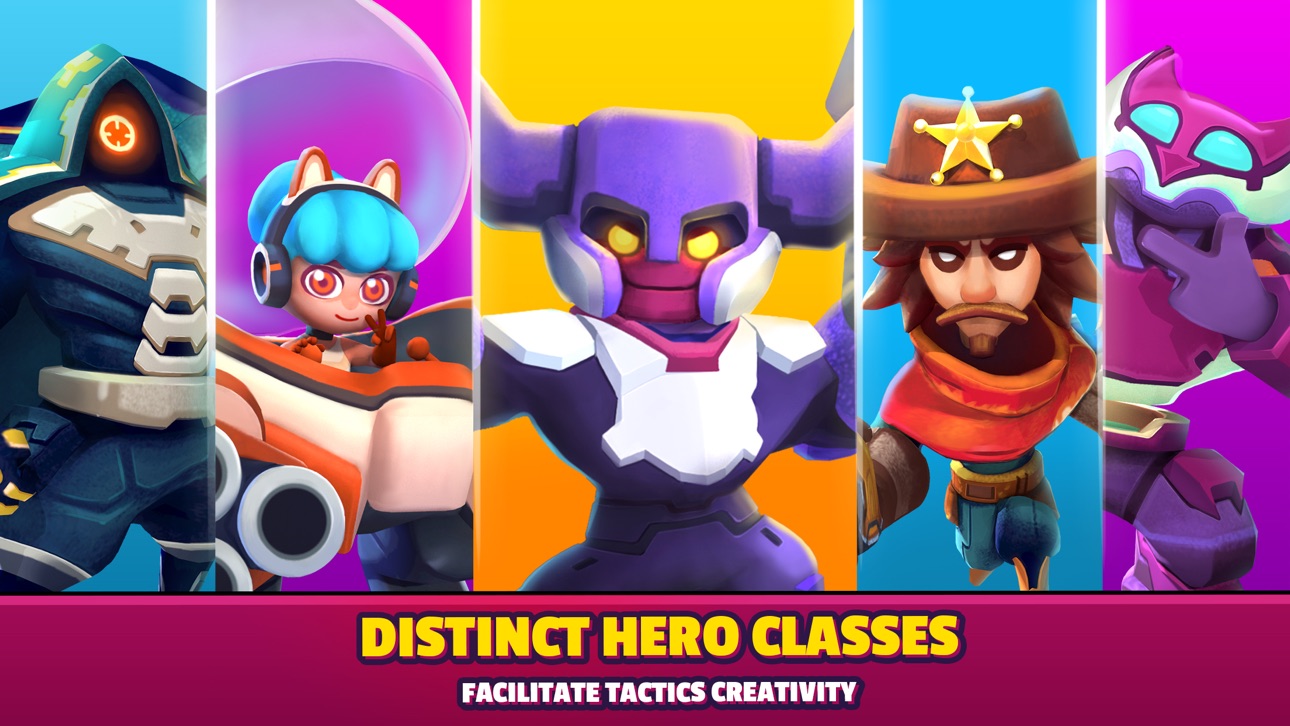
- 다양한 영웅은 각자 독특한 공격 및 능력(격노)을 가지고 있습니다
- 공격, 방어, 기절, 지원 등, 다양한 유형의 스킬을 골라보세요
게임 플레이 특징:
- 상대 팀보다 별을 더 많이 모으면 승리합니다
- 슈퍼스타가 생성되면 전투가 최고조에 달합니다! 슈퍼스타를 획득한 팀의 점수가 1.5배로 늘어나거든요.
무과금 유저를 위한 게임!
- 시작 시 계급 당 영웅이 3명, 스킬이 5개 주어집니다
- 엄청난 보상, 쉬운 진행
- 모든 아이템을 무료로 얻을 수 있습니다
PvP 플레이어라면 이 게임도 구석구석 사랑하게 되실 거예요!
- “스킬이 중요”하며 공정한 미드코어 게임, 간단하고 익히기 쉬운 규칙
- 간단한 컨트롤과 매끄러운 게임 플레이 경험
- 캐릭터와 스킬의 완벽한 밸런스
- 끊임없이 추가되는 신규 콘텐츠(신규 영웅, 스킨, 스킬, 아레나, 모드...)
- 플레이가 끊길까 걱정하지 마세요. 전 세계에 서버를 두고 있답니다!
- 항상 흥미로운 이벤트가 진행됩니다. 엄청난 보상을 획득할 기회도 많죠!
- 다양한 길드 기능: 7개의 역할, 길드 퀘스트 및 보상, 길드 전쟁... 친구와 함께하면 훨씬 재밌으니까요!
전장에서 당신을 부릅니다!
전략을 세우고 친구와 함께 플레이해서 최고 리그에 도달하세요!
لقطات الشاشة © لأصحابها · App Store


iOSGods ليست تابعة لشركة Apple Inc. أو Google LLC أو مطوّري التطبيقات المدرجة هنا، وليست معتمدة أو مدعومة منهم. Apple وiOS وApp Store علامات تجارية لشركة Apple Inc. وAndroid وGoogle Play علامتان تجاريتان لشركة Google LLC. أما بقية أسماء التطبيقات والأيقونات والصور والعلامات التجارية فهي ملك لأصحابها.

- iPhone أو iPad بجيلبريك أو بدون جيلبريك.
- Sideloadly أو بدائلها.
- كمبيوتر يعمل بنظام Windows/macOS/Linux مع تثبيت iTunes.
الخطوة 1: قم بتنزيل ملف .IPA المعدّل مسبقًا من الرابط أعلاه إلى الكمبيوتر الخاص بك. للتنزيل من تطبيق iOSGods App، اطلع على دليل تنزيل IPA من تطبيق iOSGods App الذي يتضمن مثالًا بالفيديو.
الخطوة 2: قم بتنزيل Sideloadly وتثبيته على جهاز Windows أو Mac.
الخطوة 3: افتح Sideloadly على الكمبيوتر، ووصّل جهاز iOS الخاص بك، وانتظر حتى يظهر اسم جهازك داخل Sideloadly.
الخطوة 4: بمجرد التعرّف على جهاز iDevice الخاص بك، اسحب ملف .IPA المعدّل الذي قمت بتنزيله وأفلِته داخل تطبيق Sideloadly.
الخطوة 5: أدخل البريد الإلكتروني لحساب Apple Account الخاص بك، ثم اضغط على «Start». سيُطلب منك بعد ذلك إدخال كلمة المرور. تابع وأدخل المعلومات المطلوبة.
الخطوة 6: انتظر حتى ينتهي Sideloadly من تحميل/تثبيت ملف IPA المعدّل. في حال واجهت أي مشاكل أثناء التثبيت، يرجى قراءة الملاحظة أدناه.
الخطوة 7: بعد اكتمال التثبيت ورؤية التطبيق على الشاشة الرئيسية، انتقل إلى Settings → General → Profiles / VPN & Device Management. ثم اضغط على البريد الإلكتروني الذي أدخلته في الخطوة 6، ثم اضغط على «الوثوق بـ [email protected]».
الخطوة 8: الآن انتقل إلى الشاشة الرئيسية وافتح التطبيق الذي تم تثبيته للتو وسيعمل كل شيء بشكل صحيح. قد تحتاج إلى اتباع تعليمات إضافية خاصة بكل تطبيق داخل النافذة المنبثقة للتعديل أثناء اللعب.
ملاحظة: بدءًا من iOS/iPadOS 16 وما بعده، يجب تفعيل وضع المطور (Developer Mode). بالنسبة لحسابات Apple Developer المجانية، ستحتاج إلى تكرار هذه العملية كل 7 أيام. إذا كانت لديك أي أسئلة أو مشاكل، يرجى قراءة قسم الأسئلة الشائعة حول Sideloadly في الموضوع.
Game Name iOS Mod IPA is an action adventure game enhanced with powerful gameplay boosts and quality-of-life improvements. Win battles faster, earn rewards quicker, and enjoy uninterrupted play without ads.
- Unlimited Gold - spend freely to unlock premium content
- Damage Multiplier - deal significantly more damage in combat
- Defense Multiplier - take less damage and survive longer
- Reward Multiplier - earn more loot from every battle
- Max Level - instantly reach the highest player rank
- No Ads - play without interruptions or advertisements
This app also comes with iGameGod, giving you access to Auto Touch to automate repetitive tasks, App Speed Manager for adjustable gameplay speed, Memory Engine value editing, and more powerful iOS game tools.
قم بتنزيل Game Name Mod IPA من الروابط أعلاه. اضغط على زر التثبيت واتبع التعليمات لتثبيت هذا التعديل لـ iOS على iPhone أو iPad أو Apple Silicon.
هل تحتاج إلى مزيد من المساعدة؟ راجع الأسئلة الشائعة لتطبيق iOSGods للحصول على إجابات مفصلة ونصائح لاستكشاف الأخطاء.
----------------------------------------------------------
--------------------------------------------------







![[ SAOIF ] ソードアート・オンライン インテグラル・ファクター Hack](https://is1-ssl.mzstatic.com/image/thumb/Purple116/v4/90/1e/5c/901e5cc2-988d-8c41-bb74-494cbd07a495/AppIcon-1x_U007emarketing-0-7-0-85-220.png/100x100bb.jpg)
![[VIP] SwordArtOnline: IntegralFactor SAOIF Hack](https://is1-ssl.mzstatic.com/image/thumb/Purple116/v4/6d/2b/48/6d2b4890-100a-afff-6286-f7af91d94529/AppIcon-1x_U007emarketing-0-7-0-85-220.png/100x100bb.jpg)






![[ White Cat Tennis ] 白猫テニス Hack](https://is1-ssl.mzstatic.com/image/thumb/Purple112/v4/c2/b9/29/c2b929cc-cdc4-4c97-16a9-72022b5817d3/AppIcon-0-0-1x_U007emarketing-0-0-0-7-0-0-sRGB-0-0-0-GLES2_U002c0-512MB-85-220-0-0.png/100x100bb.jpg)




![[ The Quintessential Quintuplets JP ] 五等分の花嫁 五つ子ちゃんはパズルを五等分できない。 Hack](https://is1-ssl.mzstatic.com/image/thumb/Purple122/v4/60/ce/b7/60ceb702-7ca2-4383-af6a-d1cd31cf3032/AppIcon-0-0-1x_U007emarketing-0-0-0-7-0-0-sRGB-0-0-0-GLES2_U002c0-512MB-85-220-0-0.png/100x100bb.jpg)