需要登入
請使用您的 iOSGods 帳戶登入以繼續。
Free Paid Game
從上方連結下載 Detention modded IPA。點選安裝按鈕並依照畫面指示在 iPhone、iPad 或 Apple Silicon 上安裝此 iOS 應用程式修改版。
需要更多協助?請查看我們的 iOSGods 應用程式常見問題 以獲得詳細解答與疑難排解。
[ About Detention ]
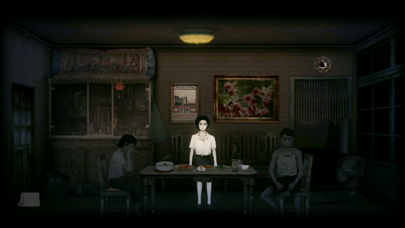
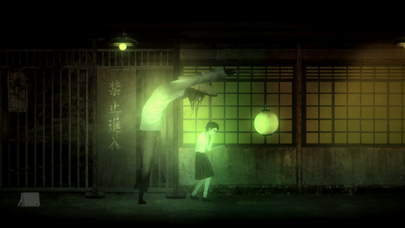
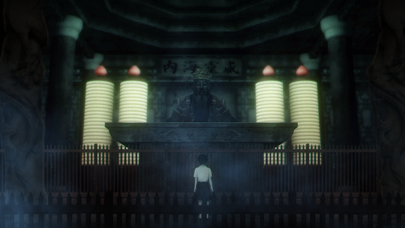
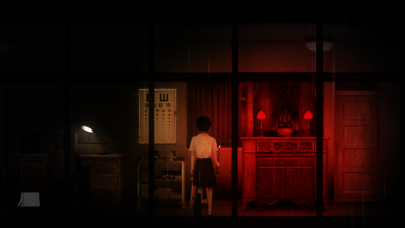
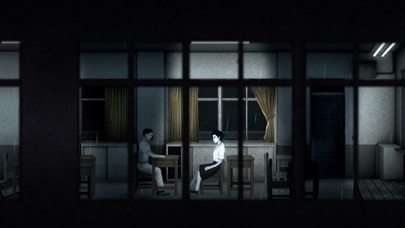
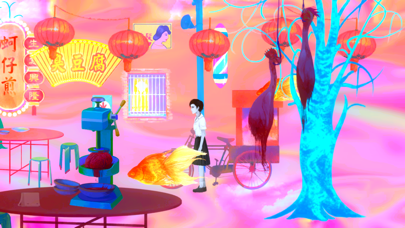
Detention is an unique atmospheric horror game heavily influenced by Taiwanese/East Asian culture (Taoism and Buddhism references) based on the 1960s Taiwan under martial law.
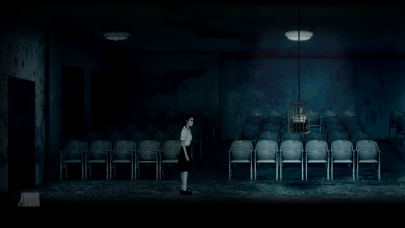
With simple point and click mechanism, the player control characters who venture into the school beset by hostile supernatural events to uncover stories behind the haunted place.
Incorporated religious elements based in Taiwanese/Chinese culture and mythology, the game provided players with unique graphics and gaming experience.
[ Features ]
- Story-driven atmospheric horror game.
- Unique Taiwanese/Eastern cultural references.
- Original soundtrack fusing Electronic, Lo-Fi, and Rock with traditional Asian instruments.
- Appealing graphics and sound inspired by Taiwanese literature, film and music in the 1960s-70s.
- Single player 2D side-scroller with point and click mechanism.
- Multiple language support. (including English, Chinese, Japanese and Korean)
[ Recognition ]
"A heavy dollop of Silent Hill, it’s a horror game unlike anything else I’ve played."
- Adam Smith, Rock, Paper, Shotgun
"Every facet of Detention moves in one harmonious lockstep towards an unavoidable tragedy, drowning out the world around you."
- Destiny Maddox, Rely On Horror
"The art direction, atmosphere, and audio design are all very well done. It has a polish you don’t often see in adventures by small teams."
- Andy Kelly, PC Gamer
'Detention' is the IndieCade 2017 award-winning title developed by Red Candle Games.
[ Minimum Compatible Device ]
Devices after iPhone6, iPhoneSE
Devices after iPodTouch 6
Devices after iPad 5
Devices after iPadMini 4
[ More about the Developer ]
Follow Red Candle Games to receive updates about the studio's future titles.
Twitter | https://m.twitter.com/redcandlegames/
Facebook | https://m.facebook.com/redcandlegames/
Instagram | https://m.instagram.com/redcandlegames/
- 未越獄/受限或已越獄的 iPhone 或 iPad。
- Sideloadly 或替代方案。
- 執行 Windows/macOS/Linux 且已安裝 iTunes 的電腦。
步驟 1: 透過上方連結將已破解的 .IPA 檔案下載到您的電腦。若要從 iOSGods App 下載,請參閱我們的 iOSGods App IPA 下載教學,其中包含影片範例。
步驟 2: 下載 Sideloadly 並將其安裝在您的 Windows 或 Mac 上。
步驟 3: 在電腦上開啟 Sideloadly,連接您的 iOS 裝置,並等待裝置名稱出現在 Sideloadly 中。
步驟 4: 當 Sideloadly 辨識到您的 iOS 裝置後,將下載好的修改版 .IPA 檔案拖曳並放到 Sideloadly 應用程式中。
步驟 5: 輸入您的 Apple Account 電子郵件,然後按下「Start」。系統會要求您輸入密碼,請依指示提供所需資訊。
步驟 6: 等待 Sideloadly 完成已破解 IPA 的旁載/安裝。如果安裝過程中發生問題,請閱讀下方的注意事項。
步驟 7: 安裝完成並在主畫面上看到該應用程式後,您需要前往 設定 → 一般 → 描述檔 / VPN 與裝置管理。進入後,點選您在步驟 6 中輸入的電子郵件,然後點選「信任 [email protected]」。
步驟 8: 現在回到主畫面並開啟新安裝的應用程式,一切應該都能正常運作。您可能需要依照遊戲內破解彈出視窗中的進一步指示操作。
注意: 在 iOS/iPadOS 16 及更新版本上,您必須 啟用開發者模式。若使用免費的 Apple Developer 帳號,您將需要每 7 天重複此程序。如有任何疑問或問題,請閱讀我們的 主題中的 Sideloadly 常見問題區段。