Cần đăng nhập
Đăng nhập bằng tài khoản iOSGods để tiếp tục.
Đăng nhập bằng tài khoản iOSGods để tiếp tục.
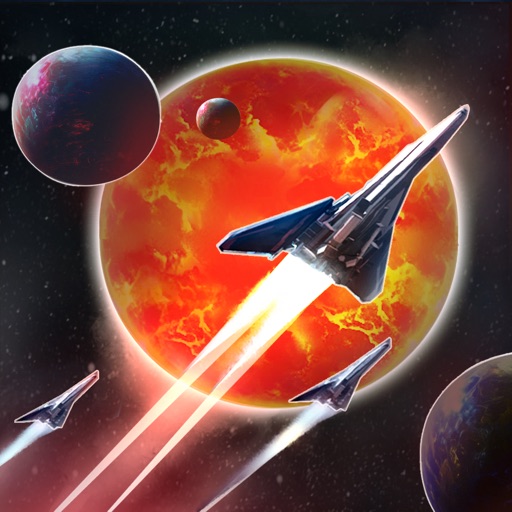
Chỉ huy JONAH'S WHALE qua một vũ trụ đang chết trong Sol Frontiers - Idle Strategy Hack, một trò chơi chiến lược nhàn rỗi nơi bạn khám phá số phận của một chiến hạm bị mất tích và tái xây dựng hy vọng của nhân loại, giờ đây với Mod IPA loại bỏ sự lặp lại và cho phép bạn tập trung vào khám phá và quản lý đội ngũ.
Hack này biến trải nghiệm từ một quá trình tiến triển bị giới hạn thời gian thành niềm vui chiến lược thuần túy: kích hoạt chế độ bất tử để thử nghiệm các bộ đội ngũ một cách tự tin, mở khóa mọi nâng cấp ngay lập tức, và xem kinh nghiệm của bạn tăng lên để bạn có thể đạt nội dung cuối trò chơi trong vài phút thay vì vài tuần.
- OHK (Một Cú Đánh Hạ Gục) → Hạ gục một cú đánh để thắng chiến đấu tức thì
- Chế Độ Bất Tử → Bất khả xâm phạm trong các trận chiến
- Chữa Lành 1 Vàng → Phục hồi sức khỏe đội ngũ với chi phí tối thiểu
- Kinh Nghiệm Không Giới Hạn (Nhận một ít và nhận rất nhiều) → Tăng tốc độ tiến triển cấp độ một cách đáng kể
- Mọi Thứ Miễn Phí (Mua/Nâng Cấp Tùy Thích) → Loại bỏ tất cả các hạn chế mua hàng và nâng cấp
Ứng dụng này cũng đi kèm với iGameGod, cho phép bạn truy cập Auto Touch để tự động hóa các thao tác lặp lại, App Speed Manager để điều chỉnh tốc độ chơi game, chỉnh sửa giá trị bằng Memory Engine, và nhiều công cụ mạnh mẽ khác cho game iOS.
Tải Sol Frontiers - Idle Strategy Hack modded IPA từ các liên kết ở trên. Nhấn nút cài đặt và làm theo hướng dẫn để cài bản hack iOS lên iPhone, iPad hoặc Apple Silicon.
Cần thêm trợ giúp? Hãy xem Câu hỏi thường gặp ứng dụng iOSGods để có câu trả lời chi tiết và mẹo khắc phục sự cố.
私たちの太陽が 説明できない に消え始めてから数千年後、人類の希望の炭が再び輝きます。宇宙が広がり、広大で未知の場所になるにつれて、帰国の呼び声が響きます。私たちの失われた揺籃を再び手に入れる夢を抱えた旗艦 ダリアの王冠 が出発しました。しかし、その称賛された旅は沈黙に包まれ、今では行方不明になっています。
SOL FRONTIERS では、あなたは ジョナズ・ウェール の船長となり、失われたダリアの運命を明らかにし、宇宙のパズルの断片を組み合わせる危険なミッションに派遣されます。クルーを目覚めさせ、母船を拡大してください。怪しげな宇宙の墓地を航行し、悪意のある スワーム に立ち向かい、人類の帰還以上に脅威となる忍び寄る ディーパー・ダークネス に対処してください。
母船を修理するための資源を集める
金属、結晶、クレジットなど、さまざまな資源を利用して本社を成長させ、その結果、クルーのスターファイターを装備しアップグレードすることで、範囲を拡大してください。
スワーム を打ち負かす
利用可能なクルーから選び、最大 18 人をロースターに迎えましょう。敵のボスを倒すことで宇宙のさまざまなエリアを探索し、確保してください。ランダムな敵のエンカウンターおよび究極のチャレンジに備えて、クルーのスキルを磨きましょう。
謎を解き明かし、地球を取り戻しますか?それとも宇宙の広大さが私たちの最後の希望を飲み込むでしょうか?多様なアイドルゲームプレイを通じて宇宙へと輸送され、この引き込まれる SF オデッセイで、発見、運命、そして人類の不屈の精神のサーガに乗り出してください。
Ảnh chụp © chủ sở hữu tương ứng · App Store


iOSGods không liên kết, không được chứng thực hay tài trợ bởi Apple Inc., Google LLC hoặc các nhà phát triển của những ứng dụng được liệt kê ở đây. Apple, iOS và App Store là thương hiệu của Apple Inc. Android và Google Play là thương hiệu của Google LLC. Mọi tên ứng dụng, biểu tượng, hình ảnh và thương hiệu khác đều thuộc về chủ sở hữu tương ứng.
- iPhone hoặc iPad chưa jailbreak/đã đóng hoặc đã jailbreak.
- Sideloadly hoặc các lựa chọn thay thế.
- Máy tính chạy Windows/macOS/Linux đã cài iTunes.
BƯỚC 1: Tải tệp .IPA đã được hack sẵn từ liên kết phía trên về máy tính của bạn. Để tải từ iOSGods App, hãy xem Hướng dẫn tải IPA bằng iOSGods App của chúng tôi, có kèm ví dụ bằng video.
BƯỚC 2: Tải Sideloadly và cài đặt trên Windows hoặc Mac của bạn.
BƯỚC 3: Mở Sideloadly trên máy tính, kết nối thiết bị iOS của bạn và chờ cho đến khi tên thiết bị hiển thị trong Sideloadly.
BƯỚC 4: Khi thiết bị iOS của bạn đã được nhận diện, hãy kéo tệp .IPA đã chỉnh sửa mà bạn tải về và thả vào ứng dụng Sideloadly.
BƯỚC 5: Nhập email Apple Account của bạn, sau đó nhấn "Start." Bạn sẽ được yêu cầu nhập mật khẩu. Hãy cung cấp các thông tin cần thiết.
BƯỚC 6: Chờ Sideloadly hoàn tất quá trình sideload/cài đặt tệp IPA đã hack. Nếu gặp sự cố trong quá trình cài đặt, vui lòng đọc lưu ý bên dưới.
BƯỚC 7: Khi cài đặt hoàn tất và bạn thấy ứng dụng trên Màn hình chính, bạn cần truy cập Cài đặt → Cài đặt chung → Hồ sơ / VPN & Quản lý thiết bị. Tại đó, nhấn vào email bạn đã nhập ở bước 6, rồi nhấn "Tin cậy [email protected]".
BƯỚC 8: Bây giờ hãy về Màn hình chính và mở ứng dụng vừa cài đặt, mọi thứ sẽ hoạt động bình thường. Bạn có thể cần làm theo hướng dẫn riêng của từng ứng dụng trong cửa sổ popup của bản hack trong game.
LƯU Ý: Trên iOS/iPadOS 16 trở lên, bạn phải bật Chế độ nhà phát triển. Với tài khoản Apple Developer miễn phí, bạn sẽ cần lặp lại quy trình này mỗi 7 ngày. Nếu bạn có thắc mắc hoặc gặp sự cố, hãy đọc mục FAQ về Sideloadly trong chủ đề của chúng tôi.
Game Name iOS Mod IPA is an action adventure game enhanced with powerful gameplay boosts and quality-of-life improvements. Win battles faster, earn rewards quicker, and enjoy uninterrupted play without ads.
- Unlimited Gold - spend freely to unlock premium content
- Damage Multiplier - deal significantly more damage in combat
- Defense Multiplier - take less damage and survive longer
- Reward Multiplier - earn more loot from every battle
- Max Level - instantly reach the highest player rank
- No Ads - play without interruptions or advertisements
This app also comes with iGameGod, giving you access to Auto Touch to automate repetitive tasks, App Speed Manager for adjustable gameplay speed, Memory Engine value editing, and more powerful iOS game tools.
Tải Game Name Mod IPA từ các liên kết ở trên. Nhấn nút cài đặt và làm theo hướng dẫn để cài bản hack iOS lên iPhone, iPad hoặc Apple Silicon.
Cần thêm trợ giúp Hãy xem Câu hỏi thường gặp ứng dụng iOSGods để có câu trả lời chi tiết và mẹo khắc phục sự cố.
----------------------------------------------------------
--------------------------------------------------