Accesso richiesto
Accedi con il tuo account iOSGods per continuare.
Accedi con il tuo account iOSGods per continuare.
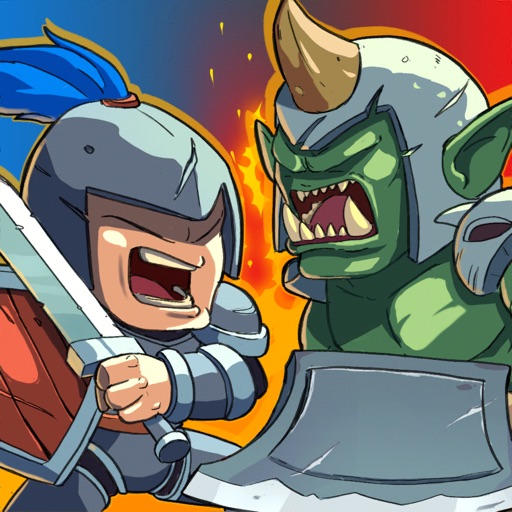
Vinci ogni battaglia istantaneamente con questo Mega War : Clash of Legions Hack mod IPA che ti permette di arrenderti alla vittoria. Costruisci il tuo esercito leggendario di unità uniche e creature mitiche, quindi domina le battaglie PvP contro giocatori di tutto il mondo in questo epico gioco di strategia in tempo reale.
- Arrendersi per Vincere → vittoria istantanea nelle battaglie
Questa app include anche iGameGod, che ti offre accesso ad Auto Touch per automatizzare attività ripetitive, App Speed Manager per regolare la velocità di gioco, modifica dei valori con Memory Engine e altri potenti strumenti per giochi iOS.
Scarica Mega War : Clash of Legions Hack modded IPA dai link sopra. Tocca il pulsante di installazione e segui le istruzioni per installare questo hack iOS sul tuo iPhone, iPad o Mac con Apple Silicon.
Hai bisogno di altro aiuto? Consulta le nostre Domande frequenti sull'app iOSGods per risposte dettagliate e consigli per la risoluzione dei problemi.
Mega War - Clash of legionsは、オークとの壮大な人間の戦いを伴う特別なリアルタイム戦略ゲームです。ユニークなユニット、アイテムで伝説の軍隊を構築し、人類を究極の勝利に導くことができます。さらに、pvpバトルでは、世界中の強力な軍隊と競争することもできます。これはオープンワールドであり、ドラゴン、オーク、ドーフ、エルフ、タウレント、トロール、アンデッドなどの伝説にのみ存在するように見える種を見つけることができます。あなただけが知っている戦略のためにそれらを征服して使用してください戦場での勝利というあなたの軍隊の究極の目標を達成するために。
ヒューマン、オーク、ドワーフ、エルフ、タウレント、トロール、アンデッド、ヴァルキリー、トレント、デーモン、ドラゴン、ナーガ、あなたが知っていて愛している呪文や防御など、数十枚のカードを集めてアップグレードします。
特徴
●大規模な200v200ユニットバトル
●習得は簡単ですが、戦場で習得するのは困難です。軍隊を勝利に導くには、戦闘で何千もの戦略を使用する必要があります。
●興味深いストーリーと追加の報酬を備えた魅力的なキャンペーン
●pvp戦争でバトルアリーナにいる世界中の決闘プレイヤー。
●ドラゴンを探して、目的に合わせて捕獲します。
●終わりのない戦争で地獄からの悪魔に対してあなたの王国を導いてください。
●ナガクランの他のプレイヤーと協力する
●強盗戦争で人々を安心させるために、何千もの敵との反乱を鎮圧します。
●たくさんのゲームイベントに挑戦し、素晴らしい賞品を集めましょう。
●クランを結成してカードを共有し、独自のバトルコミュニティを構築します(近日公開)
●クランレイドと戦争で数百万人のプレイヤーに参加する(近日公開)
●宝箱を集めて報酬のロックを解除し、強力な新しいカードを集め、既存のカードをアップグレードします。
●さまざまなアイテムを使って軍隊をカスタマイズします。
●FriendlyChallenges、Friendly War(近日公開)を通じて、独自のカスタムPVPエクスペリエンスを作成します
皆様からのフィードバックをお待ちしております。問題や質問がある場合は、コメントを残すか、megacombatstudio @ gmail.comまでメールでお問い合わせください。
良い時間をお過ごしください!
ファンページ:https://www.facebook.com/Clash-of-legions
不和:https://discord.gg/7XHNsR6yxs
Youtube:https://www.youtube.com/channel/UCXEmdJvt1iD9Oko-w_HNyrg
• Song : Epic Trailer Drums By (Anwar Amr)
• Video Link : https://cutt.ly/9tqGdzM
Screenshot © rispettivi proprietari · App Store


iOSGods non è affiliata, approvata né sponsorizzata da Apple Inc., Google LLC o dagli sviluppatori delle app elencate qui. Apple, iOS e App Store sono marchi di Apple Inc. Android e Google Play sono marchi di Google LLC. Tutti gli altri nomi delle app, icone, immagini e marchi appartengono ai rispettivi proprietari.
- iPhone o iPad non jailbroken/jailed oppure jailbroken.
- Sideloadly o alternative.
- Computer con Windows/macOS/Linux con iTunes installato.
PASSO 1: Scarica il file .IPA pre-modificato dal link sopra sul tuo computer. Per scaricarlo dall'iOSGods App, consulta il nostro Tutorial download IPA dell'iOSGods App, che include un esempio video.
PASSO 2: Scarica Sideloadly e installalo sul tuo Windows o Mac.
PASSO 3: Apri Sideloadly sul tuo computer, collega il tuo dispositivo iOS e attendi finché il nome del dispositivo non appare in Sideloadly.
PASSO 4: Una volta riconosciuto il tuo iDevice, trascina il file .IPA moddato che hai scaricato e rilascialo nell'applicazione Sideloadly.
PASSO 5: Inserisci l'email del tuo Apple Account, poi premi “Start”. Ti verrà quindi chiesto di inserire la password. Procedi e fornisci le informazioni richieste.
PASSO 6: Attendi che Sideloadly completi il sideload/installazione dell'IPA modificata. Se ci sono problemi durante l'installazione, leggi la nota qui sotto.
PASSO 7: Una volta completata l'installazione e vista l'app sulla schermata Home, dovrai andare in Impostazioni → Generali → Profili / Gestione VPN e dispositivi. Una volta lì, tocca l'email inserita al passo 6 e poi tocca “Autorizza [email protected]”.
PASSO 8: Ora vai sulla schermata Home e apri l'app appena installata: tutto dovrebbe funzionare correttamente. Potrebbe essere necessario seguire ulteriori istruzioni specifiche all'interno del popup dell'hack nel gioco.
NOTA: Per iOS/iPadOS 16 e versioni successive, devi attivare la Modalità sviluppatore. Per gli account Apple Developer gratuiti, dovrai ripetere questa procedura ogni 7 giorni. Se hai domande o problemi, leggi la nostra sezione FAQ Sideloadly del topic.
Game Name iOS Mod IPA is an action adventure game enhanced with powerful gameplay boosts and quality-of-life improvements. Win battles faster, earn rewards quicker, and enjoy uninterrupted play without ads.
- Unlimited Gold - spend freely to unlock premium content
- Damage Multiplier - deal significantly more damage in combat
- Defense Multiplier - take less damage and survive longer
- Reward Multiplier - earn more loot from every battle
- Max Level - instantly reach the highest player rank
- No Ads - play without interruptions or advertisements
This app also comes with iGameGod, giving you access to Auto Touch to automate repetitive tasks, App Speed Manager for adjustable gameplay speed, Memory Engine value editing, and more powerful iOS game tools.
Scarica Game Name Mod IPA dai link sopra. Tocca il pulsante di installazione e segui le istruzioni per installare questo hack iOS sul tuo iPhone, iPad o Mac con Apple Silicon.
Hai bisogno di altro aiuto Consulta le nostre Domande frequenti sull'app iOSGods per risposte dettagliate e consigli per la risoluzione dei problemi.
----------------------------------------------------------
--------------------------------------------------


















![[VIP] GODZILLA BATTLE LINE Hack](https://is3-ssl.mzstatic.com/image/thumb/Purple115/v4/f3/b5/03/f3b50343-1ca5-8590-2347-c1db7b59ac60/source/100x100bb.jpg)