Anmeldung erforderlich
Melde dich mit deinem iOSGods-Konto an, um fortzufahren.
Melde dich mit deinem iOSGods-Konto an, um fortzufahren.

Vervielfache deine Angriffskraft und beherrsche die Ödnis mit diesem Fallout Shelter Online Mod IPA Hack, indem du jeden Kampf in einen entscheidenden Sieg verwandelst. Aktiviere den Gott-Modus, um den unterirdischen Vault und die Ödnis ohne Angst vor einer Niederlage zu erkunden, während Feinde vorhersehbar werden und Strahlung keine Bedrohung für dein Überleben darstellt.
Egal ob du dein Vault-Imperium aufbaust, legendäre Helden rekrutierst oder dich durch herausfordernde PvP-Kämpfe kämpfst, diese modifizierte Version beseitigt den Grind und lässt dich dich auf Strategie und Erkundung in deinem eigenen Tempo konzentrieren.
- Angriff vervielfachen → erhöhe deinen Schadensausstoß erheblich
- Gott-Modus → werde im Kampf unverwundbar
- Dumme Feinde → reduziere die KI-Schwierigkeit der Feinde
- Keine Strahlung → eliminiere Strahlungsschaden
VERWENDUNG AUF EIGENES RISIKO
Diese App wird zusätzlich mit iGameGod geliefert und bietet dir Zugriff auf Auto Touch zur Automatisierung sich wiederholender Aufgaben, App Speed Manager für eine anpassbare Spielgeschwindigkeit, Memory Engine zur Wertbearbeitung und weitere leistungsstarke iOS-Spielwerkzeuge.
Lade Fallout Shelter Online iOS Mod IPA über die obigen Links herunter. Tippe auf den Installations-Button und folge den Anweisungen, um diese iOS-App auf deinem iPhone, iPad oder Apple Silicon zu installieren.
Brauchst du mehr Hilfe? In unseren iOSGods App häufig gestellten Fragen findest du ausführliche Antworten und Tipps zur Fehlerbehebung.
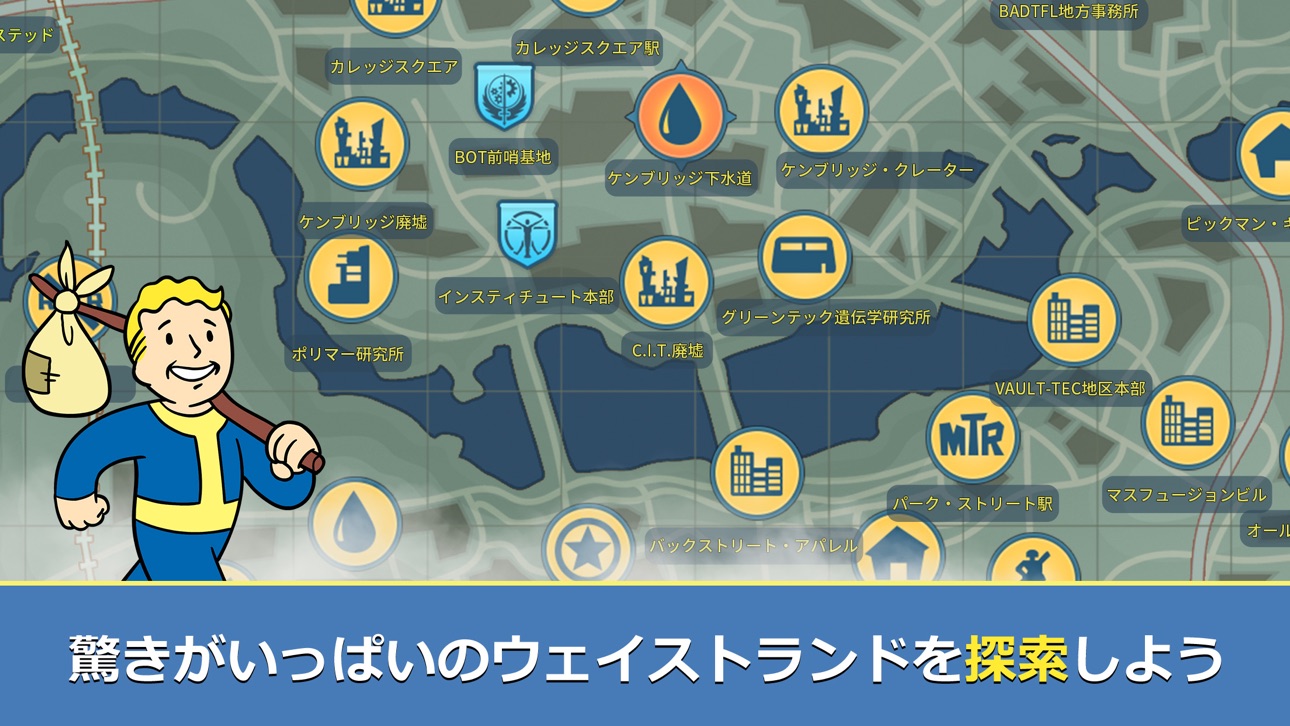
『Fallout Shelter Online』は、これまでに数々の賞を獲得している『Fallout』シリーズの世界観を題材としたアドベンチャー・ストラテジーゲームです。居住者同士の絆関係やPvPシステムなど全く新しいプレイ体験がお楽しみ頂けます。
『Fallout Shelter Online』において、プレイヤーはVault-Tec社の最新テクノロジーで建設されたVaultの監督官となり運営を任されることになります。施設運営の重責を担う監督官として、居住者たちを危機から守り、Vaultの復興させ、さらに、『Fallout』シリーズの名キャラクターたちと共にウェイストランドへ飛び出し、失踪した元監督官の謎に迫ろう!
今すぐダウンロード!目指せ!『Fallout』の高みへ。次期監督官として、あなただけのVault運営を始めよう!
【自分だけのVaultにカスタマイズしよう】
Vaultでの生活をリアルに再現!居住者を管理し、適切な仕事を割り与え、資源の取集を始めよう。監督官として最も効率的で復興したコミュニティを立て上げるのだ!
【名キャラクターたちを集めよう】
『Fallout』シリーズに登場するお馴染みのキャラクターを集めよう!人造人間の探偵の「ニック・バレンタイン」やミニッツメンの「プレストン・ガービー」など強力なレアキャラクターたちを手に入れよう!
【最強のチームを作ろう】
キャラクター同士の「絆」関係を考慮して、バトルで有利な効果を引き出そう!敵の特性に合わせて、キャラクター同士の組み合わせや装備をうまく調整し、ウェイストランドで直面する危機に対抗するのだ!
【PvEとPvPバトルを楽しもう】
あなたが育て上げた作戦チームはどのインスタンスにも赴く。廃墟に潜む危険な敵を打ち破り、コンバットゾーンで他のプレイヤーに挑戦しよう!その為にも、キャラクターの育成や装備の強化は決して忘れずに。
【お問い合わせ】
ウェイストランドの旅の途中で問題が発生した場合は、以下の窓口よりご連絡ください。
公式サイト:http://fosol.gaea.com/jp/index.html
公式Twitter:https://twitter.com/fso_jp
カスタマーサポート:[email protected]
Screenshots © der jeweiligen Inhaber · App Store


iOSGods ist nicht mit Apple Inc., Google LLC oder den Entwicklern der hier aufgeführten Apps verbunden und wird von ihnen weder unterstützt noch gesponsert. Apple, iOS und App Store sind Marken von Apple Inc. Android und Google Play sind Marken von Google LLC. Alle weiteren App-Namen, Symbole, Grafiken und Marken gehören ihren jeweiligen Inhabern.
- Nicht-Jailbroken/Jailed oder Jailbroken iPhone oder iPad.
- Sideloadly oder Alternativen.
- Computer mit Windows/macOS/Linux und installiertem iTunes.
SCHRITT 1: Lade die vorinstallierte .IPA-Datei über den obigen Link auf deinen Computer herunter. Zum Herunterladen aus der iOSGods-App siehe unser iOSGods App IPA Download-Tutorial mit Videobeispiel.
SCHRITT 2: Lade Sideloadly herunter und installiere es auf deinem Windows oder Mac.
SCHRITT 3: Öffne Sideloadly auf deinem Computer, verbinde dein iOS-Gerät und warte, bis dein Gerätename in Sideloadly erscheint.
SCHRITT 4: Sobald dein iDevice erkannt wird, ziehe die heruntergeladene gemoddete .IPA-Datei in die Sideloadly-Anwendung.
SCHRITT 5: Gib deine Apple-Account-E-Mail ein und drücke „Start". Du wirst dann nach deinem Passwort gefragt. Gib die erforderlichen Informationen ein.
SCHRITT 6: Warte, bis Sideloadly das Sideloading/Installieren der gehackten IPA abgeschlossen hat. Bei Problemen während der Installation lies bitte den Hinweis unten.
SCHRITT 7: Sobald die Installation abgeschlossen ist und die App auf deinem Home-Bildschirm angezeigt wird, musst du zu Einstellungen → Allgemein → Profile / VPN & Geräteverwaltung gehen. Tippe dort auf die E-Mail, die du in Schritt 6 eingegeben hast, und dann auf „Trust [email protected]".
SCHRITT 8: Gehe nun zu deinem Home-Bildschirm und öffne die neu installierte App – alles sollte einwandfrei funktionieren. Möglicherweise musst du weitere App-spezifische Anweisungen im Hack-Popup im Spiel befolgen.
HINWEIS: iOS/iPadOS 16 und höher: Du musst den Entwicklermodus aktivieren. Bei kostenlosen Apple Developer-Accounts musst du diesen Vorgang alle 7 Tage wiederholen. Bei Fragen oder Problemen lies bitte unsere Sideloadly-FAQ-Sektion im Thema.
Game Name iOS Mod IPA is an action adventure game enhanced with powerful gameplay boosts and quality-of-life improvements. Win battles faster, earn rewards quicker, and enjoy uninterrupted play without ads.
- Unlimited Gold - spend freely to unlock premium content
- Damage Multiplier - deal significantly more damage in combat
- Defense Multiplier - take less damage and survive longer
- Reward Multiplier - earn more loot from every battle
- Max Level - instantly reach the highest player rank
- No Ads - play without interruptions or advertisements
This app also comes with iGameGod, giving you access to Auto Touch to automate repetitive tasks, App Speed Manager for adjustable gameplay speed, Memory Engine value editing, and more powerful iOS game tools.
Lade Game Name Mod IPA über die obigen Links herunter. Tippe auf den Installations-Button und folge den Anweisungen, um diese iOS-App auf deinem iPhone, iPad oder Apple Silicon zu installieren.
Brauchst du mehr Hilfe In unseren iOSGods App häufig gestellten Fragen findest du ausführliche Antworten und Tipps zur Fehlerbehebung.
----------------------------------------------------------
--------------------------------------------------




![[ SEA ] Honkai Impact 3 iOS Mod IPA](https://is1-ssl.mzstatic.com/image/thumb/Purple221/v4/09/03/0f/09030fe5-0b8c-be31-e059-81e3eb3ed336/AppIcon-1x_U007emarketing-0-10-0-85-220-0.png/100x100bb.jpg)


![[Puzzle & Dragons JP] パズル&ドラゴンズ iOS Mod IPA](https://is1-ssl.mzstatic.com/image/thumb/Purple211/v4/b0/53/63/b05363c0-f684-8b67-d9a6-5d653023515a/AppIcon-0-0-1x_U007emarketing-0-8-0-85-220.png/100x100bb.jpg)


