Accesso richiesto
Accedi con il tuo account iOSGods per continuare.
Accedi con il tuo account iOSGods per continuare.
Ottieni monete e gemme illimitate che aumentano invece di diminuire in questo hack gratuito di Pinatamasters - Free Hack per iOS, più accesso premium permanente per rimuovere tutti gli annunci e raddoppiare i tuoi guadagni. Distruggi coloratissime pinatas in tutto il mondo con risorse al massimo e sblocca l'esperienza di gioco completa senza spendere soldi veri.
- Monete Illimitate → aumenteranno invece di diminuire
- Gemme Illimitate → aumenteranno invece di diminuire
- Premium Abilitato → rimuove gli annunci e raddoppia i guadagni
Questa app include anche iGameGod, che ti offre accesso ad Auto Touch per automatizzare attività ripetitive, App Speed Manager per regolare la velocità di gioco, modifica dei valori con Memory Engine e altri potenti strumenti per giochi iOS.
Scarica Pinatamasters - Free Hack modded IPA dai link sopra. Tocca il pulsante di installazione e segui le istruzioni per installare questo hack iOS sul tuo iPhone, iPad o Mac con Apple Silicon.
Hai bisogno di altro aiuto? Consulta le nostre Domande frequenti sull'app iOSGods per risposte dettagliate e consigli per la risoluzione dei problemi.
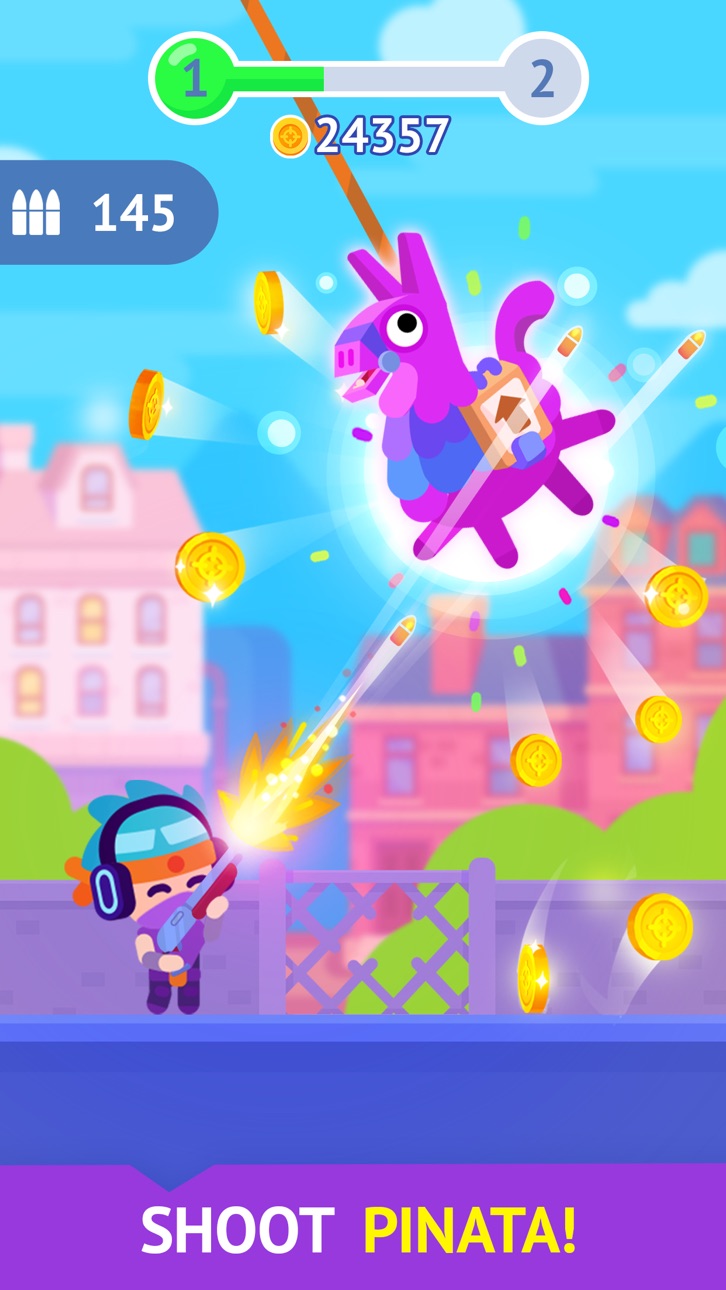
Abbatti le pignatte ed esplora il mondo!
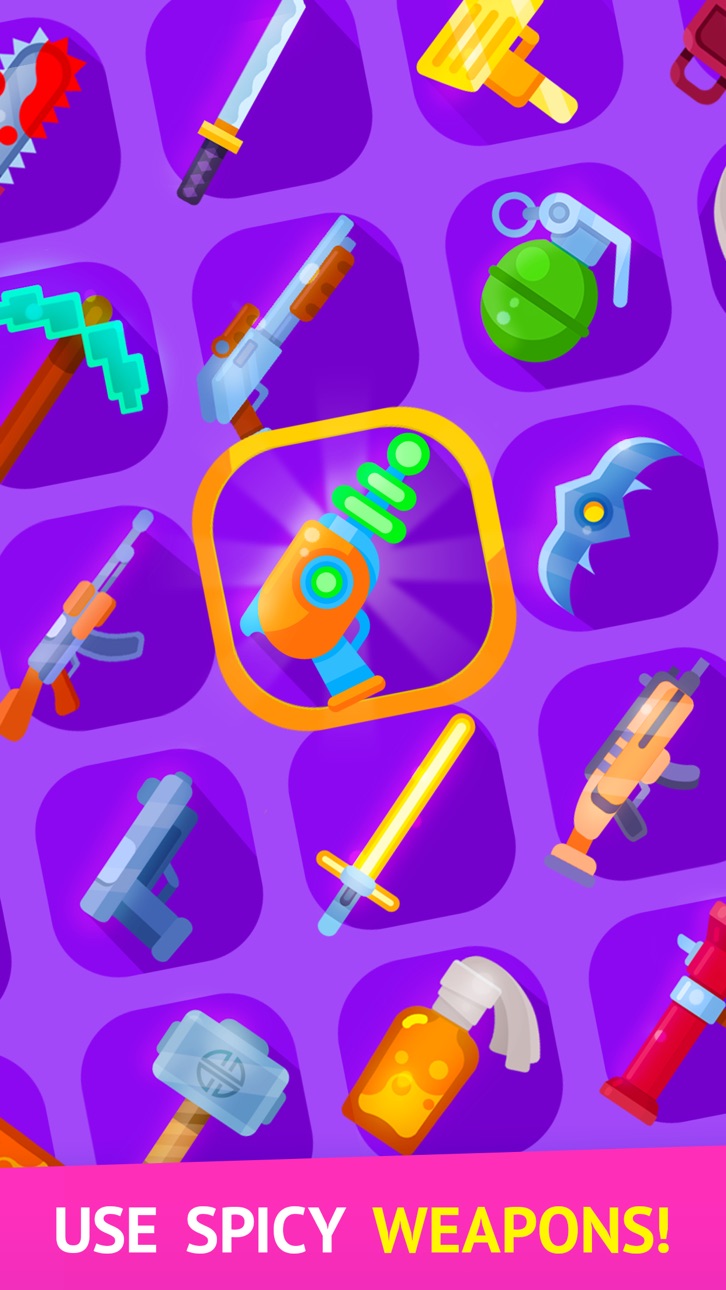
Scegli tra un'ampia varietà di armi e potenziale!
Ricordati di tirare fuori ogni centesimo dalle pignatte!
PREZZO, ABBONAMENTO E CONDIZIONI DI UTILIZZO
Opzioni di abbonamento
Questo gioco offre abbonamenti della seguente durata:
1. Weekly Premium ti offre un abbonamento settimanale per 7,99 USD dopo 3 giorni di prova gratuita. Questo abbonamento rimuove tutti i banner pubblicitari e i pop-up. Inoltre, raddoppieremo i tuoi guadagni e la ricompensa offline per offrirti una migliore esperienza di gioco.
2. Monthly Premium ti offre un abbonamento mensile per 19,99 USD che rimuove tutti i banner e i pop-up. Inoltre, raddoppieremo i tuoi guadagni e la tua ricompensa offline per offrirti una migliore esperienza di gioco.
3. Yearly Premium ti offre un abbonamento annuale per 99.99 USD che rimuove tutti i banner e i pop-up. Inoltre, raddoppieremo i tuoi guadagni e la tua ricompensa offline per offrirti una migliore esperienza di gioco.
Termine del periodo di prova e rinnovo dell’abbonamento
Questo prezzo è riferito a clienti negli Stati Uniti. I prezzi per clienti di altri paesi possono variare e gli importi effettivi possono essere convertiti nella valuta locale a seconda del paese di residenza.
Il pagamento sarà addebitato sull’Account iTunes alla conferma dell’ordine.
L’abbonamento si rinnova automaticamente a meno che il rinnovo automatico non sia disattivato almeno 24 ore prima della scadenza dell’abbonamento attuale.
L’addebito sull’account per il rinnovo avverrà entro 24 ore prima della scadenza dell’abbonamento in corso e una volta selezionato il costo del rinnovo.
Gli abbonamenti possono essere gestiti dall’utente e il rinnovo automatico può essere disattivato dalle Impostazioni Account utente dopo l’acquisto.
Qualsiasi parte inutilizzata del periodo di prova gratuito, se offerto, sarà persa nel momento in cui l’utente acquista un abbonamento a tale pubblicazione, ove applicabile.
Annullamento della prova gratuita o dell’abbonamento
È possibile disattivare il rinnovo automatico dell’abbonamento ogni volta che si desidera attraverso iTunes. Vedi https://support.apple.com/HT202039. Alla scadenza del periodo di prova/abbonamento in corso, il rinnovo sarà annullato. L’abbonamento attivo in corso non può invece essere annullato. Alla scadenza dell’abbonamento, non sarà più possibile usare gli sticker contrassegnati con Premium.
Screenshot © rispettivi proprietari · App Store


iOSGods non è affiliata, approvata né sponsorizzata da Apple Inc., Google LLC o dagli sviluppatori delle app elencate qui. Apple, iOS e App Store sono marchi di Apple Inc. Android e Google Play sono marchi di Google LLC. Tutti gli altri nomi delle app, icone, immagini e marchi appartengono ai rispettivi proprietari.
- iPhone o iPad non jailbroken/jailed oppure jailbroken.
- Sideloadly o alternative.
- Computer con Windows/macOS/Linux con iTunes installato.
PASSO 1: Scarica il file .IPA pre-modificato dal link sopra sul tuo computer. Per scaricarlo dall'iOSGods App, consulta il nostro Tutorial download IPA dell'iOSGods App, che include un esempio video.
PASSO 2: Scarica Sideloadly e installalo sul tuo Windows o Mac.
PASSO 3: Apri Sideloadly sul tuo computer, collega il tuo dispositivo iOS e attendi finché il nome del dispositivo non appare in Sideloadly.
PASSO 4: Una volta riconosciuto il tuo iDevice, trascina il file .IPA moddato che hai scaricato e rilascialo nell'applicazione Sideloadly.
PASSO 5: Inserisci l'email del tuo Apple Account, poi premi “Start”. Ti verrà quindi chiesto di inserire la password. Procedi e fornisci le informazioni richieste.
PASSO 6: Attendi che Sideloadly completi il sideload/installazione dell'IPA modificata. Se ci sono problemi durante l'installazione, leggi la nota qui sotto.
PASSO 7: Una volta completata l'installazione e vista l'app sulla schermata Home, dovrai andare in Impostazioni → Generali → Profili / Gestione VPN e dispositivi. Una volta lì, tocca l'email inserita al passo 6 e poi tocca “Autorizza [email protected]”.
PASSO 8: Ora vai sulla schermata Home e apri l'app appena installata: tutto dovrebbe funzionare correttamente. Potrebbe essere necessario seguire ulteriori istruzioni specifiche all'interno del popup dell'hack nel gioco.
NOTA: Per iOS/iPadOS 16 e versioni successive, devi attivare la Modalità sviluppatore. Per gli account Apple Developer gratuiti, dovrai ripetere questa procedura ogni 7 giorni. Se hai domande o problemi, leggi la nostra sezione FAQ Sideloadly del topic.
Game Name iOS Mod IPA is an action adventure game enhanced with powerful gameplay boosts and quality-of-life improvements. Win battles faster, earn rewards quicker, and enjoy uninterrupted play without ads.
- Unlimited Gold - spend freely to unlock premium content
- Damage Multiplier - deal significantly more damage in combat
- Defense Multiplier - take less damage and survive longer
- Reward Multiplier - earn more loot from every battle
- Max Level - instantly reach the highest player rank
- No Ads - play without interruptions or advertisements
This app also comes with iGameGod, giving you access to Auto Touch to automate repetitive tasks, App Speed Manager for adjustable gameplay speed, Memory Engine value editing, and more powerful iOS game tools.
Scarica Game Name Mod IPA dai link sopra. Tocca il pulsante di installazione e segui le istruzioni per installare questo hack iOS sul tuo iPhone, iPad o Mac con Apple Silicon.
Hai bisogno di altro aiuto Consulta le nostre Domande frequenti sull'app iOSGods per risposte dettagliate e consigli per la risoluzione dei problemi.
----------------------------------------------------------
--------------------------------------------------