Accesso richiesto
Accedi con il tuo account iOSGods per continuare.
Accedi con il tuo account iOSGods per continuare.

Congela il timer del livello e bypassa gli acquisti in-app in questo rilassante puzzle di buchi neri Mod IPA, permettendoti di risolvere Hole Em All: Collect Master al tuo ritmo senza pressione di tempo o muri di pagamento. Questo hack rimuove l'interferenza delle bombe e sblocca la valuta premium, così puoi concentrarti puramente sulla strategia e sulla soddisfacente fisica di far crescere il tuo buco nero per inghiottire tutti gli oggetti target.
- Congela Timer Livello (Congela Timer Livello deve essere abilitato una sola volta, prima di qualsiasi livello) → metti in pausa il tempo per pianificare le tue mosse
- Le Bombe Non Hanno Effetto → elimina l'interferenza dei pericoli
- iAP Gratuito → sblocca tutti gli acquisti in-app
Questa app include anche iGameGod, che ti offre accesso ad Auto Touch per automatizzare attività ripetitive, App Speed Manager per regolare la velocità di gioco, modifica dei valori con Memory Engine e altri potenti strumenti per giochi iOS.
Scarica Hole Em All: Collect Master Hack modded IPA dai link sopra. Tocca il pulsante di installazione e segui le istruzioni per installare questo hack iOS sul tuo iPhone, iPad o Mac con Apple Silicon.
Hai bisogno di altro aiuto? Consulta le nostre Domande frequenti sull'app iOSGods per risposte dettagliate e consigli per la risoluzione dei problemi.
Hole Em All: Collect Master – Your relaxing black hole puzzle game
Your Mission: Swallow, Collect & Relax
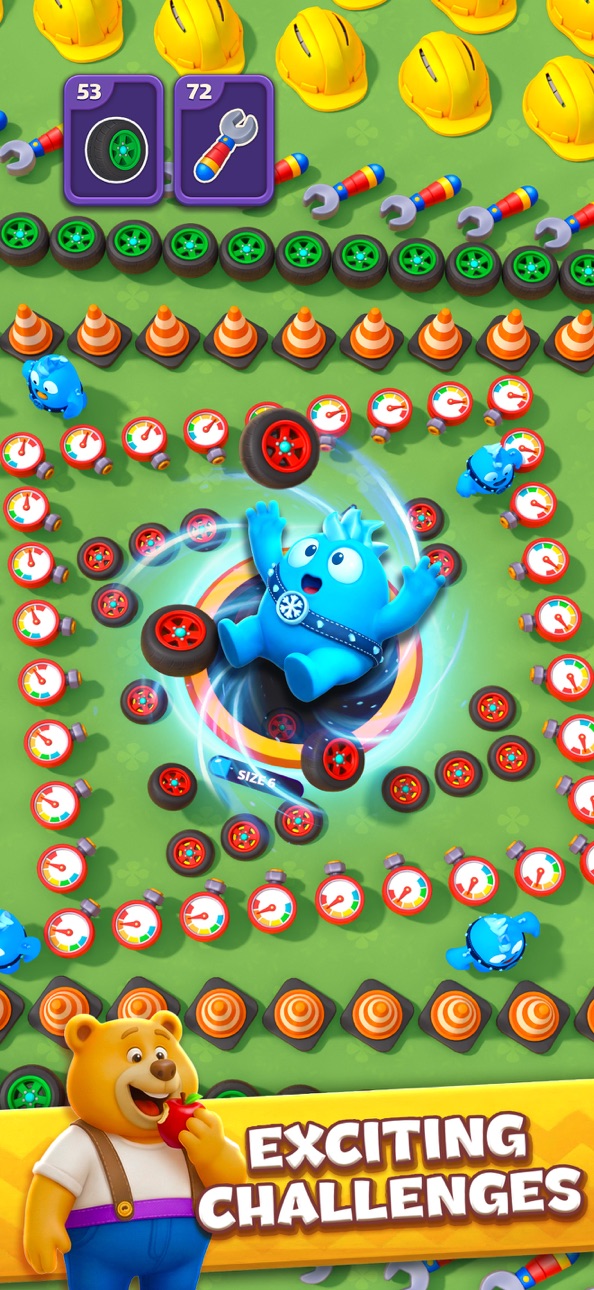
Think fast - Move smart. Guide a tiny black hole to eat little objects around you first,watch it grow big enough to swallow all target items before time runs out. The better your strategy, the faster you win those hole puzzle challenges!
Seeking comforting gameplay or a more competitive thrill? Hole Em All delivers the perfect mix of black hole adventure, full of oddly satisfying physics and fun for everyone!
What make this black hole game so fun
• Team up with friends or other hole games lovers to chat, share gifts, and earn bonuses together
• Compete in limited-time challenges, black hole tournaments to become the ultimate black hole master
• Climb the leaderboard in a solo or team adventures with your crew
• Join frequent special events packed with surprises & rewards in the hole game
• Customize your style: Unlock new hole skins, exciting themes, and cool effects
Hole Em All is the ultimate black hole puzzle experience for fans of hole games, built for pure joy and smooth fun—whether you're on a quick break or diving into for a full chill session. So go ahead, settle in, slide a black hole across creative maps, spot target items, and absorb them all!
If you love brain-teasing puzzles, vivid visuals, and satisfying fun, Hole Em All is your next favorite in the world of hole games. Ready to swallow your boredom? Grab your black hole and let the black hole game puzzle feast begin!
Screenshot © rispettivi proprietari · App Store

iOSGods non è affiliata, approvata né sponsorizzata da Apple Inc., Google LLC o dagli sviluppatori delle app elencate qui. Apple, iOS e App Store sono marchi di Apple Inc. Android e Google Play sono marchi di Google LLC. Tutti gli altri nomi delle app, icone, immagini e marchi appartengono ai rispettivi proprietari.
- iPhone o iPad non jailbroken/jailed oppure jailbroken.
- Sideloadly o alternative.
- Computer con Windows/macOS/Linux con iTunes installato.
PASSO 1: Scarica il file .IPA pre-modificato dal link sopra sul tuo computer. Per scaricarlo dall'iOSGods App, consulta il nostro Tutorial download IPA dell'iOSGods App, che include un esempio video.
PASSO 2: Scarica Sideloadly e installalo sul tuo Windows o Mac.
PASSO 3: Apri Sideloadly sul tuo computer, collega il tuo dispositivo iOS e attendi finché il nome del dispositivo non appare in Sideloadly.
PASSO 4: Una volta riconosciuto il tuo iDevice, trascina il file .IPA moddato che hai scaricato e rilascialo nell'applicazione Sideloadly.
PASSO 5: Inserisci l'email del tuo Apple Account, poi premi “Start”. Ti verrà quindi chiesto di inserire la password. Procedi e fornisci le informazioni richieste.
PASSO 6: Attendi che Sideloadly completi il sideload/installazione dell'IPA modificata. Se ci sono problemi durante l'installazione, leggi la nota qui sotto.
PASSO 7: Una volta completata l'installazione e vista l'app sulla schermata Home, dovrai andare in Impostazioni → Generali → Profili / Gestione VPN e dispositivi. Una volta lì, tocca l'email inserita al passo 6 e poi tocca “Autorizza [email protected]”.
PASSO 8: Ora vai sulla schermata Home e apri l'app appena installata: tutto dovrebbe funzionare correttamente. Potrebbe essere necessario seguire ulteriori istruzioni specifiche all'interno del popup dell'hack nel gioco.
NOTA: Per iOS/iPadOS 16 e versioni successive, devi attivare la Modalità sviluppatore. Per gli account Apple Developer gratuiti, dovrai ripetere questa procedura ogni 7 giorni. Se hai domande o problemi, leggi la nostra sezione FAQ Sideloadly del topic.
Hack Features:
- Inf Coins (Spend)
App Installation Instructions:
---------------------------------------------------------
----------------------------------------------------------
If you require more information or help, please read our Frequently Asked Questions topic on iOSGods.com.
----------------------------------------------------------
--------------------------------------------------