Accesso richiesto
Accedi con il tuo account iOSGods per continuare.
Accedi con il tuo account iOSGods per continuare.
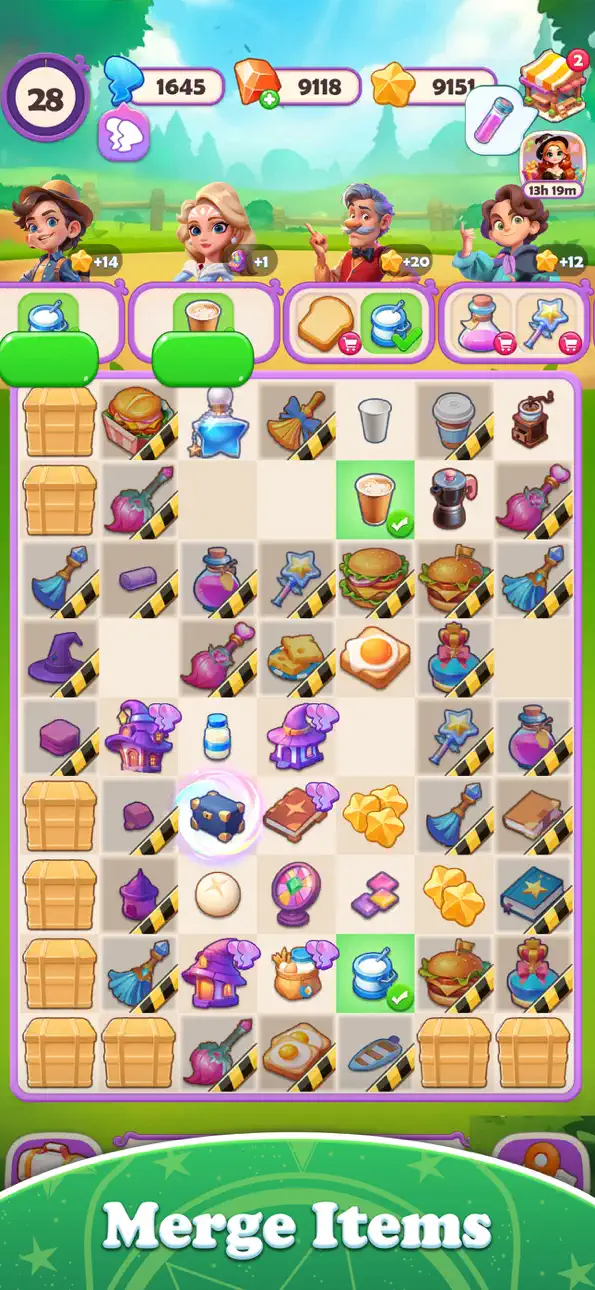
Questo hack del gioco di puzzle a fusione per Merge Magic Academy rimuove i limiti di energia e sblocca i potenziamenti della valuta premium, permettendoti di risolvere misteri magici e fondere oggetti senza aspettare o spendere soldi veri. La versione modificata per iOS trasforma la ripetitività in puro flusso di gioco: fondi liberamente, aggiorna il tuo inventario istantaneamente e guarda i tuoi premi moltiplicarsi mentre avanzi nell'avventura della città magica di Mia.
Che tu stia inseguendo punteggi alti nelle missioni secondarie o semplicemente voglia goderti i soddisfacenti meccanismi di fusione senza l'attrito del paywall, questo hack mantiene il divertimento in costante flusso. Gli amanti dei puzzle e i giocatori casual possono ora concentrarsi sulla strategia e la scoperta invece che su timer e acquisti in-app.
- Energia Infinita → fondi e gioca senza aspettare
- Aggiornamento Inventario Gratuito → espandi il tuo inventario istantaneamente
- Aiuto Gratuito nel Puzzle → ottieni suggerimenti quando ne hai bisogno
- Prezzo di Vendita Elevato → guadagna più monete da ogni vendita
- Valuta Aggiunta nello Scambio di Pezzi Puzzle → guadagna valuta bonus durante gli scambi
- Diamanti Aggiunti quando Spendi → la valuta premium si moltiplica mentre la usi
- Uso Potenziamento Infinito (puoi usare il potenziamento di fusione per aggiornare gli oggetti) → applica i potenziamenti di fusione un numero illimitato di volte
Questa app include anche iGameGod, che ti offre accesso ad Auto Touch per automatizzare attività ripetitive, App Speed Manager per regolare la velocità di gioco, modifica dei valori con Memory Engine e altri potenti strumenti per giochi iOS.
Scarica Merge Magic Academy Hack modded IPA dai link sopra. Tocca il pulsante di installazione e segui le istruzioni per installare questo hack iOS sul tuo iPhone, iPad o Mac con Apple Silicon.
Hai bisogno di altro aiuto? Consulta le nostre Domande frequenti sull'app iOSGods per risposte dettagliate e consigli per la risoluzione dei problemi.
Welcome to Mia's Magic Utopia Adventure!
The magic academy is in chaos, and only your magical merging spells can save the day! With just a flick of your finger, you can merge two items into something truly astonishing! From wands to spellbooks, the possibilities are endless!
Join Mia as you unlock the secrets of the magic city through thrilling side quests like solving magical mysteries and living the life of a magic delivery wizard. Who knew delivering enchanted cakes could be so exhilarating?
But wait, there’s more! Our game is as easy as pie to pick up, with addictive merging mechanics that’ll hook you right from the start. Plus, the soothing art style feels like a warm hug for your eyeballs!
So what are you waiting for? Join Mia on her quest to build the ultimate magic paradise. With endless fun and surprises around every corner, you won’t want to miss this action-packed adventure!
Screenshot © rispettivi proprietari · App Store


iOSGods non è affiliata, approvata né sponsorizzata da Apple Inc., Google LLC o dagli sviluppatori delle app elencate qui. Apple, iOS e App Store sono marchi di Apple Inc. Android e Google Play sono marchi di Google LLC. Tutti gli altri nomi delle app, icone, immagini e marchi appartengono ai rispettivi proprietari.
- iPhone o iPad non jailbroken/jailed oppure jailbroken.
- Sideloadly o alternative.
- Computer con Windows/macOS/Linux con iTunes installato.
PASSO 1: Scarica il file .IPA pre-modificato dal link sopra sul tuo computer. Per scaricarlo dall'iOSGods App, consulta il nostro Tutorial download IPA dell'iOSGods App, che include un esempio video.
PASSO 2: Scarica Sideloadly e installalo sul tuo Windows o Mac.
PASSO 3: Apri Sideloadly sul tuo computer, collega il tuo dispositivo iOS e attendi finché il nome del dispositivo non appare in Sideloadly.
PASSO 4: Una volta riconosciuto il tuo iDevice, trascina il file .IPA moddato che hai scaricato e rilascialo nell'applicazione Sideloadly.
PASSO 5: Inserisci l'email del tuo Apple Account, poi premi “Start”. Ti verrà quindi chiesto di inserire la password. Procedi e fornisci le informazioni richieste.
PASSO 6: Attendi che Sideloadly completi il sideload/installazione dell'IPA modificata. Se ci sono problemi durante l'installazione, leggi la nota qui sotto.
PASSO 7: Una volta completata l'installazione e vista l'app sulla schermata Home, dovrai andare in Impostazioni → Generali → Profili / Gestione VPN e dispositivi. Una volta lì, tocca l'email inserita al passo 6 e poi tocca “Autorizza [email protected]”.
PASSO 8: Ora vai sulla schermata Home e apri l'app appena installata: tutto dovrebbe funzionare correttamente. Potrebbe essere necessario seguire ulteriori istruzioni specifiche all'interno del popup dell'hack nel gioco.
NOTA: Per iOS/iPadOS 16 e versioni successive, devi attivare la Modalità sviluppatore. Per gli account Apple Developer gratuiti, dovrai ripetere questa procedura ogni 7 giorni. Se hai domande o problemi, leggi la nostra sezione FAQ Sideloadly del topic.
Hack Features:
- Inf Coins (Spend)
App Installation Instructions:
---------------------------------------------------------
----------------------------------------------------------
If you require more information or help, please read our Frequently Asked Questions topic on iOSGods.com.
----------------------------------------------------------
--------------------------------------------------